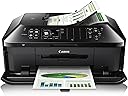
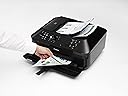
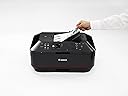
🖨️ Elevate your office game with Canon MX922 — where speed meets smart, wireless versatility!
The Canon PIXMA MX922 is a versatile all-in-one inkjet printer designed for busy professionals and home offices. It features wireless and mobile printing, a 35-sheet duplex auto document feeder, and ultra-high 9600 x 2400 dpi color resolution for crisp photos and documents. With automatic double-sided printing, fast print speeds (15 ppm B&W, 10 ppm color), and seamless integration with AirPrint and Google Cloud Print, it streamlines workflows while reducing paper waste. Its instant-on technology and built-in CD/DVD printing add convenience and creative flexibility, making it a powerhouse multifunction device trusted by professionals seeking efficiency and quality.


| ASIN | B00AVWKUJS |
| Additional Printer Functions | All In One |
| B&W Pages per Minute | 15 ppm |
| Best Sellers Rank | #125,874 in Office Products ( See Top 100 in Office Products ) #102 in Ink Tank Printers |
| Brand | Canon |
| Built-In Media | Canon Office and Business MX922 All-In-One Printer, Wireless and mobile printing |
| Color | Black/sienna |
| Color Depth | 24 bpp |
| Color Pages per Minute | 100 ppm |
| Compatible Devices | Printer |
| Connectivity Technology | Wi-Fi |
| Control Method | App |
| Controller Type | iOS |
| Customer Reviews | 3.8 out of 5 stars 15,196 Reviews |
| Display Type | LCD |
| Dual-sided printing | Yes |
| Duplex | Automatic |
| Global Trade Identification Number | 00806791924941 |
| Hardware Interface | USB 2.0 |
| Ink Color | Black |
| Item Dimensions D x W x H | 9.1"D x 19.4"W x 15.6"H |
| Item Type Name | Multifunction Printer |
| Item Weight | 25.7 Pounds |
| Manufacturer | Canon USA Inc. |
| Maximum Copy Resolution Black and White | 2400 dpi |
| Maximum Copy Resolution Color | 2400 dpi |
| Maximum Copy Speed Black and White | 15 ppm |
| Maximum Media Size | 8.5 x 14 inch |
| Maximum Print Resolution Black and White | 2400 dpi |
| Maximum Sheet Capacity | 35 |
| Maximum print Resolution Color | 9600 x 2400 dpi |
| Model Name | MX922 |
| Model Number | MX922 |
| Model Series | PIXMA |
| Number of Trays | 1 |
| Other Special Features of the Product | Auto Document Feeder |
| Output sheet capacity | 35 |
| Paper Size | 8.5 inch x 11 |
| Print media | Paper (plain) |
| Printer Connectivity Type | Wi-Fi |
| Printer Output Type | Color |
| Printer Type | Inkjet |
| Printing Technology | Inkjet |
| Processor Count | 1 |
| Resolution | FHD 1080p |
| Scanner Type | Photos/Documents |
| Special Feature | Auto Document Feeder |
| Specific Uses For Product | Office, business |
| Total Usb Ports | 1 |
| UPC | 806791924941 640206587754 809099071034 012302195360 172302783599 823019537509 707785294081 638084577936 634972186235 053786295436 611102342013 803982791115 800011166722 809199904089 013803161847 809392576953 729224783802 641438726133 021111434157 898029653754 806300084173 800187847593 069060169201 801593123639 132017769516 164409596868 804993386635 163120853328 115971158183 748587915576 6421252133… |
| Warranty Description | 1 year limited warranty with instantexchange program plus 1 year toll-free tech support |
| Warranty Type | limited warranty |
H**7
This is an exceptional piece of technology. Canon has been my first choice for years.
That said, I don't try different brands so I can compare them, so I may be biased. My camera equipment is Canon (for many years) and so my last printer was a Canon IP6000, purchased in 2006, for printing 4x6 photos (and documents). It worked great until recently when it suddenly slowed way down, which is what prompted me to go shopping. Naturally I read the reviews for Canon printers (and some other brands) and it appeared that this one was the newest technology and already had favorable reviews, including from people with home businesses. Now, let's switch gears. My printing needs have diminished over the years as I have become increasingly more digital in document storage, online financial transactions, etc. Basically, if I can do it digitally, then that is the route I take. This includes my photo collection which is stored on my iPad for showing off. :-) I also bought a CanoScan 8600F (flatbed scanner) in 2006, which is still in use. So, imagine my very pleasant surprise when I discovered the awesome speed and stream-lined functionality of the multi-sheet scanning feature! If one sets up a directory (in the accompanying software utilities) ahead of time, then it's as simple as loading your documents, hitting either start button (black or color) and very quickly a pdf file shows up in the pre-set directory. Did I mention it has an ethernet port and is quickly (and painlessly) recognized on the network once the drivers are installed? I don't like Wi-Fi for home networking, I prefer ethernet (gigabit speed) when ever I can get it, so this port was a big plus for me. All of my computers see and work with the Fax driver, Printer driver and Scanning driver. Now, let's mention some little things that make this machine great. I never turn it off as it has a low-power state (automatic after a few minutes of inactivity) where everything powers down with only one small, blue light glowing. If I send something to the printer it immediately comes to life, takes a few moments to warm up and (this is cool) the paper output tray *automatically* opens and the extension support flips out! It's the little things that make me smile. :-) Also, if I place one or more documents in the scanner slot (while in low power mode) then it instantly springs to life and takes a few moments to warm up. Having stated that I print less and less these days, I must say I was impressed with the ink cartridges. They all have small, red LED lights that confirm they are plugged in correctly and in working order! Another smile. :-) Now I don't FAX much these days, but it's nice to know that it is hooked into the "clone" line through my PhonePower VOIP adapter (2 ports) and therefore is available upon demand. Oh, btw, the top lifts up like a flatbed scanner also, so I guess I will be donating the CanoScan 8600F soon. Final analysis: This machine's capabilities pleasantly exceeded my expectations, even after reading the specs and reviews. It has proven to be fairly equal in functionality to the Xerox multi-function machine at work, but at a fraction of the cost. The only thing it can't do is print 11x17, but that isn't an issue at this time. I will try to get back in a year to report on it's longevity prospects. UPDATE: I have knocked the rating down to 4 stars because there is no secondary sheet feeder. (My rating for this is actually 4.5 but that choice isn't available). Occasionally I have need to print on 8.5 x 14 (legal). With this unit one must remove the regular paper from the lower (main) paper tray, extend it out (at least they did build that into the unit) and load the 8.5 x 14 paper. I suppose I have been spoiled by top (secondary) sheet feeders on previous printers, so this is a small let-down. I guess I assumed the scanning feeder could be used as a secondary sheet feeder (for printing) but due to the design of the machine it cannot. UPDATE, 11-24-13: I had occasion to send my sister a letter today (she hates email) so I typed one up and hit the print button. I have not printed anything for several months, and the print cartridges are now 7 months old. My letterhead includes a small photo of a sunset over a local river at the bottom. After hitting the print button the machine woke up, flipped out the print tray, spent a minute doing a self-diagnostics, then printed out my one page in about 7 seconds. Apart from a slight smudge at the top (probably due to inactivity for several months) the letter printed out flawlessly, including the photo. I reprinted the letter and there were no smudges or flaws. Since I have not needed "legal" size paper anymore, I am changing my rating to 5 stars since this machine is doing everything I need it to do. UPDATE, 05-25-14: I lost my mother on Feb. 1 and inherited her estate. I was forced to move temporarily from WA to KY to liquidate the estate. My first priority was to set up my office so I could deal with the legal, financial and medical accounts and issues. I am also Trustee so there were many Will disbursements to deal with. I did not bring my MX922 from WA, instead I bought a new one once here. After 4 months of scanning, copying, and printing, I can now say I have given this machine a workout, including the printing function. It has performed most excellent. I also needed to buy more ink cartridges and discovered an alternate source (here on Amazon) for cartridges that are: (a) a fraction of the cost of Canon cartridges, (b) still have the same red LED's on them that communicate with the printer and (c) are relatively CLEAR, so one can see how much ink is left. I still cannot comment on photo printing as I am all digital these days when it comes to photography. But I can give this unit 5 stars for being a workhorse in all other areas! I can also say that if one schedules their need for printing envelopes in batches, this unit does that professionally as well. UPDATE, 08-24-15: Earlier in the year I decided to start creating my own greeting cards (using CorelDraw) and printing out 5x7 photos for b-day gifts to relatives and friends (from PhotoShop). Both machines are still working great, and they produce exceptional photos. There are settings within the Canon print drivers that one can play with to improve the photo quality as well. I can also endorse the much cheaper ink cartridges that I buy from Blake Printing Supply on Amazon. I have gone through 2 sets (10 cartridges in a set) and they work great as well. For those wanting to find them, do a search on Amazon for "MX922 compatible ink cartridges" and look for Blake Printing Supply.
J**H
This is one of the best bang for your buck electronics you can buy! JUST BUY IT!
I originally bought this printer just so I had a way to occasionally print color accented documents (flyers, signs, etc.). My primary printer is an HP laser printer but that just prints in black. This Canon printer is AMAZING for the price! It uses four small ink cartridges (cyan, magenta, yellow, and black) and one large black ink cartridge (the larger black cartridge is used when you are just printing regular documents that don't need color). The cartridges that come with the printer say "SETUP" on them so I suspect they are not quite as full of ink as the replacements you buy. As is always the case with inkjet printers the ink is fairly expensive and doesn't last nearly as long as a toner cartridge in a laser printer would, but I find them to be acceptable. I was able to print 30 or so full page color flyers/photos at the highest setting before one of the initial cartridges needed to be replaced. As I'm sure you've already read the printer can do both black and white and color copies. I've used this quite a bit as it's a very handy feature if you just need a copy every now and then (don't use it for high volume or you'll go bankrupt on ink!). The copy speed is fast even for color copies. I have the printer sitting across the room from my computer desk on it's own little table. The nice thing about it being wireless is that you literally just plug in the power cord and you're done. It will work from anywhere in your house without additional cables from your router or computer. The only other cable you may need to connect is a telephone line if you plan on using the fax features. Since I rarely use the fax portion I just plug in a long telephone cable whenever I need to send a fax and then unplug the telephone cable when I'm done. The printer has two trays on the front. The lower tray holds regular sized paper and can just be left full with plain paper. If you want to print a large sheet of photo paper you can just sit it on top of the plain paper so it gets fed into the printer next. For smaller pieces of paper such as 4x6" photo paper you can use the top tray. There is also a CD tray that allows you to print labels directly on CDs or DVDs that have a printable surface. Another neat thing with this printer is that the front paper output tray can be left closed when not in use. This way dust isn't settling on the tray or getting inside the printer. As soon as you go to print something the tray will automatically flip down so there is a place for the paper to go after it has been printed. THE BEST FEATURE: I've saved the best for last. THE SCANNER! This printer is worth the price even if you never print anything from it! I would buy it for the scanner alone! Since it's wireless you don't need to attach it to your computer. Just lift the lid, place whatever you want to scan inside, and then connect to the scanner from your computer. This is a very nice convenience as I was used to having to plug a USB scanner into my laptop every time I wanted to scan something. Now I don't have to mess with any wires or move the scanner or laptop to be near each other. When you place multiple photos or other documents on the scanner at the same time the scanner will automatically recognize the borders of each document and scan them to separate files. This is a very nice time-saving feature when you are scanning large amounts of old photos. Just place as many photos as you can fit at a time on the scanner and they will all become separate image files with one pass of the scanner! The feature that has spoiled me the most is the sheet feeder. In the past I would have to individually scan pages of a document if I wanted to create a PDF. Many times I would be scanning 10-20 page contracts and would have to insert each page, wait for the scanner to scan, click a button on the screen, then insert the next page, and so on until the entire document was scanned. With this Canon scanner you simply place the ENTIRE document in the sheet feeder on top and with one click it scans all the pages and creates a PDF file (and very quickly at that!). This has saved me so much time and frustration! This printer is a STEAL for the price! I look at it as a great scanner that just happens to come with a free printer and fax machine!
~**~
UPDATED: Absolute GARBAGE
FINAL UPDATE 5/5/21: I reduced the stars from 2 to 1. I am DONE. I don't think I've ever hated anything as much as I hate this printer. Shame on Canon, honestly! So... I had put this printer in storage for the last few years, and finally got it out this week. I went to set it up last night. I expected the cartridges to be dried up, so I replaced them immediately. I printed a couple of test pages using the Copier function, and they printed. I couldn't lay my hands on the cord to connect my printer directly, and the WiFi where I am right now didn't enable me the option to hit the WPS button. The printer DID see the WiFi, and did recognize that it had multiple access points, which was true. I was pleased and actually impressed that it did something right for a change. I told it to connect, and it claimed that it did. Wow! That was so much easier than I had come to expect from this printer! I have a different computer than I was using the last time I used this sorry excuse for a printer, so I tried to set up the driver. My computer recognized the printer was nearby, but it errored out every single time I tried to install the driver. Awesome. I loaded my documents onto a USB drive, and plugged it into the printer. It couldn't see them. WTAF? I re-saved the documents as PDF files, as the Canon claimed to be able to recognize those. Voila! It could see them this time! Victory! But it wouldn't print them. It kept telling me there was an error, and it would not resolve. Angrily, I went to bed, determined to figure it out today with a clear head. Today, I decided to try Google Cloud Print, as the manual said that was an option. I have Google Cloud! Yay! This should be easy! Well... granted, this isn't actually Canon's fault, but Google Cloud Print is no longer available. As of just a few months ago! Damn it! So! Last option before giving up. I dug through my cords until I found the correct cord to connect my computer directly to the printer. I plugged it in, and printed a page... BLANK. I tried another. BLANK. I tried copying a page from the copier WHICH WAS WORKING FINE LAST NIGHT! BLANK! I googled the troubleshooting tips for this issue, which is apparently common. Not only have sooooo many people had this issue, and Canon doesn't know how to fix it, but their go-to suggestion is for you to replace the printer head... which was apparently costing people time and money, and still didn't resolve their issues! I found one professional printer guy's troubleshooting advice, which was very specific, and made total sense, so I followed it precisely. No dice. He recommended trying it a second time if it didn't work the first time, so I did that too. Nope. His third suggestion is to toss the printer at this point. No one else seemed to have a better solution than that. I am just furious. I would have forgiven the damn thing if it simply didn't work after sitting in storage awhile. But it did work last night! And everyone who complained about this very issue said the same thing - that one moment it worked just fine, and the next moment it was spitting out blanks. I also could have forgiven it this issue if I hadn't had SUCH problems with it in the past! But I have. I have literally had nothing but problems with this piece of trash since the moment I first unboxed it. If this update isn't enough to dissuade you from continuing to consider this printer, read on for more of my fun times with this Canon!... UPDATE 6/30/16: I am not changing the stars, but I did have an improvement recently and wanted to share it with you in case you're struggling with the same infuriating issue I've had with mine since the beginning: The WiFi connection. My house is teeny tiny - only 432 square feet - so how far from the printer the modem was shouldn't really matter. Some people's bedrooms are bigger than my whole house! However, I used to have my modem in my bedroom, and the printer in my living room. It could only find the wireless signal for the first few minutes after it would turn on, and after that it was oblivious to it. I bought this printer in LARGE part for its wireless capabilities, so I wouldn't have to go to the printer every time I wanted to print something, but with this printer I had to do that and more! Every time I wanted to print something, I would have to power down the printer, wait awhile, power it up, and hope, JUST HOPE, that it would snag the signal for a moment so I could print. Recently I "upgraded" my wireless. I switched companies, plus went from DSL to Cable Modem. It doesn't seem any better or faster to me (it was fine before; I switched companies for another reason), but speedtest.net says it's a lot faster. Also, I put the modem RIGHT NEXT to the printer this time - not on purpose, but just because that's the place it worked best for me to put it. I hesitate to say this, lest I jinx the improvement, and /KNOCK ON WOOD, and all that jazz, but... I haven't had a single loss of wireless signal ever since. Not one. I'm still amazed every time I'm back in my bedroom and I hit "print," to hear the printer start right up! It's been about 2 months, now! The reason I'm not giving extra stars is because of my first paragraph. If the WiFi in this printer is SO crappy that it couldn't even pick up my wireless signal from the next room in a tiny house (that I had no other problems with for any streaming, or otherwise, under my HEAVY internet usage), it's still a pile of junk. In this day and age, there's just no excuse for a crappy wireless connection. So, as I started, I just wanted to give you this tip in case you already have the printer and you're going crazy because of the WiFi. ----- I just hate this printer. I have given it many months so that I could get used to it, learn its eccentricities, and figure out why it behaves the way it does, but I still just hate it. I had been in the market for a GOOD printer, and had done my research. This printer fit everything I wanted, and had great reviews, so I kept my eye on it. It was around $130 at the time. I woke up the morning of Black Friday and checked my Amazon basket to see that the printer was on sale for $62, shipped. I jumped on it. I was so excited, I was actually teary-eyed- not kidding. Is that weird? :-/ I told my mom about the deal, and she jumped on it too. That is a HUGE deal for my mom. The printer arrived and I set it up instantly. The set-up was really easy. The printer is beautiful. Those are the 2 pluses I will give it. (For the record, if you're wondering, the red strip on the front is barely noticeable. At first, I thought they sent me the wrong one, but it is there, just much less distinct than it looks in the picture.) The first thing I tried was printing a photo from my iPhone. It kept printing sideways and on the wrong side of the sheet. EVEN when I would turn the sheet a half turn (you can make the paper sit longways or sideways) and EVEN when I would turn the sheet upside down! It's like it was choosing the wrong side on purpose! Every single copy was streaked and bubbled looking, and the color was all off. I could find no way whatsoever to access print options from my phone before sending it to print, so it is what it is. Another thing I dislike intensely about this printer is that it takes FOREVER to print (the ad promises it is super fast), and it never freaking stops making racket. It is always busy in there, cleaning itself, preening like a cat. Occasionally it will start printing streaks and/or empty spots if the heads need cleaning. How on earth the heads EVER need cleaning, since it is constantly self-cleaning is beyond me. And frankly, with what little I print, there is no way I should have had an issue with this by now. Most other printers I have used will compensate with another color if one is running low, but not this one! If it has run out of one color, the printer will cease working altogether! It also runs out of ink WAY too fast. Again, I do not print that much. I have now replaced every cartridge. In the past, I usually replace cartridges about once a year. I have only had the printer since December, and I have had to replace cartridges since about 2 months in. THE WORST thing about this printer is it is constantly "offline." Even when I am sitting right next to it with my computer, it is clearly on, and the wireless light is lit up, when I try to print something, it says the printer is offline. What the heck?! I will "wake it up," by pressing buttons to stimulate it, but it still won't print. Sometimes I can trick it into printing by printing something easy first, like a "test" page, and then immediately printing what I was trying to print in the first place, but sometimes that won't work either. It is completely random when it is offline, and sometimes there is nothing I can do to get it to print. My mom has had all of the same issues I have had, so I know it's not just me or my printer. She hates hers so much, she just boxed it up and is getting rid of it. If you knew my mom, you would know what a big deal that is. I am so disappointed in this product, and especially in Canon. They have been around long enough, and in this business long enough, that they should have put out a much better product. I am really grateful that I bought it on a Black Friday sale, and didn't pay full price for it, but I am still stuck with a crappy printer that doesn't want to print, and is super finicky when it does print. I can't afford a new one at this time, so this is it for me. Don't let this be it for you. Find a different printer.
O**N
EDIT Not what they used to be but looks good so far.
EDIT: Concerning the ink level monitor, I've discovered what many people are complaining about, the ink level warnings, are simply not true. I replaced the original cartridge when the warning said ink has run out (not ink is low) with a generic cartridge. I'm letting that one go just to see how long it takes to run out after the ink is out warning. Well, it has run for about a month after the low ink warning, printing at least a dozen sheets every day, in grayscale mode, no fading at all. So the ink monitor is there to get you to change your cartridges well before they're empty, something I should have expected from Canon. My old MX850 meant what it said, if the ink level said out of ink it was really just about out of ink. Also, the Arthur Imaging jumbo pack of cartridges being sold on here seem to be perfectly acceptable substitutes for the Canon brand. I can't see any difference in color, unlike generic cartridges for the MX850 which had ink of different shades than the Canon. Finally as far as the endless cleaning cycles, they seem to use very little color ink. The original carts are a little bit below the level they were at on the printer status popup after I ran a big batch of color prints a couple months ago. So if yours is sucking up ink running cleaning cycles it might be a problem with the printer. I was planning on buying an MX870 or MX982 because the reviews were generally more favorable, but I was stuck with this model for a reason (see below). After printing for less than a week, I can say that, for what I use it for, it seems to perform well. Set up the LAN flawlessly from the display. I have it hardwired into the LAN adapter (EDIMAX 6478 which consider to be the best of the reasonably priced adapters), so I can't say if it will work as well when configured wirelessly. I am amused by people who expect to plug it in and immediately start printing from wireless devices. Like most devices these days, you have to download the latest drivers from Canon's support site. I never ever use a setup CD, their drivers are almost always out of date. Don't even put in your drive, just chuck it. Install these drivers on every single device on your LAN if you can, I can't speak to any smartphones or any OS other than Windows 7 64-bit Professional. Also never let Windows pick a driver for anything, they are stale, generic drivers that can cripple any device. One of my wireless PCs stopped printing to the old printer for no reason I can find (it was almost out-of-the box new), but it immediately printed to this one after installing the drivers from Canon's site. It doesn't go offline for me, but it's not connected via WI-Fi, and I've never turned it off. That's a big mistake many people make, the printer essentially has to perform every setup step all over every time you turn it back on, so the complaints about taking forever to print the first job after turning it on are asking too much of this printer. I don't think its too slow to print, it's lightning fast compared to the model I am replacing. I am still on the original cartridges so I can't speak to ink use or using 3rd party or refillable carts. The color seems to be more-or-less faithful to my screen, but I do manage the colorspace of the monitor and printer closely to get faithful photo prints (you probably don't want to get into that, it's a byzantine nightmare if you aren't familiar with the process). One thing I have noticed is that the print to DVD seems to produce a bit darker image than printing on paper or self stick label paper, which is better, but not perfect. Printing to plain paper is a much better match. I had to replace an aging MX850, which after years of good performance has killed 2 replacement printheads in a row, and they're impossible to find in new condition, and even refurbished heads are ridiculously expensive. That model printed produces a bit lighter color prints, and the ink colors weren't all that great, so it looks like Canon has corrected the problems, but they may have gone overboard on color saturation. The print to DVD is something I use frequently, and at least they didn't monkey with that. One thing is it seems to not detect a properly inserted DVD fairly often, so I need to take out the tray and reinsert it, which is the exact same behavior as my MX850. Canon should have recognized that and fixed it by now. One annoyance for me is that Canon ditched the rear feed paper tray, I found it to be incredibly useful to print to labels, keep a supply of used paper so I can print on the reverse, and use heavy stock, or legal size paper. I am anticipating that it probably won't print to heavy weight greeting card stock, which is pretty much universally heavier than the printer's advertised max. of 90 weight paper stock. That's why there used to be read feed trays, the feed from the front rolls the paper through a 180 and using heavy stock will make that practically impossible. I do like the extra front tray, it's very handy for storing photo paper for when I need it, and printing to paper first to check the print quality is something everyone should do, unless they don't mind wasting expensive photo paper. The scanner seems to work well, as does the ADF and duplex printing (which is pretty slow, but that's true for most inkjet printers). The scanning utility is vastly superior than my MX850's utility, and much more intuitive. The scanner does run slower, that's a minor annoyance to me. Faxing works as expected. The reason I was more or less stuck with this model over the MX982: I planned on using a Continuous Ink Supply System or CISS, because I can't find a quality system that promises to work with a 982. Well I paid over $100 for one that was a piece of junk and never worked. It magically disappeared from the seller's website after I asked for my money back. Just so you know they are Earthinkjet.com and they're bottom feeding scum. They hide behind a phony address and server so you can't track them down when they never answer emails or their phone (which is probably a phony number anyway). PS. All of you who can't print black or individual colors anymore are experiencing a printhead clogging issue. I'm not surprised that Canon tech support won't tell you that; they want to sell you a new model rather than having to send you a new printhead. You can't magically fix a terminally clogging printhead no matter how many cleaning and deep cleaning cycles you try. There are good articles out there but as with virtually all printers an overnight soak in printhead cleaning solution (not water, or window cleaner, or 50% rubbing alcohol, or anything else) will almost always completely unclog the printhead (if it's toast it will clog up again very fast).
F**E
A Quality Printer-Copier-Scanner-Fax at a Great Price
This is an update of my previous review after using it for one month. I previously stated: The setup was easy with an illustrated step by step guide. But to go beyond the basics you must use the supplied disk to install the software and to download the on-screen manual. The printer, scanner, and copier work very well…I have not used the fax. Unlike some other reviewers, I found it to be reasonably responsive and not too noisy. The on-screen manual is very thorough and complete, but I would rather have a hard copy so I have printed one out. This was a long tiresome process, but worth it to me. The manual covers everything from loading paper to cleaning the ink jets and how to do and maintain anything you can think about. It did not use as much ink as I expected. I have printed about 250 pages of the manual, which includes a lot of pigment black and a fair amount of color. In this process it has used from half to 2/3 of the ink that came with it (depending on the color), and for me that’s good. I agree with others that Canon OEM replacement ink is expensive, but for home use it is not excessive. There have been good and bad reports about non OEM compatible inks, but for my use I will not take a chance with them. If I used it for a business, I would try the compatible inks, and certainly use a laser printer for B&W printing. The color prints of photos are the best I have seen from an inkjet printer. I previously had an Epson Stylus Photo R1900 (which cost about $500) and gave great color prints…….but the prints from the Canon PIXMA MX922 are significantly more vivid and brighter. The R1900 used pigment inks which are expected to last at least 100 years without fading, but dye based inks used in the MX922 should last a very long time unless exposed to sunlight. I like that it has two paper trays, one for standard paper, and another for either 4X6 or 5X7 color print paper. The manual states that it will also print to other size paper, legal paper, envelopes and printable disks but I have not tried these yet. The bottom paper holder turns over to hold a printable disk. Here is my update: The capabilities of the MX922 are amazing. The on screen users manual covers more information that I have time to discuss. I prefer a hard copy, so I printed it out all 470 pages using the Canon MX922. In my opinion it is reasonably fast and it’s use of ink is moderate compared to my previous Epson Printer. o For scanning, I have compared it to my stand alone Epson V33 in scanning newspaper clippings. The difference in output quality is outstanding. Here’s some data: o At 300 dpi the quality of the Epson was “poor”…(hard to read words). At the same dpi the Canon quality was “good”. o At 600 dpi the quality of the Epson was “fair” while the Canon was “excellent”. o At 1200 dpi the Epson was “good”, but not excellent, and it took 3 times as long to scan as the MX922, and the file size was 6.1 MB compared to just 733 kb when using the Canon at 300 dpi. Which gave beter quality. But the Canon is more clumsy to use, while the Epson sand alone scanner is very easy. Scanning a page from a large book was not possible with the MX922. I expect this is the case with any all-in-one device. The lid is just too large. A ton of software comes with the MX922, some useful, others not. One applications is called “My Image Garden” which can easily organize photos and documents, and can make a variety of corrections to your photos. One neat feature is that you can see an image before and after making a correction and make a choice.
E**N
Two Years. That's All You Get!
My first review was in 2015 when I first purchased this printer. It worked well, which, at the time, I rated it at 4 stars. The printer lasted exactly 2 years before the print head died; not worth replacing. So, having several (expensive) cartridges left to use, I purchased another one. It too lasted exactly 2 years. It died on the date of this review. Costs about $8.33 per month of ownership - NOT including the cartridges... And, unfortunately, I have several extra unused print cartridges. However, cartridges be damned, I choose NOT to purchase another MX922. Instead I'm going for the less expensive ($100 less) TR8520; seems like it does all the same functions as the MX922. As with all of these All-in-one printers, the reviews are "iffy". If you're actually reading this review, I'll let you know how the TR8520 fares once I start using it. Stay tuned. Initial Review 2015: I have had the Canon approximately one month now. I am giving it four stars for several reasons. One of which is Canon’s support - more about that later. Another is, the fact that everything works - The print is clear, relatively speedy, works off the network & Wi-Fi, and scanning and copying work fine as well. It loses the fifth star for several issues, most of which were cleared up and are no longer issues. Most of these issues concerned setting up the printer to do everything you want it to do - getting it to work wirelessly, getting the scanner to work from the computer (I found out how to do that by accident,) figuring out if it is actually working off the ethernet connection to my computer or the wireless connection, and a few other minor disturbances. What remains a definite negative is the time it takes for the first print page to come out after you turn on the printer – some two minutes. So it is best to leave the printer on all day to avoid this. Subsequent pages come out relatively quickly. Prior to this Canon, I purchased Hewlett-Packard printers (at least five have preceded the Canon.) when my latest HP failed after only a year and three quarters. I decided it was time to change manufacturers. So I spent two weeks doing research and reading reviews. The Canon came out on top for having the least number of negative reviews and the cost of the cartridges being less then HP’s. I kept my search limited to printers costing between $75 and $150. The printer arrived DOA! I called Canon tech-support. A real person answered within one minute! He did some diagnostics and concluded the printer was damaged at some point between the factory and my home. He said he would ship me a brand-new one immediately. It arrived a few days later. He also shipped me an additional set of cartridges - I guess, for the pain and suffering. Best tech-support I've ever had on a printer! Since I've only had it a month, I cannot comment on its longevity. That is the one major factor that has yet to be determined. Update - 7 months later... I will leave the review at four stars because it may get more people to read my review. However, it is really only rates 3 1/2 stars. The printer does print, copy & scan well. My chief complaints, after seven months of use, are: 1- The ink cartridges do not last long at all, and I do very little printing. 2- If any one of the color cartridges run out, it prevents me from printing, even if the black ink cartridges have ink. 90% of my printing is with black only ink. 3- it takes forever for the first page to print after I turn on the printer (2-3 minutes.)
J**C
Great printer, buy the cheap ink
I love this printer, we are homeschoolers and this printer has served us well! The first time we bought it, we had it for about a year and a half and the electronic component died. I was pretty sad since it was such a great printer. I contacted Canon on Facebook and they were very responsive and helpful. I did a ton of research on printers and in the end I bought this printer again. There are some features we don't fully utilize, like scanning and photo printing. Pros: 1) There is VERY inexpensive off-brand ink that works really well in this printer (see potential con for this). This is by far the most cost efficient printer for ink. Arthur Ink is only $26 for 28 cartridges: 28 Pack Arthur Imaging Compatible Ink Cartridge Replacement for 250XL 251XL (12 Large Black, 4 Small Black, 4 Cyan, 4 Yellow, 4 Magenta, 28-Pack) Canon Ink is $35 for the color cartridges and $15 for black (trust me, it's cheaper to buy it this way, the pack with color and black is $52 and who uses them at the same rate?) Canon CLI-251 CYAN,MAGENTA,YELLOW Ink, Compatible to MX922,MG7520,MG7120,MG6620,MG5620,iP8720,MG6420,MG6320 and MG5420 2) In 2 years I have had one paper jam, and it turned out that I had messed up the paper tray when I loaded the paper the first time when I got my second printer. 3) WIFI and phone printing are AMAZING! 4) Set up is so easy and maintenance is a breeze 5) Auto feed for the scanner and copier makes life so much easier 6) As homeschoolers, I love having an unlimited supply of kids handwriting paper, graph paper, and list templates 7) I recently discovered that I need glasses, but I could still read the screen on the printer even before I got my glasses Cons: 1) Can't print from Chromebook 2) Using off-brand ink will void any warrantees (this is the case for any printer, but since the cheap ink is SUCH a pro, I feel I need to mention this). After doing the math, we save at least $46 per month using the cheaper ink ($50 for Canon versus about $4 for Arthur Ink, if we were only to change each cartridge once - which is unlikely). That's enough to just replace the printer in a few months if anything were to happen. 3) Instructions tell you to reset your entire wireless system, it caused chaos the first time we did it. Use caution! 4) Tons of people report their electronic systems dying, sometimes as soon as a year after purchase. A warrantee (or extended warrantee) will cover it, but only if you use Canon's expensive ink. We decided at this price point it is worth the money to have the printer for 1 to 5 years and save the money on ink to reinvest into another printer (which ended up being this printer again). I am hoping printer #2 lasts longer than 18 months, but we are prepared if not. So many other printers on the market have ink that is cost prohibitive this really is the best one for the money.
S**H
Not as advertised and specified and Canon doesn't care.
I give this two stars because over-all, it seems to be a pretty nice printer BUT I did discover it's not exactly as advertised in the features and specifications. I require a printer that can print on legal paper including auto duplex for my large, multi page legal documents. And I did perform my due diligence pre-sales research by investigating the Canon web site pre-sales advertising of "features" as well as the list of "specifications". And just as the Canon information on this amazon page indicates, the Canon webs site ALSO indicates that features include "Built-In Auto Duplex Printing" and Paper size specifications that does include "legal" size paper. Great! This is exactly what I occasionally need! And based on these Canon pre-sales "features" as well as Canon "specifications"; I purchased one of these printers and all went well for a little over a month for regular print jobs. Then came the day I needed to print out a large, multi-page, two sided legal document and I kept getting a printer error that indicated "Paper size incorrect for auto duplex". Ok... this is VERY WEIRD! I know that the HARDWARE for auto duplex is merely an extra paper handler in the back of the printer that allows for the paper to feed most of the way out then draw it back through in the other direction so the hardware should NOT have any problem with the extra three inches of paper. So I contacted Canon and explained these things to the first agent who agreed that this is weird. Then I spoke to the agent's supervisor to ask about why the firmware/software/driver is NOT taking advantage of the full hardware capabilities? This agent eventually discovered that somewhere deep in the user's manual is a statement that auto duplex does NOT work with legal paper but no reasonable explanation WHY this is... :P At this point there is nothing Canon can do about this such as update the driver to allow the hardware to run out the extra three inches for auto duplex of legal paper documents. I then contacted Canon corporate regarding it's failure to disclose this material fact in it pre-sales list of features as well as the specifications and the legal fact that I am now commercially damaged because this was beyond the 30 day return window and I no longer had any box or packing materials... But the Canon corporation agent indicated that his corporation doesn't care about the failure to disclose and blamed me for not thoroughly reading the entire user manual before purchase... Therefore, when it comes to Canon; this certainly is "buyer beware" and Canon refused to provide any recourse for my damages. Canon apparently doesn't care and in fact; doesn't offer ANY legal size auto duplex printers except for its much higher end, very expensive business class laser printers. On the other hand; Amazon customer service once again proved to be excellent by providing an exception to the return window and also provided a return label. Thank you, Amazon for the actual customer service! My recommendation- Get an HP Officejet Pro 8610 for about the same price and enjoy the benefits of a printer that actually performs as advertised including legal auto duplex printing as well as longer lasting pigment ink system and larger ink tanks. HP Officejet Pro 8610 Wireless All-in-One Color Inkjet Printer (A7F64A#B1H) Kindest regards; Scorch.
E**H
Primeras Impresiones: buenas
El equipo es un poco más grande y pesado de lo que me hubiera gustado. La instalación fue sumamente sencilla. La he probado con moviles, tablet y desktop; con todas ha funcionado bien. El ADF de escáner es de gran ayuda. El software que se incluye para manejo de imágenes funciona a pesar de que la interfaz no es muy limpia. Te avisa siempre que sólo lo puedes usar si le pones cartucho originales a la máquina. Como no lo pienso hacer tal vez actualice la reseña una vez que le ponga cartuchos nuevos genéricos. Finalmente, la calidad de impresión no es excelente y algunas veces presenta lineas por la mala alineación del cabezal. No es algo que me preocupe mayormente ya que no imprimo cosas que necesiten más calidad de la que da esta máquina.
D**S
Perfect!!
As advertised. Perfect!!!!
D**A
Don't buy this printer as no warranty or installation is provided
Hey People, please don't buy this printer. It's an international product. There is no installation or warranty. I have bought it 2 months ago and struggling to install it.The dealer refused to take the printer back and am stuck with a printer that can't be used.. Unfortunately, I did not see any bad review's when I purchased this printer in April 2018. I am stuck with this printer, as I was unaware that this product is not available in India and will not cover warranty. Amazon did not specify on their portal that it is a US make. I struggled for more than a 2 weeks requesting Canon / Amazon to send a technician to install the drivers. Only after several calls, mails did Canon identify that the serial number does not match with the products available in India and they will not be able to support us in anyway. I tried returning the printer to Amazon but they did not accept at it had past the 1 week return period. I did put a claim as well to no avail. As Canon or Amazon did not support me, I requested an IT person to install the printer for which we had to pay additional charges, it worked for some time, and now the printer has stopped working. I have sent it to one of the Canon dealer for repairs and they are unable to support me. PEOPLE PLEASE BE AWARE AND NOT BUY THIS PRINTER. I HAVE GONE THROUGH A LOT OF TRAUMA DUE TO THIS AS THIS WAS PURCHASED FOR THE OFFICE AND DUE TO THE WRONG CHOICE I HAVE GOT INTO DEEP TROUBLE WITH MY SUPERIORS. - A FRIENDLY ADVISE - A BIG NO TO CANON PRINTERS
G**O
impresora de inkjet
Buena impression, pero los cartuchos de tinta son caros y se cosumen rapidamente. velocidad media, versatlilidad media. muy voluminosa, poco ruido.
S**.
I'm very disappointed with this purchase
I'm very disappointed with this purchase. I hope I can save others he misfortune of buying this printer. 1. If your buying it in India, you need to buy a separate adapter to downconvert voltage. 2. If you have a newer edition Mac, chances are your won't have a CD Rom, which means you can't install drivers and print from your computer. 3. This seems to be a discontinued piece. Online support is minimal and flaky. 4. Performance is lame. It takes too long to print simple documents. Starting up takes forever. But, once you print one document it's slightly faster. 5. If you're in Chennai, India, there no product service or support. Edit: I have used this printer for only a year now and used original cartridges and now it's completely stopped working. Complete dud! Don't buy.
Trustpilot
1 month ago
5 days ago