Buy anything from 5,000+ international stores. One checkout price. No surprise fees. Join 2M+ shoppers on Desertcart.
Desertcart purchases this item on your behalf and handles shipping, customs, and support to Nicaragua.
🎯 Turn your phone into a pro-level gaming rig—no lag, no limits!
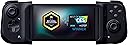
The Razer Kishi is a compact, ergonomic mobile game controller that connects via USB-C for zero-latency gameplay. Compatible with major cloud gaming platforms and hundreds of mobile titles, it features clickable analog sticks, performance buttons, and passthrough charging to keep you in the game longer. Designed for a secure fit on most Android phones, it delivers console-quality control in a portable form factor favored by serious mobile gamers.


| ASIN | B08D5DRBXQ |
| Additional Features | Ergonomic |
| Best Sellers Rank | #12,059 in Video Games ( See Top 100 in Video Games ) #269 in GEM Box Microconsole |
| Brand Name | Razer |
| Button Quantity | 18 |
| Color | Black |
| Compatible Devices | Andriod, Xbox |
| Connectivity Technology | USB C |
| Controller Type | Gamepad |
| Customer Reviews | 4.1 4.1 out of 5 stars (20,457) |
| Hardware Platform | android |
| Included Components | Product Instruction |
| Item Dimensions | 5.28 x 3.7 x 1.46 inches |
| Item Type Name | Game Controller |
| Item Weight | 0.35 Pounds |
| Manufacturer | Razer |
| Manufacturer Part Number | RZ06-02900200-R3U1 |
| Model Name | Mobile Game Controller |
| Model Number | RZ06-02900200-R3U1 |
| Package Quantity | 1 |
| Power Source | Corded Electric |
| UPC | 811659038692 |
| Warranty Description | Limited Warranty |
E**C
It's not perfect but I like it.
I love this controller. It connects as an X-Input device to your android phone, meaning it has good compatibility with modern android games that can use controllers. It works well with retroarch. It works great with Steam link, and is made for use with Xbox Game Pass. The buttons feel great, the D-Pad feels accurate and passes my Tetris test. The joysticks feel nice and accurate and have a decent throw. The shoulder buttons feel comfortable. The triggers are analog, and have a good pull to them. It connects to the phone using USB-C so there's no input lag, and has charge pass-through, so you can have uninterrupted gaming. And when you're not using it, it collapses down to a small enough size, that you may be able to put it in your pocket, or stash it in a bag or backpack and not take up much room. The Razer Nexus app is alright, but I don't really use it. It can act as a launcher for your games. It can set up and livestream to Facebook and YouTube. And can game stream from your PC if you install the streaming app on your PC. And it looks to integrate pretty decently with XBox Game pass. And now for a few cons: The face buttons feel a little mushy. You don't get much of a tactile feel from them. The controller may not be compatible with your phone's case if you're using one. I have a phone case that ads only about 2mm of thickness to the phone, and I have to remove it from the case to play. You really have to jam your phone in there until you feel the connector click into place, otherwise it wont work. For reference I'm using a Moto Power 5g 2023. I would have liked to see in the Nexus software the ability to map the controller buttons and sticks to various areas on screen for non-controller games. I still give it 5 stars, because it works perfectly for my use case, and I knew what I was getting before I ordered it.
L**D
Perfect if you like to remote play your ps4.
I'm writing this review mainly for people who want to use this for ps4 remote play. (haven't tested it on ps5) This controller works amazingly on my Samsung Note 8. I was able to fit it and it worked right away. (plug and play) I will add that I had to purchase the 3rd party remote play app called PSPlay which is around $5. It was totally worth it since my phone is not at the correct OS for the official app to support controller use in general. (I have read that the official remote play app doesn't support this controller) The 3rd party app will immediately recognize the controller and already have all the buttons programmed for use. I think only the touch pad isn't there, but you can still use your phone touch screen for that at least. Now for what I wanted to use it the controller is perfect, but the controller itself does have some concerns. The D-Pad does feel a bit off when compared to a DS4, but so far I haven't had issues with it once I began to use it. Same thing with the button. The triggers feel odd to me, but I also got accustomed to then after a while of use. Eventually I got comfortable with the controller as a whole and have been playing Stray when I'm on break at work or some other forgiving single player game due to expected minor latency. Despite those minor initial concerns I got so used to them after a short time of playing that I no longer consider them issues, but others might. I've gotten use to many controllers in my life that just seemed too uncomfortable for others so I'm warning that my opinion is biased from me being able to adapt much easier in that issue than others. Hope this helped anyone who wanted to find a review relating solely on remote play stuff for the ps4.
R**F
Pretty perfect
UPDATE: I wanted to come write an update after about two weeks of use. I did some investigating and found the issue I had with the controller not responding was the game I was playing having issues with controllers at those points in the game. So that has been solved. The only issue I've found slightly annoying is it can sometimes be difficult to get the phone I to the controller but that's a problem with bigger phones I believe and maybe the support for the phone could be a little more solid feeling. Other than that it's performed well and still feels like a solid controller. The trigger buttons could also use some click to them to give a feedback of when exactly the button is clicked. I would still give this a very strong four and half stars may be more inclined to look at the version 2 sometime in the future. I've had this the Kishi for almost a week now and I thought I could give it a fair review. The Kishi was one of only a couple different controls like this I could find, so I decided to gi e it a chance being razer and all. For the price of the controller it seems like a really good deal. It feels good in the hand and feels like just a good quality controller. The button layout is nice, the shoulder and the trigger buttons feel good too. It also surpringly feels really solid with the phone in it, not like there's any give to it or like it might fall out or anything. The controller instantly is recognized by the phone and there's literally no sort of set up or anything needed. The charging port that provides charge through to the phone through the controller seems like it works well too. My phone literally just barely fits in it, like stretching it as far apart as it can go and it's a note 9,so I was worried about the fit but it's perfect. Honestly, I have a switch and when using my Phone in the controller it feels comparable, if not more comfortable than the switch feels in my hands. It feels just like a hand held. This is only the first week so we'll see how it holds up with time and use but I'm fairly satisfied with it. The only couple issues I have is the charge through can seem a bit slower than normal, but that's expected. Also, maybe everyday I've used it, at least once a day, it'll seem to oddly disconnect for maybe less than five seconds than just start responding again. For seemingly no reason in particular. I saw there was a version 2 of the Kishi so maybe that's fixed or maybe it's just a personal problem. I thought about getting the version 2 but for almost twice the price i thought I'd see how this one works first. Having used this one, I can't possibly fathom what they changed to make it worth almost twice version 1. For all those reasons I give it four stars, honestly more four and a half but whatever. Maybe version 2 is better and they made crazy changes, I'll never know, who knows, hopefully this one holds up for a while still.
T**4
Works really well.
Have a moto g stylus and works perfectly
J**M
Solid gaming console quality controller which plays like a Nintendo Switch
TL:DR: The Razer Kishi that I use for my iPhone 12 Pro is a solid console quality controller attachment that works excellent for iPhone gaming. I have played games from the Apple App Store and Apple Arcade to using the Playstation Remote app to play games through my PS5. Will drain battery fast if not plugged in. Pros -Comfortable to hold for extended periods of time. -Snug Fit to iPhone 12 Pro -Analog sticks and buttons are console controller quality -No battery to change -Lightening cable passthrough to charge while playing -Compact and portable -Direct connection so no button lag Cons -Drains battery fast if not plugged in I recently purchased a Nintendo Switch for my wife during the holidays and rediscovered how cool it was to have a portable gaming system. In the past, portable gaming with things like the Nintendo DS or PSP were “portable” gaming systems, but with the Nintendo Switch, it was a full fledge gaming console in your hands. This got me thinking as I love playing games on my iPhone and the iOS recently enabled controller support. I went to Amazon and did some research to see what my options were to add a controller to my iPhone. I knew I did not want a regular controller with a phone bracket above it as that seemed too gimmicky to me. I wanted to see if there was something like the Nintendo Switch. After a brief amount of searching, I came across the Razer Kishi. Comparing the cost of the Kishi to other bluetooth “bracket” style controllers, yes the Kishi is a little more expensive; however, how it fits to the phone and how well it works, in my opinion, is well worth the cost. The controller collapses into a small portable form factor which is easy to put into backpacks or purses without worry of damaging it. When you are ready to play, you just unlatch two little clips on the back, extend the controller out, and plug your phone in. Once you open a game, if the game supports a controller, it will just work! **Important note, the controller support and button configuration is per the game, not the controller. So if a game does not work as you might expect it, it is NOT Razer’s fault, but the way the game developer designed it** The gaming experience is excellent with the Kishi. It truly feels like a Nintendo Switch with the console quality controls. Every game I have played has been seamless. The controller IS NOT bluetooth, so you will be running on the phones battery. This does drain the battery much faster than a bluetooth controller, but on the flip side, there is no button lag, and you do not need to charge the controller so it is always ready to go. The controller has a lightening port on the bottom right that can be used as a passthrough to charge your phone while playing. If you are looking for a compact, solid console quality gaming controller, look no further. The Kishi has exceeded all of my expectations so far. There is even an iPhone app you can download to make sure the firmware is up to date and working properly which shows ongoing support for their already excellent product.
P**A
Does the job, but has two major annoyances to me
I really want to like this. I like how I can just plug my phone into the built in plug. I also love that there are no batteries in the gamepad because it plugs into the phone directly. The analog sticks have a pretty big throw, so it seems like it's a stretch to push them in the direction you want, but you get used to it. The buttons aren't clicky which I appreciate because I sometimes play at night in bed next to my girlfriend. Why do other controllers use clicky buttons??? It bothers other people. I wish I could plug my tablet into this thing, but the way it's designed, it has a socket in the middle and the phone can only be positioned one way. It just doesn't accommodate other devices except specific phones with the charging port in the middle at the bottom. My gripes: 1. It has a built in port at the bottom right of the unit so you can charge your phone through the unit. However, because this port is at the bottom right, you can no longer rest the gamepad on your chest (if you're laying down), or your lap. The cord just sticks out. It's uncomfortable and annoying. I have to hold it up to play if I want to charge at the same time. Problem is solved if you don't want to charge it. 2. This one is major which is why it gets 3 stars. I couldn't figure out why this thing was so hard to control. I fiddled with it and finally did a side by side comparison to my Xbox controller and realized that because it has no handles, your hands have nothing to grip while you're clicking buttons and moving the joysticks. What that means is that your hands are kind of gripping the thing weird as you attempt to use it. This has messed me up in so many games. I cannot grip this thing at all. I looked for add-on grips but couldn't find any. I might have to build a couple somehow. If this had grips, I'd be able to control my onscreen characters. But the way it is, you probably won't be able to do things as fast or easy as you would on an xbox controller. For what it can do, the razer controller is pretty darn cool. For what it can't do, it drives me bonkers. It's not ergonomic where it needs to be. I use it to stream my Xbox S/X but the screen is so tiny! Not a fault of the unit, just my phone. But, I can't use a bigger screen so I'm stuck with what I have. I don't regret my purchase at all. Just wish it hand handles at a minimum. Good quality, but needs better grips.
L**O
Awesome gaming device
I mainly purchased this to be used with my galaxy s22 ultra so I can play emulators on my phone for travel. We have an upcoming plane trip and I wanted something I can use to take my mind off of flying. I received the product yesterday in original box and it looked pretty simple and straightforward to install. Once I unlocked the rear strap I was able to expand it to my phone's dimensions. My only caveats were during initial install; the phone appeared at first too "thick" to plug into the USB side( the case has to be removed in order to fit properly ) and eventually realized, just like a new pair of shoes, it needs to be "worn in" into the rubber grommets. And then you can bring over the opposite side to create a secure tensioned connection with the phone. After install nothing happened and that concerned me the most, I was afraid it was DOA. After a quick internet search I discovered for larger S22 ultra users like myself you have to push in the side so the USB side has proper connections with the port. Once I did this everything came to life and instantly started working. First initial impressions: it's surprisingly very comfortable in the hands and feels good. Its not flimsy or rinky dinky. The buttons feel solid and not lacking, and the joysticks are firm with good tension, personally I like them better than a tradition Xbox controller. I had a chance to fire up my SNES emulator and instantly I was enjoying all of my childhood favorites right on my phone! Fzero felt great, mario All-stars was great. I've been having a kick playing Chrono trigger and final fantasy on here too. It also features a home button to take you directly to the kishi hub( when downloaded) for direct access to cloud gaming services like Xbox or GeForce now which is really cool too and I'll have to try out here next. For now I'm having a blast enjoying classic games without having to rely on a network connection right on my phone comfortably with this contraption, so much better than an onscreen touch controller !
K**E
The one major flaw to pretty much any gamepad/controller for On-the-Go playing...
If your thinking about buying one of these to make your mobile gaming more rewarding there are a few things to consider when it comes to controllers/game pads and android. The concept sounds good, buy the controller, connect it, fire up your favorite game and play - it simply does not work this way. Some games are supported by the Kishi and thus all functions of the controller correspond to a function in the game however most games not supported. Some don't work at all while others have random or incorrect reactions to gamepad/controller inputs. Some games are made for screen touches and not physical buttons. That's where the software support issue comes into play. I spent a lot of time trying to figure out how to make this into a viable portable gaming system. First issue is finding software to make your gamepad work with the games you want to play. There are a few options on the market, the most commonly recommended are Mantis Gamepad Pro(10.00 USD), Panda Gamepad Pro, Octopus Pro and Game Controller Touch Pro. I only have experience with Mantis at the moment but from reading each description it seems like Octopus and Panda function the same way. You must use a second phone or PC to "activate" an android debugging feature of the phone to create the overlays onto each game for remapping the controls. Now this is the point where it might break some peoples plans to play this controller system on the go: You need this connection anytime you wish to use the Kishi with an unsupported game. At the very least, for Mantis Gamepad Pro you can use your home Wifi to activate the phones wireless debugging(ONLY android 11+) feature but again, this at the minimum requires access to a secure router. I've even tried off my other phones hotspot without any luck. Bottom line - you cannot use gamepad remapping programs without access to a router/UTG connection to an additional android phone/PC connection. There it is, that's the biggest glaring issue when it comes to using controllers and gamepads like a Kishi with your android phone. Its not plug and play nor is it mobile. The only fix for this is if you are ROOTED and have MAGISK installed. Applications like Mantis Gamepad Pro and Game Controller Touch can use your Superuser permissions(root access) to enter into activation mode and allow you to remap controls. For Mantis the software still requires a general internet connection to verify the license of the app each time you launch a game. My setup is an Essential PH-1, running a custom rom: Lineage OS 19.1(android 12), rooted with Magisk installed. It is not my daily driver so i still have to use a hotspot off my daily driver to launch games in Mantis but it works. It was worth it too IMO. Good chance it wont be worth it for most tho considering the hoops i had to jump though. I would recommend it though IF you have Android 11+ operating system, a constant internet connection and are ROOTED with MAGISK. Otherwise you will have to jump though some hoops to use this thing on the go. Pros: -Solid feeling unit -Tactile buttons that are not overly clicky or loud -Good ergonomics -Responsive in game Cons: -Software/remapping shortcomings listed above* -Drains battery of connected device while Phone is on, even if Kishi is not in use. -Does not pass data. You must disconnect it even to activate debugging mode via cable before playing -Must remove phone from case in most instances to use with Kishi Lots of people have overcome compatibility with devices by removing or modifying the rubber bumpers where the phones touch the Kishi. There are even printable adapters to fit many different phones and tablets. In hind sight I wish I had known all of the aforementioned things before purchasing this controller or any controller with the intent of playing games on the go. It worked out for me in the end but only after lots of reading and modifying my intended device software but i got what i wanted, however i think it is something most people would wanna know before buying. Good luck!
A**.
El mejor mando de celular!
La espera valió la pena, después de casi dos semanas, pude disfrutar del razer kishi. El principal motivo por el que decidí adquirirlo es porque padezco hiperhidrosis palmar (sudoración excesiva en las manos) lo cual me afecta mucho cuando juego con la pantalla del celular. Hay muchas buenas razones para hacerse con el razer kishi: Es muy portátil, prácticamente puedes llevarlo a donde sea, cuando vas a jugar es muy fácil desplegarlo y cuando dejas de hacerlo puedes simplemente volverlo una cajita que entra en tu bolsillo. La instalación es super fácil y sólo con unos pasos ya estaba jugando. Los materiales son de calidad, se siente sólido y muy bien hecho, el precio es justo, lo vale. A pesar de razer kishi utilicé la batería del celular, me pareció un buen concepto que no tenga batería propia, y que puedas cargar el celular a través de una ranura que tiene el propio kishi, lo cual me ha permitido seguir jugando durante horas. Puedes jugar los juegos de tu consola (en mi caso, xbox one) con mayor comodidad, hacerlos más íntimos mediante streaming, quizá pronto suceda lo mismo con el cloud gaming, el cual da la sensación de que se consolidará pronto y el kishi entrará más a escena. Compré la versión de iphone, y me alegra saber que es compatible con muchos modelos de iphone, incluso, trae adaptadores para iphones más pequeños. Los puntos que deberían mejorar, y que hasta cierto punto son negativos son: Me hubiese gustado que tuviese una entrada para poder conectar unos audifonos alambricos y no hacerlo forzosamente mediante bluetooth En mi opinión, los botones L1-L2 y R1-R2 están muy juntos, tengo que usar sólo los índices para ambos botones lo que dificulta la jugabilidad para manos medianamente grandes. Estaría mejor si el L2 y R2 estuviesen detrás del kishi, haría más independientes los botones para distintos dedos, con lo que podríamos usar los dedos medios y hacer la jugabilidad más versátil y cómoda. The wait was worth it, after almost two weeks of waiting for my product, finally I could enjoy the razer kishi. The main reason I decided to buy it was because I suffer from hyperhidrosis (excess of sweat on my hands), thing that affects me when I play on my phone. Nevertheless there are many good reasons to do with the razer kishi: It's portable, you can take it anywhere, when you play it's easy to unfold, and at the end you can keep it in your pocket. The materials are really nice, it feels nicely made, and for the price is fair enough. Even though the razer kishi uses the battery on the phone, you can still charge it through the cable of the kishi even when you are using it. You can play the games on your console with more comfort, and make it intimate through streaming and cloud gaming, the last one maybe would become stronger and the kishi will be more on trend. I bought the version for my iphone, and i'm glad that it's compatible with a lot of other versions of iphone, and it has more adaptors for other iphones. The things that can improve, anda that can be negative are: I would like to had a headphone jack and don't have to do it with the bluetooth In my opinion, the buttons L1-L2 and R1-R2 are very close to each other and it makes it difficult to play with large hands. It would be better if L2 and R2 be placed on the back of the kashi, they will be more independent, and we could use the middle finger and make it more versatile and comfortable.
S**I
Pleasant surprise
Samsung Galaxy Note 10+ review. Works straight out of the box, good quality. I expected my phone rattle as it is a one size fits all but its surprisingly sturdy. Good button and joystick response.
C**N
Enquanto o Steam Deck OLED não vem…
Esse controle é maravilhoso e mudou minha relação com os consoles de mesa. Além de conectar imediatamente, sem burocracia de parear etc., por se conectar pela entrada lightning, o funcionamento é muito bom, muito responsivo e tem boa pegada. Poderia, pra mim, ser maior, mas acho que isso tb comprometeria outra grande vantagem dele, que é ser bem compacto para transportar (ele se fecha quase como num casulo, e fica bem preso). Único porém é que tenho um iPhone 14 Pro Max e ele só funciona sem a capinha (acho que é por causa do espaço extra que as câmeras tomam); sem ela, não encaixa. Mas acho que os modelos que não são plus size não devem ter esse problema, que pra mim tendo sido apenas um inconveniente
R**R
Good overall
When you press the buttons, they don't bounce back up quickly. They feel kinda stuck. I don't think it's a defect, feels like that's how it's supposed to be. Not really good for the price I think.
B**5
Produto veio funcionando perfeitamente
Possuo um S23ultra e coube com certa pressão, mas o produto funciona perfeitamente e não tenho reclamações. Ele funciona em todos os lugares, até mesmo na One UI do dispositivo.
Trustpilot
2 months ago
1 week ago