

Buy anything from 5,000+ international stores. One checkout price. No surprise fees. Join 2M+ shoppers on Desertcart.
Desertcart purchases this item on your behalf and handles shipping, customs, and support to Nicaragua.
🚀 Elevate your mobile workspace with ASUS ZenScreen — power, clarity, and style in one sleek screen!
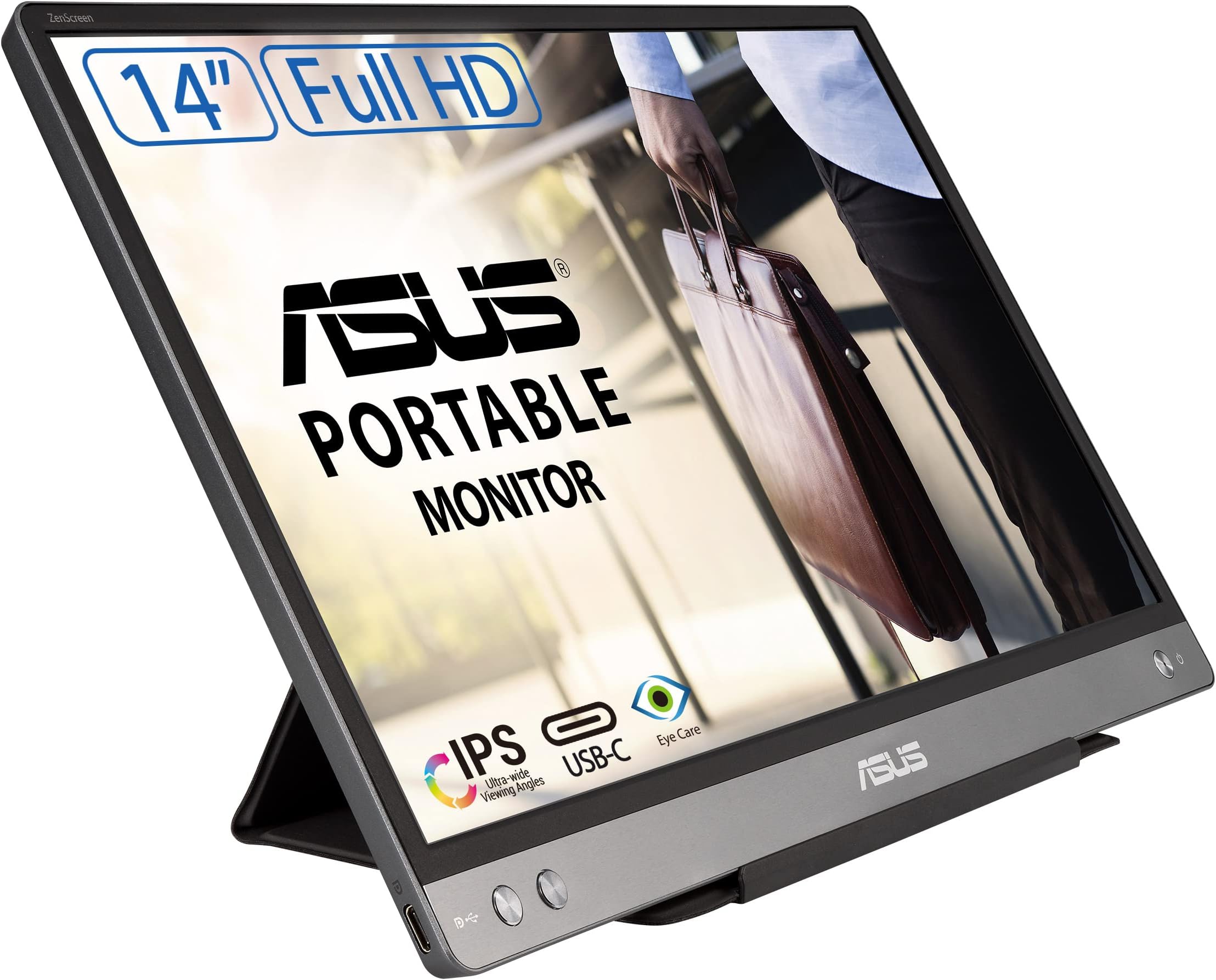
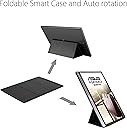
The ASUS ZenScreen MB14AC is a 14-inch portable Full HD IPS monitor featuring hybrid USB Type-C and Type-A connectivity for single-cable power and video transmission. It auto-adjusts between landscape and portrait modes, offers TÜV Rheinland-certified eye care technologies including flicker-free and low blue light, and comes with a foldable smart case that doubles as a stand. Weighing only 590 grams and ultra-slim, it’s designed for professionals who demand productivity and comfort on the move.


| ASIN | B08CML5B2V |
| Adaptive Sync | FreeSync |
| Aspect Ratio | 16:9 |
| Aspect ratio | 16:9 |
| Best Sellers Rank | 1,911 in Computers & Accessories ( See Top 100 in Computers & Accessories ) 41 in Monitors |
| Box Contents | ASUS Smart Case, USB-C Cable |
| Brand | ASUS |
| Brand Name | ASUS |
| Cable Length | 14 Inches |
| Colour | Silver |
| Compatible Devices | Laptop |
| Contrast Ratio | High contrast ratio (e.g., 1000:1 or higher) |
| Customer Reviews | 4.5 out of 5 stars 187 Reviews |
| Display Technology | LED |
| Display Type | IPS |
| EU Spare Part Availability Duration | 2 Years |
| Global Trade Identification Number | 04718017690607 |
| Hardware Connectivity | USB |
| Has Color Screen | Yes |
| Image Brightness | 250 |
| Image contrast ratio | High contrast ratio (e.g., 1000:1 or higher) |
| Item Dimensions D x W x H | 8.2D x 12.8W x 0.4H centimetres |
| Item Type Name | Monitor |
| Item Weight | 590 Grams |
| Manufacturer | Asus |
| Maximum Display Resolution | 1920 x 1080 |
| Model Name | ZenScreen MB14AC |
| Model Number | 90LM0631-B01170 |
| Mounting Type | Desk Mount |
| Native Resolution | 1920x1080 |
| Network Connectivity Technology | USB-C & USB 3.0 |
| Picture Quality Enhancement Technology | Flicker-free and low blue light |
| Pixel Pitch | 0.182 |
| Power Consumption Size | 10 Watts |
| Product Features | Blue Light Filter, Flicker-Free |
| Product Warranty | 3 Year Manufacturer |
| Refresh Rate | 60 Hz |
| Resolution | FHD 1080p |
| Response Time | 5 Milliseconds |
| Screen Finish Type | Flat |
| Screen Size | 14 Inches |
| Screen size | 14 Inches |
| Screen surface description | Flat |
| Shape | rectangular prism |
| Specific Uses For Product | Photo Editing |
| Total HDMI Port | 3 |
| Total USB 3.0 Ports | 3 |
| Total USB Ports | 1 |
| Total Video Out Ports | 1 |
| UPC | 192876690604 |
| Unit Count | 1.0 count |
| Viewing Angle | 178 Degrees |
| Voltage | 1 Volts |
| Warranty Type | No Manufacturer Warranty |
M**S
Brilliant price and excellent picture
Fantastic Monitor. Purchased from Amazon as "used - very good". And it was with a very small mark that I had to search for - so it was new as far as I was concerned and half the price. It is ideal for my needs - plugged into an Asus Zenbook with the supplied cable and using its case stand. Ideal to display a separate screen from my laptop to a customer when we're next to each other on the same table. Picture quality is more than I expected at 1080p, and it runs with just the supplied USB C cable connected to the laptop. It draws its power from the laptop with the one cable as well as the display. It's lightweight and doesn't need its own protective case, as the supplied screen cover doubles up as a stand. One of the cheapest and wisest purchases I have ever made.
D**T
Super-convenient and good quality
This display slips into a bag easily, and does not weigh much. The stand doubles as a cover so the glass panel is well protected in transport. The build is good and it does not feel like it will damage easily. The controls work well. The colours are quite good out of the box and the resolution is good for the size. I don't always find the right position for the stand, then the display is not supported and falls flat. But the stand is effective when correctly assembled. Connectivity is limited. There is only one USB-C connection on the bottom left. The box contains a USB-C cable and a USB-A to USB-C adaptor. The display can be powered through USB-A but you will need Display Port Alt mode support through USB-A to actually use it. Auto-rotate does not work with my Mac or with my Linux work laptop. It looks like it requires installing a Windows driver. Manual rotate works fine, but on Mac I have to select the resolution before rotating because 1080x1920 (vertical) is not listed as an option. That is a minor issue that I blame on Apple, not on Asus. If you want a lightweight portable display with less than 15in size, that is the one to get!
A**R
An amazing piece of kit for consultants
Please review my video. In short this is a really useful piece of kit which I am reviewing after nearly 6 months of continual usage - light weight, crisp and clear image, power and display is provided by a single cable, the protective cover becomes the stand for the monitor.
J**.
ASUS ZenScreen MB14AC Portable USB Monitor
I have to use two monitors for my job when working away with my Asus laptop. It's very thin & lightweight, with IPS colors, angles. I love the screen and the quality. My work is easier now. Highly recommend upgrading. This is very good for this price.
K**L
The ideal travel companion
**6 month review.** I do a lot of work on the road (trains/hotels/coffee shops) and this has made a big difference. I adore having a second screen and this is the lightest and easiest to use one I've tried. It takes 30 seconds to plug in the cable and set up on a stand, and at 14 inches is the right size to fit into my laptop bag (instead of the 15.6 inch version that doesn't). The screen is bright enough, 1080p resolution and the settings can be adjusted to fit most people's needs. Small word of advice: make sure you are using the correct cable. The one that comes with the screen is solid and still works but I wanted a backup in case the first cable ever breaks, the best one I found was an Apple USB-C to USB-C cable with Displayport and Power Delivery, it cost £40 because cheap cables didn't seem to work.
F**.
Perfect second screen.
Good quality screen for the size and price, suited my needs as my laptop bag additionally fits this and all accessories perfectly. It’s colour settings are great from cool to warm tones, brightness is decent. I do wish it had two USB C ports, so I could use it with my phone (lightning port). The matte finish on the screen is great, there is a little light bleed on the lower corners, but its not a hindrance for how I use it. Really love the cover, protective, light, folds up nicely, also the ability to attach this on a tripod/arm is useful (I haven’t used this feature, but grateful it’s there). I wish they would do more in this size, or even 13”, as they then become perfect second screens to smaller laptops. But overall I’m very happy with my purchase.
F**Q
Perfect second screen
Perfect second screen, light comes with its own stand, easy to set up. No need for power supply. Powered by usb-c. Ideal for people who travel for work
L**N
Need windows to download a driver
Doesn't work on switch, phone or Linux only Windows!
A**A
Worked less than a year + NO WARRANTY
Worked for 11 months. By the time you'll receive this product it won't have warranty anymore, so I do not recommend.
L**A
Perfekter Reisebegleiter
Der ASUS ZenScreen hat sich als wahrer Segen für meine beruflichen Reisen erwiesen. Als Vielreisender schätze ich es, auf meinem Hotelzimmer einen zweiten Bildschirm zur Verfügung zu haben, um effizient arbeiten zu können, und dieser Bildschirm erfüllt diese Anforderung perfekt. Die Kompatibilität mit meinem MacBook Pro ist nahezu einwandfrei, und ich habe bisher keinerlei Probleme festgestellt. Einziger Wermutstropfen ist, dass der Bildschirm nur mit dem mitgelieferten Kabel reibungslos funktioniert, da hier ein spezieller Treiber installiert ist. Dies kann insbesondere bei Verwendung mit einem MacBook zu Problemen führen, wenn andere Kabel verwendet werden. Daher ist es wichtig, stets das richtige Kabel im Auge zu behalten. Trotz dieser kleinen Einschränkung bin ich mit der Qualität des Bildschirms sehr zufrieden. Ich hatte bereits die Vorgängerversion für drei Jahre im Einsatz und sie hat sich als äußerst robust erwiesen. Trotz meiner manchmal hastigen Handhabung und dem schnellen Verstauen in meinem Rucksack hat der Bildschirm nur minimale Kratzer und Macken davongetragen. Alles in allem kann ich den ASUS ZenScreen als zuverlässigen Reisebegleiter nur empfehlen. Er bietet eine ausgezeichnete Leistung und Qualität, die meinen Anforderungen perfekt entspricht.
R**Z
Really good
And easy to install it! I used it everyday for my work!
B**.
Excellente solution de mobilité
Je suis très content de cet écran : très fin, belle qualité d'image pour un moniteur d'appoint. Il suffit de brancher l'USBc et ça fonctionne parfaitement, le compagnon parfait pour mon portable 14". Pour ma part j'utilise un support de tablette alu que je laisse sur mon bureau à la maison car plus costaud que l'accessoire pliant, mais ce dernier est intéressant : protège l'écran, et se plie en 2 inclinaisons, avec un petit système aimanté, ça dépanne en mobilité. Ce petit écran va vraiment améliorer mon quotidien pro et perso. La construction est de qualité, à voir la durabilité dans le temps.
J**R
Buon prodotto, inesattezza nelle istruzioni riguardo la necessità dei driver
Monitor di buona qualità, con possibilità di intervenire su diverse regolazioni come su un classico monitor esterno. Un po' energivoro ma è normale essendo alimentato solo con la porta USB. La cover funge da supporto con possibilità di usarlo con due inclinazioni diverse. Ho riscontrato un'inesattezza nelle istruzioni, che può essere fonte di incomprensioni e forse spiega alcune opinioni negative: viene fatto intendere che utilizzando una porta USB-C non è necessario installare drivers, mentre se si utilizza una porta USB-A con l'adattatore incluso è necessario installare i driver DisplayLink. In realtà i driver sono necessari anche se si usa una porta USB-C che non supporta il protocollo DisplayPort over USB-C, situazione frequente sui computer di qualche anno fa.
Trustpilot
3 weeks ago
1 month ago