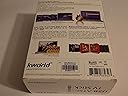
📡 Unlock your PC’s hidden TV power—watch, record, and relive every moment!
The Kworld USB ATSC TV Tuner UB435-Q transforms your Windows PC into a high-definition digital TV powerhouse, supporting unencrypted QAM cable and ATSC terrestrial signals. With 1080i HDTV output, Dolby Digital AC3 audio, and advanced features like time-shifting, scheduled recording, and EPG, it offers a seamless, user-friendly TV experience via simple USB connectivity.
| ASIN | B001LQEEEA |
| Antenna | Television |
| AntennaDescription | Television |
| Brand | Kworld |
| Compatible Devices | Laptop, Desktop, Television, Tablet, Smartphone |
| Connectivity Technology | USB |
| Connector Type | USB Type A |
| Customer Reviews | 3.6 out of 5 stars 341 Reviews |
| Includes Remote | Yes |
| Manufacturer | Kworld |
| Mfr Part Number | UB435-Q |
| Model Number | UB435-Q |
| Tuner Technology | QAM |
| Tuner Type | QAM |
| UPC | 846829807686 163120882083 872880889323 797864290127 140716934548 863190001284 803982931993 |
| Warranty Description | 1 year |
P**T
A GREAT & affordable "DIGITAL VCR" for PC...so far.
Model I received: KWorld ATSC Digital HDTV USB 2.0 TV Stick KW-UB435Q V2 My Computer: HP Pavilion P6 2120 (Bought August 2012) Basic Specs: 1 TB Hard drive; 6 GB RAM; AMD Quad core processor; Windows 7 64 bit The OTA broadcast networks pretty much ALWAYS put my favorites on at the same time & on the same night. Since I MUST catch certain shows NOWWWWWW, I started looking for an affordable "digital VCR" option that worked. That's when I found out about these PC TV tuners. This model/brand was one of the cheapest ones that worked for US Digital TV. Thought I'd give it a try so I bought it through Amazon. I have to say, I read some of the bad reviews here. Most seemed like they were people who didn't have the right OS, PC specs, OTA signal strength or installation know-how to get this thing working properly. Also sounded like some of them gave it about 5 seconds of a chance, threw a fit, then gave up on it. I personally found it very easy to set up on my system. All-in-all it took about 10 minutes out of the box to get it up & recording. It recorded the season premiere of Fringe perfectly later that evening. Getting it started... I merely followed the directions in the quicky guide that came with it. That worked for me. I also decided to use the Arcsoft Total Media thingy that was part of the package. It is a VERY easy program with a simple interface. I found it intuitive operation wise. It plays the recorded material well too, but I usually end up using my CCCP enhanced Media Player Classic for playback. That's just my preference. Since the recorder records into MPEG it'll be playable through most media players without too many extra or special codecs. Other notes: The MPEGs this thing creates are BIG. For the average 1 hour show expect the single file size to be about 5 & 1/2 to 6 GB-- with commercials. It is HD after all. If you want to burn the files to DVD youl'll have to either cut the show in half or use a media converter program to downsize it. A good free one is Format Factory. You can cut & convert with it & it's pretty easy to use too. Other, other notes: The antenna that comes with it was pretty cool too. The base is magnetic so it stays in place very well if you have someplace metal to stick it. You could always anchor it with a metal paperweight or something to keep it from falling over I guess. I just stick it to the radiator that's next to the HDTV. BTW...the signals that it pulls in are just as strong as the ones my HDTV gets with an amplified (square) antenna. Just don't expect miracles. If your signal strength is bad/weak this isn't gonna perform perfectly. If the weather/atmosphere is unstable--like electrical storms, solar flares, sunspots, etc.-- then expect the usual OTA signal disruptions. Still more notes: Like some have said, it does run warm. Not much warmer than a flash drive when you write several GB of data to it though. For me, if I'm not using it, I unplug it just like any other device. It'll extend the life of it I believe. Overall, I'm happy with it so far and would recommend it. Obviously I can't say anything about the product's lifespan yet. I'll add to the review when I see how that goes. Any questions? Ask and I'll try to answer as best as I can.
C**C
Save your time, and your computer!
I would rate this 0 stars if I could! I should've read the 1 star reviews on Amazon and Newegg before buying this junk! After receiving this unit, I opened the package and plugged in the antenna to the unit, then the unit to the computer (I run on a Win 7 64 bit, 3.4 GHz processor) into a 2.0 USB drive as instructed on the manual. I was getting a "USB device not recognized" error before unplugging it and plugging it back in. After that, Windows searched for an available driver and found one, but it would not install. I thought, "Okay, luckily they included a CD", so I popped it in and tried to install the driver from disc. After a few minutes a box popped up saying the driver was installed successfully, but after clicking OK, the CD's autorun program would say "Driver installation failed". After hours and hours and hours of trying to get this thing to work and digging through property menus and whatnot, I discovered that there is no digital signature on the driver for this device! Of course, without a digital signature, most Windows 7 drivers will not run properly, so rather than attempt bypassing this and potentially putting my computer at risk, I decided to just uninstall it. The TotalMedia software and the drivers would not uninstall from Control Panel, so I had to utilize the KWORLD CD's uninstall option. Of course, the driver did not successfully uninstall using the disc. And to top things off, my sound, keyboard, mouse, and printer drivers got corrupted somewhere in the process and just stopped working! I don't want to say that this is a malicious program, but C'MON could things get any worse from trying to get this $25 unit to work?! Luckily I had a recent system restore point that got my computer to the way it was before I opened this crap. YOU GET WHAT YOU PAY FOR. There's a reason other TV tuners are priced in the $60-$100 range. I don't know how the 5 star reviewers got their units to work, and I commend them for their luck. But either I got a really, really defective unit, or I just shouldn't have followed the steps included in the manual. Thank GOD for Amazon and its returns policy. UPS will be picking up this paperweight from my doorstep tomorrow.
U**B
UB435Q tested on a dual boot Windows 8.1 / Linux Mint machine
The KWorld was bought as a gift for someone not technical so I wanted to test it so I knew what would be needed to help get it running. The KWorld USB ATSC TV Stick UB435Q was installed on a dual boot Windows 8.1 / Linux Mint machine. On Windows 8.1 with media center: Installed the Windows drivers from the included CD. The included mini-antenna was set aside. It’d probably work great in an area like LA or NYC but not in the great midwest. So it got hooked to an amplified RCA antenna. Plugged the KWorld into its USB extension and that into a USB port. Launched Windows Media Center and WMC found the stick. I proceeded to scan for channels and it picked up FOX, CBS, NBC, ABC, WB w good signal strength, PBS not so much but it seemed to work ok. No flaws using Windows Media Center that I could see. I decided to try the included ARCSoft TotalMedia software. Installed TotalMedia from the CD. Rebooted. Launched TotalMedia. In setup I set a storage device and path, in the 1st try a USB PNY Flashdrive. TotalMedia lets you set the quality of the recording, 5 levels. To start I chose HD. Set Closed Captioning ON. Scan channels, this seemed to go faster than my TV. It found the same channels as WMC. Decided to try a recording so clicked EPG – which is the ATSC Electronic Program Guide. It’s included in the over the air broadcasts but it is only good for 24 hours or so. None-the-less it seems to get the job done. I Double clicked on a channel in EPG, clicked on a program then set it to record. Minimized TotalMedia and put the machine to sleep. Sleep lasted about 3 minutes before it woke up for no good reason. So after some snooping on the internet I discovered that one must go into the device manager, select the mouse, select power management and turn off ‘Allow this device to turn on computer’. Windows 8.1 sleep works now. (A day later). Time to try the playback. Turned on closed captioning in playback (as well as in record yesterday). It didn’t work (it works in WMC). The HD setting didn’t do so well producing a jerky picture. Much more time elapsed. Tried this again with a fast internal hard drive. Same jerky picture no CC. So reduced the quality to Standard and a new test is underway. This seems like a nice feature which would allow the stick to work on computers with less capability because you can adjust the quality to the capabilities of your computer. The attempt to get it running in Linux Mint 16 didn’t work out. There is a driver for V1 of UB435-Q but the current version is V3. As the internal parts are somewhat different it won’t even try to work. In conclusion for the price this is a good product for Windows 8.1. Closed captioning did work in WMC so the stick works correctly. I like the TotalMedia software but the kit loses a star due to closed captioning not working in TotalMedia and no support for the stick under Linux Mint.
S**7
Great Little Gadget!
I took a chance on buying this TV tuner even after seeing its two-and-a-half star rating. Many of the negative reviews that I read seem to be either a result of poor signal strength or a low-performance PC. Some people got defective units which can happen to anyone with anything. The rest just say it's junk, but don't give any explanation. I'm watching TV with this tuner as I'm writing my review and it's working great for me. In my case, setup was a breeze. I just placed the simple included antenna in a window near our PC. (The included USB extension cable was helpful with antenna placement.) Then I plugged the antenna into the TV tuner. Next, I plugged the USB extension cable into the TV tuner, then the computer. Windows 7 tried to find drivers through Windows Update, but failed as the Quick Start Guide said it would. I inserted the CD with the TotalMedia software and device drivers and had the software and drivers installed in a few minutes. After a restart, I fired up the TotalMedia software which easily detected the TV tuner. Setup took about 15 minutes with most of that time for channel scanning. The dinky included antenna allowed me to pull in 24 digital channels. The included TotalMedia software does about what you'd want it to. It takes a few seconds to initialize after you click on it, but it runs flawless once it's open. It has an EPG from which you can easily schedule a program to be recorded. You can edit the names of channels and their order in the list. You can make and save lists of channels you like. There could be a few things placed a little more efficiently, but all the features I need are included in this program. The recording function works great, whether from a scheduled recording or just clicking the record button while watching TV. There are three ways you can start recording: Click the record button while watching TV, or click on a program in the EPG and select Record, or go to Schedule and manually select a channel and record start and stop times. You can choose a folder to record to in the settings menu. You can also choose a recording quality from several options that change the bitrate. There is a noticeable difference between the highest and lowest quality settings, but the lowest one is still useful. The resulting files are quite large, and can't be edited efficiently in Sony Vegas without converting them to another format first. Vegas can do this provided you don't try to preview or edit the raw MPEG-TS file created by the tuner. Just import it and render it into another format. (.WMV works for me.) Overall, I highly recommend this TV tuner. It works like a charm with the included software and records high quality video. (If this changes, I'll amend my review.) The included antenna works as good or better than an RCA flat bat-shaped antenna. I should mention that I received the KW-UB435Q V2 tuner. The system I'm using it on has Windows 7 Home Premium 64-bit Service Pack 1, a 2.90gHz quad-core CPU, 8 GB of dual-channel RAM, and ATI Radeon HD 4250 onboard graphics (512 MB shared memory). I always record on a separate hard drive from the OS. While watching TV, the CPU usage hovers around 30%, and goes only slightly higher while recording. Any computer that can smoothly play 1920x1080p video will probably work fine with this tuner.
A**N
Does what it needs to
I have had this product for a few months to record shows from local channels to my computer to watch later. At first it worked great, and was even able to access some of the digital channels from my cable provider(Time Warner). The main problem is the software is a bit buggy, and now it will not receive any channels at all. Not sure if this is entirely the device, but the coaxial works with my TV, so the device does work, but some bugs could be worked out.
H**I
Performs Perfectly - Hardware and Software
Testing Configuration Motherboard: ASUS Processor: AMD 5600 (dual core 3 gHz, X2/64) Memory: 3 gB I ordered this USB stick from Amazon and received it in four days. Good service! Software install went exactly as listed on the sheet that came with the install disk. I attached an RCA flat plate antenna with internal low noise preamp to the USB stick. I am using the USB extension cable. I then scanned for channels (as part of the setup), and got all 13 available channels. The scan took about 4 minutes or so, updating the screen to show me what it had found. Tuning the various channels in a windowed (not full screen) mode displays a signal level meter. Most stations are running between 80 and 100%. I am located 27 miles from the transmitter complex. I love the signal meter display. It is large and responsive when I move the antenna around. The tuner appears to be quite sensitive. I was able to get 8 channels with nothing more than the included whip (magnetic base) sitting on top of a lamp shade. The display of channel numbers is crude. No use of "-" or "." for subchannels. Channel 13-2 is displayed as 132. This is a very minor point, but can be disconcerting at first. The fastest way to change channels is to just enter the numbers, 132 (from the keyboard), in this example. The software is very easy to use. I never looked at the manual, just clicked around and was easily able to follow the program flow. After installing, be sure to go to the Total Media setup screen that lets you enable hardware acceleration. (if your graphics chip supports it). With hardware acceleration enabled my processor loading is less than 20%, even while recording HD. The ability to record, and schedule recordings using the EPG (electronic programming guide) is a nice plus. Playback of recordings looks very good. This software basically gives you a DVR, and you can burn DVDs of your recorded programs if you like. The GUI is not as smooth as my DirecTV DVRs, but it is easy to use and functional. After playing around for a while (that is why bought this thing, isn't it?), you should have no problem navigating. I like the ability to save the channel list (Export), so it can be imported later. You can save several lists if you like, and only import what you want. Summary: 1. Very sensitive tuner with excellent signal meter. 2. Feature filled and stable (no crashes) software. 3. Easy to use, intuitive software. 4. Low processor loading on my machine. 5. Picture Quality is Excellent (of course, it's HD) 6. Playback audio is in sync with video (recordings) 7. Live View audio is in sync with video. Operational Note: If in full screen mode, using all your display area, you can go back to the windowed mode by hitting the escape key. You can also use the menu mode to do screen captures, etc. Placing the cursor at the bottom of a screen will bring up a menu. It will be interesting to see how reliable this thing will be. It runs warm, and for only 39 bucks, I'm not expecting it to run forever. For now, I'm very impressed!
S**T
Watch out for different hardware versions!
First, you should know that there are two versions of this device, the UB435Q and the UB435Qv2. Apparently they are selling both under the same name, and I'm not sure how to be sure which one you're getting. They have completely different chipsets. This isn't a problem for Windows users, but if you're a Linux user, this makes a HUGE difference. I've read that the UB435Q works perfectly in almost any version of Linux (my particular flavor is Ubunutu). That's one reason I bought this device. The UB435Qv2, however, which is visibly indistinguishable from the UB435Q except on the model number sticker, doesn't work at all. It's not even recognized by the linux kernel, and there's no talk of anyone having made it work. I ended up with the v2 device, which means that I now have a useless piece of hardware. I did use it in Windows for a while, and it did a fine job. I got great reception - better, in fact, than my TV with a converter box did - and it easily integrated with Windows Media Center for XP. But on the linux side, it was useless, and when I migrated fully to linux, I lost the ability to use this device. If you're buying for a linux box, my suggestion would be to find something else, unless you can be certain of which version you're getting.
K**Y
Perfect for Windows Media Center and OTA TV signals.
Perfect for Windows Media Center and OTA TV signals. I am very pleased with this and pleasantly shocked how well and easy it worked . This product works and it works painlessly and is high quality. I expect something to work straight out of the box this did for me. I jumped through no hoops. I’m currently running a HDHomerun with Windows Media Center and I wanted to add one more tuner . So I can be at the stock 3 tuner limit with Windows Media Center. I’m using a Windows 7 on an old 32 bit laptop. So I ordered it and a USB extension cable since I am running a laptop. I don’t have room at my USB ports Well you don’t need it. It comes with a extension cable . It also comes with a mickey mouse antenna , I’m using a high gain antenna, so I can’t tell you if the provided antenna works. In town I don’t see why it wouldn’t work. This product is a bargain. So to install it, plug in the tuner to your computer and have it hooked to your antenna. Then use the provided CD to install the drivers , then go to Windows Media Center and in the settings have it find the tuner . It found all the OTA channels in my area . I have 22 in my area and it found them all. I’m also using a High Gain amplifier , and the amplifier and tuner play well with each other , another plus. Some don’t , this USB tuner does. That’s it. I had it all running in less than 30 minutes. If you are looking for a USB tuner …you found it.
Trustpilot
3 weeks ago
3 weeks ago