Buy anything from 5,000+ international stores. One checkout price. No surprise fees. Join 2M+ shoppers on Desertcart.
Desertcart purchases this item on your behalf and handles shipping, customs, and support to Nicaragua.
🚀 Upgrade your laptop’s heartbeat with Crucial DDR3L – speed, power, and reliability in one sleek module!
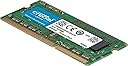
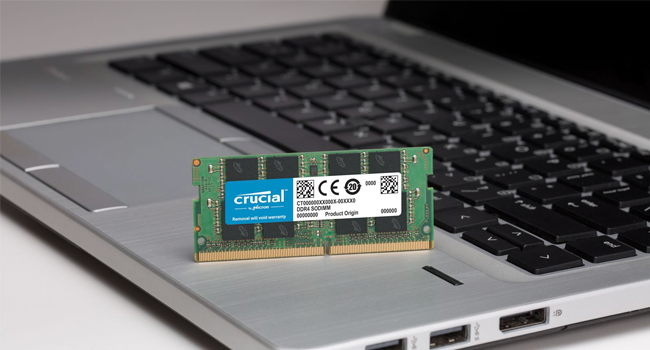
The Crucial 4GB DDR3/DDR3L 1866 MT/s (PC3-14900) Unbuffered SODIMM 204-pin memory module delivers a high-speed, energy-efficient upgrade for laptops. Featuring dual voltage operation at 1.35V/1.5V and a low latency CL13, it ensures smooth multitasking and improved system responsiveness. Designed for easy installation and backed by Micron’s trusted quality, this compact 4GB RAM module is ideal for professionals seeking a cost-effective performance boost.


| ASIN | B00KSLPNN0 |
| Additional Features | nv: Company Program^Crucial | DDR Timings^CL=13 | DIMM Type^Unbuffered | Density^4GB | Error Checking^NON-ECC | Megabytes^4096 | Memory Type^DDR3 PC3-14900 | Package^204-pin SODIMM | Platform Category^DDR3 | Replenishment Flag^N | Speed^DDR3-1866 | Voltage^1.35V | VolumeDiscountBucket^LOW |
| Best Sellers Rank | #265 in Computer Memory |
| Brand | Micron |
| Built-In Media | RAM memory |
| Column Address Strobe Latency | 13 |
| Compatible Devices | Laptop |
| Computer Memory Size | 4 GB |
| Customer Reviews | 4.6 out of 5 stars 652 Reviews |
| Data Transfer Rate | 1866 MHz |
| Form Factor | SO-DIMM |
| Global Trade Identification Number | 00649528762672, 04058829166885 |
| Item Weight | 0.01 Pounds |
| Manufacturer | LEXAR MEDIA INC |
| Memory Form Factor | SODIMM |
| Memory Generation | DDR3 |
| Memory Speed | 1866 MHz |
| Mfr Part Number | CT51264BF186DJ |
| Model Name | CT51264BF186DJ |
| Model Number | CT51264BF186DJ |
| Number of Pins | 204 |
| RAM Memory Technology | DDR3 |
| RAM Size | 4 GB |
| Special Feature | nv: Company Program^Crucial | DDR Timings^CL=13 | DIMM Type^Unbuffered | Density^4GB | Error Checking^NON-ECC | Megabytes^4096 | Memory Type^DDR3 PC3-14900 | Package^204-pin SODIMM | Platform Category^DDR3 | Replenishment Flag^N | Speed^DDR3-1866 | Voltage^1.35V | VolumeDiscountBucket^LOW Special Feature nv: Company Program^Crucial | DDR Timings^CL=13 | DIMM Type^Unbuffered | Density^4GB | Error Checking^NON-ECC | Megabytes^4096 | Memory Type^DDR3 PC3-14900 | Package^204-pin SODIMM | Platform Category^DDR3 | Replenishment Flag^N | Speed^DDR3-1866 | Voltage^1.35V | VolumeDiscountBucket^LOW See more |
| UPC | 649528762672 012300120630 |
| Unit Count | 1.0 Count |
| Voltage | 1.35 Volts |
| Warranty Description | Limited lifetime warranty |
K**N
Works as intended, affordable to boot.
I was able to use these to upgrade the memory on my QNAP TS-453be NAS box. The product came in well packaged and was easy to replace.
U**D
Should’ve purchased this year’s ago
Arrived on time, installed and worked flawlessly. Not to mention how well this additional RAM brought my 8 year old ASUS S400C(A) laptop back to life. The only issue is I waited too long to do this!
D**K
Perfect match for Synology DS918+
It's Crucial RAM so there's an expectation of quality and this module does not disappoint. It was a perfect match for the existing 4GB that came pre-installed. My NAS is now happily humming along with 8GB of RAM allowing for more options when running VMs and Docker containers.
L**S
Mal producto
Se las instalé a mi NAS Synology NAS DS718 y se terminó dañando. No volvió a prender.
T**S
Probably will work for you. Didn't work for me.
This stick worked in my laptop (2011 Dell XPS 15), but did not work in the motherboard that I had planned to use as its new home. Used with an Asrock N3150-ITX motherboard, actually two of them. Thought the first one was defective; turns out it was incompatible RAM. If you are planning on using this motherboard, or the same processor (Intel N3150 Quad Core), I would recommend purchasing other RAM, as this might not work for you. Also, the image shows a green PCB, but the one I received was black.
J**.
GREAT BUY FOR UPGRADE, make sure compatible with your laptop
I bought this for my mother to upgrade her older (5 years or so) laptop. since then her laptop has been running better than new. This was very easy to install and the price is unbeatable. Recommend for those who like me would rather upgrade than spend money on a new laptop.
H**9
Perfect Memory and Service
Memorybank was great - shipped the product... gave good advice. I would specifically seek them out as a seller on Amazon, and normally I try to only buy from Amazon, but they do not seem to be a "ships and sold" for most laptop memory.
E**L
Works with Synology DS218+
Installed it to upgrade from 2gb to 6gb on my Synology DS218+. After install, the unit’s blue power light flashed throughout boot up. The unit eventually powered itself off after about 2-3 mins. I removed and reseated the memory, and the blue light flashed briefly, went solid and successfully booted. System Info reports all 6gb and appears OK. Not sure if that’s normal or user install error initially. But, happy it’s working. Total install (with boot and reinstall) took maybe 7-10 mins.
G**P
Ottimo prodotto che soddisfa le aspettative.
Ho utilizzato questo prodotto per upgradare la memoria del mio NAS da 4 a 8Gb. Consegna Amazon Prime velocissima e prodotto installato rapidamente e senza problemi. Questo modello di RAM è assolutamente compatibile con il mio NAS Synology DS918+. Performa come quella già installata di default ma costa moooolto meno!
M**S
Memoria de expansión compatible con Synology ds918+
Esta memoria de 4GB de portátil es perfecta para ampliar la memoria de 4GB de un NAS ds918+ a los máximos 8GB que soporta (oficialmente). Para instalarla, basta con apagar y desenchufar tu NAS, retirar los discos, y colocarla con cuidado en la ranura libre que queda a la vista en un panel lateral del interior de la caja. Una vez instalada, hay que volver a colocar los discos y conectar el NAS de nuevo. Puede que tarde un poco más de lo normal en iniciarse la primera vez, la placa tiene que detectar la memoria. Hay que asegurarse de que está bien instalada, con ambas pestañitas apretadas. Si al encender tu dispositivo, el panel de gestión de recursos muestra 4GB (como me pasó a mi), simplemente apaga el dispositivo, desenchúfalo, respira hondo, retira la memoria con mucho cuidado y vuelve a empezar. El proceso es similar a otros aparatos de Synology, hay tutoriales en YouTube. Salvo el sustito de la primera instalación, funciona a la perfección, 10/10.
E**.
Gutes Preis Leistungsverhältnis
Nach mehreren (erfolglosen) Versuchen meine Synology DS418 play mit kompatiblem RAM zu bestücken kann ich am Ende nur Cruical empfehlen. RAM wurde direkt vom System erkannt , keine Boot Probleme der Sysnology BOx, keine Abstürze ..
C**N
Ram de buena calidad.
Funciona correctamente, no da problemas el sistema esta estable y el precio fue acorde al tipo de memoria.
K**R
Good addition
Works fine with synology 918+
Trustpilot
2 months ago
1 month ago