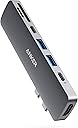


🚀 Power, Ports & Performance — The Ultimate MacBook Sidekick
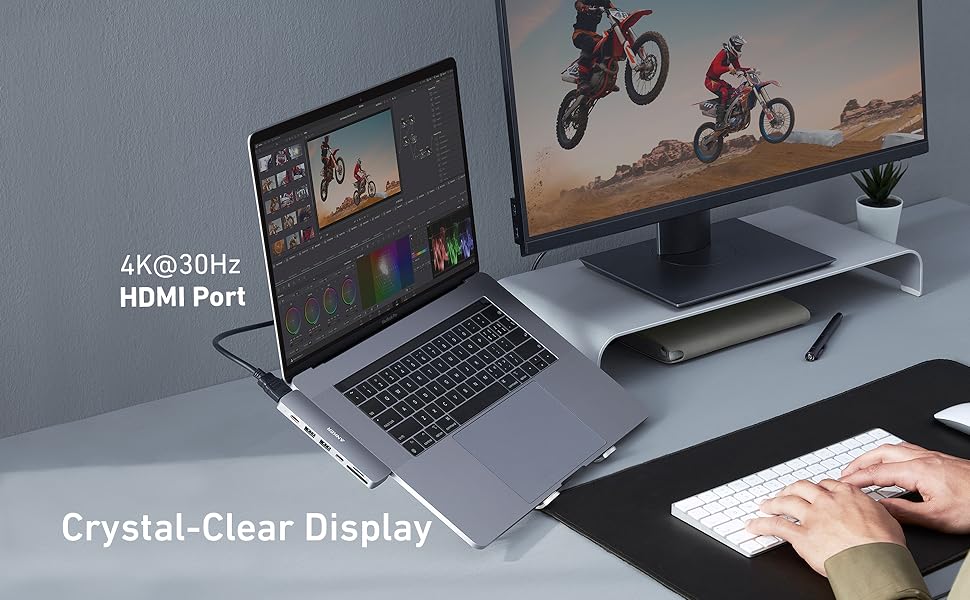
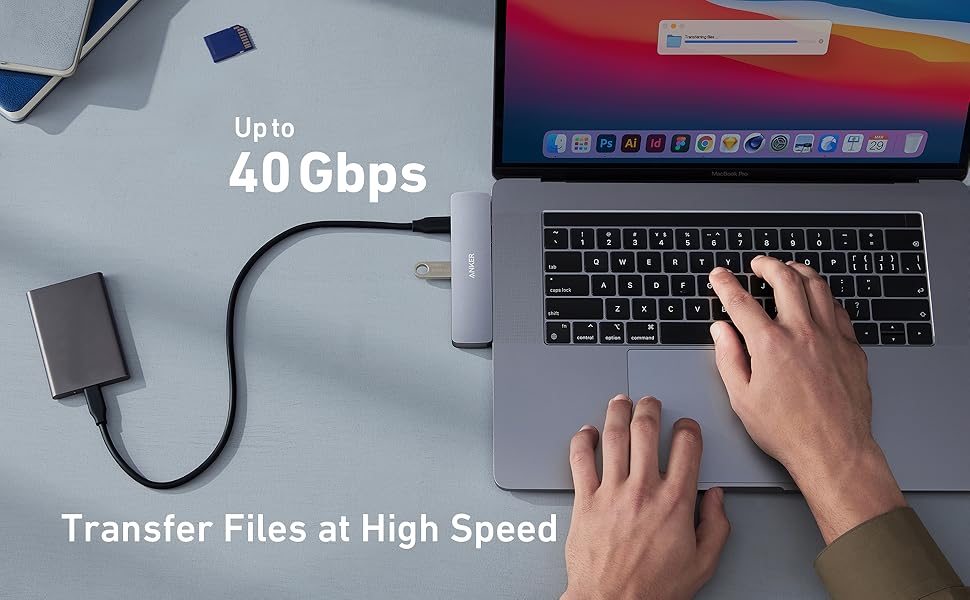
The Anker 7-in-2 USB-C Hub is a powerhouse expansion device designed exclusively for MacBooks with Thunderbolt 3 ports. It delivers up to 100W charging, supports dual high-resolution displays (4K HDMI and 5K Thunderbolt), and offers ultra-fast 40Gbps data transfer across multiple USB-C and USB-A ports. With SD and microSD card readers and a durable, compact design, it’s the perfect all-in-one hub for professionals who demand seamless connectivity and future-proof performance on the go.


| ASIN | B07YZ48HCT |
| Additional Features | HDMI™️, Powered |
| Best Sellers Rank | #53 in USB Hubs |
| Brand | Anker |
| Color | Gray |
| Compatible Devices | Keyboards, Laptops, Monitors, Mouse, USB Flash Drives |
| Customer Reviews | 4.6 out of 5 stars 11,552 Reviews |
| Data Transfer Rate | 40 Gigabits Per Second |
| Enclosure Material | Plastic |
| Hardware Interface | HDMI , USB 3.0 Type A, USB 3.0 Type C |
| Item Dimensions L x W x H | 4.72"L x 1.14"W x 0.39"H |
| Item Weight | 2.24 ounces |
| Manufacturer | Anker |
| Mfr Part Number | A83710A1 |
| Model Number | A83710A1 |
| Number of Ports | 7 |
| Operating System | macOS |
| Special Feature | HDMI™️, Powered |
| Total USB Ports | 4 |
| Total Usb Ports | 4 |
| UPC | 194644018016 |
| Unit Count | 1.0 Count |
| Warranty Description | 18-month warranty |
J**S
Quality 100W capable all-in-one USB-C hub from Anker
I recently added a 16" MacBook Pro to the family and with the extra size/weight wanted to slim down on carrying adapters. I also have a 13" MacBook Pro (2018) and wanted something that would work for both of these without any shortfalls. The Anker delivers and works flawlessly on both of my MacBooks. Charging - It offers full rate charging on either unit and so far - hasn't gotten all that warm in the process. I expected a bake fest and me returning it, so was surprised there. Plugs/Ports - I skipped the Hyper-hub craze as I just never liked the fit into my MacBooks. So this is the first dual-port type device I have used on my Mac's, but it fits very well and doesn't feel like anything needs to be forced to work. Likewise on the receiving side, the card slots are friendly and you won't lose your cards, but it still holds them well. The USB-C ports respond well and have worked with all charger cables and dongles that I have. The USB-A's are classic Anker quality. Thinking about this more...I think I actually like plugging and unplugging things in this. There are some brands (cough: UNI) that I wonder if "this is the time" when it breaks on me or keeps my cable end. So far so good on the Anker. Peripherals and what works - I have only used portables on it a few times so I do not have much testing with NVME there yet, but SSD is just fine and works as normal. Only (1) port of this has Displayport active on it (the charge port). So if you are plugging in two screens to one side of the MacBook - that will need to change. At the same time, if you can convert one of those to HDMI you can connect the HDMI and then Displayport (via USB-C) over the charge port. In addition to fitting the ports well I should also mention - on the 13" MacBook Pro and Air this should lie mostly flush with the work surface you are on and the laptop edge. On the 16" MacBook Pro it does have a little gap under it due to the height of that unit. But it still does not protrude past the top edge and won't bug you if you brush your hand over it. TL;DR: At the time of this review I am about a week in. and have removed all the "docks" from my office and home so I can give this a decent test. At 60$ it is more expensive than other options, but performs very well for my needs. Cons: price I guess. I wouldn't mind a GigE Ethernet port on it at the same price point of 60$, or wait for it on sale if you don't care about the port. Big ANKER on the top of It sort of annoying, if I am picking nits. Pros: Quality interface, known brand, works well on multiple years of MacBook with no weirdness or driver problems. Compatible with latest models and software. Color matches the Apple Space Gray acceptably. I hope you found this review helpful, if not - leave a comment and let me know how we can change that! Thanks for reading my review, Chris
D**E
The best USB-C Hub on Amazon!
This is the best and most feature complete USB-C hub I have used. I have tested every feature of the hub and have the results below. These tests were performed on my 2019 Macbook Pro 15" Power - As seen in one of my attached pictures this hub provides a consistent 85W to my Macbook pro. This is based on the 85W power brick I have the hub plugged into. This supports up to 100W so it should be future proof for future higher powered adapters up to 100W. Thunderbolt 3 Port - My coworker let me try his 5k@60hz monitor and it looked absolutely gorgeous and worked like a charm (I am going to have to buy one now!!). I also tested my 2x 4k@60hz monitors and they both were working when plugged into a hub. I used the StarTech Thunderbolt 3 to HDMI adapter (Model #TB32HD24K60) and it worked without any additional configuration. HDMI Port - I was able to get my 4k monitor working in 30hz mode. I was not able to get it working in 60hz mode but that is as expected. This matches the description perfectly. USB 3.0 Ports - I tested both ports with an external SSD and multiple different thumb drives. Every device worked as expected. I was able to max out the transfer rates of my external SSD using this port (~500MB/s). I was able to charge my phone and transfer data over both ports. SD/Micro SD - Both ports work as expected. I tested using an ADATA Premier One Micro Class10 SD card which has an advertised transfer rate of 275MB/s. It is one of the fastest Micro SD cards available so is the perfect test device. The maximum I was able to get in either port was ~230MB/s but that is within my acceptable values. I used a cheaper SanDisk Class 10 micro SD while plugging my ADATA into the SD card port with an adapter and was able to use both ports at the same time with the advertised data rates, amazing! Build Quality - This hub is a tank. It feels very solid and I would be shocked if you could break it in normal use. I tested dropping this 5ft off my desk onto hardwood floor and it did not have a scratch on it. Overall thoughts - This hub is a great value and has every feature I would expect in a modern USB-C hub. I am very happy with the purchase and will update my review with any further thoughts. I hope this review helped you make a purchasing decision!
T**R
One of the best technology purchases I've made!
I've always been a huge Anker fan. Their products are of great quality and I've never had any issues with them. So when I was buying a new Macbook Pro and wanting to set up a docking station setup for my desk I specifically looked for an Anker dock. One of the most important things to me was the ability to make my desk as minimalistic and clutter-free as possible. This dock is different from most in that it plugs directly into the 2 lightning ports without using a dongle/cord. That allows for a clean and solid connection and mount. It is a little more expensive than the others with less connections, but it had what I needed and was the cleanest. I bought the prior version because the newer version is $10 more and only has a lightning audio output which would only be useful for corded Apple earbuds I believe. I didn't need that. It also has the ability to have power pass through which allows you to plug your charger into one of the USB-C ports and when you dock it instantly starts charging. Here's what I have plugged into mine: - HP monitor in HDMI (had extra laying around) - Logitech webcam into one USB - Anker 60W charger - Pebble USB-C speakers (these are awesome and use the USB-C for both power AND audio output eliminating the need for another 3.5mm aux cord. This is crucial because it allows you to dock the laptop and have everything functional with the single dock rather than have to plug an extra cord in as well) I also have an Apple Magic Mouse and Magic Keyboard which are Bluetooth rather than USB wireless so they do not need a spot on the dock. This setup has worked seamlessly and is so much more ergonomic for long Zoom workdays on a larger monitor than staring at your laptop screen all day. It also gives you the flexibility of a laptop by being able to undock and take your computer anywhere. It really is the best of both worlds. Great work by Anker yet again!
M**M
Love it
The color and finish are almost a perfect match for 2020 space gray MacBook Pro. I don't have a great eye for colors, but I'd say it is a smidge darker. It is only a couple of millimeters higher than laptop body when in place, but not noticeable since it is slightly curved upwards. It truly looks like it belongs there. I returned another type due do HDMI issues (popping and flickering) and so far this one is very good. (I think I have a 1080p monitor. It is set to 60Hz.) It get medium-hot, but not at bad at all. You won't be placing your hands or arms there. I really wish it had an Ethernet port. Edit, 9 months later: Tried to use the microSD and SD card slots for the first time. They don't work. Way too late to return. Disappointing. Dropped review by one star. Edit 2: Raised by a star again. Anker saw my last edit and sent me a replacement. Works perfectly. I use this every day (just rarely for microSD cards, which is why I never noticed). I tried putting the old one and new one on (one has to be upside down) but I can't use the two HDMI ports together and had to stick to one from this hub and another dedicated HDMI dongle. Anker might want to consider making this so it can fit on either side of Mac and be flush both ways. If you could hook up two and use the HDMI ports on both, I could do away with 2 dongles (HDMI and an additional USB hub).
J**T
Saved Me From Buying A New Monitor
The MacBook Pro I use does not have an HDMI port for an external monitor. I had been using another hub that included an HDMI port which worked fine, but after 4 years it started wearing out. I didn’t immediately know this was a problem. My monitor had been flickering for some time, and eventually stopped working altogether. After much troubleshooting with inconsistent conclusions, I made the decision to try this hub. It works beautifully. My monitor started right up when I plugged it in. The hub fits right into the two USB-C ports on the left side of the laptop, and matches the computer. It makes a snug fit, so feels very secure. It includes all the ports I need. With 2 USB-C ports, I didn’t lose the two that are used to receive the hub. I like the fact that it feels like a part of the laptop and doesn’t connect like a dongle. Really happy with the product, and I didn’t have to replace my monitor.
F**L
Great little hub for MacBook Air!
I reviewed many before buying this one, and it suits my needs perfectly! I run my MacBook Air in clamshell mode, lid closed most of the time driving a 43” 4K tv as my my main monitor when used at home, and the hdmi port supports 4K so you can happily run in 3840x2160 mode. Just make sure you get an hdmi cable that has the bandwidth to support 4K I.e. hdmi 2.1! The dock fits closely to side of MBA and plugs into both usb-c ports so you have full power delivery. It feels a high quality design, nicely engineered and takes up so little room in a MacBook slipcase!
L**S
Highly recommend.
The best travel hub I’ve ever received. Hardy and works incredibly well when I’m on the go literally has downsized the number of charging bricks and other peripherals/dongle. I need to carry with me. It makes it very easy to use the TV in your hotel as a second monitor.
H**7
Great port layout, look and high quality - recommend for photography!
I just purchased a "Late 2019" 16" Macbook Pro and of course, you need a Thunderbolt adapter if you want to do anything besides plug it in. I actually ordered the Macbook Pro from B&H Photo and purchased a more expensive adapter from them. Their adapter was fine, but I did not like the layout. I do photography, so I am almost daily using the memory card slot. The slot in the first one was in the middle of the adapter and very awkward to get to. This layout is perfect, the adapter fits snuggly and memory cards are easy to get to and glide in and out easily. So if you do photography, I would recommend this one because of the layout and the quality of the product. Because it is technology, I did go ahead and purchase the 4-year Asurion Protection Plan.
N**A
Excellent quality
Excellent quality & very much useful for MacBook Air M3. HDMI port, 2 USB, USB C ports. Every MacBook Air users must have product.
B**B
parfait
parfait fonctionne bien pour mon mac, je recommande, bon rapport qualité prix et bonne qualité.
T**A
44
ok
L**.
Great USB C Hub for MacBook
The Anker USB C Hub for MacBook is very useful. It gives you seven ports from just two USB-C connections. It works well with Thunderbolt 3 and 100W charging, so it’s fast and efficient. The hub is well-made and looks good with the MacBook. It’s a great value and I highly recommend it!
A**H
Amazing Gadget
Bought 3 years earlier, reviewing now. Using it regularly with MacBook Air M1. Product is very good
Trustpilot
1 month ago
2 months ago