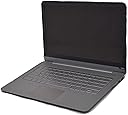
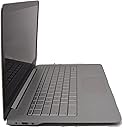
๐ Elevate your workday with power and style in a thin, light package!
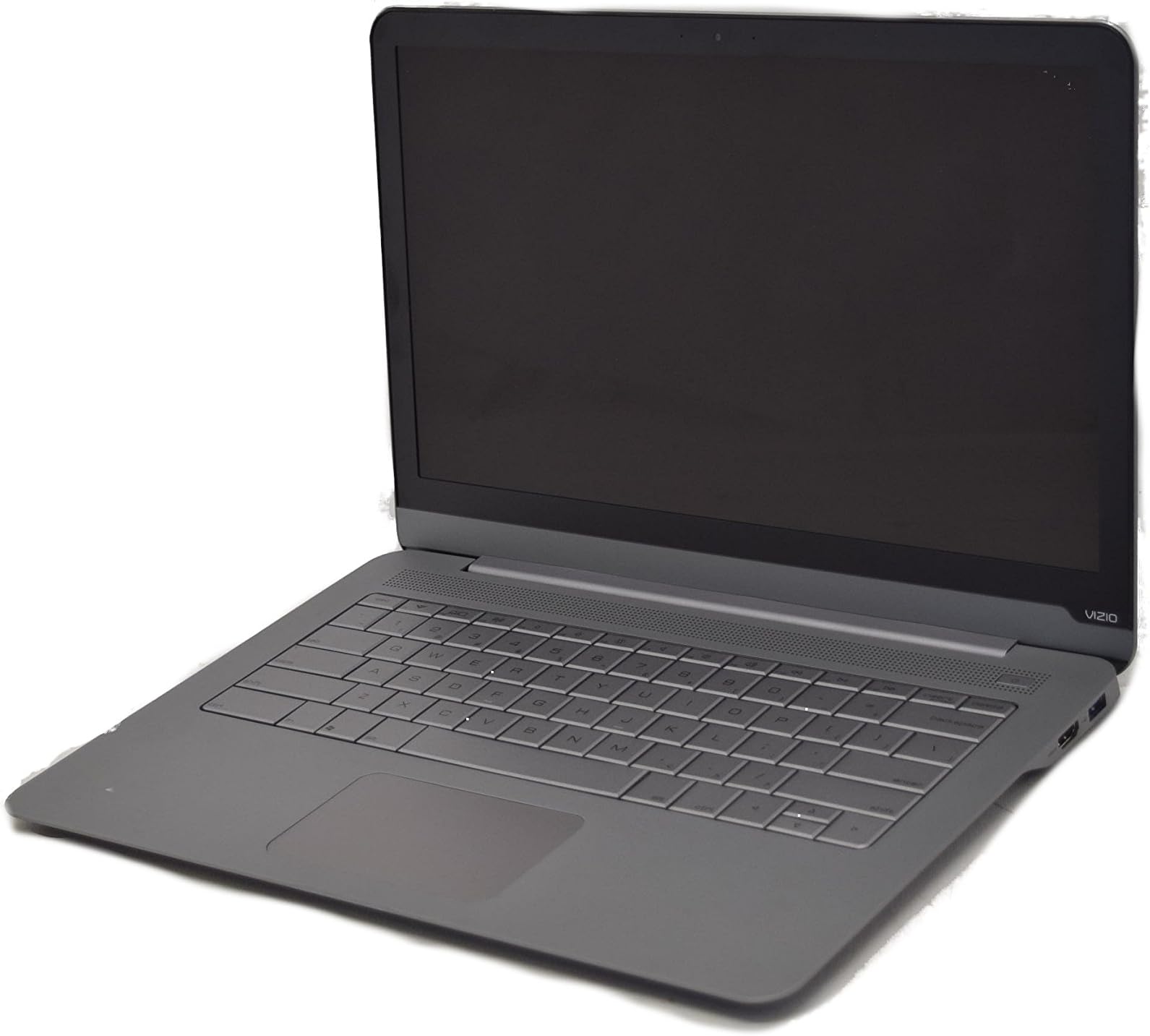
The Vizio CT14-A0 is a 14-inch ultrabook featuring a sleek aluminum unibody design, powered by a 1.8 GHz Intel Core i3-2390T processor, 4GB DDR3 RAM, and a 128GB SSD for rapid boot times. It offers a crisp HD+ display, integrated Intel HD Graphics 4000, and runs Windows 7 Home Premium 64-bit, making it a stylish yet efficient choice for professionals seeking portability without sacrificing performance.
| ASIN | B0088L182C |
| Audio Output Type | Speakers |
| Audio features | Premium SRS sound |
| Automatic Backup Software Included | Windows 7 Home Premium 64-bit |
| Battery Average Life Standby | 0.17 Hours |
| Bluetooth Version | 4.0 |
| Bluetooth support? | Yes |
| Brand | VIZIO |
| Built-In Media | Laptop, AC adapter, Solid-State Drive |
| CPU Codename | Ivy Bridge |
| CPU Model | Core i3 |
| CPU Model Generation | 3rd Gen |
| CPU Model Number | Core i3-3217U |
| CPU Model Speed Maximum | 1.8 GHz |
| Chipset Type | Intel HM76 or Intel HM77 |
| Color | Silver |
| Compatible Devices | External displays (HDMI), Wireless keyboards, mice, headphones (Bluetooth 4.0), other Bluetooth-enabled devices |
| Connectivity Technology | Wireless |
| Control Method | Touch |
| Customer Reviews | 3.5 out of 5 stars 127 Reviews |
| Display Resolution Maximum | 1600x900 Pixels |
| Display Technology | LED |
| Display Type | LED |
| Form Factor | Laptop |
| Front Photo Sensor Resolution | 1.3 MP |
| Global Trade Identification Number | 00845226020148 |
| Graphics Coprocessor | Intel HD Graphics 4000 |
| Graphics Description | Integrated |
| Graphics Ram Type | Shared |
| Hard Disk Description | SSD |
| Hard Disk Interface | SATA 3 GB/s |
| Hard Disk Rotational Speed | 1 RPM |
| Hardware Interface | Solid State Drive |
| Has Color Screen | Yes |
| Human-Interface Input | Microphone |
| Item Weight | 3.4 Pounds |
| Keyboard Description | Chiclet |
| Keyboard Layout | QWERTY |
| Lithium-Battery Energy Content | 4 Watt Hours |
| Manufacturer | Vizio, Inc. |
| Memory Clock Speed | 1.8 GHz |
| Microphone Form Factor | microphone or internal microphone |
| Model Name | Thin + Light |
| Model Number | CT14-A0 |
| Model Year | 2012 |
| Native Resolution | 1366 x 768 pixels |
| Notebook Pointing Device Description | touchpad |
| Number Of Cells | 2 |
| Number of Drivers | 1 |
| Number of Ports | 2 |
| Operating System | Windows 7 Home Premium 64-bit |
| Other Special Features of the Product | HD Graphics |
| Power Device | AC adapter |
| Processor Brand | Intel |
| Processor Count | 2 |
| Processor Series | Core i3 |
| Processor Speed | 1.8 GHz |
| RAM Memory Installed | 4 GB |
| RAM Memory Slot Total Count | 1 |
| RAM Memory Technology | DDR3 |
| RAM Type | DDR3 SDRAM |
| Ram Memory Installed Size | 4 GB |
| Ram Memory Maximum Size | 4 GB |
| Resolution | 1080p |
| Screen Size | 14 Inches |
| Series Number | 14 |
| Speaker Description | Premium SRS sound technology |
| Specific Uses For Product | personal |
| Supported Monitor Maximum Quantity | 2 |
| Total Usb Ports | 1 |
| Touchpad Feature | Yes |
| UPC | 845226020148 |
| Video Output | HDMI |
| Video Processor | Intel |
| Warranty Type | Limited |
| Webcam Capability | No |
| Wi-Fi Generation | Wi-Fi 4 (802.11n) |
| Wireless Compability | 802.11n |
| Wireless Technology | Wi-Fi |
R**I
Best $599 I have spent on a computer
I have been playing with this ultrabook for a week now and I am really surprised that this product isnt selling more quantities. Even after reading all the positive reviews about how beautiful this device is, I was still incredibly surprised by its sheer beauty. It's very very fast, looks as beautiful as McB Air and about as thin, comes with no bloatware at all which adds so much to the computing experience on this device and an incredibly sharp screen resolution. I won't go into the tech specs since more users have done a better job of it than I can, however you will see polarizing views on how acceptable/bad the trackpad and keyboard is on this machine. Ultimately it comes down to how you would like to use this device. I looked at it as a cost benefit analysis where I just could not get the same specs on any machine for the price of $599. I personally do not find the keyboard and trackpad to be as unusable as some of the users have mentioned but then again I am only using this machine as my entertainment device with browsing and some office work. To avoid disappointment, identify why exactly are you looking for a laptop and then go to a physical store and use the device to get a sense of whether this is for you or not. I personally would recommend this device to all my friends. Best $599 dollars I ever spent. update 9th nov 2012: The ultrabook is still quite fantastic and the trackpad issues are not even noticeable but the keyboard remains a bit of an annoyance. Personally I still wouldn't dock a start because it is still great value for money for my needs. Just updated to Windows 8 and though this laptop isn't touch compatible the experience on Windows 8 has been really really good. The laptop now shuts down in about 4 seconds and boots up in about 6-7 sec which is almost as good as a tablet. As developers come up with more applications for this OS, the experience will only get better and the cost of buying Windows 8 for just $16 is also a no brainer. There is a bit of a learning curve to using it but as with any new technology adoption, the first 3-4 hours of usage are the toughest and then it gets better. At $750 ish the appeal of this machine goes down a bit because put in another $100 or so and you can get decent ultrabooks for the price. So glad I bought it when I did. I would still recommend that you use it personally in a store before buying so that you ensure you get the value for what you are spending.
D**D
Minor flaws ruin this otherwise perfectly good machine
I bought this to replace a five year old laptop. The price was right, it looked sleek, and in every single regard its specifications were superior. And yet, having used it for a couple weeks it feels almost like a step backwards. What gives? I'll start with the good. This is a very capable machine. After the initial setup, it goes from boot-up to ready-to-use in about 20 seconds. When I put a thumb drive into one of the USB ports, my files are ready to view in the half-second it takes my eyes to return to the screen. I haven't noticed any slow down whatsoever even when 10-11 programs are open at once, including 20-30 tabs in my browser. The screen is incredibly crisp, very high quality and the only one I've seen at this price point which is 1600 x 900. It's also very lightweight, very thin, and incredibly sexy. It feels like a much more expensive laptop than it is. On paper, it's incredible. The problems with it lie in everyday use. It seems like a shiny exterior hides shoddy craftsmanship, and unfortunately it's that craftsmanship you'll be dealing with every day, and not the specifications which lie underneath. The trackpad is awkward, and has on two occasions decided it momentarily doesn't want to work at all. When you close the lid, sometimes the laptop decides to go to sleep, other times hibernate, other times still it shuts all the way down, and on at least one occasion it responded to me closing the lid with a blue screen of death. And the keyboard is just ridiculous. It feels very comfortable, don't get me wrong, but I've had to make what feels like 50 corrections to this review so far (three in this sentence alone), because the computer alternates randomly between registering a key twice and not registering a key at all. Other people have mentioned this issue, so it's not just me, and it's annoying as hell. You cannot concentrate on writing when you have to go back and correct two or three times a sentence. Probably the one reason I'll return this laptop, if I decide to do so. The pity is I actually love this machine, and the specifications it offers are amazing for the cost. But I couldn't in good faith recommend it to someone else, not until (if) they fix the issues with the keyboard, trackpad, and the computer's general schizophrenic tendencies, which I can only assume are based in Vizio's software rather than hardware. Plus, these minor flaws give me pause. My last laptop lasted five years (and is still going strong, actually, just a little outdated), how long is this one going to last? Am I going to wake up one morning a year from now and find myself frantically searching for a data recovery company, because my SSD suddenly went kaputt? I certainly hope not, but there's no way to know. This computer is good enough that I'm probably going to take the chance and keep it, hoping to god a future driver update will fix the keyboard. But it's not something I would buy again if given the chance. Approach with caution.
B**R
Looked Good But C-Drive Failed and 5 Keys on Keyboard Didn't Work
ORIGINAL REVIEW (September 2012): Vizio's 14" ultra-thin notebook just arrived in what seemed to be pristine condition, but during Windows start-up I was unable to type in "Vizio" as the computer name because the SHIFT, "V" and "Z" keys did nothing! Same problem with the "X" and C" keys in the same row. I'm sending it back for another one---but only because our Vizio TV has served us so well for many years. We shall see if this is worth the effort. Needless to say, I'm a bit disappointed with the out-of-the-box experience---and the initial quality of this product. UPDATE #1: A replacement arrived a QUICK four days later. (Amazon sure makes returning merchandise painless.) I am happy to report that all the keys on the replacement notebook worked!! Pros: The small number of processes running on Vizio's version of Windows is truly impressive. My "high-end" HP laptop needs an extra 2 Gbyte to have the same amount of free memory as the Vizio when runnng under Windows 7. This is a cool machine...literally. And, it is absolutely silent...except for the clicking of the (now working) keys. Cons: The keyboard lettering is truly stupid. Stylish is fine, but when one needs to "peek" at the keys, it would be nice if the SHIFT key functions were readable. The "touch" of they keys is fine---but talk to me in another 12 months AFTER I have had time to get some "crude" under the keys. I am not a fan of touch pads...and this one isn't going to change my mind about that. A Bluetooth mouse solved that problem. (I do wish a IBM Thinkpad-style "pointing stick" was an option. [sigh]) Bottom line: We are going to keep it. :-) UPDATE #2 (April 3, 2013): Six months into the replacement Vizio Ultrabook the solid-state drive (SSD) has failed. It had been hanging and needing reboot every few days. Now it will not boot. Not just a few errors but errors everywhere on the C-drive. Windows startup repair hangs up doing nothing. Booting the notebook into Linux and copying the disk drive image to a USB drive showed hard errors every few gigabytes. TOTAL LOSS of data on the Windows disk partition. In baseball you get three strikes---but with PC hardware two is enough to tell you're OUT! Pure JUNK!!!! UPDATE #3 (December 2014): Since the previous review this device has experienced disk stores failures and refused to boot Windows 7 two more times. Both times we ended up loosing everything stored on the "disk" and having to "restore" Windows from the "disk" partition reserved for that. I've stopped trying to use this laptop for anything important. We have it plugged into our (Vizio) TV's HDMI port and use it to play videos---stored elsewhere on our home network. The solid-state disk drive (SSDD) in this device is clearly flawed. The last time I restored Windows 7 from the "restore" partition---and waited to apply over 100 Windows 7 updates---I disabled as many Windows services as I could, plus disabled almost all "event recording", in order to minimize writes to the disk. That seems to have helped keep the disk from screwing up again---but we shall see. My daughter bought a different model Visio laptop soon after "UPDATE #1" and experienced the similar problems with the laptop's solid-state disk. Once again Windows 7 needed to be restored from the partition reserved for this. She bought another laptop and put the Vizio on a shelf. My advice to others has to be NOT to buy any Visio laptops. Stick to their fine TVs!
M**N
Cool Laptop with Good Features at a Great Price
I bought this laptop in September to replace my wife's 5-year-old Gateway laptop. It has been a huge improvement and my wife is very happy with it. The laptop is very good in terms of it's features and thin profile, and it just looks and feels like a quality product. I love the fact that it came with a clean copy of Windows so I didn't have to spend a day uninstalling all the garbage applications that usually come on a new laptop. The display is great and has a crystal-clear image (even better than my MacBook (non-Retina)...shhh, don't tell your Mac-geek friends, you'll never hear the end of it). The sound is not the best, but I don't expect much from an ultra-thin laptop anyway; I use a MacBook Pro 13" and the sound is a marginally better but it was also twice the price and it is quite a bit thicker, so I'm satisfied with the VIZIO's sound. The keyboard is good, but it's not backlit, and the key-travel is bit shallow so it took some time to get used to - now that my wife is used to it, she has no problems with the shallow key-travel, and the fact that it's not backlit has not been a problem (she rarely uses the laptop in the dark, anyway). The wireless network connection seems to be a bit choppy; when downloading large files there seems to be bursts of downloading, followed by several seconds of stall, rather than the smooth downloads I usually get on my MacBook. The VIZIO is primarily used in our main living area, within 30 feet of the wireless source, so there shouldn't be any issues with signal strength. I suspect it's either a software issue or poor hardware. I've tried to look for network adapter software updates but haven't had any success. Overall, the network adapter works great for casual internet surfing and e-mail and does reasonably well watching streaming videos on Netflix or YouTube, so my wife is please with it. The Solid State Drive (SSD) is great and there is a noticeable difference in start-up and program launch times. The hard drive is a bit small but we have a Google Drive and several external hard drives where my wife can store most of her music, family photos and video files, while saving hard drive space for program files and her most current files. The battery life has been problematic - it has been genuinely weird - at first, we plugged the laptop in overnight and the battery said it had a full charge. Then, when we unplugged the laptop it shut down due to low battery within 20 minutes. My wife was so pleased with all the other features that she decided not to send it back (over my objections) and to wait and see if the problem would go away (yeah right, I thought). The problem didn't go away until the past two weeks and now it seems to be working okay, with an average battery-life at about 4 hours (not great compared to my MacBook (7 hours) but okay compared to most PC laptops). I couldn't believe the problem actually went away and I'm half expecting for the battery to crap out any day, but it's fine (knock on wood) for now. I'll try to post an update in a few months to let you know if the battery continues to do well. The biggest hiccup with this laptop is the touch pad, it's awful, I can't believe how bad it is, it is nearly unusable. My wife tried to use it for just a few hours and gave up. She now uses a wireless mouse, which she prefers to touch pads anyway. The touch pad was usable but very unresponsive as a rule and then it would totally stop responding for several minutes, then go back to being usable but very unresponsive again. If all you're doing is surfing the net, e-mailing, word processing and watching Netflix, and you don't need a mega-sized battery, and you don't mind using a mouse, I would totally recommend this laptop. Here's a run down of the pros and cons: Pros: Look and feel of quality Display Thin profile Solid State Drive (speedy start-up and launch times) Sound (for the price) Great for casual internet surfing and e-mailing Clean Windows OS (no garbage applications installed) Cons: Network Adapter (choppy for large file downloads; okay for casual surfing and streaming video) Battery Keyboard (takes some time to get used to the shallow key-travel, and no backlight) Small hard drive The touch pad is terrible, terrible, terrible (you might as well buy a wireless mouse when you purchase the laptop - you're going to need it) Overall, I give this laptop four stars. The four star rating is relative though; the laptop is great for the casual user but it definitely has its limits. I would probably give it only three stars for travel or school use because of the battery and touch pad.
N**2
Great value for price Ultrabook
I recieved the CT14 A0 ultrabook yesterday and have been tinkering with it as much as possible in the last 24 hours. It is very sleek and sexy! So far I Love it. Pros: -Beautiful looks! Inside and outside. Somehow the color and the texture was chosen with aesthetics in mind. -The trackpad is sensetive to light touch. I prefer touch-clicking rather than tapping the button. 2-finger scroll works pretty well for webpages. -BLAZING FAST ! Boot time : 20 sec to reach login screen. After login, 5sec to fully load the desktop with startup apps, bluetooth connection to speakers, wifi etc . Shutdown time - 10sec. I believe this is possible because of the solid state hard drive. -No bloatwares! In my opinion , bloatwares are utter garbage and a waste of resource. For every preinstalled program, there are 10 free open source programs out there. -Vizio has done a fairly classy job with there own logos, startup screens etc. Cons: -The trackpad does not respond well at times. It has completely frozen on a 2 occasions. That doesnt bother me too much. The way around this problem is a quick sleep-wake or several taps and clicks.. Its still a glitch -I miss the Alternate Menu (Right-cick menu) key thats usually near the Right Ctrl key. -The edges around the palm are kinda sharp and might bother you after long hours of use. -The 128GB size of the hard drive might come and bite you one day. I have been used to a 500gb HDD for a long time. I'm already figuring out ways to put the old laptop up as a file server. This laptop is probably the best value-for-money in the ultrabook category. I bet the prices will creep up slowly.
S**G
Nice, but hate the touchpad.
The laptop is nice. I'm a college student and I bought this because it seemed nice and portable. And in most ways it is what I was looking for. It has a nice compact body, it's quite light and definitely thin. The battery life is ok, could be longer, but doesn't die off too quickly either. However, seriously? How can you make a touchpad so bad in today's era of nice, fluid touchscreens that you find on say an itouch? Sometimes, the mouse just freezes. The computer is working fine but the touchpad just suddenly dies on me and I have to make the computer sleep before it works again. The material of the touch pad is not too nice feeling and feels forced. It's not very responsive and is hard to control. It's just a thing for me, where I like to have nice control of the touchpad. In all other ways though I like the computer. If you carry a mouse around often, then this'll fit well.
T**T
This thing is amazing (for me)
I have been involved with computers for quite a while, but do not like to be on the 'bleeding edge'. Let everyone else brag about their exotic systems (with their exotic prices and problems). The Vizio CT14-A0 was the first model of the series. It has been replaced with later models, bigger, faster processors, latest operating system, etc. I wanted a quick, portable workhorse to fulfill a travelling need. This model fits the bill exactly, and did not break the bank. It has some limitations, but, ones that I can live with. It does not have a touch screen, so I decided it did not need Windows 8. I personally prefer Windows 7, 64bit. It has a limited number of external slots, but here is my take on that (for me). I travel a lot, and like as much internet security as I can get cheaply. Most of the motels now have wireless, but that is pretty insecure. This unit only has two usb (3.0) ports and no ethernet port. I just bought a cheap usb port expander, and a usb to ethernet adapter. This setup only cost me less than $20, and will allow me to connect to the motel wired outlet. If there is no outlet in the room, there almost always is in the business office, or the computer available in the lobby. Sure, you can still get hacked that way but the chances are a lot slimmer. It has an HDMI port, and a headphone port. With the right cables, I can connect the laptop to the motel television for a great internet experience, including movies. I has a solid state drive that boots the machine into Windows in less than 45 seconds. That is awesome!! I am not going to add a lot of software to this machine, and I expect it to remain fast. I have a 2 Terabyte hard drive connected to my home system. That allows me to access and save much data from anywhere I have a secure connection. I carry a thumb drive that has Portable Apps on it, with much software, and multiple browsers so my experience can be increasingly secure and pleasurable. I was able to purchase this machine (which still retails for over $700) for a about $550 (including shipping) with the added adapters and cables. With it's power and speed at my disposal (I AM NOT a gamer), this has been a great purchase for me. I purchased it from one of Amazon's affiliate partners, and was impressed with their packaging, shipping, and documentation. 1/20/13 - update Apparently, I neglected to address the issues raised by other reviewers. The keyboard and touchpad probably have some issues for others. That does not affect me because I use a wireless mouse and keyboard with mini receiver by Logitech. The keyboard was purchased with a wireless mouse that did not have an on/off switch. I use that mouse on a desktop at home, then I purchased a Logitech wireless mouse that had a mini receiver that stores inside the mouse for travelling, and an on/off switch. This mouse is supposed to have a 2 year battery life if you shut it off when not in use. Between the two purchases, I spent less than $50! Considering I saved over two hundred by purchasing the refurbished unit from Amazon, this is a great deal for me. The keyboard is a little awkward to take with me on trips. That is the only downside!! The complete purchase of this unit and accessories has been nothing but rewarding.
S**Y
Poor Man's MacBook Air
So, I bought this computer for the express purpose of carrying it on the road on numerous trips, so my search criteria were as follows: *Runs Windows (I am not switching to Apple) *SSD drive only (no moving parts to add noise & weight and drain battery life) *Lightweight (under 4 lbs) *Low cost (Under $400) After shopping around, I settled on a refurbished edition of this Vizio Thin + Light. I am happy with it, but I must report on several shortcomings, some of which have been commented upon extensively by other reviewers. PROS: +Lightweight. +Feels solid. +Fast boot times, and good speed. (note: I run it on "maximum performance" and strip out all bloatware.) +Runs well. Has been quite reliable, having absorbed the usual quantity of abuse travelling extensively causes. +Battery life is ok (bot not awesome) when used conservatively. Call it 6 hours heavy word-processing or spreadsheeting (WiFi off, bluetooth off); 4 hours if you have WiFi and Bluetooth on and are streaming video. CONS: -Thin edges of the chassis near the front edge can cut into your palms or wrists. I know it says "thin" but c'mon! -The trackpad is as bad as everyone says. Very easy to accidentally bump it or cause the cursor to jump. Irritating. I have learned to work around it, and am going to try some of the "fixes" that other reviewers have suggested. -Non-backlit keyboard is ok, but it would have been nice to have. -Cooling fan runs occasionally and is annoyingly noisy. -Speaker sound quality is just awful. Headphone output is ok. -The power adapter plug is a tiny, narrow cylinder that I'm afraid will break or bend. I wish it was thicker and stronger, or even better, the magnetic type that MacBooks use. -The power adapter also has a power indicator light on it that is too bright - can be distracting if you are, say, in a darkened airplane at night. -128GB SSD hard drive is too small for much media use. Keep your music or movie collection elsewhere. -Battery life of 8-10 hours would be nice. So, would I buy it again? Sure. For $400, this machine is a great road-warrior workhorse that is fine for web-browsing and light work duties (e.g.: ok for drafting an RFP, but NOT for using AutoCAD to design a hotel). Compared to the $1000 one must spend for a MacBook Air, Lenovo ThinkPad X240, HP Spectre 13t-300, or other 3 pound Ultrabook, it was the right machine for the right price for me.
Trustpilot
4 days ago
2 months ago