Buy anything from 5,000+ international stores. One checkout price. No surprise fees. Join 2M+ shoppers on Desertcart.
Desertcart purchases this item on your behalf and handles shipping, customs, and support to Nicaragua.
๐ Upgrade your connectivity game with the sleek Panda Nano Adapter!
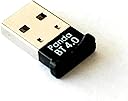
The Panda Bluetooth 4.0 USB Nano Adapter transforms any compatible PC or Linux system into a Bluetooth 4.0-enabled powerhouse, offering up to 80 feet of wireless range, ultra-low power consumption, and broad OS compatibility. Its compact design ensures it stays plugged in without obstructing other USB ports, making it the perfect upgrade for professionals seeking reliable, seamless Bluetooth connectivity across devices.


| ASIN | B00BCU4TZE |
| Best Sellers Rank | #65 in Bluetooth Network Adapters |
| Brand | Panda Wireless |
| Color | black |
| Compatible Devices | Keyboard, Smartphone |
| Compatible Operating System Family | Linux, Windows |
| Customer Reviews | 4.5 out of 5 stars 679 Reviews |
| Data Link Protocol | Bluetooth, USB |
| Data Transfer Rate | 3 Megabits Per Second |
| Hardware Interface | Bluetooth, USB |
| Item Dimensions L x W x H | 4.4"L x 3.7"W x 0.5"H |
| Item Weight | 1.6 ounces |
| Manufacturer | Panda Wireless |
| Mfr Part Number | 1 |
| Minimum Required Operating System Version | Windows 7 |
| Model Number | PBU40 |
| Product Dimensions | 4.4"L x 3.7"W x 0.5"H |
| UPC | 883400053483 |
S**R
Works good on Linux plug and play
Using Linux Manjaro KDE i first plugged it in the USB 3.0 port on a HP8560P laptop. Laptop recognized the adapter without having to install any driver and had no problem pairing Sony WH-1000XM4 Wireless headphones. The audio keep cutting in and out when listing to music in bedroom about 18 ft from laptop and other rooms in a small house. The signal only had to go around one corner to get to bedroom. I then plugged it into a USB 2.0 port on laptop then audio did not cut out in any room in house on 1st floor. Did a google search to see why audio keeps cutting out for bluetooth headphones on usb 3.0 port. It said audio cuts out because USB 3.0 ports emit radio frequency noise in the 2.4GHz spectrum, which directly interferes with Bluetooth signals. This interference causes data loss between the dongle and headphones, resulting in choppy audio. Moving the adapter to a USB 2.0 port or using a USB extender usually fixes this. The sound quality is excellent. Like the reviews said it is plug and play on Linux. I recommend it but use USB 2.0 port or a short 6โ USB 2.0 extender cable connected to USB 3.0 port which will also stop radio frequency interference and audio should not cut out. When watching videos on Youtube in 1080P HD video quality the audio is in sync with their lips, donโt notice any lag with my Sony WH-1000X4 wireless headphones. Maybe it depends on what version bluetooth the headphones and computer are using?
M**R
Frustrating Driver Installation - Resolved!
EDIT (5/15/2014): After working with Alan from Panda's support team via email we were able to get this working in short order. My words of wisdom - if you cannot get this dongle to work right away shoot these guys an email as they are very helpful. The whole experience while being frustrating at the beginning has been turned around by their willingness to help and support the device. Based on that service alone I will continue buying from them in the future. I myself work in a service industry and *good* service/support is hard to find. These guys deserve your business. So the title pretty much sums this up. I am not in the IT field, but am bieber-deep in the computer world (I build my own gaming rigs and troubleshoot all my own IT problems). While not an expert, I consider myself fully self-sufficient. That being said, getting the drivers to install on a Win 7 SP1 Sager NP8150 was kind of a pain in the a$$. Had I not been highly computer literate this may have been a huge hurdle. For someone with your Average Joe's tech knowledge level I kinda cringe. Overall, this little dongle has performed well, paring to my cellphone, Vizio sound bar and other devices. This will earn a 4th star should it hold up over time. I think the 5th star is reserved for a device which upon being plugged in is recognized, updated and is 'plug'n'play' right outta the box - which this was not. If you're NOT a computer nerd like me or work in the IT world invite, that friend of yours over, have a few beers and let someone else save you the time of fiddling with this. Overall I'm happy with the price point and function so far. EDIT: Alan with the manufacturer raised a valid point that you _shouldn't_ need to manually install any drivers and that Win 7 _should_ recognize and grab them for you. In theory, yes, but in practice that's not working all the time. It is possible that Win 7 is the culprit and to be honest that wouldn't surprise me in the least. Considering I had the same issue with another Win 7 SP1 terminal (this time a desktop PC) there is definitely an issue somewhere whether it be a problem with the adapter or Win 7 SP1. I've had 2 different machines had the same problem requiring the same solution, downloading the PandaBT4ForWin.zip (407mb file) file from Panda's site and doing driver installation the good ol' fashioned way. Not a big deal, but most folks probably aren't comfortable doing their own driver support.
J**A
works perfectly under Linux: Zorian OS core 17
I have an older hardware where I run Windows 10. I was looking to move away from that since my current hardware won't support windows 11. Investing in a new hardware at a cost of $700+ didn't make sense. I'm not a gamer, and while having Microsoft office, mostly MSword and MSexcel would be great, but not a requirement. I can use my work laptop for those needs. So, instead of going the route of windows 11, I have opted to use Linux, specifically Zorian OS. The free version, the Zorian OS core 17 is awesome, has a very nice look and feel of a windows platform. I wanted bluetooth connectivity with my older hardware running linux platform. I had a Ugreen brand USB Bluetooth dongle, but it's not compatible. This Panda Bluetooth adapter is plug and play under Zorian OS. After receiving, I plugged into the USB port and the OS recognized it immediately. I'm now able to connect my iPhone and other Bluetooth devices such as my headphones without any issues. If you have similar needs like mine, I can confirm it works perfect with Linux OS. I recommend this product. Thanks for reading.
R**Y
Don't install from the CD
I bought this Panda bluetooth adapter to use on my Windows 7 64-bit laptop, which is 5 years old and doesn't have built-in bluetooth. I had previously tried to get a different brand of adapter to work on this laptop without success. I initially had trouble with the Panda adapter too, but I've finally gotten it to work. I'm giving it 5 stars as it does now work, and because the Panda Wireless customer support is quite good. They were quick to respond to my emails, even late at night and on the weekend. The below information is for anyone who might encounter the same problem I did. The adapter came with a CD which installs "CSR Harmony" drivers. Customer support no longer recommends you install this. Most of my problems would have been avoided if I had ignored the CD and simply let Windows download and install the default drivers. However, I did install from the CD. The adapter worked at first - I was able to connect a Bose bluetooth speaker and play music. After unplugging the adapter and plugging it back in though, it didn't work again. The bluetooth icon didn't display in the notification area, and when I opened Bluetooth Devices from the Control Panel, none of the buttons on that page worked. I eventually uninstalled the CSR Harmony software. After doing that, the adapter itself seemed to be ok - I was able to successfully use it together with a bluetooth mouse. But I still couldn't get my bluetooth speaker to work again. I alternately got error messages that the drivers for the speaker couldn't be found, or that they were not successfully installed. In Device Manager, the entry for the speaker was labeled "Bluetooth Peripheral Device", and it showed a yellow exclamation mark. The "Properties" window indicated "This device is not configured correctly. (Code 1) The name is already in use as either a service name or a service display name." This error was what was causing the driver install to fail, and it seems to have been due to registry entries (under HKEY_LOCAL_MACHINE\SYSTEM\CurrentControlSet\services\) that weren't appropriately removed when the CSR Harmony software was uninstalled. The entries all started with "csr" (csr_a2dp, csr_bthav, csravrcp, CsrBtPort, csrpan, csrserial, csrusb). The corresponding csr*.sys files did not exist in my "C:\Windows\System32\drivers" folder. So I exported those keys (for backup, to be on the safe side), and then deleted them. (Important note: Do not edit your registry like I did, unless you know what you are doing; otherwise you may cause serious damage to your system.) After deleting those registry keys, the device driver install for the speaker still failed, and I almost gave up hope. But after rebooting the computer the next day, I tried again, and the problem was gone! (So it seems that both the registry fix and the reboot were required). Device Manager no longer showed the yellow exclamation mark. I removed the speaker from my Bluetooth list, added it back again, and then it worked. It also still works, after unplugging the adapter and plugging it back in.
T**N
Great at first, but then a glitch, but now good again
It worked great for a week (plug and play as it claims), but now it keeps connecting and then immediately disconnecting from my Bose soundlink bluetooth speaker. I downloaded the software on the included disk, but it doesn't seem to do anything as no program opens up after it downloads. I am not a computer wiz, but something is not right. Maybe it was some windows 10 update? Oh well maybe I'll figure it out eventually. Update: After reading some of these reviews I uninstalled the software and all seems to be working as it did at first. I am still not sure why it stopped working after the first week. Time will tell if all is good in the long run.
L**2
Works on a Ubuntu box to couple Phonak hearing aids
My application requirement was pretty specific, couple Phonak Marvel hearing aids to a Ubuntu HP notebook. The Panda BT 4.0 was my second attempt - the first try with another brand that claimed to be Ubuntu compatible did not go well... it required drivers to be hand loaded from the command line and in the end, they wouldn't work with the latest kernel (5.4.x on Ubuntu 20.04.1). In stark contrast, the Panda BT 4.0 was totally plug and play. I just attached plugged it into an open USB port and went to Bluetooth in the Ubuntu settings. Getting the hearing aids to connect the first time was a bit of a trick but I got what I needed. It's important to uncouple the hearing aids from your smart phone by turning off the phone's Bluetooth feature and power cycle the hearing aids for the Bluetooth dongle to discover and connect to them. Once I did that, I was connected and the left and right channel tested correctly. What does not work is the microphone function but I can get around that. The audio is rock solid and I can move freely around my office with no drop out. So I can do a Zoom or MS Teams meeting with audio direct to my ears. I'm sure the dongle can connect to many other devices, but this is all I need it to do for me.
K**R
It just works, no issues
Plugged this into my computer running xubuntu Linux and it was recognized and connected to my Bluetooth speaker with no problems.
M**.
Purchased this specific bluetooth for it's high quality. Using it to connect my PS4 controller.
There were many options for bluetooth 4.0 usb adapters. I narrowed it down to this one because of two reasons: The first reason was the customer support looked very friendly and helpful when I was skimming the negative reviews. The second reason was that in the negative reviews that I read, it wasn't because of the hardware. It was confusion over the software. When I looked at other 4.0 bluetooth products on amazon, the negative reviews on them that the casing fell apart or the device just died on them. So I'm happy if the worse part of this product was going to be confusion over the software, rather than the product falling apart or dying! I ended up having no issues installing this. It was plug and play for windows 7. The device came with a disc but I had no need. I purchased this to use my spare PS4 controller on my PC. I was tired of seeing my controller flashing it's light even though it was plugged in directly. The controller was looking for bluetooth. So I paired the controller with this bluetooth and the flashing stopped. I'm very happy with this product so far!
M**K
Works on Linux Ubuntu
Works on Linux Mint (Ubuntu), yippee
A**.
Works across multiple platforms
I bought this for a Toshiba laptop that didn't come with a bluetooth adapter installed when built. Old, it was shipped with Windows 8.1 which is supposed to have native support for Bluetooth 4.0. Unfortunately since the unit wasn't shipped with Bluetooth it didn't have the drivers so I had a bit of trouble connecting devices. I finally changed the way Windows Update would run and let it automatically check for updates and that prompted it to install a Servicing Stack. And had to go into Control Panel to change settings. Everything I needed to do I found while searching on the Internet. Once it did that I could connect a Microsoft Surface BT4.0 keyboard and a Nullea 505 Trackball. The only issue is with LE devices and randomization which can't be tweaked in Windows 8.1 but that isn't anything to do with the adapter. I have the same Toshiba laptop dual boot with Linux Mint and it works much more reliably with Linux once I made some tweaks in the bluetooth controls, again related to LE, MAC randomization and privacy. Also plugged it into a Lenovo mini tower that didn't come with bluetooth internally, was Windows 7 upgraded to Windows 10 and had no issues at all, same devices all connected right away without any manual configuration. Not the least expensive bluetooth adapter but if you want something that is a contemporary of an older machine to increase your odds of success it is worth a few extra bucks.
V**T
Good
Nice device
A**G
Excellent support
Havenโt tried linux yet but plug and play immediately under Windows 10. Manufacturer provides excellent support. Quick in responding.
M**M
Working with Ubuntu Out of the Box
Received the Panda Bluetooth Adapter in good packing condition. The Bluetooth Adapter was detected automatically by the Ubuntu 20.04 OS and started working with out any manual settings. Able to pair with my headphones with out any trouble. Satisfied with this Panda Bluetooth Adapter.
Trustpilot
1 month ago
4 days ago