Buy anything from 5,000+ international stores. One checkout price. No surprise fees. Join 2M+ shoppers on Desertcart.
Desertcart purchases this item on your behalf and handles shipping, customs, and support to Nicaragua.
🚴♂️ Ride Smart, Track Effortlessly, Own the Road!
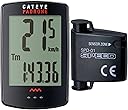
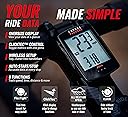
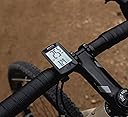
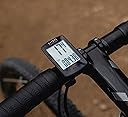
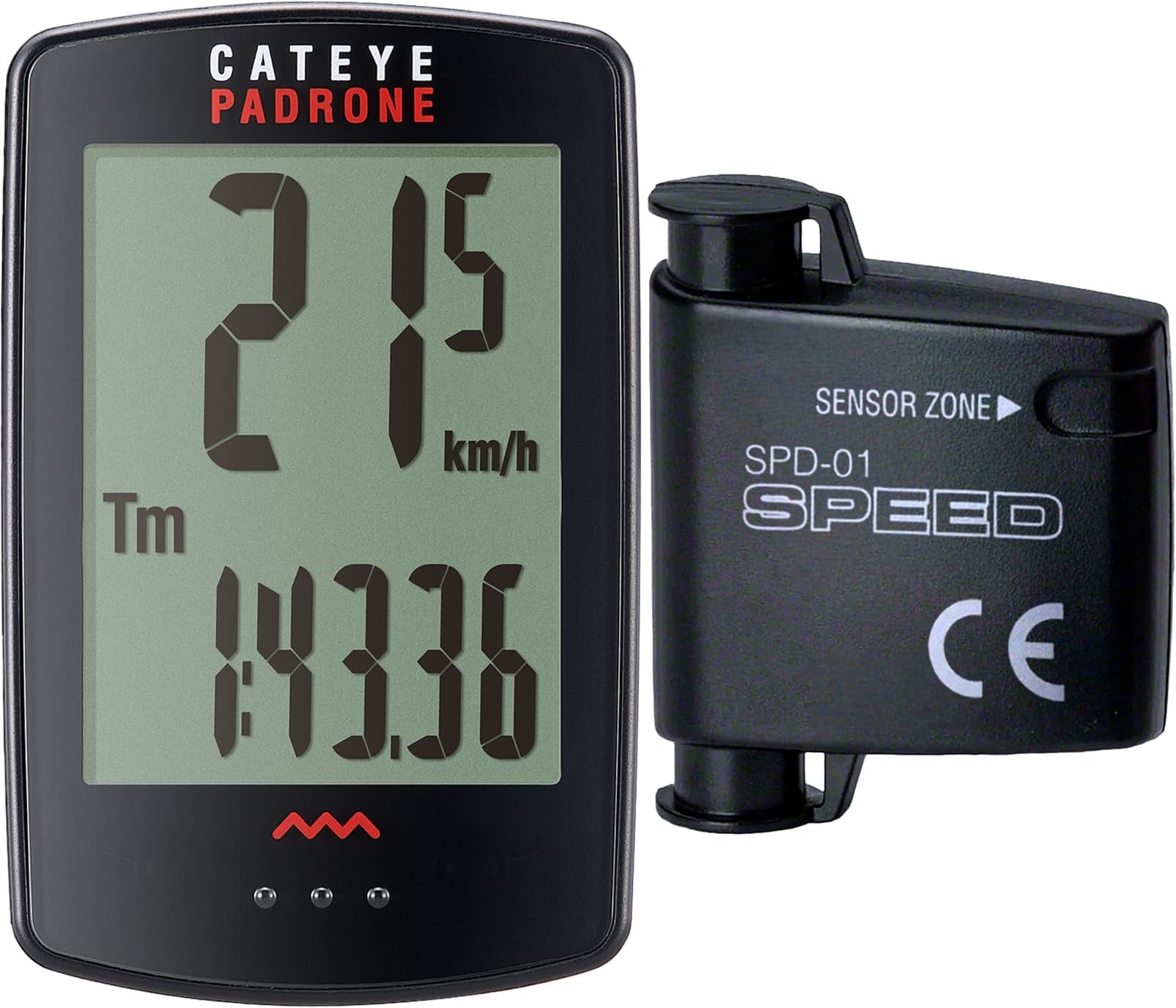
The CATEYE Padrone Wireless Bike Computer combines a large, easy-to-read 5.5 cm LCD display with a reliable wireless analog speed sensor and an ultra-long 1-year battery life. Designed for road, MTB, and gravel bikes, it features intuitive ClickTec controls and an auto start/stop function that pauses tracking during stops. The FlexTight™ mount ensures quick, secure installation, making it the perfect companion for cyclists who want accurate, hassle-free ride data without GPS complexity.


| ASIN | B00TINWLDY |
| Battery Average Life | 1 years |
| Battery Type | Lithium Metal |
| Best Sellers Rank | #14,936 in Sports & Outdoors ( See Top 100 in Sports & Outdoors ) #8 in Cycling Computers |
| Brand | CATEYE |
| Brand Name | CATEYE |
| Color | Black |
| Connectivity Technology | Analog Wireless |
| Customer Reviews | 4.3 out of 5 stars 2,427 Reviews |
| Display | LCD |
| Display Size | 5.5 Centimeters |
| Display Type | LCD |
| Global Trade Identification Number | 00725012026069, 00725012027813 |
| Human Interface Input | Buttons |
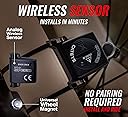
| Included Components | Analog Speed Sensor, Computer Head Unit, Universal Wheel Magnet, Zip-Ties, FlexTight™ Mount Kit |
| Item Dimensions L x W x H | 1.69"L x 0.57"W x 2.64"H |
| Item Type Name | cyclingcomputer |
| Item Weight | 0.03 Kilograms |
| Manufacturer | CATEYE |
| Manufacturer Part Number | CC-PA100W w/stopwatch |
| Model Number | CC-PA100W |
| Mounting Type | Handlebar Mount |
| Product Dimensions | 1.69"L x 0.57"W x 2.64"H |
| Screen Size | 5.5 Centimeters |
| Sensor Type | Analog Wireless |
| UPC | 725012026069 725012027813 |
| Warranty Description | 2 Year Manufacturer |
A**N
Great bicycle computer for the money!!
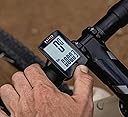
If you follow the instructions that are provided it is easy to set up the computer! Attaching the computer to the handle bar or stem is straightforward. Attaching the magnet to the wheel is easy the hardest part about this setup is getting the wireless sensor just right. The computer is easy to use. Once it is set up and in its slot it is just a matter of pressing the area just below the screen to go through different screens and options. To clear the data from a ride just press and hold the same spot for 3seconds. Everything goes to zero except the ODO. Odometer. Great computer with easy to read text and numbers.
J**N
Well designed, easy enough to install and amazingly accurate
This is the second bike speedometer I bought for my new bike. I was unable to get the first one of work on my bike. Works as described. Easy to install. Its a little fiddly to get the sensor positioned correctly but after I got that dialed in its been working perfectly for a couple of hundred miles. I have checked it against my phone cyclinlg app and its spot on in terms of accuracy for both speed and distance. After a 20 mile ride there was only a . 02 mile difference between this speedometer and my phone app. Just selected the tire size off the chart provided with the instructions. I like that its very easy to reset it before a ride and that the display is nice and large and visible in direct sunlight, unlike my phone when is difficult to see when out riding. I did not find it difficult to upset but then I grew up in the days where programming your VCR required a PhD. It took a few minutes to get it set up and by the time I might have to do it again I will have forgotten how to do it. I'd buy this again.
G**Y
Nice computer
Nice computer and the stealth black works great with my black and gold scheme. The instructions suck. I'm sure they made sense to the person who wrote them but they needed at least a second set of eyes before printing. Now getting it from Amazon is a different story. It took ordering twice, getting lost twice, two chats with Amazon and two phone calls to get them to agree it was lost and cancel the order just to have it show up.
G**K
instructions suck, computer is easy to use, good value.
Instructions kind of suck, you have to really take your time in studying the illustrations. But I still have not been able to release the computer from the mount! there is nothing that I can find in the instructions that shows/tells how this is achieved. The computer is easy to use, and the bigger display is nice. and I like the start stop feature when you stop moving, it stops adding data, and starts when you start moving again, Decent value for the money. They just need to do better with instructions.
S**R
Perfect for Basic Data Collection
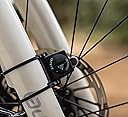
Biking is one of our favorite activities, and when traveling, we are always looking for bike trails. Over the years, we have biked short, medium and long distances. The longest distance that we have biked in one day was 50 miles on the Trail of the Coeur d’Alenes last year (2022). During that same trip, we biked 42 miles on a different day on that same trail. And this summer (2023), we biked 37 miles on that trail. All of these treks were on different sections of the trail, which is a combined distance of 72.5 miles one way. When biking medium and long distances, I am always curious about how far we’ve gone and I am frequently asking my husband (Larry) throughout the treks. He uses a GPS app on his phone to track everything that we do, not just biking. I wanted something to track our biking data myself, but I didn’t want to use my phone/an app. Thus, the search for a wireless bike computer began Spring of 2023. I am not a technology-compatible person, so I needed a very basic, user-friendly product. After researching two dozen bike computers (all different brands/types), I decided on the CATEYE, Padrone Wireless Bike Computer. My Trek Dual Sport 3 (WSD) came with a mount on the handlebar specifically for a bike computer, but I had difficulty finding one that was compatible with that mount. Larry checked with Trek and it appeared that the device would be compatible with the existing mount on my bike, but when we received it, we learned it was not. I had planned to return it but changed my mind once I realized that swapping out the mount wasn’t that big of a deal. The mount that came with CATEYE ended up working perfectly. BIKE SET UP: I found the setup to be quite tedious, but for the average person I am certain that notion would not be applicable. Fortunately, I had Larry to help. The CATEYE mount is about the same size as the one that came on my bike but is just shaped a little differently. A feature that I like about the CATEYE mount is that it is easy to adjust the angulation on the handlebar using the knob on the back. Sometimes I angle it up a little higher and other times a little lower. With that said, however, it is vital to mention that if the mount is angled down too far on the handlebar, then it will be difficult to toggle between different screens on the monitor. Once the new mount was in place, the next step was putting on the sensors and that is what took some fine-tuning. The little round sensor that attaches to the spoke on the front tire has to align perfectly with the transmitter on the fork of the bike. It took multiple attempts to line them up perfectly. After the first few tries, we thought perhaps the battery was dead, so we replaced the battery yet the monitor still wasn’t working. Initially, we had the transmitter positioned in the middle of the fork, horizontally. We finally realized that it needs to be closer to the sensor. We then angled the transmitter inward on the fork so that it would be much closer to the sensor and they could communicate. My advice: be patient and just keep working on it till you get it right. Admittedly, I was not patient through this process. VISIBILITY: The CATEYE has a very clear screen and the numbers are easy to see. Initially, I tried to find a computer with an LED backlight but just couldn’t find something with consistently good reviews. However, I am very pleased with the visibility of this. I have no issues at all, even when biking in open, sunny areas. NOTE: I recommend taking the monitor off the mount when not in use to protect the screen; I keep it in a small bubble pouch that it came with. EASE OF USE: To change the data on the monitor, you place the device in the mount and push down on the three little dots located on the bottom of the device; you will hear a clicking sound each time you push down. When I had the device in my hand, I kept pushing the dots and nothing happened. That is when I realized that the little dots are not a “button,” but rather serve as a marking point for the section where you push down so the gray center button on the backside of the unit will then change the data on the monitor. To “reset” the computer in between rides, you push down for a few seconds. The monitor does not have an on/off switch. It turns off by itself (like a hibernation mode) when not in use after a period of time. Switching from screen to screen to see different data while biking is simple. Just push down on the little dots and you can easily toggle between different screens of data. While biking, I prefer to leave the screen on individual trip distance (i.e. how many miles I am currently biking). When we are finished biking, I then scroll through all of the different data that the device collects: individual trip distance; total odometer distance; average speed; max speed; elapsed time; clock. A few things to note: When you stop biking, all data collection completely stops, unlike that of an app/program where you have to “pause” in order to keep an accurate time of the activities. I really like this feature because Larry has to pause and restart his program for accuracy; I don’t have to do that with this device. I also like that the computer keeps track of the total miles and amount of time that I’ve biked using the device. When you “reset” in between treks, it only resets the individual trip distance, clock (time per ride), average speed and max speed. ACCURACY: On every trek, Larry and I compare the mileage data between our two different methods of collection. Between Larry’s GPS and my CATEYE, the difference is usually within one-tenth of a mile. He believes his GPS data is the ultimate scale of accuracy. And while that *may* be the case, my CATEYE is close enough for my purposes. I just wanted something to give me a general idea, as I am biking, of how far we’ve gone. FINAL THOUGHTS: I am extremely pleased with this device, as it is perfect for my purposes. Thus far, I’ve biked a total of 142.2 outdoor miles and 10.43 total hours while using this between the months of May – Aug 2023. The reason for which I specify ‘outdoor miles’ is because I have an indoor bike trainer that I also use with my Trek bike. However because the CATEYE attaches to the front tire, I am unable to use it to track my ride data. I have looked at bike computers compatible with indoor bike trainers, but I don’t feel the need to purchase one at this time. If you are looking for a very basic, easy-to-use bike monitor then the CATEYE may be a great fit for you. As mentioned above, the mileage may/may not be 100% spot on, but it is certainly close enough for those, like myself, who just want a general idea of their bike trek data.
A**T
Fatal Flaw
The CatEye Padrone CC-PA100W is a decent product. I like that it has only one button and it’s easier to operate than my other multi-button computers. Installation was simple; however I managed to get the computer and bracket connected BEFORE mounting it on the bike [busy fingers] and could NOT get the two apart without forcing a small screwdriver between them as there is no quick-release mechanism. Another “like” is the neodymium magnet that attaches to the spoke – the sensor picks it up very easily and the reed switch inside the fork-mounted transmitter can easily be heard chirping so there was no guessing about adequate distance between the magnet and sensor. The display is huge which I also love. Full disclosure: This was a gift for my wife. She rides her bike 5 days per week and 3 of those rides are in the dark. What she and I both dislike about this model is that once the display goes to sleep (after 1 hour of inactivity), you MUST press the screen to turn it on; it won’t just start working when it senses the wheel spinning as all my others have done. This is my first wireless model so now I’m wondering if they’re all like this. Therefore on dark ride days, if you forget to turn the speedo on, when you finish your ride, there’s no data. The instructions are unclear in this area, so I emailed CatEye and they confirmed what I’m experiencing is normal. This seems like an oversight to me and should be corrected by the manufacturer. The many functions of this cycle computer may or may not be necessary during a typical ride, BUT the odometer should function regardless – without thinking about it or rider intervention. Period. The Padrone not starting automatically turns this otherwise useful tool into a gadget or toy. This otherwise great product is a failure, in my opinion.
P**E
Affordable Wireless Bike Computer
I have been using the Padron wireless by computer for about 200 miles on my specialized rockhopper. The terrain I've used this computer with has been primarily urban including several paved bike trails. Installation was easy. I had no problems with setting the distance from the receiver on the fork to the magnet on the spoke. With over 200 miles now with the computer, I've had no glitches or issues with recording mileage or speed. The computer interface stays securely in place. The computer interface is easy to remove and easy to read. Additionally, it is easy to toggle between the different features of the computer safely while riding. Previous reviews for this and other wireless computers had concerns with the receiver communicating with the computer. After 200 miles, I have not had an issue whatsoever. Comparing the odometer to GPS on both a phone/watch, the computer is quite accurate. I have not found a discrepancy more than a 10th of a mile at most. For the price, I would highly recommend this wireless bike computer. It is easy to install and use. The computer is easy to read and appears to be very accurate. For recreational or advanced riders, this computer displays the amount of information in a compact easy to read manner. I would purchase this product again and continue to use Cat Eye computers on future bikes.
D**C
Simple setup, big display.
Simple wireless bike computer. Gives speed, avg. speed, time and distance(trip and total) which is all I need. Large display makes it easy to see at a glance. Easy set-up. Very accurate. I did get the optional bracket to center it on my bike’s handlebars.
C**B
Excelente
Muy buena pantalla. Llegó una semana antes de lo previsto. La esteucutra de montaje es sobre el cuerpo del manillar, la base de la segunda foto en la que sobre sale de la bici no la trae.
J**Y
Five Stars
Great Product, Fast Shipping
C**N
Su exactitud
Me a gustado el diseño. No me a gustado la presentación.
A**R
Highly recommended
Love this cat eye I’ve had many others on all my mtb but this cateye padrone is my favorite the holder it comes with is the cats meow very easy set up, like the larger face, makes it easier to read and I enjoy how easy it is to switch between the modes highly recommended this cat eye
J**.
Sehr gut mit kleinen Einschränkungen
Funktioniert sehr gut. Einschränkungen: Man muss es beim Start manuell einschalten... und im Dunkeln bleibt es dunkel...
Trustpilot
3 days ago
3 weeks ago