

Buy anything from 5,000+ international stores. One checkout price. No surprise fees. Join 2M+ shoppers on Desertcart.
Desertcart purchases this item on your behalf and handles shipping, customs, and support to Nicaragua.
⌨️ Elevate your workspace with the ultimate Mac numeric keypad—because every keystroke counts!
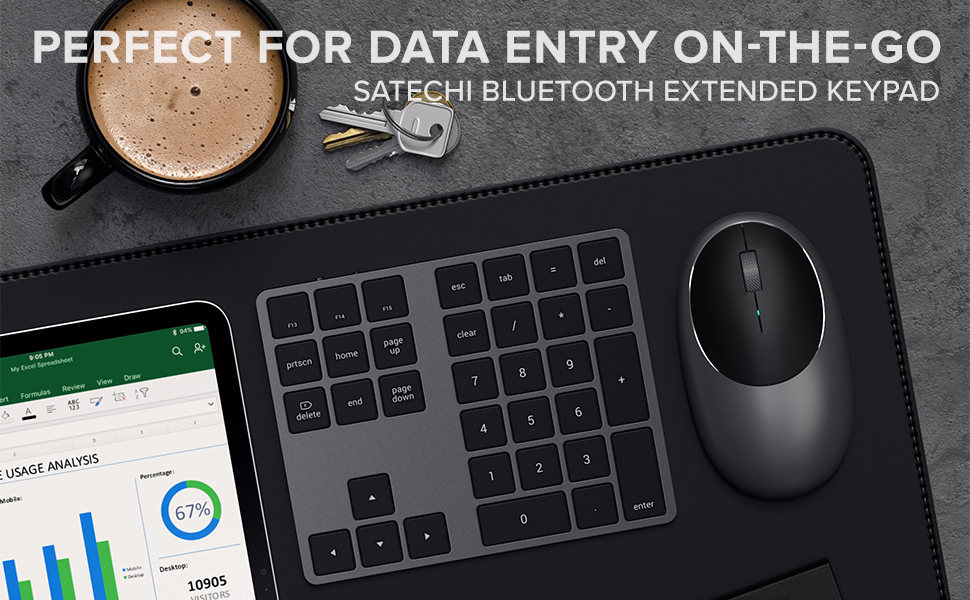
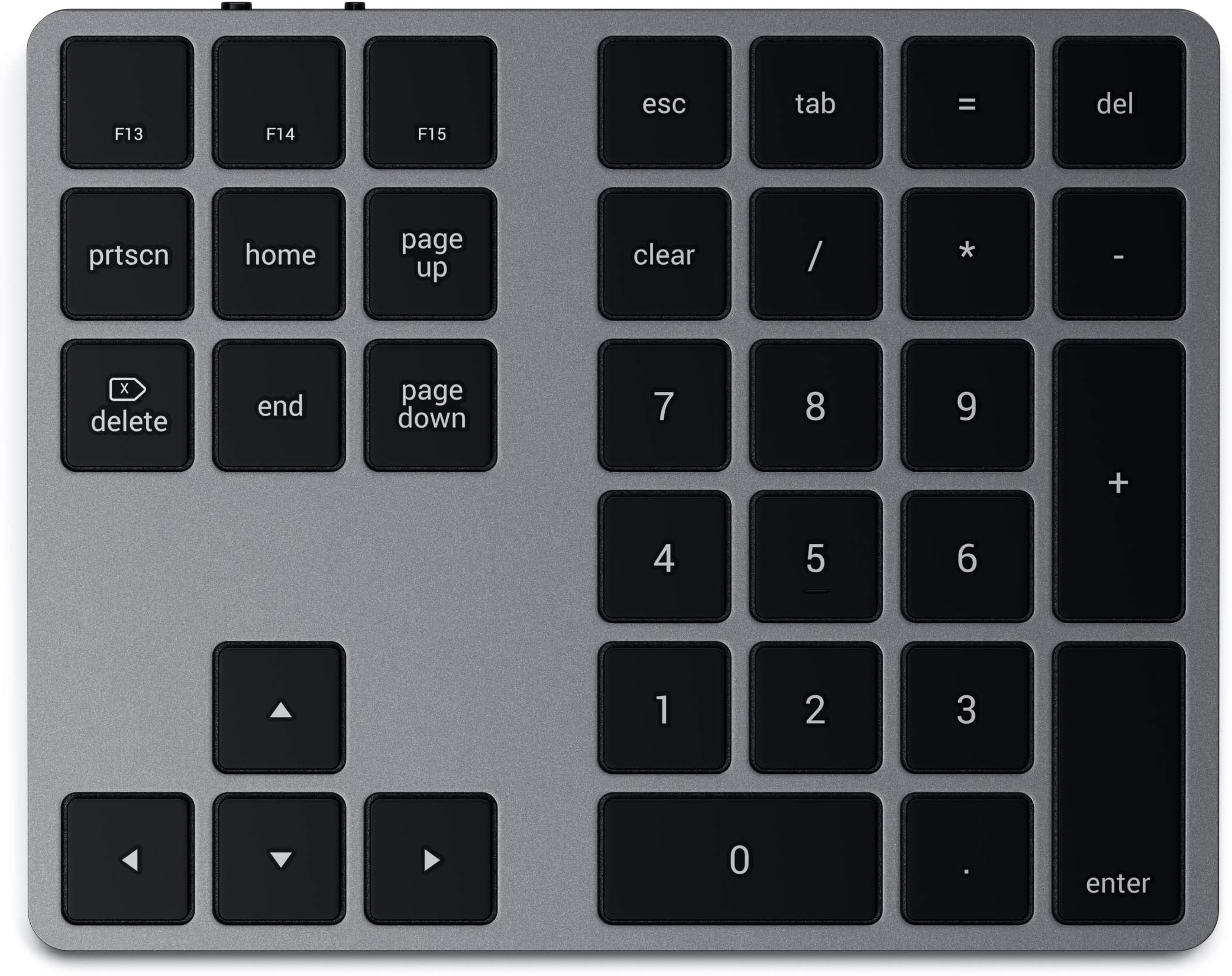
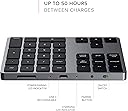
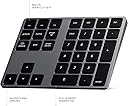
The Satechi Bluetooth Extended Numeric Keypad is a slim, rechargeable 34-key wireless numberpad designed specifically for Mac users. Featuring a full numeric layout with MacOS shortcut keys, seamless Bluetooth connectivity, and a USB-C rechargeable battery, it enhances productivity while complementing modern setups with its sleek aluminum design in space gray.


| ASIN | B07YVPTY94 |
| Additional Features | Bluetooth, Wireless |
| Antenna Location | Office |
| Best Sellers Rank | #712 in Computer Keyboards |
| Brand | Satechi |
| Built-In Media | User Manual |
| Button Quantity | 34 |
| Color | Space Gray |
| Compatible Devices | MacBook Pro 14-inch and 16-inch (M2 & Max, 2023; M1 2021), Air M2 (2022), (2020), Mac Mini M2/M2 (2023), (2020, 2018), iMac (2019, 2017), Pro, iPad (M2/M1, 2022, 2021, 2020, (10th-Gen, 2022; 2021 Mini), iPhone (15 Max/15 Pro/15/15 Plus, 14 Max/14 Pro/14/14 13 Max/13 Pro/13/13 Mini, 12 Max/12 Pro/12/12 11 Max/11 Pro/11), certain gaming consoles Compatible Devices MacBook Pro 14-inch and 16-inch (M2 & Max, 2023; M1 2021), Air M2 (2022), (2020), Mac Mini M2/M2 (2023), (2020, 2018), iMac (2019, 2017), Pro, iPad (M2/M1, 2022, 2021, 2020, (10th-Gen, 2022; 2021 Mini), iPhone (15 Max/15 Pro/15/15 Plus, 14 Max/14 Pro/14/14 13 Max/13 Pro/13/13 Mini, 12 Max/12 Pro/12/12 11 Max/11 Pro/11), certain gaming consoles See more |
| Connectivity Technology | Bluetooth, USB-C |
| Customer Reviews | 4.1 out of 5 stars 1,391 Reviews |
| Enclosure Material | Aluminum |
| External Testing Certification | 16364859011 |
| Global Trade Identification Number | 00879961008512 |
| Hand Orientation | Ambidextrous |
| Item Dimensions L x W x H | 5.75"L x 4.49"W x 0.35"H |
| Item Type Name | Wireless Keypad |
| Item Weight | 4.4 Ounces |
| Keyboard Description | Numeric Extended |
| Keyboard Layout | QWERTY |
| Manufacturer | Satechi |
| Model Name | Satechi Bluetooth Extended Numeric Keypad |
| Model Number | ST-XLABKM |
| Number of Keys | 34 |
| Power Source | Battery Powered |
| Processor Count | 1 |
| Recommended Uses For Product | Office |
| Special Feature | Bluetooth, Wireless |
| Style Name | Music |
| Theme | Game of Thrones |
| UPC | 879961008512 |
| Warranty Description | 1 Year Manufacturer Warranty |
K**I
It is the best one I’ve found
Easy to use. Setup is simple. Functions as it should. Bluetooth automatically connects. Nice size for someone with larger than average hands. Battery life is good, holds charge when powered on for full day and then some. It’s the best one I’ve found for the money.
A**R
Works great!
Works great with my MacBook Pro! So easy to set up; basically does it itself. Good quality. Stays in place. Slight incline so easy to use.
B**Y
Perfect match for my setup
This Satechi Bluetooth Keypad matches my laptop perfectly. I really love how clean and minimal the design looks, and it includes all the essential keys I need. It’s compact, lightweight, and very easy to carry around. The keys feel soft and comfortable to type on, yet responsive. It works smoothly and connects without any issues. The only thing I’m unsure about is the battery indicator. I’m not always sure when the battery is low — it suddenly stopped working once, and I realized it just needed charging. It would be great if the battery level were visible in the Bluetooth settings, as a mouse shows its percentage. Overall, I’m very happy with this purchase and would recommend it.
A**R
Fácil de utilizar
Buen producto fácil de usar
J**O
Do not buy! If I could, ZERO STARS
Electronic garbage. That's the polite term for this piece of equipment. So far, Satechi is zero for two. I have bought two of these keypads and neither has worked. Both were dead on arrival. My previous numeric keypad was a cheaper model by a rival company and only lasted a year. Okay, I thought, this time I'll do my homework and be willing to pay more. Wirecutter recommended this model and it cost a few dollars more. I mistakenly believed that quality and price were directly related. They are not. In fact, the relationship is inverse. While the cheaper model worked for a year before going belly up, this one not at all. Here are the details: First Extended Wireless Keypad - Did not charge despite being plugged in for 12 hours. The charging light came on but the keypad would not turn on, pair, or actually do anything. I returned it to Amazon. Second Extended Wireless Keypad - Out of the box, I thought I would see if there was any charge at all before trying to charge it. I turned it on and pressed the pairing button. I got a blue flashing light for a few seconds and thought that perhaps it only needed a charge. - I plugged it into an iPad charger, the charge light flashed, and then went off. I used the cable supplied with the keypad. - I plugged it into my Mac Mini but the charging light did not come on. Same cable. - I plugged it into another charging device but the charging light did not come on. Same cable. - I have now tried various chargers and cables (I have many), but without any success. Satechi has invented a device that never works. Do not buy it.
N**N
Perfect Solution!
Awesome number keypad!!! Connected effortlessly and the quality is superb! Perfect solution for my MacBook Air!!!!
A**R
Really great idea except for one problem
I got this device in order to give myself some better-positioned arrow keys, which I use a lot as a developer. I love my Apple compact Magic Keyboard, but the arrow keys are hard to find and use. When I saw this keypad, I thought it solved all my problems and that I could have better arrow keys and still be compact and mobile. This extended keypad fits almost perfectly alongside the Apple keyboard. The colors and fonts match well; the only noticeable difference was that the keys stand up a tiny bit higher than the Magic Keyboard keys. But, this keypad turned out unusable for me. As a developer, I select code A LOT, and I do this by depressing the shift key while moving the cursor around with the arrow keys. Unfortunately, this does NOT WORK on this keypad. As you arrow around with the keypad, the MacOS does not know you also have the shift key depressed on the other keyboard. So nothing is selected; you’re just moving the cursor around. Due to this issue, I had to send it back. Too bad, because it would have been a great solution to my setup.
J**F
great supplement to a 65% keyboard
I've been using this keypad for almost 5 years now and it's been really convenient & effective. The F13-15 keys are easily programmable in macOS settings which I use for Cut, Copy, Paste shortcuts. it'd be dope if Satechi put out a backlit, mechanical version of this keypad….I'd def update with that
Trustpilot
3 weeks ago
2 weeks ago