Desertcart purchases this item on your behalf and handles shipping, customs, and support to Nicaragua.
🖊️ Elevate your workflow with the pen mouse that fits your lifestyle and your pocket.
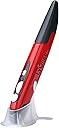
The Lychee Wireless Optical Pocket Pen Mouse is a sleek, ultra-compact 2.4GHz wireless mouse designed like a pen for ultimate portability. It features adjustable DPI settings (800/1000/1200) for precise cursor control, a 33-foot wireless range, and ergonomic design to reduce hand fatigue. Compatible with multiple operating systems, it requires just one AAA battery (not included) and offers plug-and-play convenience without drivers.


| ASIN | B07R8T182M |
| Additional Features | Wireless |
| Antenna Location | Laptop |
| Best Sellers Rank | #540 in Computer Mice |
| Brand | lychee |
| Button Quantity | 4 |
| Color | Red |
| Compatible Devices | Smartphone |
| Connectivity Technology | USB, Wireless |
| Customer Reviews | 4.0 out of 5 stars 835 Reviews |
| Embellishment Feature | LED |
| Enclosure Material | Plastic |
| Hand Orientation | Ambidextrous |
| Hardware Platform | Tablet |
| Included Components | 1 * Pen Mouse, 1 * USB 2.4GHz Receiver, 1 * Mount, 1 * English Manual |
| Item Dimensions L x W | 1"L x 0.6"W |
| Item Weight | 29 g |
| Manufacturer | Lychee |
| Mfr Part Number | 06-082-004 |
| Minimum Required Operating System Version | Windows 10 |
| Model Number | 06-082-004 |
| Mouse Maximum Sensitivity | 1200 dots_per_inch |
| Movement Detection | Optical |
| Movement Detection Technology | Optical |
| Number of Batteries | 1 A batteries required. |
| Number of Buttons | 4 |
| Operating System | Windows 10 |
| Power Source | Battery Powered |
| Range | 33.0 feet |
| Special Feature | Wireless |
| Style Name | Modern |
| Theme | Computer Accessories |
| Unit Count | 1 Count |
S**N
This works great just for scrolling & clicking too
I use this pen mouse for a personal life hack I discovered. For my right hand I use a vertical handshake mouse to move the cursor around. For my left hand, I hold this pen mouse upside down and use my left thumb for scrolling and clicking. I covered the red LED with a small piece of tape so the cursor won't jump around. If you heavily utilize the mouse all day, you should definitely try this technique, especially if your hand gets sore after a while. This mouse also works just fine when using as directed. Sometimes the cursor may jump a little, but overall it works perfectly fine. I already purchased a second pen mouse as a backup because, honestly, this pen mouse feels very cheap and I've gotten so used to this mouse for my method at work, I have another new in the box for when this one breaks. But so far it's lasted at least 6 months, and it still works and clicks and scrolls like the first day I got it. And by the way it takes a single AAA.
S**X
Pen style mouse for pc.
It will take a lil bit to get used to using. But it does function just as described.
D**Y
Very great product
My family used the item and everyone like it. Every member of my family like the way it felt in our hand and how easy it to use on the computer and for the phone. The connectivity, battery life, and the value make it very affordable. I also found it very durable, and the responsiveness is excellent. If this breaks ai would buy it again.
S**N
Didn't work, returning for refund.
Maybe I got a bad one but it won't turn on, laser light never came on (as one would expect from any mouse), and it never connected to my laptop (nor could I find it when I tried to connect it manually). The troubleshooting website comes back as 403 Forbidden (openresty/1.25.3.2). Remember: if it's too good to be true, it probably is. Returning for a refund.
D**L
Absolutely love it
I love it! But it's made of pretty inexpensive plastic, especially the on/off switch feels very fragile.. I get why it could easily break if you're not really careful.. especially turning it on and off. It was only $10 though, so I don't expect everything to be made of premium materials. I'm going to be very careful with it and hopefully it will last me a long time! (Really it feels pretty nice.. it's mostly that on/off switch that makes it seem fragile.)
J**R
Comfortable, fairly sturdy
I don't expect this mouse pen to last me years -- it is a stopgap solution for me. The included base quickly stopped being able to keep the mouse pen upright, which means this thing took several tumbles onto hard surfaces before I got out of the habit of trying to use the base. The mouse pen itself continues to work just fine. I have not had to clean lint out of the bottom. I have not seen as much as a scratch appear after it has fallen on ceramic tile, on a hardwood desk, on the desk and bounced off to then fall onto the ceramic tile, and on cement. I have also shoved it into a thinly padded inner pocket in my computer bag and had the full weight of the laptop wind up laying atop the mouse pen; no strain marks on the seams, no separation, no damage to the buttons, no functionality problems. I wish the top had a clip so I could attach it to my sleeve when I am busy typing, or else that the tip had a hole formed in it through which I could clip a lanyard. I am right-handed, and this mouse pen was definitely designed for right-handed use. However, when I switch it to my left hand, I have no trouble pressing the side "right click" button without disrupting my hand position.
M**C
Almost liking this pen, but...
...the right-click button is right where my thumb wants to go, so I end up holding it at an angle that doesn't meet the mousepad, or my grip on it is too delicate to avoid hitting that button, and I lose my grip. Also, the body is slippery, I'm going to have to glue on some non-stick stuff so my hand will grip it better. Gonna try another pen with the right-click is further down. Oh well, the search goes on; my carpal tunnel is becoming a problem, so I'm looking at other options. I was actually using this all day yesterday to test it out, and it's definitely better on the wrists than a regular mouse, I'll keep it around as a backup, for sure.
F**S
Great Mouse For Ergonomics!
Great mouse for people with repetitive motion injuries. The Pros: -Works just like a mouse -Buttons are well-located -Pen weight feels perfect when battery is installed and in use (really light when empty) -Sturdy construction The Cons: -No middle-mouse wheel click! Basically, it's a two-button mouse -Maybe not the most comfortable shape for a pen -Coming from a Wacom Tablet, you want to believe this has tilt and pressure functions--it's a mouse, it doesn't Purchase for drafting in CAD and pixel art, as I spend a lot of time with a mouse. The price was great, and looked like a better option to a vertical mouse, give our background in the arts. It works great; installation was automatic and easy in Windows 10. CAD's a little weird having to use the pan command since there's no middle mouse wheel click for the pan command, but you get used to it quickly. Pixel art works great! This mouse is perfect for it! 3D work takes a little getting used to, but Blender works fine (if you're not going to use the visual triad to orbit and pan on the upper right hand of the modeling window, you'll need to activate 2-button mouse emulation in the preferences--then this mouse works great!). In 3ds Max you'll have to use a lot of Ctrl+P and Ctrl+R, and Alt+Z. Overall, recommended if you want a more comfortable way to work on you PC over long sessions. If the company making this adds a middle mouse wheel click, it would be perfect
C**L
Surprisingly good
It's lightweight, ergonomic (more so at least than a mouse, and too many trackballs) - I've tried many pointing devices, best bang for the buck I've ever come across. 3rd button seems to be a dud, but I wasn't expecting it, so it's hard to miss
V**N
Works as intended
The pen works on all surfaces I have tried it on and works. Good value for the money.
M**I
Concept Intéressant
Fonctionne bien. Les adaptateurs microusb et usb c appréciables pour connecter le dongle à une table ou un smartphone. Permet de faire des croquis plus facilement qu'à la souris mais pas aussi précis d'une tablette graphique. Ceci pour moins de 20€, c'est tout à fait correct. Seul bémol : les boutons pour les clics sont un peu "dur" et la force que l'on exerce pour cliquer fait souvent dévier le pointeur. Un tapis de souris peut remédier un peu au problème en appuyant un peu le stylo pour éviter de bouger lors d'un clic. Agréable à l'utilisation dans l'ensemble.
E**A
Ótimo
Valeu aquisição, entrega antes do prazo dado sem desembaraço da alfandega.
P**A
Me ha tocado la china??
No es que sea la panacea,pero me tras 3 usos los pequeños pulsadores se han roto.....30 días después inservibles
Trustpilot
2 months ago
1 month ago