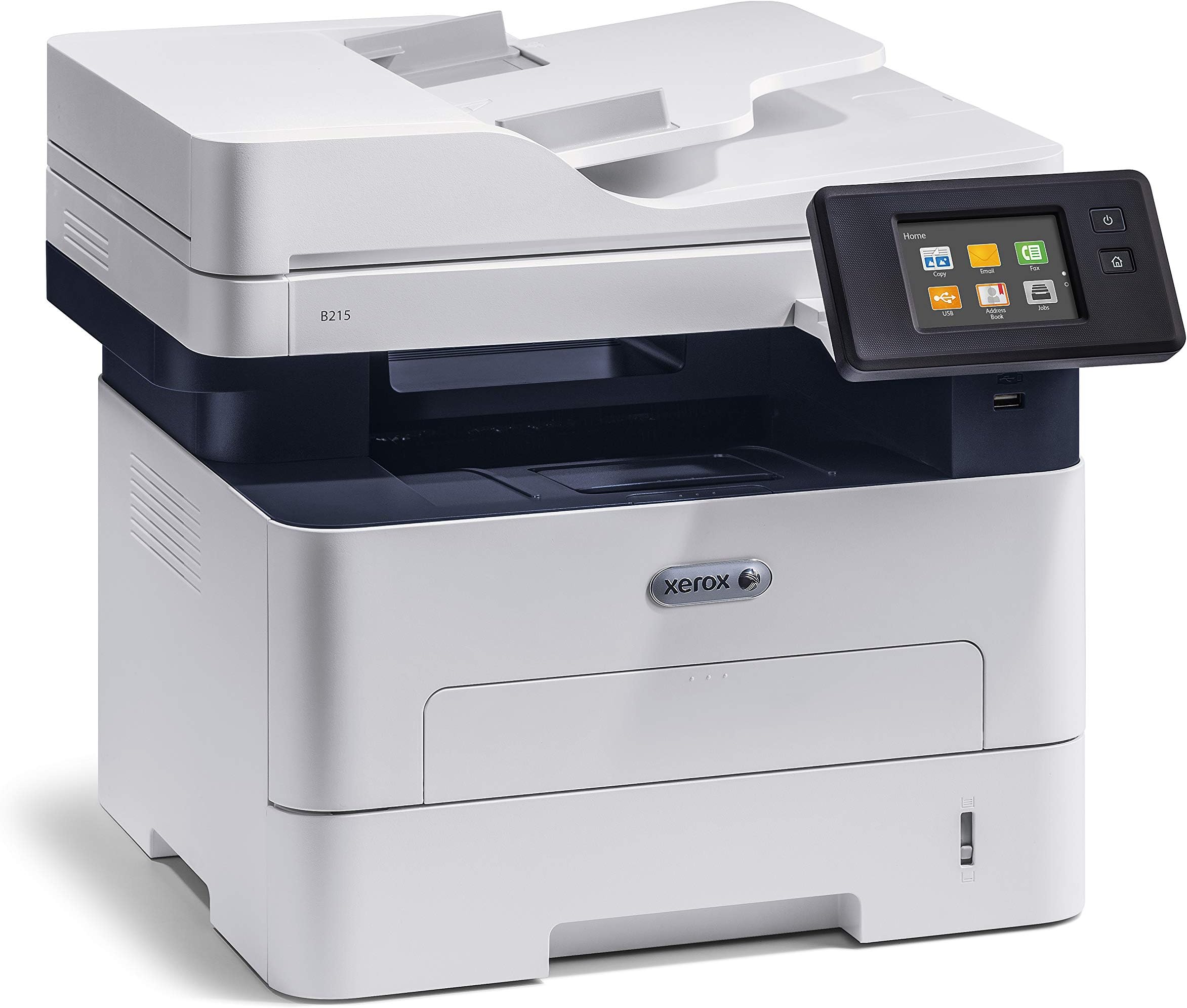
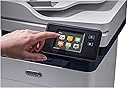
Purchased this at the beginning of Covid shut-down, Feb. 2020 & it has yet to cease making me regret it. FEATURES: Scanning seems little slower than would expect & noisy. Print seems relatively dark & crisp. Display is far smaller than expected, with letter keys tiny. Right now, seems fairly responsive, but cannot be sure correct letter is entered because typing does not display the characters, just ****. So, it is impossible to initially know when accidentally tap wrong & enter an unintended letter or number -- until a command fails or a password doesn't work. This is a 'new' model for XEROX, and doesn't feel particularly market ready. About the only thing presently getting a positive review is the color - white will hide dust & look cleaner. If have to keep this machine, I'll be keeping a dust cover on it full time, however, except when in use, because of the poor design (see below for more details): 1. The paper tray is extremely difficult to set widths & length -- you will need to load paper in sections in order to get it under the plastic tabs keeping it in place AND the paper protrudes in the back, exposed to dust, dampness, whatever environmental -- so far from ideal. Other machines, including past IBM copiers, may have paper trays extending away from the machine body, but there was a plastic cover over the tray to keep the paper In the above picture, it is difficult to see, but beneath the green plastic tabs sits the open paper tray. It protrudes about 3/4" and far more if use legal size paper. I can already envision trying to brush dust off the plastic. The Plastic hinges are also the reason paper cannot just simply be loaded, but must be done in sections - the tabs have a very pronounced curved lip (think inverted, sideways letter "J" so paper must be fitted beneath the curved top -- not horrendous, but annoying, and requires lot more steps, including removing the entire tray to ensure the paper is sitting properly lined up. How long such plastic clips last with real use is difficult to say, but the entire paper tray design hinges on these plastic tabs (length & width), so if they aren't sufficiently sturdy, trouble definitely lies ahead. Given it's supposedly a new product, wonder if they've truly been put to extended use. 2. The machine powers off quickly into power save mode. So, you can shut off the power save feature, or use it - and be constantly having to touch the power button to waken the machine. There is adjustment possible, but it like most other desperately needed adjustments, & can ONLY be done via the Xerox computer app. Likewise, the system defaults out of the box have useless, extraneous, pages with the Xerox logo printing EVERY TIME the machine is turned on & EVERY TIME a document is printed, wasting toner & paper -- and, you'll find yourself dead in the water trying to change defaults, if like what happened to me, the registration process NEVER works right. 3. The Manuals are disasters. The pictures are tiny, thin drawings that display little meaningful information - photographs would work better. There are no straightforward explanations - everything requires jumping from link to link -- and then, likely, you will dead end because whatever steps told to follow just don't work. 4. THIS IS NOT A PLUG & PLAY MACHINE. I consider myself fairly adept at setting up office equipment - my experience with this machine keeps worsening, unbelievably. 4. Ultimately, even after Customer Support assistance & supposed registration with accompanying confirmatory emails, my printer was still unregistered & I unable to change settings until May 27, 2022 --- after 2 hours and 38 minutes of a one-time, courtesy assistance session to AGAIN register the printer so I could access its management app. While the Supervisor was heroic, even calling me back when (in the process of pulling out & putting back the USB cable for the 4th time, totally unhelpful), I accidentally disconnected the call, this was marketed as a stand-alone machine and it's anything but. So, if you need to use the device because your previous one isn't working, or you have any sort of time deadline -- DO NOT START TRYING to SET THIS UP OR RELY ON THIS B215 Model because set up will be lengthy, complicated & XEROX will not provide the support until their verification team has authenticated the registration. (I was told that these registration problems do not occur if buying from brick or mortar stores. How helpful to know. Thanks for nothing, Xerox) UPDATE #1: Although the description of the machine says it can be used as a stand alone device & not have to be corrected to a computer, what the description should have said is IN ORDER TO SET UP THIS DEVICE (EVEN DOWNLOAD THE DRIVERS) USER MUST LOG INTO A XEROX SYSTEM AND SET ALL THE DEFAULTS THERE. BUT, OF COURSE, WHEN TRY, NOTHING WORKS. A POP UP WINDOW APPEARED, instead, ASKING FOR LOG IN INFORMATION & WARNING THAT ENTERED DATA IS NOT SECURE! SO, IF YOU FIND THE PRICE ATTRACTIVE & ARE THINKING HOW WONDERFUL XEROX PRODUCTS USED TO BE: be prepared to need a computer to set up this device, make certain to register product 1st and foremost, wait for the confirming email, wait another 24 hours AFTER the confirming email (business days, only) then, print out a configuration report so have as much info as possible, use your phone to take a picture of the back label because you'll need that serial number repeatedly, have lots of time to make lots of calls to customer service...and, then, call again. And, keep your expectations very, very low. Xerox SHOULD disclose the set up process requires computer connection AND is dependent on calls to Xerox. If you even try to download the suggested drivers from the website, all that is received is a warning that "you are not an authorized user" and nothing is accessible. I have never, ever, had such a frustrating experience trying to merely set up a printer/faxer/scanner. UPDATE #2: Bought this in late Fall 2020. It is now March, 2021. I was too late on returning because trying to make it WORK (rather than deal with the difficulty of getting It back into the shipping boxes -- out was hard enough!), so am stuck with this monstrosity -- plus the unopened box containing the extra toner cartridge I purchased for my overly optimistic expectations that I would be USING this machine. HA! It has a dust cover over it & I am treating it as an art sculpture - 'Ode to Stupidity,' valued at $330. My loathing for this device grows every day that have to stare at it, while still relying on my expensive business model HP multi-function that won't feed correctly, so no duplex printing saving paper & have to manually put each fax /scan page down on the scanner bed before able to fax or scan documents. There is NO lack of motivation to WANT this Xerox product to work -- I just don't have the 50 or 60 hours apparently necessary to deal with phone support to get it working. I can categorically say just copying (about ONLY feature independently working) is painfully slow, makes a slight, annoying squeaking noise as paper slowly feeds & ultimately was SO obnoxious, I unplugged the machine & gave up trying to figure any use for it. Xerox, do me a favor, refund my money & send me a mailing label so I can return this space taking disaster from littering my home any longer. And, to be very clear, know this machine did NOT "enter the home office market," just merely littered it. UPDATE #3: As indicated above, after nearly 3 hours on the phone with customer support in May, 2022, the machine is, at least presently, registered & the default settings adjusted. However, doing so required wirelessly networking the printer which I had NOT wanted to do for security reasons & troublesomely slow internet. The Xerox representative was unable to get the printer recognized or registered when connected with the machine's provided USB cable. This is neither stand-alone nor plug & play printer, but rather a test of patience & mental health, let's call it a "pay & pain." In 17 months of ownership, I have used it to print maybe 5x and copy approximately 30 pages. A bargain it is not.