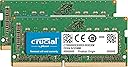
⚡ Upgrade your Mac’s brainpower and never miss a beat!
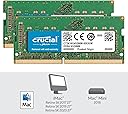
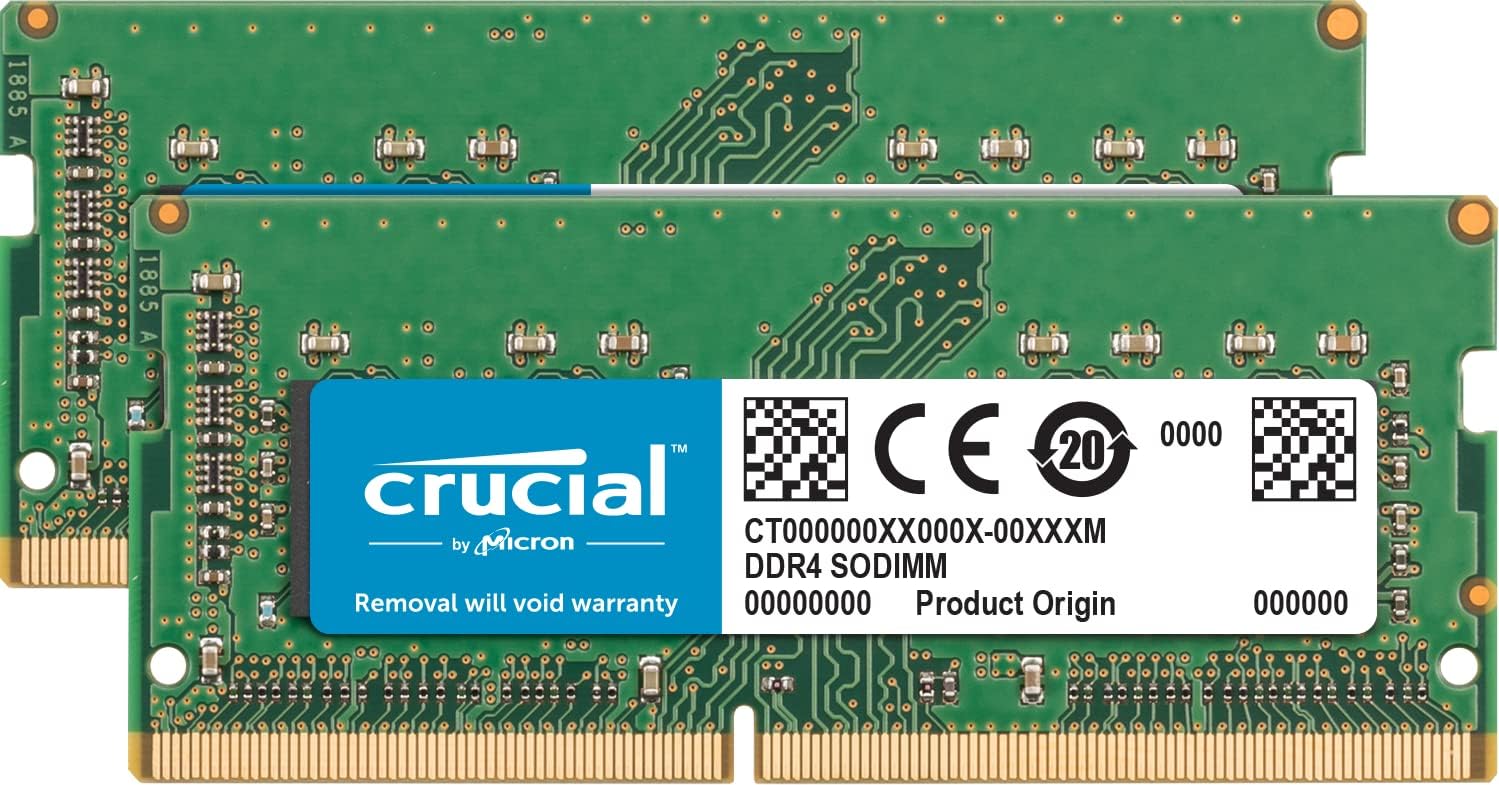
The Crucial 32GB DDR4 2666MHz SO-DIMM RAM kit is engineered to elevate your Mac’s performance, delivering faster app launches, smoother multitasking, and reliable stability. Designed specifically for Retina 5K iMac 2017 and 2019 models, this energy-efficient memory module is extensively tested to ensure seamless compatibility and effortless installation.


| ASIN | B07TKZKPJV |
| Best Sellers Rank | 44,340 in Computers & Accessories ( See Top 100 in Computers & Accessories ) 234 in Computer Memory |
| Brand | Crucial |
| Brand Name | Crucial |
| Column Address Strobe Latency | CL19 |
| Compatible Devices | Desktop |
| Compatible devices | Desktop |
| Computer memory size | 32 GB |
| Customer Reviews | 4.7 out of 5 stars 2,349 Reviews |
| Data Transfer Rate | 2666 MHz |
| Form Factor | SO-DIMM |
| Global Trade Identification Number | 00649528820976 |
| Item Type Name | Random Access Memory |
| Item Weight | 8 Grams |
| Manufacturer | Crucial |
| Manufacturer Part Number | CT2K16G4S266M |
| Memory Form Factor | SODIMM |
| Memory Generation | DDR4 |
| Memory Speed | 2666 MHz |
| Memory speed | 2666 MHz |
| Model Name | CT2K16G4S266M |
| Model Number | CT2K16G4S266M |
| Number of Pins | 260 |
| Product Features | Lightweight |
| Product Warranty | 1 Year |
| RAM Memory Technology | DDR4 |
| RAM Size | 32 GB |
| RAM memory technology | DDR4 |
| Special feature | Lightweight |
| UPC | 649528820976 |
| Unit Count | 28.3495 gram |
| Voltage | 1.2 Volts |
L**.
Easy to install iMac 27" 5K 2019 3GHz 6-Core Intel Core i5
Bought to upgrade my iMac 27" 5K 2019 3GHz 6-Core Intel Core i5 from 8GB to 32GB as I've started to do more video editing and my machine was struggling a bit while using Adobe After Effects. Easiest installation ever, worked perfectly as soon as I turned the machine on. It feels a lot less sluggish now. I have opened InDesign, Illustrator and Photoshop at the same time (something the machine used to struggle with) and opened various large working files. I can flick between all 3 programs a lot smoother than I used to. Very very happy with my purchase.
R**Y
Great - but don't do what I did
Bought for a 2019 iMac 21.5". Installation, by Apple's design, was an absolute PITA. Starting with cutting the screen off, I followed a 38 step online tutorial to disassemble my iMac and remove the logic board to install the RAM. So far so good, I already had all of the necessary miniature Torx tools and the RAM went in easy enough. Reassembly was straightforward. Had new glue strips to replace the screen. Switched on. Nothing. No activity whatsoever, just a black screen. Pressing my ear to the back of the computer chassis, I could hear very faint noise then silence when I powered the machine off. This is a symptom of faulty RAM or no RAM. So when you do this, don't do as I did (as instructed online) and glue the screen back in place prior to testing - use masking tape. The newly glued screen was much harder to remove this time and I need to buy new glue strips. On examination under a magnifying glass, although clipped in place, the top strip of RAM was seated at a very slight angle. I took out both strips and firmly reseated them. Did this a few times to ensure a clean contact. Reassembled again, switched on and after a slight delay (there is a slight delay on first boot up after new RAM is fitted) my new, much speedier, iMac burst into life. It's worth noting that according to Crucial's website, the official maximum supported RAM in my 2019 iMac is 32GB. However, Flex had tested this model and stated that it will operate with 64GB installed. Happy that Flex were right and that the full 64GB is recognised and available to my applications.
S**N
Great value - Ignore marketing, not only for Mac, works fine in Framework Laptop
I bought this RAM as I wanted a single 32GB DDR4 SODIMM stick for my new Framework laptop (DIY Edition i5) and it was ~£20 cheaper than the equivalent non-Mac sticks. Contrary to the 'official' answer to a question about using this in a non apple device - it works fine, as it's standard DDR4 SODIMM. Full 32GB detected and usable by Fedora on my laptop, no issues. I wouldn't use non-Mac RAM in Macs however as they can be very fussy about tolerances and error checking.
C**L
Noticeable upgrade
Just what I needed and the results can't be argued with. I was able to fit these myself into the back of my iMac and the speed boost my editing process has received is epic. They arrive well packaged (actually hard to open) and are super easy to fit. Nothing else required. Just install and bask in the upgrade.
N**O
Worked perfectly.
I bought this to upgrade my iMac 27 inch 5k retina (bought 2020 but is a 2019 model for some reason) there are four slots and I’d specced it back in 2020 with 16gb of ram. So as my music making got ever more sample based, some of my piano sounds can be 4Gb alone I thought let’s get more ram. Mac says my model will support 64gb of ram so that’s what I bought in two lots of 32gb. I read everywhere that people were getting 128gb of ram to work so I thought I’d just put it into the two free slots. Switched on and it loaded first time and now I have a total of 80gb of ram. Things do load more readily and I’m not getting any warnings on big projects so all is good. Oh another thing. This ram is 2666 mhz and Mac state 2667mhz don’t let that out you off, it’s actually 2666.9mhz for both and Mac choose to round up. It now states that it’s all 2667 mhz on the inspector window.
R**H
Blisteringly fast RAM upgrade for my 2020 27" iMac
Having recently purchased one of the last 2020 27" iMacs from Amazon I thought it best to future-proof it as best I can, so purchased some additional RAM for it bearing in mind it only had 8GB, so purchased this Crucial CT2K16G4S266M 32 GB Kit which consists of 2 off 16GB DDR4 2666 Ram chips. Unlike the smaller 21.5" iMac and some of the newer models, the Ram in the 2020 27" iMac can be easily upgraded, and yes I can confirm that it's very easy to do and has resulted in the RAM going from a paltry 8GB to a far more impressive 40GB because the old RAM chips can be retained. Sure the new iMacs are coming out, but they seem to be missing ports on the back, and realistically I'm not going to be rendering 5K videos for the foreseeable future, mainly YouTube, emailing, and some photo editing, so have purchased Affinity photo editing software so am well sorted. This has to be one of the easiest fixes to speed up your computer and will future-proof it for many years. The Crucial RAM upgrade has to be one of the best buys at the moment, and aside from changing the HDD to SSD or using an external SSD to store your files on if you have a tiny internal SSD drive there aren't really a lot of other steps you can take to make your computer run faster. Highly recommended if you have a 2020 (or older) 27" iMac and want to speed it up a bit.
M**P
Affordable RAM and so easy to install
Have used Crucial before and they are just brilliant. Such an affordable way to increase your RAM, instead of paying eye watering Apple prices. Just look up your computer specs on their website and you can find the RAM you need. So easy to install, a child could do it. Just remember to touch something to ground yourself prior to installation, so you get rid of any unwanted static while you complete the operation. Have updated all my Macs by using their RAM. Never had a problem, so happy to recommend. Quick delivery and always reliable.
I**.
Excellence.
Arrived with Prime fast, works perfectly as I used the Crucial UK website to identify the best modules to use and they provided a link to Amazon to buy the right ones. iMac 2019 27inch 5k Retina Model - existing base capacity 8GB; increased to 24GB. You can mix modules, you have to buy a kit or twin modules to fill in the two remaining slots. Gen. rule of thumb about RAM - buy in pairs and always fill in all available slots. 2 slots should remain free, never none or odd numbers i.e. 1/3. If you want to optimise you always put RAM with the highest capacity in the bottom (Bank 0) and 3rd (Bank 2) from the bottom. Then the original RAM modules swap to the new positions of slot 2 (Bank 1) and 4 (Bank 3). Where my pre-installed 2 NR 4GB modules were I swapped with the NEW 2 NR 8GB modules. And then put the already pre-installed 2 NR 4GB modules in the 2 remaining slots.
H**E
PERFECTA y funciona sin problemas
He comprado memoria de esta marca para otras Macs y siempre funciona perfecto. Busquen en la página de Crucial la guía para identificar el modelo específico que requiere tu compu y búscalo con ese número de modelo. No falla. Mi iMac 2019 de 27" es el caballo de batalla de mi oficina en casa y ya estaba lentona porque solo venía con 8 GB de RAM. Instalé los dos módulos de 8 en donde estaban los dos módulos de 4 originales y esos los puse en los dos lugares que quedaban vacíos. Así tengo 24 GB de RAM. La compu los reconoció super rápido y ahora noto mucho el aumento de velocidad cuando tengo 8 aplicaciones abiertas y cambio entre una y otra. Todas las veces que he requerido comprar memoria la he comprado aquí porque es significativamente mas barato que cualquier otro lugar o tienda y además sabes que algo falla la regresas de volada sin problema.
A**D
Authentic products
Perfectly fit into my Mac. Authentic products.
V**V
Not working after some time
It worked perfectly for some time and stopped working eventually, not satisfied with the product
C**E
Much improved memory for iMac Pro, easy to install
I have an iMac Pro (2017, retina, 27", base memory 8GB) that I like except for the memory - it's too slow, and gets jammed up if I've opened too many programs. With great trepidation, I read the Apple specs to see what memory I should get to upgrade, found that the local shops didn't have much on hand, and decided to do it myself. The directions seemed straightforward, but this isn't my strong suit, and my hands aren't particularly strong, so I didn't know if I could remove the original memory or seat the new memory. I ordered a set of two 16GB memory chips for this model, and waited until someone was around in case something went awry who might be able to assist. Apple's explanation was very clear about how to add memory. I also read reviewer comments to see what problems others had encountered. The only hitch was in pushing the button to open the memory compartment - that needed more pressure from an implement other than my finger (e.g., a small screwdriver). I decided to try using the two empty slots, leaving the old 4GB chips in place, since it would still be balanced, and put the chips in (easily), closed up, put the cables back and the machine upright, and voila! It worked! my iMac is much quicker, and so far it hasn't frozen or "jammed up", so I'm very pleased with these chips. They have made a noticeable, welcome change, and I'm not feeling like such a klutz!
C**S
Snabb Leverans
Fungerar bra
Trustpilot
3 weeks ago
1 day ago