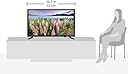
๐บ Elevate your viewing game with Samsungโs sleek 32-inch Full HD powerhouse!
The Samsung UN32J5003 is a 32-inch LED TV delivering crisp 1080p resolution with a 60 CMR refresh rate for smooth visuals. It features 2 HDMI and 1 USB input for versatile device connectivity, all housed in a slim, lightweight black frame that fits perfectly in any modern space. This 2015 model balances performance and style with energy-efficient operation.


| ASIN | B00V0923TG |
| Additional Features | Flat |
| Antenna Location | Home Viewing |
| Aspect Ratio | 16:9 |
| Audio Input | HDMI, USB |
| Audio Output Mode | Surround |
| Base Depth | 18.5 Inches |
| Best Sellers Rank | #617,810 in Electronics ( See Top 100 in Electronics ) #1,519 in LED & LCD TVs |
| Brand | Samsung |
| Built-In Media | Stand, TV |
| Color | Black |
| Compatible Devices | Laptop, Desktop, Gaming Console, Tablet, Cellphone |
| Connectivity Technology | HDMI |
| Connector Type | USB |
| Content Sharing Direction | Mobile to TV |
| Contrast Ratio | HIGH |
| Control Method | Remote |
| Controller Type | Remote Control |
| Customer Reviews | 4.4 out of 5 stars 1,143 Reviews |
| Display Backlight Configuration | Edge LED |
| Display Backlight Setting | LED |
| Display Backlight Technology | LED |
| Display Language Options | English (United States) |
| Display Refresh Rate in Hertz | 60 |
| Display Size Class | 32 Inches |
| Display Technology | LED |
| External Testing Certification | Energy Star |
| Global Trade Identification Number | 00887276089621 |
| HDR Format Supported | HDR10 |
| Hardware Interface | HDMI, USB |
| Internet Applications | Browser, YouTube |
| Item Dimensions D x W x H | 5.7"D x 29.2"W x 18.5"H |
| Item Weight | 8.4 Pounds |
| Item Weight Without Stand | 6.2 Pounds |
| Line Voltage | 110 VAC 60 Hz |
| Manufacturer | Samsung Electronics |
| Mfr Part Number | UN32J5003EFXZA |
| Model Name | J5003 |
| Model Number | UN32J5003EFXZA |
| Model Series | J5003 |
| Model Year | 2015 |
| Motion Enhancement Technology | 60CMR (Effective) |
| Mounting Type | VESA 200 x 200 mm |
| Number of Audio Channels | 2.1 |
| Number of Component Inputs | 3 |
| Number of Component Outputs | 2 |
| Number of Composite-Video Inputs | 1 |
| Picture Quality Enhancement Technology | Standard picture enhancement technologies |
| Power Consumption | 27 Watts |
| Refresh Rate | 60 |
| Remote Control Technology | Infrared |
| Remote Required Battery Size | AA |
| Resolution | 1080p |
| Response Time | 1 Milliseconds |
| Screen Finish | Flat |
| Screen Mirroring Technology | Wi-Fi Direct (Miracast or DLNA) |
| Screen Size | 32 Inches |
| Signal Format | HDMI, USB |
| Size | 32-Inch |
| Smart Home Compatibility | Not Smart Home Compatible |
| Speaker Description | 2.1 channel speakers, no additional features |
| Special Feature | Flat |
| Specific Uses For Product | living room, bedroom, outdoor spaces, personal viewing, group viewing, gaming, smart home integration, immersive audio |
| Standby Power Shutoff | high picture quality, energy-efficient |
| Total Audio Out Ports | 1 |
| Total Number of HDMI Ports | 2 |
| Total USB 2.0 Ports | 1 |
| Total USB 3.0 Ports | 1 |
| Total Usb Ports | 1 |
| Tuner Type | ATSC |
| UPC | 887276089621 |
| Unit Count | 1.0 Count |
| VESA Mount Standard | 200 x 200 mm |
| Video Encoding | H.264, H.265 (HEVC), VP9, AV1 |
| Warranty Description | 1 year coverage for labor, 1 year coverage for parts |
| Warranty Type | 12 |
| Water Resistance Level | Not Water Resistant |
| Wattage | 27 watts |
| Wireless Technology | Wi-Fi |
N**A
EXTREMELY FRUSTRATING!
UPDATE JUNE 26, 2016: Loving it! The gloss on the screen (when turned off) is better than the 22" of 2 years ago! Picture perfect & CONTINUING PERFECTION. See full review for details on sound & interface. I could not be happier with this purchase! highly recommended! The sound of the TV is great on its own. However once you start plugging in other equipment like DVD players & DVDs, it might suck much of the sound out of it--even if you use Samsung Blu Ray Players--I just tried out a Samsung Blu Ray player to be sure! A sound bar is a must. I don't know if it is the equipment or the production of the DVDs that suck the sound out because the sound from the DVD sci fi movie "Dune" comes in very strong, which seems to suggest the problem is in the DVDs not the equipment! Usually I have to raise the sound to 70 or more which correlates to 40 when I am just viewing TV programming with antenna. This is a problem & no one wants to acknowledge or address this problem and fix it & therefore, I highly suggest a sound bar, which is an unfortunate expense, but necessary. If you watch only TV programming w/antenna the sound of the TV is great & there is no need to higher the volume much. Star Trek original series' blu ray DVDs sound is the worst of my DVDs. I have no idea where the problem originates & why this is happening & why no one wants to fix the problem. UPDATE JANUARY 4, 2016. Main channels (NBC, CBS, etc.--DATELINE) came in clear & stunning! I was totally amazed! Not only that, but all my Fox channels suddenly appeared last night! go figure! Not only that, but NBC, CBS--at least--come in so clear & 1080, that the clarity almost beats my 1080 blu rays & I only have a $15 antenna! I use antenna, but the picture quality is awesome & stunning both on MAIN TV channels and with blu ray. THIS TV has BETTER PICTURE QUALITY FOR TV PROGRAMMING WITH 1080 ANTENNA THAN MY PREVIOUS 22" 2013 Samsung. Blu Ray comes in stunning! That is the test of fire! Now that is perfectly resolved, I will let you know what I am extremely frustrated with: 1) Sound is awesome from NBC & all TV networks! I only have the sound on 40 at MAX & that is plenty good--on the older 22" Samsung, I had to raise the sound from NBC to a higher number! What HAS INDEED CHANGED from my 2013 22' Samsung model w/Sony blu ray player/Enterprise blu ray is the sound!!! I have purchased a second brand new new Sony basic blu ray player. I am now playing Star Trek Enterprise & I have to up the sound to 70! when on my previous blu ray-Samsung connection, I was lowering it to 40! on the same Movie Sound selection. This is a frustrating surprise & to tell you the perfect truth, I have not yet tested the old basic Sony blu ray player/Enterprise with this new TV. I will certainly update this review with those results. Any suggestions welcome! I am perfectly sure the original manufacturing of the Enterprise blu rays are very awesome & this has only to do with being on the same "wave length" between blu ray player & TV. Star Trek original series blu ray sound at manufacturing seemed to be beyond awful at manufacturing, so I can't even imagine what the sound will be on this new blu ray player/TV connection. In order to hear well enough to play, I might have to go back to the old TV/blu ray connection or get a sound bar when I watch blu rays or DVDs. This has not been tested yet. What I would strongly like to suggest to manufacturers is to be on the same wave length when manufacturing these products so sound remains uniform between manufacturing & various products, blu ray players, blu rays & TVs! Please get this act together! PLEASE!!! (NOTE: What I think is going on is that Samsung like other manufacturers are cost cutting on irrelevant enhancements. I believe that my 22" had sound enhancement with "Movie" & that has been done away with. Now it appears to be just quality of sound difference. The problem is with Sony, not Samsung, but it was a nice feature. I went to check the Samsung Blu Ray player--minimum for me & on the 2015 model the on/off light is missing!!! Ah! this is an important feature for me! So all in all it appears that quality goes on, but minor insignificant features have been cut out--as they see it--like the lighted remote. Not important at all for me, but it was a nice feature. The on/off light for blu ray player is an important feature for me. I usually pause the movie, turn to TV & wait for my Sony's blu ray player light to turn off & it does all by itself. I like that, I can check on it to be sure if the light is off. A cost saving here, a cost saving there--all adds up. The quality of the TV itself is great & continues to be upgraded as time progresses, it is just these "minor" details that have been dismissed. That is what I think & I believe I got it right. 2) The stands are basic minimum & I was able to screw them in practically blindfolded because I didn't have strong lighting to see the screw holes AT ALL & managed screwing them in perfectly anyway. They hold the TV from tipping backward well enough, but I had to make some reinforcements of my own ingenuity to prevent my kitty from tipping it forward with a good bump & getting injured & ruining the TV. If you have bouncy pets, you might want to reinforce the stability of the legs with some homemade ingenuity or get a table mount--they sell them on amazon. If you don't have pet worries, the legs stand OK. 3) I had to make several attempts to get CBS's main channel & other Fox channels! I want to watch Dateline & Star Trek on Saturday & Sunday. It took several attempts to get CBS in spite of having a brand new & good HD 1080 GE antenna--not the basic model, but better--it might have been the wind which interferes with signals. I finally got them all in! CBS Dateline came in stunning! You might have to move the antenna around to get them all. As I stated, the picture is awesome--don't worry about the technology of the picture quality, & it only depends on if you have antenna or if you have the proper connections for TV programming & on the strength of local channels & the sophistication of their signals. Any suggestions for Blu Ray player--TV connection, please advise as I am not techno savvy.
J**L
Great tv.
This is an awesome tv for the price we paid for it. I am not happy with the way this was packaged, no protection at all. It came in the tv box which was just loose in a larger box. Nothing holding it still in the larger box at all. It only had heavy stickers on the box, no fragile stickers or anything on the outside telling the delivery men to be careful with it, which I find to be unacceptable as far as the packaging. My UPS delivery driver quite literally tossed it onto my porch so hard it felt the floor shake in my front room. I believe the shoddy packaging and lack of a single fragile sticker could be why other reviewers have had problems when they received theirs. So far mine is working fine, no weird lines across the screen or anything. The picture on the tv is so crisp and clear, it's quite impressive. I would definitely recommend this tv to someone else, it's a great size for a good price, assuming yours doesn't arrive damaged. I am almost positive we will back back to buy another of these for another room in our house. Its been a few days and this one is excellent so far! Easy to set up in my opinion, and sturdy. I am rating 5 stars simply on the quality of the tv, but the way mine was packaged and arrived at my door was certainly not worth 5 stars.
T**N
Pretty good tv for its price range
I would like to start of by saying that this is a pretty decent tv for its price. I have no complaints when it comes to the display and how crisp the picture looks. So it's perfect in that aspect whether you are gaming, or watching television. The audio however is pretty fair. It's nothing special, but it is doable. Something I can deal with at least until I'm able to buy a surround sound, if you're looking for better sound that is. Something else I noticed is that there is only one button on the TV itself, which is the power button. There are no other buttons on the TV, not even volume buttons, so you might want to keep in check of your tv remote and not lose it, unless you want to purchase a universal remote. The back of the TV is kinda cheaply made as well, which I noticed when I attempted to plug cords into the hdmi ports. Makes me a bit reluctant to constantly plug in and out cords from the back since it feels so cheap back there and possibly breaking it. So just bear all that in mind if you purchase this tv that you must be a bit delicate with it. It has 2 hdmi ports btw. Overall, I am very satisfied with this purchase. It could have a bit more to it like more buttons on the tv, but for a perfect display tv at this price range, I can't complain. If you looking for something cheap with perfect picture, then I recommend this. If you want the super crazy high def surround sound, then this isn't it. Dont expect all that bass and stuff, but the audio is pretty fair and crisp as well. But you could always buy a surround sound set if anything. Great buy in my book. * Let me add on to this since i figured something out about the TV. So apparently when you press the power button on the tv when it's on, a menu pops up for volume and channel up and down,as well as a menu option and of course to power it down. you have to press the button in the menu to navigate, and hold the button on whatever you're highlighted on for action. for example, if you want to turn the volume up from the tv, press the volume button on your tv when its on, and the menu will pop up. press it until the highlighter goes to volume up and then just hold the button there for it to increase. It seems a bit much, but it makes me much more happier for my purchase now to realize i can do that, considering i thought i had a tv that couldn't do anything but power on and off directly from the tv itself.
Y**Y
A lightweight 1080p TV that works well as a secondary computer display
We bought the 32" version of this TV to use as a display for computer presentations from a laptop. It's a basic 1080p set and does the job well when viewed from several feet away, though I wouldn't recommend it for up-close use as a primary monitor. Note that if you are using this TV with a computer, you'll require an HDMI connection as this TV does not have a VGA or DVI input. The default picture settings are terrible and will be awful to use for text. Follow these instructions for optimal display from a laptop or desktop computer: 1. Ensure computer screen size is set to 1920 x 1080 pixels. (Right-click on desktop, select Screen Resolution.) 2. Turn TV Sharpness all the way down. Using the remote, press: MENU -> Picture -> Sharpness : 0 3. Set TV display size to โScreen Fitโ to ensure full 1920x1080 display with no cut-off: MENU -> Picture -> Picture Options -> Size -> Screen Fit Or: Press [PIC SIZE] button on remote until Screen Fit is displayed. You will also want to adjust the brightness/backlight/contrast settings to a more reasonable setting. A few other notes: The stand is composed of two plastic feet that screw into the bottom of the case on the far edges. You'll need a phillips screwdriver to attach the two machine screws to each foot. You can plug a USB drive into the port on the back and playback movies or display image slideshows. I haven't actually tested this feature myself yet. This is an extremely lightweight display. If you're putting it in a location that can get knocked over easily, you may wish to take steps to anchor it properly. That said, it's very easy to pick up this TV and move it around when you need to. The power cord is not a standard IEC C13/C14 commonly used by many TVs. This one uses a barrel connector with a transformer and a two-prong extension. Worth noting if you've got an in-wall installation because the included cord likely isn't long enough to snake through to a separate outlet. Link to user manual: [...]
H**N
Amazing picture for the price. Very good TV.
MAKE SURE YOU SET THE SHARPNESS TO 50. 50 is unchanged. Below 50 is active blurring and above 50 is active sharpening. 50 is what it needs to be at if you are watching high definition media. The picture needed a little tweaking, and I personally like the backlight turned up to max. The speakers are really bad, so unless it's for a bedroom or a very small living room, you'll need a sound system or external speakers. It gets somewhat loud enough, but the sound quality is poor. But for the price, I can't complain, especially since the picture is so good. Only had 1 USB port on the back, so I used double sided sticky foam to mount a USB hub to the back so I could plug in my chromecast and my LED strip I used for bias lighting. The USB hub also works with playing media from a USB port. The TV can recognize more than one USB device, which is nice. The feet are a little small, so make sure it's on a flat, sturdy surface.
R**T
Useful as a Computer Monitor!
My rating 3 stars. I've only had it for 24hrs at the moment so this is an early days review. Pros. Name Brand. I looked at lesser brands but seeing enough failure-after-one year comments convinced methat the extra $50 would be worth it. Price: $218. Picture: sharp and shiny! Works nicely as a computer monitor for my desktop, which is why I bought it. Weight: 10lbs. My 8 year old 32" Samsung weighs 35lbs. Cons: Manual Controls cleverly concealed to prevent user access. How so? Face your TV. note lack of any visible controls. Examine right & left sides where other vendors put them--nope. Run fingers along frame...AHA, on the bottom what feels like an integral bit of plastic support structure with a big screw holding it in place is actually the housing for the on/off switch & menu. Plastic feet instead of a pedestal means no tilt adjustment. They do go on easily for someone handy with tools but I can see someone stripping the holes by tightening the screws too much. Set up: As a TV it's straight forward. As a computer monitor it was annoyingly inconsistent, With an HDMI cable it's immediately visible but text (like what you're viewing right now) was barely legible. It took many setting adjustments to get it looking good but finally I did. Overall: I'm happy with it and think it's a good deal for people that need/want a larger monitor and don't want a pricey 4k one. Recommended.
R**T
Reliable Samsung Image Quality
Excellent Samsung quality as expected. I originally purchased a Sceptre 24 in. (model E246BV-F) as I was just looking for a cheap TV to run in the background in my workout room. However, the image quality of the Sceptre was such that it was a distraction whenever I watched it. The blacks looked washed out, and I could never get the color balance to look right. As for the sound, it was unusable from the built in speakers. So I returned that unit and decided to spend an extra $100 for something a little larger, and that I knew would provide a better picture. I also own a 60 inch Samsung LED that is used as my main TV in the living room, and the picture quality of this 32 in. unit appears to be right on par with the larger model. Nice deep blacks, excellent contrast, great colors, and plenty of brightness. This is the 4th Samsung I've owned, and have never been disappointed with any of them. From now on I'll stick with a known quality brand and avoid smaller brands in the name of saving a few bucks.
D**N
Great little dumb TV!
I like this TV. I started out looking for a 32" smart TV to replace my 27" with wifi built in that was just too small for easy viewing in my living room. Then my daughter pointed out that I really didn't need a smart TV as my Dish satellite feed supplied the apps like Pandora as did my blu-ray player. So save your money, Mom, and get a dumb TV. I did. And I'm not sorry! It was simple to set up, although the switch from satellite to the blu-ray player took a little juggling at first, but I learned and now it's super easy. The Samsung has great picture quality, the sound is good (nothing special but I don't want surround sound in an apartment house full of senior citizens!) and my last two TVs, both of which were Samsung, were highly reliable so I'm hoping for that in the new one, also. Bottom line - I like it and recommend it.
L**N
Trรจs bien.
Excellent achat !
Trustpilot
1 day ago
2 days ago