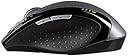
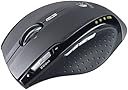
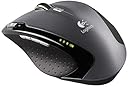
The distinguishing feature of this mouse is the heavy metallic flywheel for scrolling. You can set it to free rotation (without clicks) mode where it will scroll on like a gyroscope flywheel, or the old standard clicky mode. As for the rest, such as shape and materials, are not entirely new from Logitech. Let's try to break it down here: Pros: - The wheel is actually quite useful in free-wheeling mode once you get used to it. It sorta replaces the center-click browsing feature, and I just liked the feel of a freely rotating wheel as it is very satisfying. I adjusted the mouse setting to have one line per mouse scroll. It became more manageable. - The laser tracking feature is a definite plus as it works on all surfaces and is far more reliable than the optical mouse it replaced. The radio signal is pretty reliable too at a fair distance compared to the other cordless mice I tried. - It uses only 1 AA battery, which greatly reduces the weight of the mouse which can be a problem. I used to have a 2AA battery mouse where the balance was horrible and it affects precision and induces fatigue (little things matter over time). The battery also lasts for a long time (I haven't depleted the first one after a month), which is no small feat by Logitech (and that they are famous for). - The size is really not small for a portable mouse, but you can stow the transmitter away and it is probably more comfortable than any other portable mouse I tried. It may just be worth toting around for comfort's sake. - Buttons are nice to the touch and are responsive with minimum effort. (not all mouse are like this, and it's important as it gets to you over prolonged use). However the center click and the zoom slider are not as well implemented. Cons: - The software. It crashed within my first restart after installation, and it was the nastiest crash I had in a while. The system totally froze where I couldn't even shut it down, CPU was running some loop task and fully loaded, and I had to use the hardware button to shut-off the machine. The software adds configurable features to the side buttons, sroolling click, scroll tilt, search button, and the zoom switch. Without it, the scrolling click is just the regular center click, tilting doesn't work, and zoom slider doesn't work. The side buttons becomes forward and back buttons, and the search button actuates a standard windows search (as opposed to possibly a page like google). I left it this way, and I think these remnant features works better than Logi software's parallels (e.g., the center click-scoll is different when you run logitech's software, and it's somehow awkward and not as responsive). - The flywheel is a metallic wheel with rubber surrounds wrapped on it. The rubber actually became loose after a few weeks, and start showing a bit of "lumps". It's not a big deal, except it may have contributed to the stickiness of the wheel since the wheel bay is very tight. - The wheel became sticky after just three weeks. It doesn't scroll very smoothly and will get stuck. You can also feel the bearing becoming rough instead of smooth. I am not sure if it's due to dust or the rubber surrounds getting stuck on the wheel bay, which has a VERY tight space tolerance(I opened it up to clean it, to only minor improvement). I can remove the rubber surrounds, but then the wheel will just look terrible with a deep center groove. - The wheel in its free-mode can be hard to press as a center button. For example, if you want to center click on a link in firefox, sometimes you will end up scrolling first, because the finger would have actuated the wheel rotation much more easily. The center click really isn't as effortless as a regular mouse, even with the standard clicky-scroll turned on. (I wonder if it has anything to do with the tilt feature, in that design sacrifices must be made to accommodate two more side switches). You really have to curl your fingers and work a method where you keep the wheel stable and press it down at a certain angle. Center-clicks have become a mental and physical exercise of sorts. - The zoom sliders really don't slide very easily. There's no feedback and requires much effort. For me, the software supplied text zooming feature really isn't that useful, and I ended up messing up the text size in my system for some reason (now many dialog windows/fields display text that's either too big or too small), even after I uninstalled the software. - While this may not be a problem for most, but this mouse is designed so the user cannot disassemble/open the mouse easily. I attempted to clean the scroll wheel as I imagined there must have been dust trappings, which then resulted in the sticky wheel. There are 5 screws, but they all hide under the pads/feet at the bottom of the mouse. Those feet are not really removable, as they have rubberized layers that separates the adhesives from the sliding surface when you try to peel them off. So once you remove them, you either need to get new ones, or you have to stick it back on with glue, and the feet/pads would have become thinner. Not very user serviceable at all, and it was probably intentional. Yet given the fact that the wheel became sticky after just 3 weeks, and how I did find some dust trapped in the bearing and the VERY TIGHT wheel bay, AND how it actually alleviated the problem, I think it really would help if the mouse had a more user-serviceable design. Now I am stuck with mouse feet that look horrible with crease lines and have been glued back on. I imagine I will probably have to open it up again pretty soon, as the stickiness problem is developing. - The shape: now depending on who you talk to, this can be a plus or minus. I had a biomorphically shaped mouse from logitech before (in fact it looked very much like this one). This is really not that much improved from the previous designs. You can't help feel that logitech wants you to hold the mouse a certain way, and that would be the only way that can be called "comfortable". However, putting your hand on the mouse comfortably doesn't mean you can use it comfortably. I usually ended up holding the mouse differently than the design intended after using it for a while, then I kinda wished it's more flexible as the shape gets in the way if you hold it in any way other than "intended". I actually found the classic logitech teardrop shape to be more pleasant to use. - build quality: It's probably an [...] retentive gripe, but my mouse came a bit scratched up at the shiny bottom and the rubberized sides, and some are pretty deep. You can tell the mouse has been tossed around a little bit. With the kind of money Logitech is asking for, I think they can use better quality control. Mine may have been a singular case, but it can happen to anybody. Overall, this mouse has great features, but some of the buttons are rendered useless if you remove the software, which really shouldn't be running at all if you value your work and want to avoid crashes. The hardware has a few gripes, and the most prominent feature--the flywheel--may become disabled/handicapped with use. It is not very user-serviceable so you can't really clean it up easily either. However, the mouse still works very well otherwise, and redeems itself with pluses such as great button clicks, long battery life, laser tracking, relatively light weight and reliable wireless transmission. [...]