Buy anything from 5,000+ international stores. One checkout price. No surprise fees. Join 2M+ shoppers on Desertcart.
Desertcart purchases this item on your behalf and handles shipping, customs, and support to Nicaragua.
⌨️ Elevate your desk game—type smarter, switch faster, and stay powered longer!
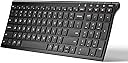
The iClever BK10 is a sleek, universal Bluetooth 5.1 keyboard designed for professionals who demand seamless multi-device connectivity, ergonomic comfort, and extended battery life. Featuring a full numeric keypad, quiet scissor-switch keys, and a durable stainless steel and ABS build, it supports Windows, macOS, iOS, and Android devices. With up to 45 days of use per charge and a protective silicone cover, it’s engineered to boost productivity and fit perfectly into any modern workspace.


| ASIN | B07PV6NDB2 |
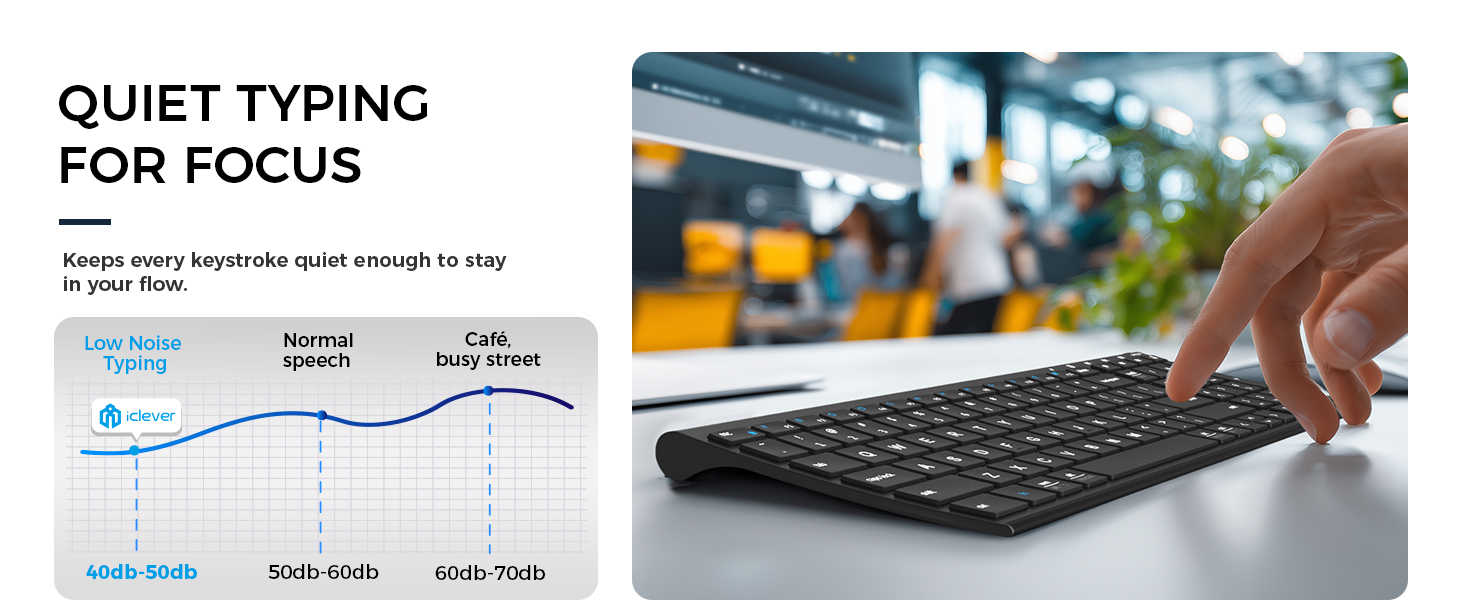
| Additional Features | Quiet typing < 50 dB; USB-C 280 mAh rechargeable (≈ 45 days @ 8 h/day); low-battery LED; 30 min auto-sleep; multi-device |
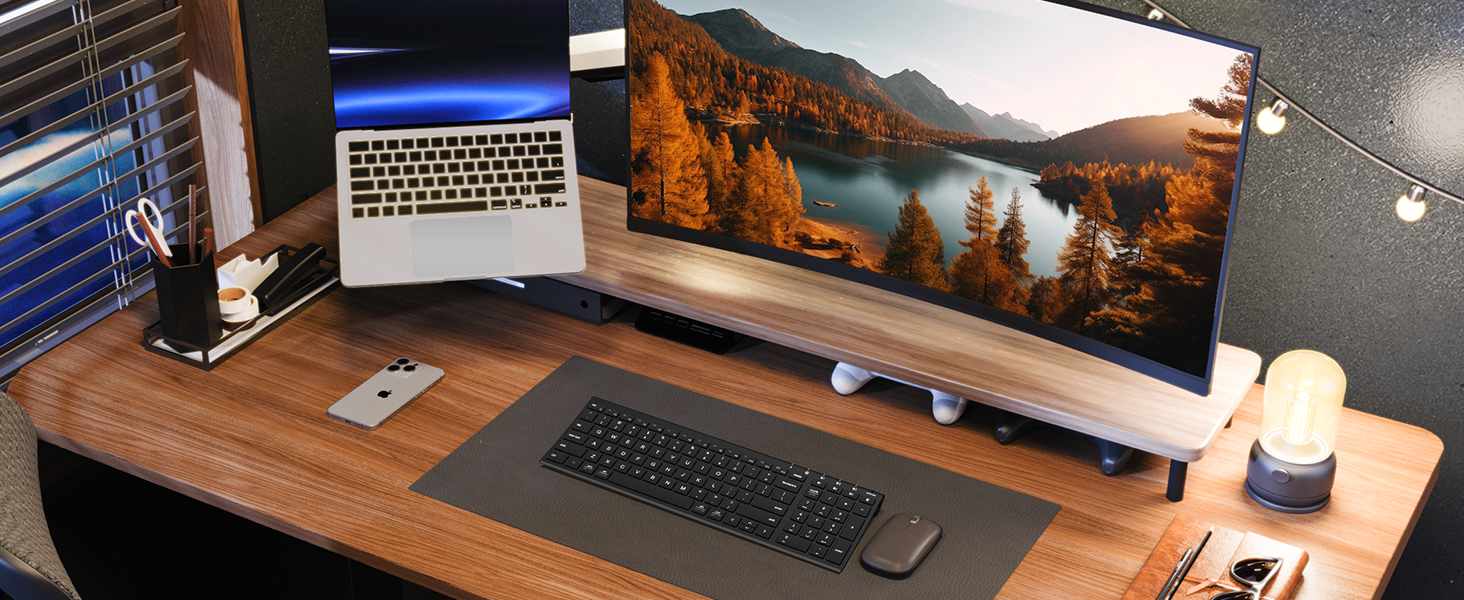
| Antenna Location | Office, home office, study sessions, classroom note-taking, coding, data entry, laptop-stand setups, remote/Zoom meeting |
| Best Sellers Rank | #154 in Computer Keyboards |
| Brand | iClever |
| Built-In Media | Silicone Keyboard Cover |
| Button Quantity | 104 |
| Color | Black |
| Compatible Devices | Windows 10/11; macOS 10.15+; iPadOS 13.4+; Android 9+; ChromeOS (BT 4.0+) |
| Compatible Operating System Family | ChromeOS, MacOS, Windows |
| Connectivity Technology | Bluetooth (33 ft), 3-device quick-switch |
| Customer Reviews | 4.2 out of 5 stars 6,633 Reviews |
| Enclosure Material | Powder-coated steel base + ABS top frame |
| External Testing Certification | Não aplicável |
| Hand Orientation | Ambidextrous |
| Item Dimensions L x W x H | 14.41"L x 4.92"W x 0.66"H |
| Item Weight | 370 Grams |
| Keyboard Description | Compact Bluetooth keyboard, Quiet scissor-switch keys (< 50 dB) , 3-device pairing, 99-key US QWERTY layout Keyboard Description Compact Bluetooth keyboard, Quiet scissor-switch keys (< 50 dB) , 3-device pairing, 99-key US QWERTY layout See more |
| Keyboard Layout | QWERTY |
| Keyboard Plate Material | Steel |
| Language | English |
| Manufacturer | iClever |
| Mechanical Keyboard Switch Model | scissor key mechanism |
| Mfr Part Number | IC-BK10 |
| Minimum Required Operating System Version | Android 9.0 Pie, ChromeOs 134 |
| Model Name | iClever BK10 Bluetooth Keyboard |
| Model Number | BK10 |
| Number of Keys | 3 |
| Number of Sections | 3 |
| Power Source | Rechargeable Battery |
| Recommended Uses For Product | Office, home office, study sessions, classroom note-taking, coding, data entry, laptop-stand setups, remote/Zoom meeting Recommended Uses For Product Office, home office, study sessions, classroom note-taking, coding, data entry, laptop-stand setups, remote/Zoom meeting See more |
| Series Number | 10 |
| Special Feature | Quiet typing < 50 dB; USB-C 280 mAh rechargeable (≈ 45 days @ 8 h/day); low-battery LED; 30 min auto-sleep; multi-device Special Feature Quiet typing < 50 dB; USB-C 280 mAh rechargeable (≈ 45 days @ 8 h/day); low-battery LED; 30 min auto-sleep; multi-device See more |
| Style Name | Contemporary |
| Switch Type | scissor key mechanism |
| Theme | computer accessories |
| Unit Count | 1 Count |
| Warranty Description | 1-year limited hardware warranty |
N**K
Bluetooth Setup Was Glitchy, Keyboard Action Lacking. iClever Support is Awesome
Update: Nov. 17th, 2020 I've had this keyboard for more than 30 days and struggled with it quite a bit. The lack of tactile feedback was difficult to get used to. To "correct" that I installed a keyboard clicking app for my Ubuntu Linux 20.04 workstation that this keyboard is connected to. Hearing the "clicking" feedback from my speakers helped more than I thought it would and I actually began enjoying using this keyboard. My fingers "stopped tripping over themselves" and all in all, I'd say it's been a pleasant experience with this keyboard. And then ... the battery stopped charging. No matter what I did, the battery refused to charge. I'd plug it in for a few hours, the battery meter would read 100% and then drop to 10% when I unplugged the keyboard. I was three days past the return date of the keyboard when it happened, so I contacted iClever support. They responded in less than 12 hours and successfully remediated the issue to make me happy. I have to say, their response and support in my case was world-class. I'm disappointed that the keyboard failed as I was finally beginning to enjoy using it and with that said --- I'm going to give it another try and purchase another. I very much appreciate their Customer Service and am happy to give their product another chance as a result. I like to support companies with excellent customer service and iClever's support is awesome. Nice job!! Original Review: I bought this keyboard to replace an Apple Magic Keyboard (Aluminum, bluetooth model) because a few keys broke on it due to wear and tear and finding replacement keys was very problematic. Placed multiple orders with multiple vendors only to be told after the fact parts were backordered because of the tarrif's and such with China. So I opted to buy this keyboard instead and hey why not, it was actually cheaper than replacing the keys on my Apple Bluetooth keyboard. Aesthetically, this is a very pleasing keyboard. It matches my blacked out workstation and I like the fact it's laid out like a 101k keyboard with the number pad off to the right. It's a sturdy keyboard, there is no "flex" when I type on it and it appears to be very well thought through and constructed. 10/10 for that. Getting it to connect to my Bluetooth 4.x on my Ubuntu Linux workstation presented a few issues to overcome. First was that it wasn't visible to my bluetooth. It seemed to take a very long time to be discoverable. Minutes and minutes long. Once found, I connected they keyboard via the first channel. Nothing happened until after another lengthy delay it started repeating the "d" character despite my not touching the keyboard. I had to turn the keyboard off to make it stop repeating "d" and then removed the keyboard from the list of bluetooth devices in Ubuntu. I repeated the setup instructions documented and the same thing happened. Examining the keyboard the "d" key appeared fine and didn't appear stuck, so I tried pairing the keyboard with my Ubuntu workstation again, this time on the second channel. It worked. No repeating "d" character, the keyboard functioned as normal. For giggles I removed the keyboard from my bluetooth devices and again followed the instructions to connect on the first channel, only to see the "d" key repeating itself again. Dropped the bluetooth connection to the keyboard, re-setup on channel 2 and it's working like a champ. Not sure what's wrong with the first channel, it's definitely kaput. That doesn't matter to me, I'm only connecting this keyboard to one device so that's a non-issue for me and not something I'd return the keyboard for. My last comments are specific to the action in the keys and the feedback they provide while typing. I typically clock anywhere from 95 - 110 wpm on every keyboard I own, whether it's an old IBM CLICKY keyboard (my favorite) an old Logitech K570 and my beloved Apple Wireless bluetooth keyboard. I'm used to the response action on all these keyboards and can switch pretty seamlessly. On this keyboard the action is lacking. The response from the time I press a key to it reverting back to it's resting state seems lacking to me. I expected the action to be similar to that of my Apple wireless bluetooth keyboard. It's not. If that's what you're expecting with this keyboard, do not buy it. The last thing I want to say is that the lack of keyboard "action" for me inhibits how quickly I can type on it. I've found my fingers "tripping over themselves" trying to type on it. That means more mistakes and backing up to correct. As I typed this review, I switched back and forth between my Apple bluetooth keyboard and this one. The difference in the keyboard action and my ability to type so much faster on my Apple keyboard vs. this one is absolutely noticeable. I'm going to give myself a little more time to get used to this keyboard and if that doesn't do the trick then I'll be sending it back. The "dealbreaker" for me isn't the bad bluetooth channel it has, it's the keyboard action and not being able to go as fast as I can on my Apple bluetooth keyboard which has a similar layout and key spacing (I measured the gaps between the keys on both keyboards, they're identical.) About me: I've been in the Information Technology field for 35 years. Yep, I'm an old fart. I write reviews for products I buy because I like to share what I find, both good and bad. I also read others reviews before I purchase a product and rely on the truthfulness of those reviews. If you found my review helpful, please indicate such. Thanks for reading.
A**R
Good quality
I got this keyboard to use with my iPad air, it works really well. You can change the keyboard language by pushing control enter, I haven't had any problems with any of the languages I have tried. This keyboard does everything I need it to do. It feels stable and like using a laptop keyboard. It's very easy to pair and use.
J**N
Slim keyboard compatible with a lot of devices
What I like most about this keyboard is that I can set it right over my MacBook Air’s keyboard. In addition to the trackpad on the Mac, I have two additional features: the ability to use it with either my Mac, iPhone, or iPad with the press of a button, and the numeric keypad. The keys have a good feel, not squishy or noisy. * The keys map to the Mac’s keyboard fairly well. * It comes with a thin, translucent overlay that protects the keyboard (and softens the sound of the keys). I had trouble getting use to the feel of the overlay at first, but I’m used to it now and just keep it on the keyboard. You don’t need to keep it on while typing, and It peels off easily if desired. However, if you can get used to it, it’s good protection from spills, crumbs, etc. * I charged it with the enclosed cable about three weeks ago, when I first got the keyboard, and I haven’t had to recharge it yet with daily use of 8-9 hours. * When I’m away from my computer for a few hours, I have to press the Bluetooth button to reconnect to the computer. It’s not difficult to do, and the connection is instantaneous. On occasion, I may remember to turn the device off to save battery time. A few features I wish it had, but none are a show-stopper: * The keyboard charged up pretty quickly for first use, but there’s no way of telling how much time is left before another charging is required. Some kind of indicator would be nice. * There’s a button in the upper-right corner that shows a calculator, but it doesn’t seem to do anything. I couldn’t find anything about it in the instructions or online. Even if it doesn’t activate a calculator, it would be nice to be able to program it for a different system function. So right now, it’s purely non-functional. * I would have like it to have pop-up pegs on the back of the keyboard to change the typing angle. Overall, I’m quite satisfied with this keyboard for the three weeks I’ve been using it.
G**R
Excellent, until it just died after 7 months of use.
Update April 9 2026: Though the device died 7 months after buying it, the seller reached out and refunded my money. I updated to 5 stars. I cannot blame a seller for faulty hardware, but I can praise them for standing behind the products they sell. I recommend this product. **** Original Review: After 7 months of daily use, it just died. All in all it was a great keyboard, until it died for no reason. The weight is substantial enough to not bounce around when typing. Keys have a good feel. It has a perfect, slight angle that makes it easy on the hands. I used it on 3 laptops, switching the bluetooth from screen to screen without any issues (a great feature). Unfortunately I cannot recommend.
J**R
Bluetooth keyboard that does it all pretty well - with NO Bluetooth Dongle!
I purchased this so I could put my laptop on a stand at eye level and then push if back a bit away from me. The main keyboard (excliding the number keys) is the same size as my 14" Dell laptop keyboard, so my figers don't notice the difference much. This comes with no extra dongle to plug in to a USB port. So if you have regular USB or USB-C, it won't matter. This connects - more like you would connect a headset. You start the B.T. scan, find the keyboard, and add it. I've had it for a couple of months now, and have yet to have to replace any batteries. Lastly - it does lay a little too flat for me. So I bought a little stick on that allows me to adjust the keyboard angle at 3 different levels. That caused the keyboard to 'rattle' on my glass desk top - but great news! They send a little keyboard over-lay (like a spill-proof cover) that you can use, or not. I cover my keyboard with it while I'm away, but use it as a cushion - when I'm typing - to get rid of the keyboard on glass vibrations. So - no problem! It's a great keyboard and very cool to have the number keys. I trade the stock market - and number key's are important for data entry. And the cool thing is in addition to my computer - I can pair the keyboard to 2 OTHER devices, walk across the house and talk to other things - all from the same keyboard, by picking Bluetooth #2 or #3. They pretty much though of everything. Looking forward to using this keyboard for years to come!
L**N
Randomly does not work for no reason
Easily the WORST keyboard I've ever used. Do not buy this junk. It just plain doesn't work half the time for no reason. You press the buttons but nothing happens. The lights work, it is on and charged, but the keys don't do anything. 5 minutes later you can try again and it's random chance if it works or not. The most frustrating experience I've ever had with any computer equipment. All my other bluetooth devices don't have any problems. The keyboard makes you wqit a second after a press to wake up from its sleep, but that's not the problem. It just doesn't work more often than not. Save yourself the trouble and buy something that actually functions as intended.
A**R
Great full keyboard that you can take with you for traveling.
I rely on a number pad, and this has one. Weird to see the range of keyboards and the prices they command. Buy from MS or dell, pay through the nose. And I only have about 30 or so bluetooth keyboards, this one does something a lot of them don't do. Put a decent space between the number pad and the keyboard. Nothing more frustrating when you overshoot the backspace and hit numlock. The right and left edge keys are nice and big, they didn't meld the enter and the backslash together, none of the keys are in a weird position* (we'll come back to that one) and they're nice and springy. Only complaint, but I'm a weird one, no dedicated home and end key which I use a lot when writing. Also, I can't see a way to lock the F1-F12 keys since I prefer them as the primary functions and the media/shortcuts as the secondary functions. The only thing that could make this better, backlighting. Put a $50-$60 version out with backlighting, totally would buy it. Now back to that "asterix" when I mentioned the keys are in the right position. Technically true, but somewhere along the line they put the down arrow icon on the up arrow key and vice versa. Yet when you press what should be the up arrow, it acts as such, just mislabeled. I just checked their promotional shots on this product's page, it's also on their keyboard. Kind of funny. Doesn't hinder function, but you can't swap them out either to correct the mistake. I do love that there is a dedicated calculator shortcut button, since I use my calculator a lot, also why I prefer keyboards with a number pad. I'm currently using this keyboard literally on top of my Surface Book 2's keyboard. One other thing, best pairing method ever, hold down the 1/2/3 bluetooth button to enter pairing mode, how it should be. Now I can't speak to if it's really BT 5.1, but I can say it's compatible with my Tab S 8.4 which is now like a 5 year old tablet (I use it as an e-reader) and I know the surface book is either BT 4.1 or 5.0 so should be compatible with most devices without any issue.
J**W
Fails to SYNC
The keyboard is nice but I have now bought 2 now and both have failed in the exact same way. The keyboard shows it is charging when it is plugged in but the bluetooth (blue lights) cease to respond and no longer sync with either my MAC of Microsoft computers. I have a ticket opened up with iClever to maybe determine if it is the battery or the bluetooth module. I will update if they provide any answers. First one last 10 months before the issue but the second one lasted only 2 months.
J**S
No sirve, no dura mala compra
Primero no tiene la n con tilde ya que es americano y segundo mis teclas numericas fallan y no se porque, me arrepiento de haberlo comprado
M**L
Decent keyboard
Its really good for the price. Only been using it for 2 days but no complaints.
S**E
Best portable keyboard, without any compromise in functionality
Pros: > Has full keys, yet portable since avoiding keys between alphabets and numpad > Looks beautiful, sturdy, and is lightweight. Will not move while typing. > No delay between typing and appearing in screen. Since 2.4 Ghz adpter, it will outperform bluetooth keyboards. > Provided a protection sheet, which protects from dirt and water. It will not move even we type very fast > Has function lock (Fn + Esc). This will help to switch between shortcut keys and function keys. This is a life saver if we use for work from home and debugging code. This is not available in most of the portable keyboards. > Working perfectly fine with Android phone & tablet. Use the given type A to C adaptor for connecting wireless receiver to phone. > Has all enough indicator lights - capslock, numlock, Fn lock, and charging Cons: Nothing found as a drawback. One thing noticed is, if we use protection sheet (rubber) and typing very fast (80+ wpm), we feel some restriction to move fingers. But that is absolutely fine & expected and can't list as a drawback! Also, the charging port is micro USB, not type C. That is also can't be listed as a drawback since micro USB cable is given and we can connect it to our existing charger. This keyboard will be best if you need a portable, yet full keyboard for working and for general purpose. Use with Android devices, but quick switching is not needed. Need to use function keys without constantly pressing down 'Fn' keys (this is the case for most quick-switch blootooth keyboards). In brief - light weight, beautiful, full functioning, perfect keyboard!
C**A
fui enganado
o produto ao chegar no brasil eu tive que pagar taxa de importação...nao gostei disso pois nao fui avisar ao vendedor na hora da compra
E**N
Achtung, englische QWERTY-Tastatur
Leider stand im Text nicht, dass sie eine englische Tastaturbelegung hat. Auch der Versand aus einem Nicht-EU-Land (GB) und damit steuerpflichtig, wurde nicht erwähnt. Für den Rückversand wird zwar ein Rücksendeschein angeboten, aber den kann man nur als Bild ausdrucken und Porto muss man erstmal selber zahlen. Diese Einschränkungen gehören in die Beschreibung. Keine Kaufempfehlung für Otto-Normalverbraucher.
Trustpilot
3 days ago
1 month ago