Buy anything from 5,000+ international stores. One checkout price. No surprise fees. Join 2M+ shoppers on Desertcart.
Desertcart purchases this item on your behalf and handles shipping, customs, and support to Nicaragua.
⌨️ Elevate your workspace — type smarter, switch faster, and stay sleek.
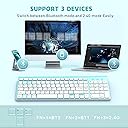
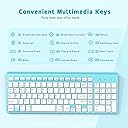
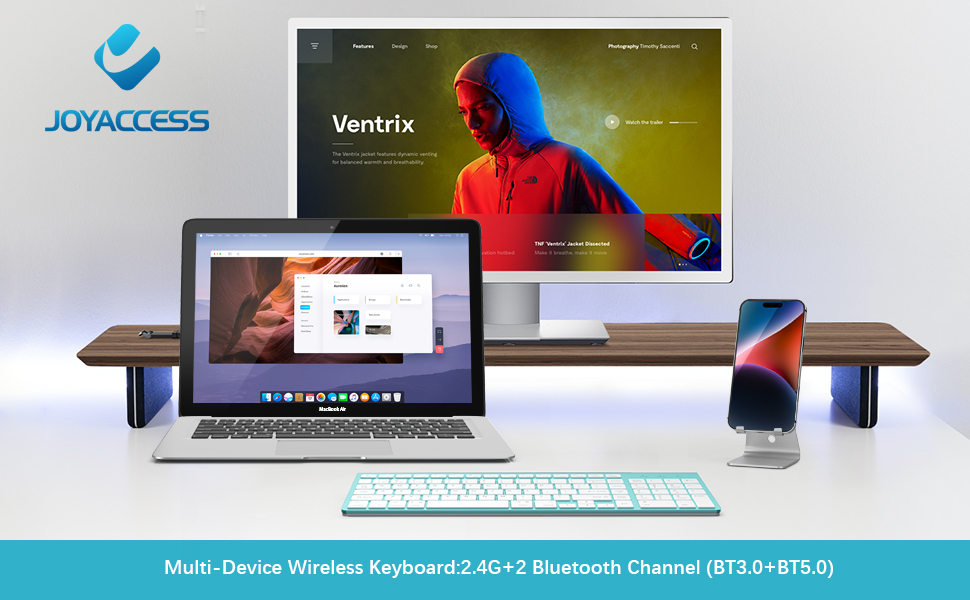
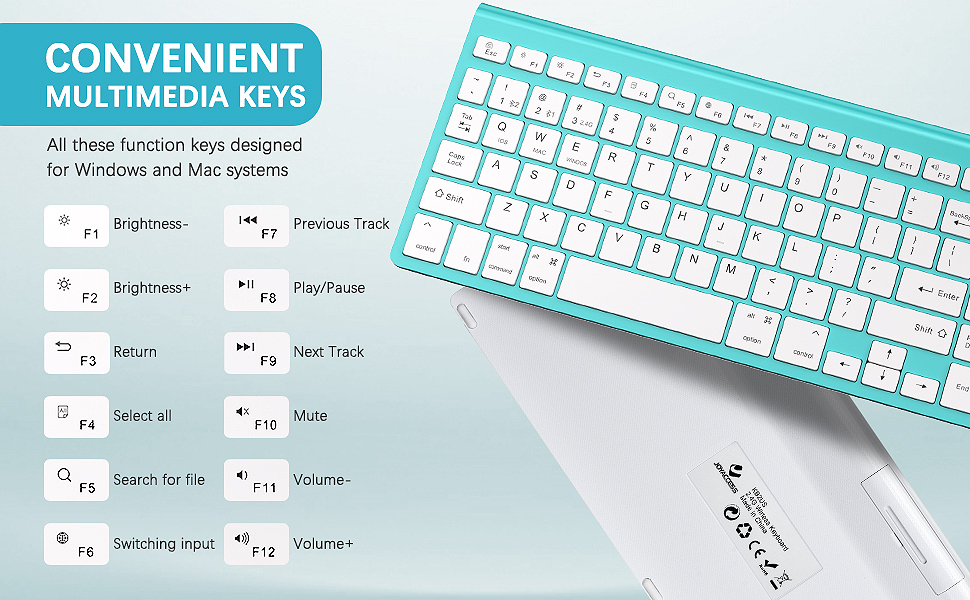
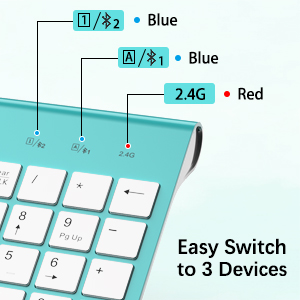
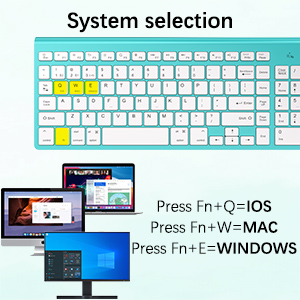
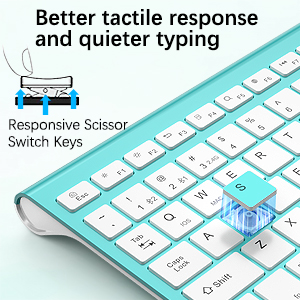
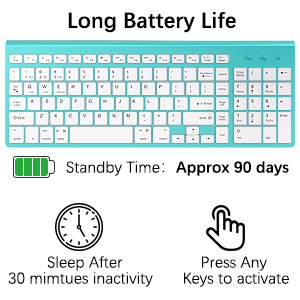
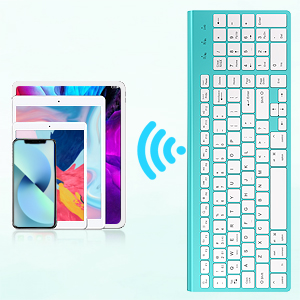
The JOYACCESS Wireless Bluetooth Keyboard is a stylish, ergonomic, and versatile input device designed for professionals juggling multiple devices. Featuring dual 2.4G and Bluetooth 5.0 connectivity, quiet scissor-switch keys, and an auto-sleep power-saving mode, it supports Mac, Windows, iOS, and Android systems. Its full-size layout with a number pad and dedicated editing keys ensures productivity without compromise, all wrapped in a slim, matte silver chassis that reduces wrist fatigue.


| ASIN | B08VW323D2 |
| Additional Features | Ergonomic, Hotkeys and Media Keys, Multi-OS, Multi-devices |
| Antenna Location | Business, Education, Everyday Use, Student |
| Best Sellers Rank | #701 in Computer Keyboards |
| Brand | JOYACCESS |
| Built-In Media | USB Cable |
| Button Quantity | 78 |
| Color | Turquoise |
| Compatible Devices | Laptop, PC, Smartphone, iPhone, iPad, Tablet, iMac, Macbook |
| Compatible Operating System Family | Android |
| Compatible Tablet Computer Models | Apple iPad (4th generation), Apple iPad mini 4 |
| Connectivity Technology | Bluetooth, USB-A |
| Customer Reviews | 4.2 out of 5 stars 11,309 Reviews |
| Enclosure Material | Plastic |
| Hand Orientation | Ambidextrous |
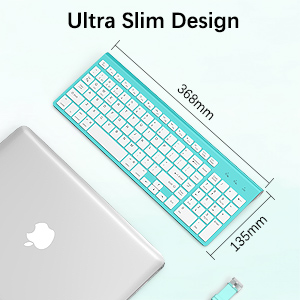
| Item Dimensions L x W x H | 14.17"L x 5.51"W x 0.91"H |
| Item Weight | 584 Grams |
| Keyboard Backlighting Color Support | Single Color |
| Keyboard Description | 2.4 Wireless,bluetooth keyboard,blue |
| Keyboard Layout | QWERTY |
| Manufacturer | J JOYACCESS |
| Mfr Part Number | JKB114BL |
| Minimum Required Operating System Version | Android 2.0 Eclair |
| Model Number | JKBBU |
| Number of Keys | 102 |
| Number of Sections | 1 |
| Power Source | Battery Powered |
| Recommended Uses For Product | Business, Education, Everyday Use, Student |
| Series Number | 654 |
| Special Feature | Ergonomic, Hotkeys and Media Keys , Multi-OS, Multi-devices |
| Style Name | Contemporary |
| Switch Type | Scissor-switch |
| Unit Count | 1.0 Count |
| Warranty Description | 2 years warranty |
A**R
A PRE-Review (Not yet fully tested) but loving it so far
I received the keyboard fairly recently but have not yet had the chance to test it so I can't give a reliable review on its performance, the reason being is that I am still waiting for my desktop PC to be assembled and shipped, the one for which this keyboard will be used. However, I am typing with it right now as I have it plugged into the laptop I am using to write this. With that being said... Right off the bat, I LOVED it. It is ergonomically perfect, light weight, sturdy in construction (despite being a sturdy plastic), the keys are stealthy silent, and the key presses feel great. I have always been a fan of silent keyboards and this one is EXACTLY like a laptop keyboard (much like the Dell I am on right now.) If this is a selling point for you, there you go. So far, it performs well. There is no lag/latency in the keystrokes. The range I've tested so far is about 12 feet away and it responds immediately. My regular use of this will be at an average range of about 8 feet away from the PC tower. (This will be used with a wall mounted monitor and not on a physical desktop surface.) The dimensions: 14.5" wide, 5.5" deep, and height is 3/4" at the far side and 1/4" at the near side. Power: Runs on two AA batteries. Again, I have not had the chance to put it through the full paces, but so far, it's great. It's very compact. I got the dark silver grey with black keys and it looks really cool; I'm going to hate when it starts getting all mucky and used up. As I am able to test it further, I will do my best to update the following in the coming months and beyond: -power consumption/battery longevity -key paint/ink (whether the letters start to fade) -overall performance (response time/latency, key failure, etc.) -durability/lifespan of product based on normal usage For the price ($22 at the time of this writing), I think it's a great value. If you like the laptop keyboard feel, then I think you'll like this, too. It's well worth the money.
B**.
REALLY close to the ideal keyboard for a 'text' computer user like me.
I recently bought a series of different wireless keyboards because the one that I had before, one that I liked a lot, went crump and I needed a replacement. Six or so keyboards down the research path, I think I've found one that I can live with VERY easily. All of the keyboards leading up to this one were semi-OK, but ultimately unsatisfactory in some disqualifying way. I wanted wireless (Bluetooth or dedicated USB thingie) because my desktop is a busy place and the cord from a much earlier corded, USB full width keyboard was pretty much always in the way. I didn't think I cared about replaceable vs not batteries, but the unit that crumped had an embedded rechargeable Li-Ion battery that was rechargeable via a mini-USB jack. It was THAT non-replaceable battery that was unable to charge that caused the keyboard to become unusable. I determined VERY early on that I wanted rectangular keytops because my finger-to-key aim was better than with round keys of really close to the same size. I thought I wanted Bluetooth, but after experiencing what I call 'resync delay' on several of the candidates, I determined that I probably wanted a more basic unit, maybe a more-or-less dedicated Win (PC) unit. I wanted low-travel keys because the keyboard that went kaput had them and not only did they feel much better, but I typed with fewer errors and I think a bit faster as well. I wanted those low-travel keys to be pretty quiet too; as close to noiseless as can be reasonably expected. Several of the keyboards I tried and rejected were of the 'Bluetooth for Win, IOS, or Android' flavor and I ultimately realized that not only did I not care one way or another for that flexibility, but that it also introduced the previously-mentioned Bluetooth 'resync delay'. I wanted a less-wide keyboard, preferably without the numpad and those other keys that are customarily between it and the 'proper' letter keys. I wanted frequently-used text-editing keys to be single function keys, not invoked by having to ALSO press the Fn key or whatever other 'shift' mechanism was employed. I wanted an additional column of my most-frequently-used editing keys just to the right of the letter keys and return. I was willing to overlook an 'also' numpad if that additional column had End, Home, PgUp, PgDn, and Del, assuming that BkSp was not too far away. I wanted the F keys on the topmost row to do what they usually do, without having to use Fn or some other 'shift-like' key. So, you may ask, how does this latest unit measure up. First, it's too wide (14.5 inches overall L- R) since it has the numpad, but because it has the extra column of my favorite editing keys, I already been able to erase from my mind that the keyboard is wider than it needs to be by a full 3 inches. The keys are rectangular, low travel, and delightfully quiet. It uses a dedicated USB dongle-ish receiver that needs no configuration, pairing, or other involvement by me. The driver auto-installed as soon as I plugged it in. As far as I'm able to determine, it is an exclusively Windows keyboard, and I'm using it with W7 Pro on a homebrew mITX system. Right now, drawing near to the end of it's first full day of use by me, I have only one suggestion for change - make this same keyboard without that (to me) unnecessary numpad. Until that suggested unit appears, I'll be happily typing on what is probably the best keyboard I've ever used. I'm REALLY happy with this unit; happy enough that I don't regret the time or expense associated with finding it. As Edith Ann used to say "And that's the truth"
G**S
Easy connect and use!
I ordered this keyboard because my laptop's special characters were not working. The keyboard takes 2 AA batteries - which they do not supply and so you must have if you want to start using the keyboard immediately. After I put in the batteries and plugged in the USB receiver, everything connected and installed very quickly. I started using it within 10 minutes of receiving it - it was great too because it arrived 2 days earlier than originally had planned. The keyboard itself is fine. I'm getting used to it still - the backspace is quite little and so I am struggling with getting used tho it. Also the keyboard in general is quite compact and so keys are close together. Perhaps if the keyboard was a little larger it would not be so difficult. Other than that, its really nice looking - very slick. I wish it had a back light though - that would make it more worth the money paid. Love that it has a number pad! My laptop did not have that on so enjoying it. When you type, the keyboard doesn't seem too stable - it vibrates a little. Maybe I type too hard? I desperately needed a keyboard and so got one quickly = happy customer.
R**A
Slim, Stylish, and Easy to Use
The JOYACCESS Wireless Keyboard has been a fantastic addition to my workspace. The slim and compact design not only looks sleek but also saves a lot of desk space. The black and grey color combination is modern and professional, making it perfect for any setup. It connects seamlessly via 2.4G wireless, and I experienced no delays or dropouts during use. The keys are responsive and quiet, which is great for working in shared spaces. I also appreciate the inclusion of the numeric pad—it’s super convenient for tasks like data entry or budgeting. Overall, this is a lightweight, functional, and stylish keyboard that works perfectly with my laptop and PC. Highly recommended for anyone looking for a reliable wireless keyboard!
J**O
A Great Wireless Keyboard
I needed a wireless keyboard because I was going to elevate my laptop screen and I wouldn't be able to comfortably type. I viewed several different models and this appeared to be exactly what I needed. The keys are very responsive and not loud when pressed, the numbered keypad is great (as I had become accustomed to using it on my laptop keyboard), it is responsive even several feet away from the receiver, and I like that it is battery powered compared to having a rechargeable battery. The few things to keep in mind is that the keys have a non-slip feel and the lights for Number Lock and Caps Lock turn on when they are active, but turn off after sometime (it's not a big deal, but I felt like it was necessary to point it out). Overall, this is a great keyboard from someone who tends to spend a great deal of time typing and using their laptop for extended periods of time each day.
R**.
Review Updated from 5 stars to 1
Please disregard everything I said below. This Keyboard lasted me 5 months. I disconnected it from my desktop to my laptop and that's when hell descended. It would say that it was connected, the keyboard was on, but it would not type. The following day, it would not turn on. I replaced the batteries with complete new ones. Nothing. I tried a tip I found on google to place a pea-sized ball of foil paper inside with the batteries and didn't work either. I think my next keyboard is going to have a chord because these wireless ones are not that reliable and risk not connecting, etc. Like many of us, I started working remotely from home and although I had a laptop, my work is a bit demanding so I needed a desktop. It was hell searching for a good wireless keyboard. Those that looked promising had a few good reviews but if you kept scrolling, you would get those bad ones that would say things like "the keys don't work, short battery life, won't connect, broke, etc." I can't remember what prompted me to settle on this one. I think because it went on sale and most of the good reviews convinced me that this one was worth the gamble. I'll admit that I was skeptical when I got it. It's beautiful of course! High tech looking, smooth and slender. Not bulky. But it works 100% fine. No problems. No glitches. The keys feel great and respond to touch with no problems. It has an on/off switch if you want to save more on battery life when not in use. I'm not going back to retype things. I am truly impressed, relieved, and happy with my purchase. Grueling search is over and if anyone asks for recommendations, I would confidently suggest this one. The only problem (quite minor really) is that it is somewhat flat, especially if you use it with one of those wrist rests things. You need it elevated. I made my own makeshift with erasers (who knew) until I get the proper keyboard elevation equipment. Other than that, this keyboard works beautifully!
L**H
Learning Curve and Not Quiet
Meh. Bought it for the color, which is cute. I like that it's light weight and easy set up. I don't at all like the feeling of the keys. They are rough/textured. Also, though they aren't loud, they are louder than I'd prefer. I'm a therapist and type my notes as we are talking, and it's more distracting than the keyboard on my Mac. I also don't like that the backspace key is so small. Also, on the Mac, the command key is right next to the space bar. Though technically it is on this keyboard, the key that is used to replace the command key is the start/command key on the wireless keyboard, which is 2 buttons over from the spacebar. It's a bit of a learning curve and I'm having to remap the keyboard in my mind.
S**T
Very happy with this
I bought the turquoise keyboard. On the website photo, it looks sorta shiny & metallic, but upon seeing it in person it's definitely more of a matte finish; the texture of the keys is slightly rough as well. But the quality is phenomenal. It looks amazing and feels great; this is my first time with a Bluetooth keyboard, and I was expecting to notice a bit of delay compared to a wired connection, but I really don't notice any lag whatsoever. And I'm currently going back & forth between using an iMac & a PC, so the ability to instantly switch between connecting with the little USB dongle vs via Bluetooth is really handy. When I activated "Mac" mode, I was expecting the key next to the spacebar with the "⌘" symbol to start functioning like the Apple command key, but unfortunately that didn't happen. I'm a little confused as to why that key has that symbol on it, as well as what exactly the difference is between the 3 modes. But overall, the look, feel, and functionality of this keyboard is exactly what I was hoping for. I'm very happy to own this; in my opinion it's well worth the money.
A**A
Good value for money.
Quality is good. Seems to be sturdy and a bit heavy. Doesn’t give out loud noises when using. Overall, am happy with the item.
J**O
Perfeito!!!!!
Amei meu teclado novo, ele é lindo, as teclas são confortáveis e silenciosas, conectou muito fácil no meu mac. Atrasou um pouco pra chegar, mas foi culpa da alfandega.
F**H
Great value keyboard
Works perfectly as described, Bluetooth usb is small and sturdy and the keyboard has a great feel to it. Batteries were easy to put in. Highly recommend as a high quality budget keyboard
T**C
Good wireless keyboard
This keyboard is very good to use. The color of it is light green, and if you feel very tired after watching computer for a long time, you can have a glance at the keyboard and the light green will make your eyes comfortable. This keyboard supports both Mac and windows system, and when you type on the keyboard, your fingers can feel that it is very smooth to press on keys. The wireless bluetooth design also makes you use the keyboard easier if your computer is far from the keyboard, and no need to consider the limit of wires. Furthermore, weigh of the keyboard is light so that you can put it on your legs, or when your are in bed. Very good product and highly recommended.
S**L
Compatibility and value
Works with old computer with no Bluetooth and the new phone and iPads with Bluetooth. Perfect solution for what I needed. Smart Keyboard to align with apple and windows. Backspace and delete buttons are too close but I guess it’s about getting used to new layout. Overall great.
Trustpilot
3 weeks ago
2 weeks ago