Desert Online General Trading LLC
Dubai, United Arab Emirates
Desert Online General Trading LLC
Dubai, United Arab Emirates



🚀 Unleash Your Productivity with Style!
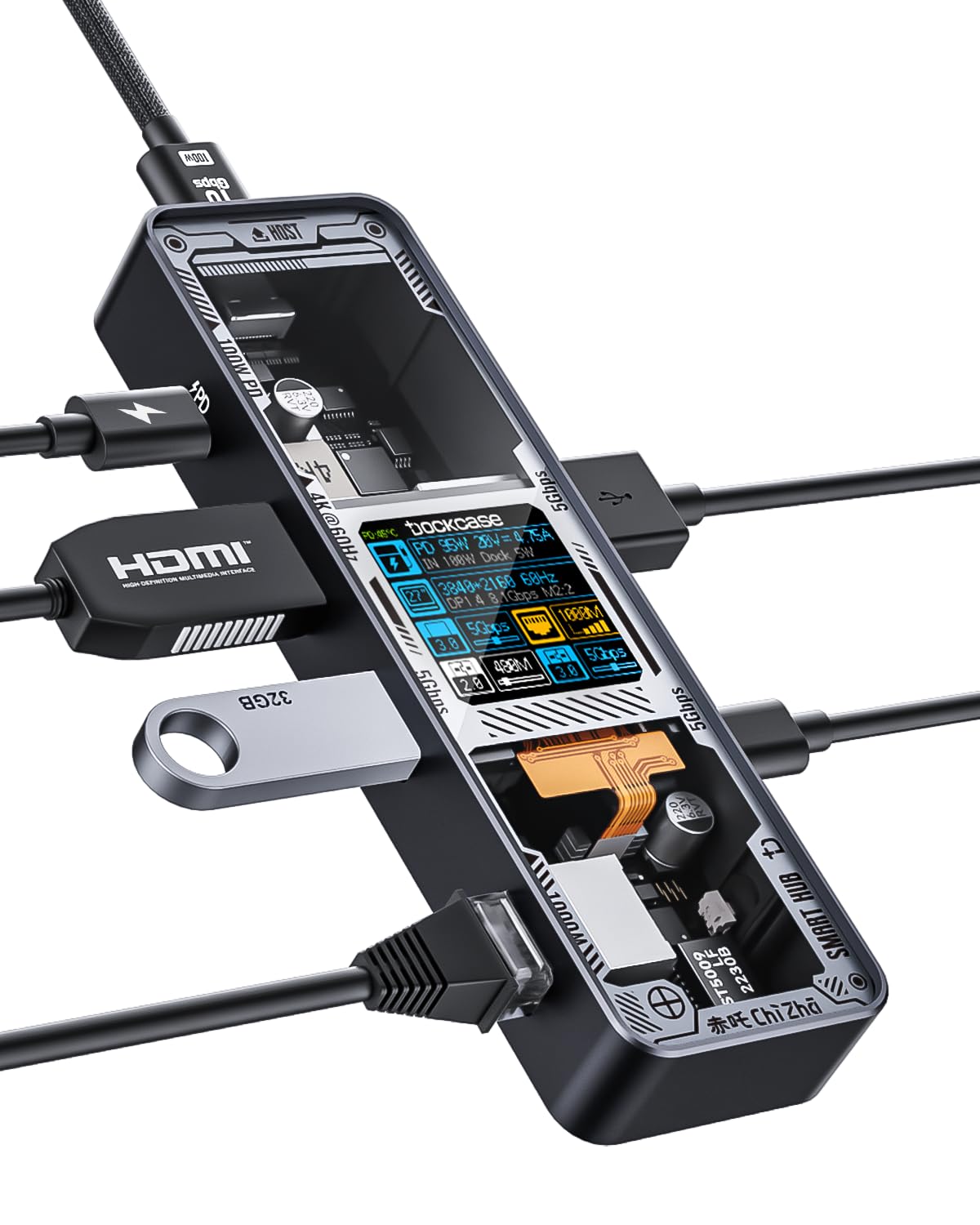
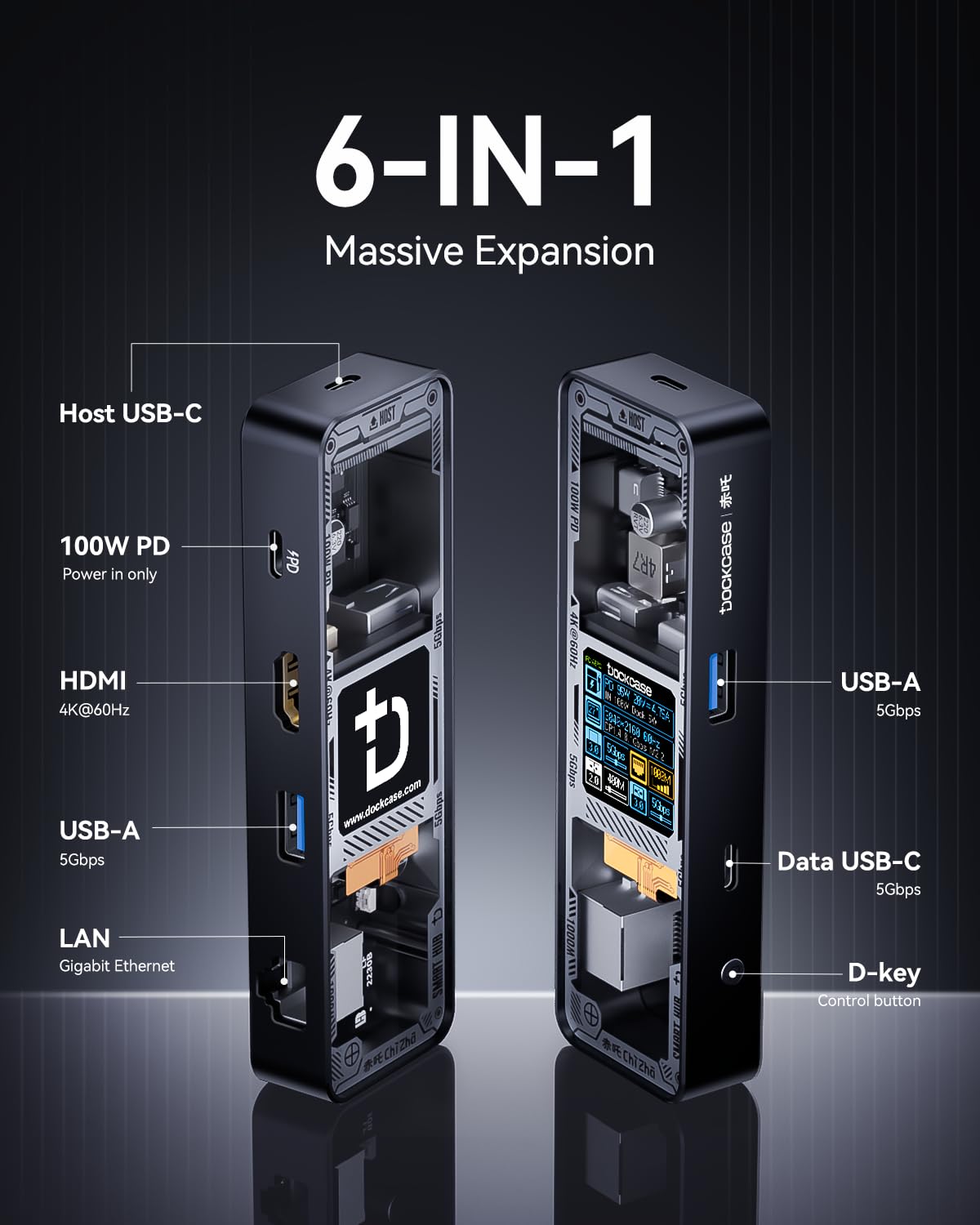
The DockCase Explorer Edition is a 6-in-1 USB-C hub that combines high-speed data transfer, 4K HDMI output, and smart heat management in a sleek aluminum design. With multiple ports and customizable features, it's the ultimate accessory for professionals seeking efficiency and style.


| Data Transfer Rate | 10 Gigabits Per Second |
| Number of Ports | 6 |
| Cable Length | 0.98 Feet |
| Operating System | Mac OS 9, Windows 7, Windows 10 |
| Compatible Devices | Laptops |
| Total Usb Ports | 3 |
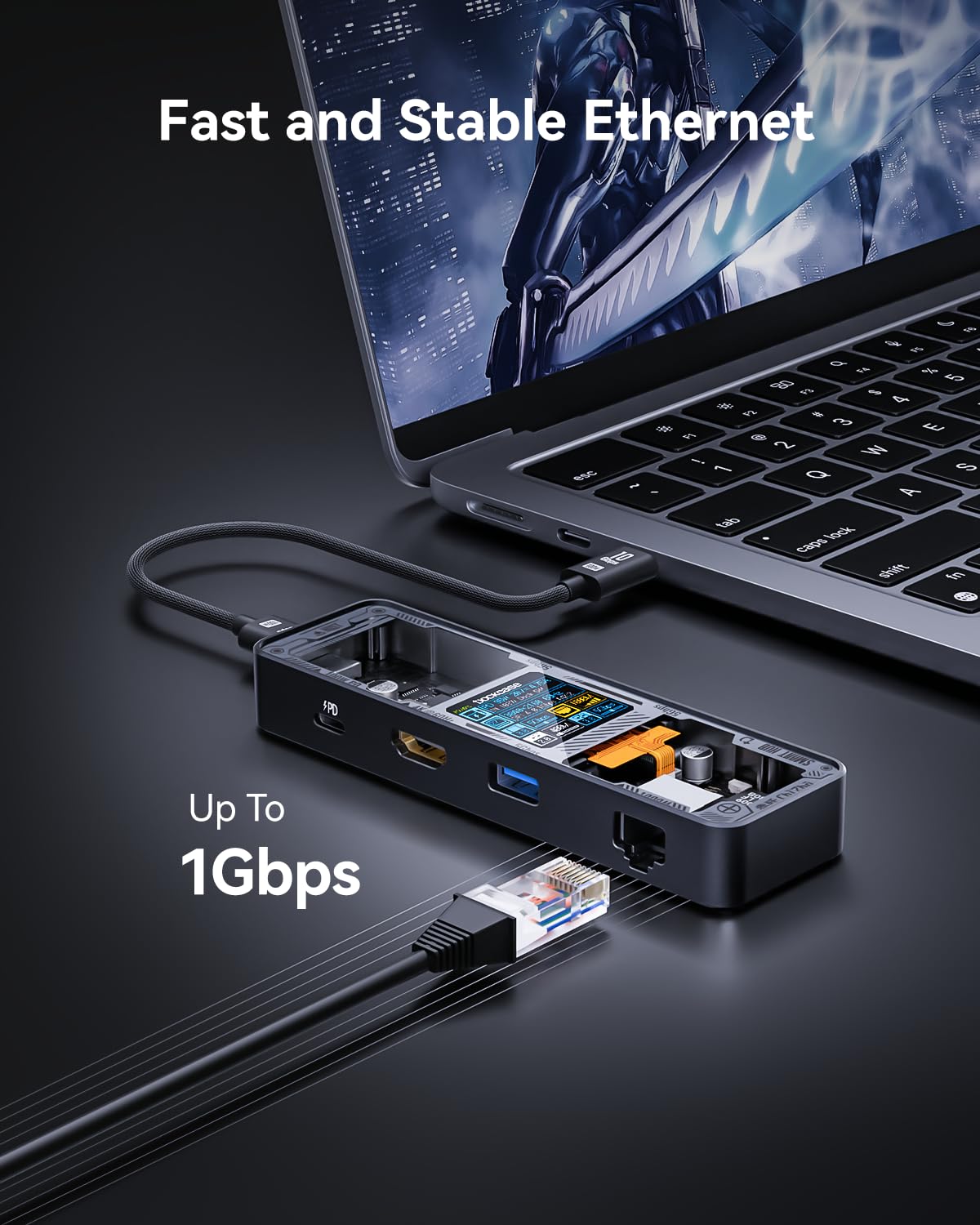
| Hardware Connectivity | Ethernet, HDMI |
| Additional Features | Pass Through Charge, Fast Charging, Fast Data Transfer, Plug and Play |
| Item Dimensions L x W x H | 0.63"L x 4.96"W x 1.5"H |
| Material Type | Aluminum |
| Color | Black |
A**D
The most versatile USB-C hub I've seen
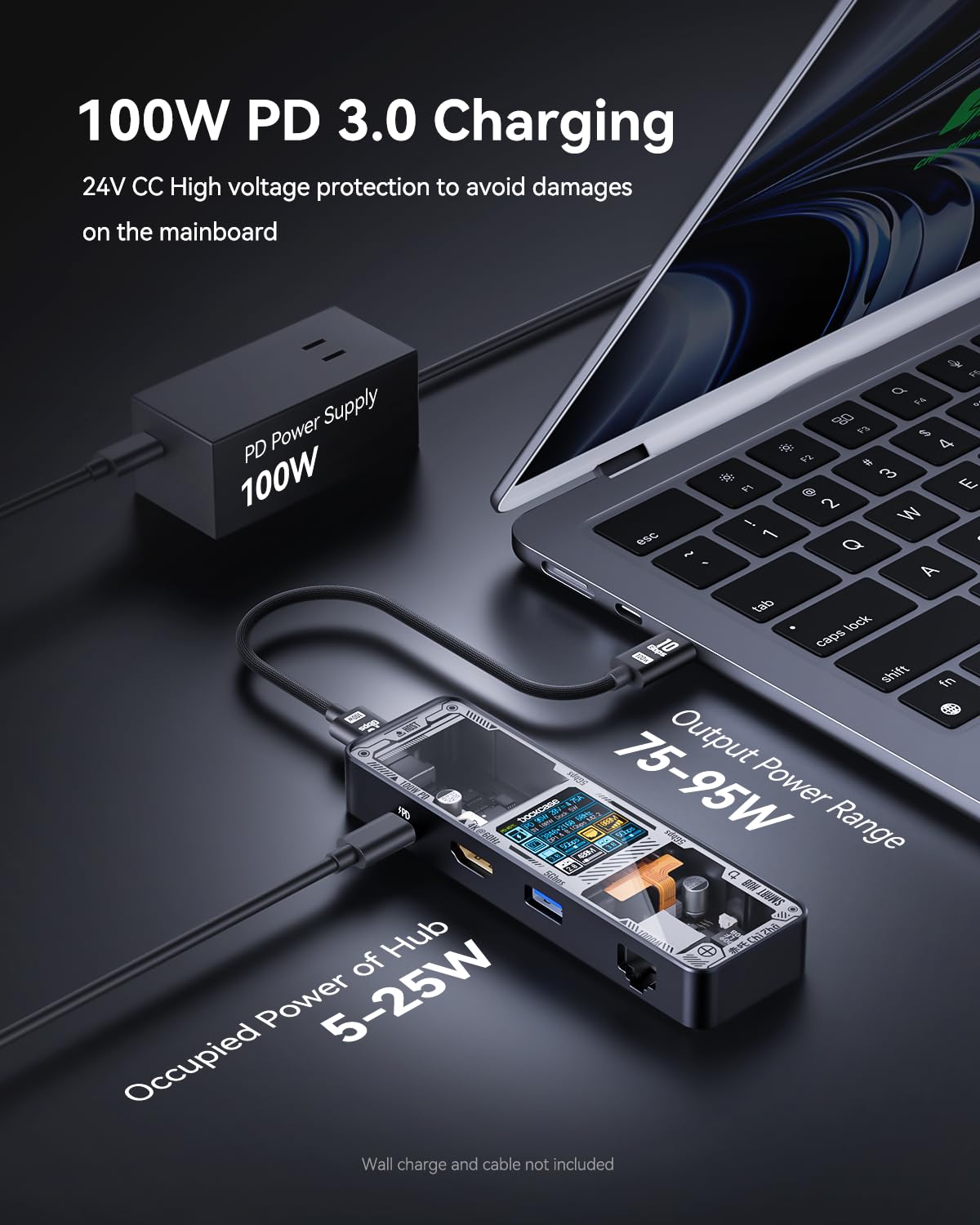
During Amazon Prime Day I managed to get the Dockcase Explorer Edition M.2 SSD Enclosure and liked the aesthetics and design enough that I started to look at Dockcase's other products. Their M.2 Enclosure meets and exceeds my expectations as I work in IT and sometimes need to swap between drives, and it is helpful to know its SMART stats especially when troubleshooting potentially failing drives. The fact that it worked out of the box with most of my hardware and supports the faster connection speeds I was looking for (10gbps connectivity over USB 3.1 Gen2) I have found uses for it on my MacBook Pro, Steam Deck and in my work life!Boiling my review down into something simple:Pros:Small design that fits in the same footprint as their M.2 Enclosure.Lightweight and durable metal housing with a really cool techy design.Versatile ports (2 USB-A, 1 USB-C all at 5gbps, 1 HDMI and a PD-in port that supports up to 100W)The onboard display that no one else on the market has.Cons:It's flashy, and its gimmick might make people envious.Slightly stiff USB ports.Out of the box, the network port did not immediately get an IP until I power cycled the device.I've been using an older no-name USB-C Adapter for my MBP and recently the networking port stopped working on it and I was weighing several options, but the utility of Dockcase's product really won me over. Being able to see the connectivity speed for the various USB ports, what display modes are being set, how much power is being supplied directly, and what network speed was negotiated at a glance without diving into the network settings are invaluable when I am trying to quickly help customers while I am at work.It is smaller than the hub that I am replacing by a sizable amount and the versatility as far as USB-C power delivery goes makes this a much better option as I was never able to use my older hub with my MBP's charger. This one handled it automatically for all three of my test cases: MBP @60W, Steam Deck @45W, and Nintendo Switch @12W. It supported the Switch out of the box and even has a mode in the menus to tailor the experience for it.The connectivity speeds are about as expected. The USB 3 ports all run up to 5gbps, but don't expect to pull that continuously from all 3 ports as the port back to the computer will usually run at 5gbps itself unless you have something like a MacBook that supports 10gbps or higher on its USB-C ports. I did not have any issues getting 3440x1440 out of it, and it worked flawlessly with my Elgato Capture at 1080p card which is what I usually use for my Nintendo Switch.Durability appears to be fine. I've had their M.2 enclosure for a week or so now as of the writing of this review and it has been fine coming with me to work and I have not seen any issues with the coating getting scratched off or the glass scuffing even with some metal-to-metal contact with my MBP. This product is constructed nearly identically, and so I imagine it will fare similarly. It certainly feels premium when you hold it in your hand.The only problem of note that I had initially, and that was that the networking port did not come up when plugging it in the first time. After the first time, and every time since, it has worked. If it doesn't work the first time for you, I definitely recommend just replugging the USB-C lead to your device and/or the RJ45. It may have been the fact that the first time I tried on the Switch it was on low-battery mode so you may have a different experience. Outside of that the product has worked great so far!
D**D
Great Hub, But the Included Cable is Unreliable
The DockCase 6-in-1 USB-C hub is a well-designed and versatile device. It has a premium build quality, a good selection of ports, and works well for expanding connectivity. However, the included USB-C cable is unreliable. I experienced frequent connection issues and had to replace it with my own cable to get a stable and consistent connection.The hub itself is great, but for the price, DockCase should include a higher-quality cable. If you pick this up, be prepared to use a different cable for the best experience.
B**N
Very good
I took a chance on this USB C Hub because I have purchased Dockcase products in the past and they've all been good quality. This is no exception.The hub includes a 1 foot USB C to USB C 10Gbps/100W cable, and comes nicely packaged to ensure it does not break in shipment. If you have other Dockcase products, this will fit in nicely, as it has the same general design and form factors as other ones.The clear cover is nice, and covers the port labels for easy reading without having to turn the device. It also has a 1.44", 128x128 16-bit high color LCD, showing you what devices are connected, the transfer rates of the USB-A and USB-C devices plugged in, the max transmission rate of the network when an ethernet cable is plugged in, and HDMI monitor brand, size, current and max resolutions. It also shows the power being drawn, which is a nice little feature that allows you to diagnose issues easily. According to the instruction manual, the display also will show the internal temperature if it is higher than 39 degrees Celsius. The display is bright enough to read in the daytime, but not too bright at night, although I wish it was OLED. The viewing angles for the display are OK, but not great.The ports include a 100W (20V 4A) power delivery (USB C) input, two USB-A 5Gbps ports, one HDI 2.0b port, one Gigabit Ethernet port, and one USB-C 5Gbps port with power delivery.All the ports feel secure, so cables won't come out unless you want them to. That's something that often goes unnoticed, but it's a major inconvenience when a cable falls out.Overall, I am really liking this hub so far. It's more expensive than others, but the display really does make problems way easier to diagnose, and it's a really nice looking and feeling device. The frame and heatsink are metal, which is obviously superior to plastic in terms of durability, but also in heat dissipation. The only thing I wish Dockcase had changed was an OLED display instead of the LCD they currently use, but it's not really a huge issue for me.
M**T
High Quality, Great Performance, Unique Design
I've become a lover of transparent tech, it just has that cyberpunk feel to it. I also love well built, well designed and engineered gear. The DockCase USB-C HUB crosses off all these checks. The Explorer Edition brings the transparent see through technology that gives this such a super cool look. It's high quality well built with aluminum and tempered glass build. It also packs a nice performance punch with its ports. Catering to 4K HDMI at 60hz. USB 3.2 Gen 2 at 5GBs speeds, Gig ethernet at 1000mbs. It also has a PD USB-C port so you can charge through it at 100W. Super portable, the cable removes and makes it a small footprint vs those that have a long dangly cable always attached. The LCD screen makes this a Smart device as well, so no more need to any 3rd party USB devices in the middle to look at IO or Power. The Smart LCD registers each port active or not, and reports on its use. This HUB is an amazing little gadget that won't disappoint. Could it be a little cheaper? Could you find similar HUBs cheaper? Yes.. But you get what you pay for, and I don't know of any hubs that offer transparent look, LCD Smart Display, and top of class performance. So in my opinion. Worth the cost of admission.
Trustpilot
Hace 2 semanas
Hace 2 días