We remain fully operational. Our teams are working around the clock to ensure your deliveries continue safely.

Descargar la aplicación


Servicios al cliente
Sobre nosotros
Copyright © 2025 Desertcart Holdings Limited
Descargar la aplicación

🔍 See the unseen, fix the impossible — your ultimate inspection sidekick!
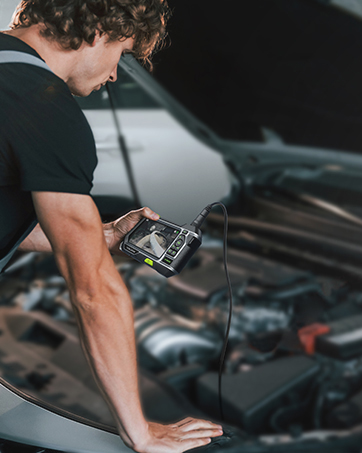
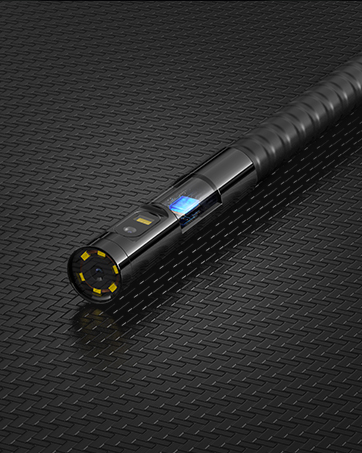
The Teslong 3rd Generation 5MP Auto-Focus Endoscope combines ultra HD 5.0 megapixel imaging with smart autofocus technology, delivering crystal-clear visuals from half an inch up to 15 inches away. Its 16.5ft semi-rigid waterproof cable bends to reach deep, narrow spaces, while adjustable LED lights ensure perfect illumination. Compatible with Android (OTG), Windows, and Mac via USB-C, Micro-USB, or USB, this borescope is ideal for automotive, plumbing, HVAC, and industrial inspections, making complex diagnostics effortless and precise.








| ASIN | B07HVT2XZL |
| Best Sellers Rank | #45,285 in Industrial & Scientific ( See Top 100 in Industrial & Scientific ) #122 in Borescopes |
| Date First Available | September 29, 2018 |
| Is Discontinued By Manufacturer | No |
| Item Weight | 1 pounds |
| Item model number | 8595768091 |
| Manufacturer | Teslong |
| Package Dimensions | 7.28 x 5.67 x 2.28 inches |
T**R
High Resolution, Low Price for an Autofocus Scope
Buying this was a learning experience about this device and endoscopes in general. This scope's plusses are high resolution and automatic and close-up focus. But its lack of a wide viewing angle means having to reposition multiple times to get a view of a wide area. Its less rigid cable makes that difficult, but there's a workaround. (Update: After two years, I'm really glad I got this. I don't use it often enough to justify paying more, but every once in a while it makes an impossible job easy. My original review below talks a lot about the viewing angle, but I made it sound worse than it is. Its critical features are autofocus, which cheaper scopes don't have, and good illumination.) An endoscope seems like an attractive solution to viewing an inaccessible area. Just push it in and look around, right? Well, it's not that simple. I learned this trying to view a ceiling space through a light fixture hole using an Android tablet. The difficulties included finding a good app, placing and positioning the device, and getting a good view. I used ShenYao's USB camera Android app. It has multiple adjustments, touch zoom and pan, and respectfully unobtrusive ads. The Android app from this scope's manual couldn't find the camera. (Their Windows app worked OK.) Several "endoscope OTG" apps I tried were a morass of adware, despite 4.5+ ratings and thousands of reviews claiming "ad free". The camera's viewing angle is only about 55 degrees, creating two problems. One is that viewing something requires more exact positioning of the camera, and viewing a larger area requires repeatedly moving it. If the camera has to be pushed somewhere, the lack of rigidity in the cable makes it harder. Also, the image will be randomly rotated. A fix for all of these was to tape the camera into a cradle made from a vinyl coated wire coat hanger - see photos. It was easier to push into position, and the hook on the other end of the wire kept it level. (The camera case needs a mark at the top of the image.) The lack of wide angle also reduces the depth of field. The autofocus helps, but it takes a few seconds to focus, during which the camera has to be held steady. It shows sharp images as close as half an inch, making this a good camera for viewing and working on small objects. In dark areas, exposure is an issue. The light illuminates whatever is close to the camera. If you want to see something further off it will be dark. The apps have some brightness adjustment, but it would be helpful to find an app that could adjust the exposure by touching the desired spot. If I had to start over, I'd pay more attention to a wider viewing angle. But I might still wind up with this high resolution autofocus camera.
S**E
Auto Focus Works Very Well
I bought this unit after I could not find the endoscope I had purchased about a year ago. This scope is far better than the one I couldn't find, and if I do find it, it's going on Craigslist. There are two primary reasons. One - the autofocus is works very well. With my old scope, I had about a 2 inch focal length. This means that one can only see about 2 inches away with clarity, making it difficult to gain an overall view of your search area. With this endoscope, I can look at objects as far away as 15 inches and that means it's possible to see the overall scene before coming in for a closer look. For example, I was looking for a collapsed spot in a 4 inch sewer line. I was able to clearly see the entire sewer pipe as I inserted the scope, then was able to take a closeup look where the pipe had collapsed. Two - Very good image quality, much better than my old scope. I don't know what they mean by 5 MP but the resolution is more than satisfactory. I gave a three for ease of use. First, the endoscope is very stiff. I understand that it needs to be stiff to push 16 feet of scope wherever you want it to go. My old endoscope is the same way so this is not a product complaint, just noting that it can be challenging to get this to go where you want if there are curves and bends. And second, while the Android software works, you have to download an ad laden app, then apply a code so that it works without ads for this product. I would much rather see an app in the store, ready to download, without getting a third party app. For Win 10 the camera app that comes with the OS works fine although it doesn't offer many image manipulation options. I've not tried the available Windows apps since the Camera app met my needs on my Surface tablet.
S**E
SECURITY BREACH?
Never ever ever install an App from an untrusted location. Do you see the instruction? It say to download an app from (a) who knows what website and (b) the site connection is HTTP instead of HTTPS (i.e. not secured). The Windows App is blocked by multiple anti-virus software categorizing it as "Potentially Unwanted Application". That means the Windows App may be misleading and have unwanted behavior, including being spyware. I didn't risk launching it. Thus, who knows what the Android App can be. Then, if you visit the Teslong website, you can't find any app download links. You can find the links only in the manual (you can download the manual from the Teslong website as well). Putting all together, I suspect a potential misleading intent in the supplied Apps. Otherwise, the product has good video quality, and auto-focus works perfectly as advertised.
J**N
Great product! the picture quality and auto focus stand out, compared with other two popular seller amongst the top 100 in Amazon. Good enough, but would be even better if the lights are brighter.
A**H
Ultimate
B**S
A quick delivery, needed to activate the OTG feature on my cell phone to get it to work, but after that it works great, found it has a good auto focus with a good depth of field.
J**K
Out of the few endoscope I bought, this one has highest image quality. The only downside is that the diameter is large (12.5mm).
A**R
I bought this about year ago and wanted to use this with my macbook air, but when i install smart endoscope app, it won't have option to add NTC125 anymore, only NTC200AF. How come product that is sold year ago have no support anymore? I would be very worried to buy this again if new needs to be bought every year or so, Also USB-C connection with adapter that comes with endoscope is very lose, disconnects all the time. UBC-C should be default and rest of old standards should be with adapters.
Trustpilot
Hace 1 mes
Hace 1 semana