We remain fully operational. Our teams are working around the clock to ensure your deliveries continue safely.

Descargar la aplicación


Servicios al cliente
Sobre nosotros
Copyright © 2025 Desertcart Holdings Limited
Descargar la aplicación
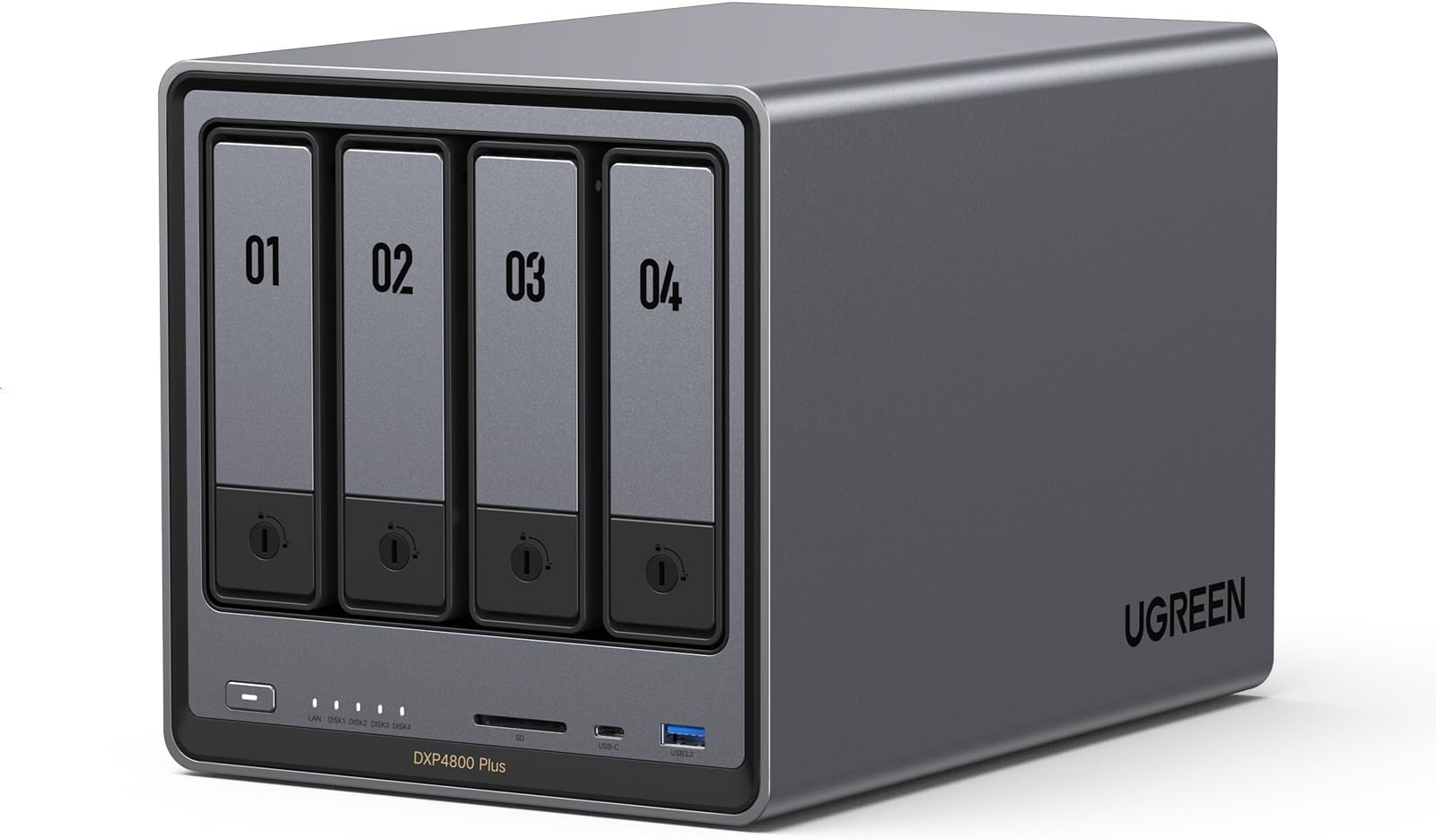
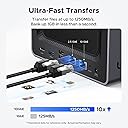


UGREEN NASync DXP4800 Plus 4 Bay NAS Review: Definitely a solid NAS. I bought it 6 months ago and used a lot to write a detailed review. Pros: +Good quality hardware. +NVME & HDD storage pool options. +Ultra High speed access/transfers with 10Gbit Ethernet on NVME Storage pools. I think this is the key reason I have chosen this NAS. I can easily reach over 1GBytes/sec. speeds over the 10 GBit network (even can go faster with 2 ethernet link aggregation). I almost stopped using my external NVME drives after having this NAS. (This is really Great!!) Before this NAS I was planning to have Synology DS923+ and 10 Gbps network upgrade. But NVME storage pool is not available unless you don't purchase Synology nvme drives which is even more expensive than MacBook SSD upgrades!!! Besides you cannot find any Synology NVME over 2TB!!! Go to hell Synology!!!! +Silent cooling. +Very fast in general and Very fast startup/shutdown. (Thanks to having a separate NVME drive for operating system) Previously with my old QNAP NAS, it takes ages to boot up so I was never shutting it down and the times I don't it was consuming power for nothing. Now I don't hesitate to Shut down, it boots up less then a minute!! +Compatible with all HDDs I have. +Freedom for using and OS you want. Actually I am using with stock Operation System (UGOS Pro). But I have plans to try TruNAS someday. Cons: -Original Operation System is good, fast and stable, But still needs improvements. For example; manually adjusting the fan speeds, Or conditional adjustments like QNAP has "if X drives goes over 40C increase the fan speed". There few more things that I don't see in the their software, so still there is room for improvement. But still at least faster than QNAP's slow QTS system. -NVME cooling is not efficient. Actually fan doesn't have any effect on SSD cooling. Initially I was using 4TB WD SN850X. Several times I heard the FAN speed up when I was writing on SSD. I checked the system if there is another reason, CPU was cool everything was cool but NVME was over 50 C. And due to fan has no effect on SSD compartment it doesn't cool the SSD down and it blows high for nothing during this write process. So you have to find a cool working SSD with this NAS. But it is kind of hard since it is a NAS and the SSD you choose should have DRAM and TLC Nands. Mostly you can find this combination in higher and drives which are generally get hot. Seagate firecuda 530 and Samsung 990 Pro or any other cooler working SSDs are better options for this NAS. - Similer issue with above SSD compartment is very slim and you cannot use SSDs with original heatsinks. I already had a 8TB WD SN850X (with original heatsink) and I couldn't use it as well. I didn't want to remove the heating cuz I know it will be hell hot. In general finding the perfect SSD for this NAS is really tricky. But there are some 3D print options on the web to make this compartment larger to use heatsink or even to attach another fan for SSD compartment, but in my opinion FAN is unnecessary, if you can install a proper heatsink, I believe all SSD will be fine. Review: 1) PLEX DOCKER SETUP: Using Docker with the most popular Plex container (linuxserver/plex) on the Ugreen NAS was straightforward. I pulled the container from the built‑in Docker interface, pointed config and media paths to my shared folders, set network mode to host, and left almost all defaults. Even with my custom usernames and permissions, everything just worked. No hacking, no odd workarounds. 2) STORAGE CONFIG: I’m running two Seagate IronWolf Pro 28TB Enterprise NAS drives (ST28000NT000) internally as Drive 1 and Drive 3 in a JBOD‑style setup (data on 1, backup on 3). For future expansion I’ll add Drive 2 as data and Drive 4 as backup. The IronWolf Pros have been flawless so far—quiet, cool enough, and fast for Plex streaming and backup. 3) INTERNAL VS USB BACKUP: I also tested one of the 28TB Seagates in an OWC Mercury Elite Pro external enclosure (USB 3.2 Gen 1, 5Gb/s) as a backup drive connected to the Ugreen. The Seagate fit perfectly, the enclosure worked well, and performance was fine. In the end, though, keeping everything internal (all drives inside the Ugreen) was more efficient and cleaner for my backup scheme. 4) UGREEN VS SYNOLOGY (DS220+): I own a Synology DS220+ and originally used it as my Plex server. I eventually retired it from Plex duty because: (a) Synology was picky about third‑party drives and didn’t officially support large Seagate IronWolf Pro capacities the way I wanted; (b) memory expansion on the DS220+ is very limited; and (c) Docker/Plex on the Ugreen feels faster and less constrained. The Ugreen gives me more flexibility with drives, more headroom for RAM and containers, and overall better performance for a multi‑TB Plex library. 5) OVERALL EXPERIENCE & TIP: The Ugreen NAS has become my main Plex server and backup hub. Docker Plex runs smoothly, transcoding and library scans are snappy, and the hardware has handled large 28TB drives and backups without complaint. FINAL TIP: Use ChatGPT/AI during setup. I used an AI assistant heavily to walk through Docker, rsync backups, SMB mounts, IP changes, and cleaning up old Synology configs—saved a ton of time and guesswork.




| ASIN | B0D22JRHZB |
| Additional Features | Network-Attached Storage, Multiple Bays, Advanced Features |
| Brand | UGREEN |
| Color | Grey |
| Compatible Devices | Desktop, Laptop, Server |
| Customer Reviews | 4.6 4.6 out of 5 stars (531) |
| Data Transfer Rate | 1250 Megabytes Per Second |
| Digital Storage Capacity | 136 TB |
| Enclosure Material | Aluminum |
| Hardware Connectivity | Ethernet, SATA 6.0 Gb/s, USB |
| Item Weight | 3.79 Kilograms |
| Manufacturer | Ugreen Group Limited |
| Mfr Part Number | DXP4800 Plus, 4-Bay |
| Model Name | DXP4800 Plus |
| Model Number | DXP4800 Plus,4-Bay(Diskless) |
| Number of Items | 1 |
| Read Speed | 1250 Megabytes Per Second |
| Specific Uses For Product | Network-Attached Storage (NAS), Office Use |
| Unit Count | 4 Count |
T**Y
Definitely a solid NAS. I bought it 6 months ago and used a lot to write a detailed review. Pros: +Good quality hardware. +NVME & HDD storage pool options. +Ultra High speed access/transfers with 10Gbit Ethernet on NVME Storage pools. I think this is the key reason I have chosen this NAS. I can easily reach over 1GBytes/sec. speeds over the 10 GBit network (even can go faster with 2 ethernet link aggregation). I almost stopped using my external NVME drives after having this NAS. (This is really Great!!) Before this NAS I was planning to have Synology DS923+ and 10 Gbps network upgrade. But NVME storage pool is not available unless you don't purchase Synology nvme drives which is even more expensive than MacBook SSD upgrades!!! Besides you cannot find any Synology NVME over 2TB!!! Go to hell Synology!!!! +Silent cooling. +Very fast in general and Very fast startup/shutdown. (Thanks to having a separate NVME drive for operating system) Previously with my old QNAP NAS, it takes ages to boot up so I was never shutting it down and the times I don't it was consuming power for nothing. Now I don't hesitate to Shut down, it boots up less then a minute!! +Compatible with all HDDs I have. +Freedom for using and OS you want. Actually I am using with stock Operation System (UGOS Pro). But I have plans to try TruNAS someday. Cons: -Original Operation System is good, fast and stable, But still needs improvements. For example; manually adjusting the fan speeds, Or conditional adjustments like QNAP has "if X drives goes over 40C increase the fan speed". There few more things that I don't see in the their software, so still there is room for improvement. But still at least faster than QNAP's slow QTS system. -NVME cooling is not efficient. Actually fan doesn't have any effect on SSD cooling. Initially I was using 4TB WD SN850X. Several times I heard the FAN speed up when I was writing on SSD. I checked the system if there is another reason, CPU was cool everything was cool but NVME was over 50 C. And due to fan has no effect on SSD compartment it doesn't cool the SSD down and it blows high for nothing during this write process. So you have to find a cool working SSD with this NAS. But it is kind of hard since it is a NAS and the SSD you choose should have DRAM and TLC Nands. Mostly you can find this combination in higher and drives which are generally get hot. Seagate firecuda 530 and Samsung 990 Pro or any other cooler working SSDs are better options for this NAS. - Similer issue with above SSD compartment is very slim and you cannot use SSDs with original heatsinks. I already had a 8TB WD SN850X (with original heatsink) and I couldn't use it as well. I didn't want to remove the heating cuz I know it will be hell hot. In general finding the perfect SSD for this NAS is really tricky. But there are some 3D print options on the web to make this compartment larger to use heatsink or even to attach another fan for SSD compartment, but in my opinion FAN is unnecessary, if you can install a proper heatsink, I believe all SSD will be fine.
C**C
1) PLEX DOCKER SETUP: Using Docker with the most popular Plex container (linuxserver/plex) on the Ugreen NAS was straightforward. I pulled the container from the built‑in Docker interface, pointed config and media paths to my shared folders, set network mode to host, and left almost all defaults. Even with my custom usernames and permissions, everything just worked. No hacking, no odd workarounds. 2) STORAGE CONFIG: I’m running two Seagate IronWolf Pro 28TB Enterprise NAS drives (ST28000NT000) internally as Drive 1 and Drive 3 in a JBOD‑style setup (data on 1, backup on 3). For future expansion I’ll add Drive 2 as data and Drive 4 as backup. The IronWolf Pros have been flawless so far—quiet, cool enough, and fast for Plex streaming and backup. 3) INTERNAL VS USB BACKUP: I also tested one of the 28TB Seagates in an OWC Mercury Elite Pro external enclosure (USB 3.2 Gen 1, 5Gb/s) as a backup drive connected to the Ugreen. The Seagate fit perfectly, the enclosure worked well, and performance was fine. In the end, though, keeping everything internal (all drives inside the Ugreen) was more efficient and cleaner for my backup scheme. 4) UGREEN VS SYNOLOGY (DS220+): I own a Synology DS220+ and originally used it as my Plex server. I eventually retired it from Plex duty because: (a) Synology was picky about third‑party drives and didn’t officially support large Seagate IronWolf Pro capacities the way I wanted; (b) memory expansion on the DS220+ is very limited; and (c) Docker/Plex on the Ugreen feels faster and less constrained. The Ugreen gives me more flexibility with drives, more headroom for RAM and containers, and overall better performance for a multi‑TB Plex library. 5) OVERALL EXPERIENCE & TIP: The Ugreen NAS has become my main Plex server and backup hub. Docker Plex runs smoothly, transcoding and library scans are snappy, and the hardware has handled large 28TB drives and backups without complaint. FINAL TIP: Use ChatGPT/AI during setup. I used an AI assistant heavily to walk through Docker, rsync backups, SMB mounts, IP changes, and cleaning up old Synology configs—saved a ton of time and guesswork.
J**A
I couldn’t be happier with the UGREEN NASync DXP4800 Plus. The setup was smooth and straightforward, and the interface is intuitive even for someone not deeply technical. The Intel Pentium Gold 8505 CPU and 8GB of RAM make this NAS incredibly fast — file transfers, backups, and media streaming all run flawlessly. It’s quiet, energy-efficient, and the build quality feels premium. I’m using it for both personal backups and media storage, and it’s handled everything with ease. The 4-bay design gives plenty of room for future expansion. Overall, a fantastic NAS solution that delivers great performance and reliability. Highly recommended!
B**N
Amazing little NAS. Rock solid, performant, and it looks nice too. Installing and removing drives is very easy. Getting at the m.2 and memory is also reasonably easy. It has lots of CPU and memory (though I added another 8GB to mine). I can't comment on the software, as I installed TrueNAS Scale on it without ever even booting to the provided OS. Right now it's running nicely with 4 drives and several apps (Jellyfin, Immich, Syncthing, etc). No complaints!
T**Z
The UGREEN NAS DXP4800 Plus 4-Bay Desktop NAS has been a fantastic addition to my home network and is easily one of the most straightforward NAS systems I’ve set up. From unboxing to having drives installed, configured, and accessible across my devices, the process was fast and refreshingly painless. Setup is very easy thanks to the guided, step-by-step process that walks you through everything clearly. The user interface is clean, modern, and intuitive, making it simple to manage storage, users, and services without feeling overwhelmed. Even for someone new to NAS systems, the layout and navigation feel approachable and well thought out. Another strong point is the availability of additional apps and integrations. Beyond basic file storage and backups, the system supports a growing catalog of apps that expand its functionality, including media streaming, cloud synchronization, and other network services. Installing and managing these apps is straightforward, and they integrate smoothly with the core system, allowing the NAS to grow alongside your needs. Overall, the UGREEN DXP4800 Plus strikes an excellent balance between power and ease of use. It’s a reliable, flexible, and user-friendly NAS that works equally well for home users and more advanced setups, making it an easy recommendation.
Trustpilot
Hace 3 semanas
Hace 3 días