
Descargar la aplicación


Servicios al cliente
Sobre nosotros
Copyright © 2025 Desertcart Holdings Limited
Descargar la aplicación


🚀 Boost Your Wi-Fi, Boost Your Life — Never Miss a Beat!
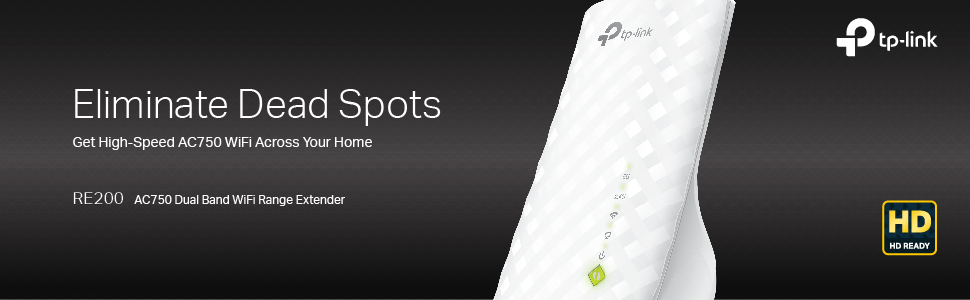
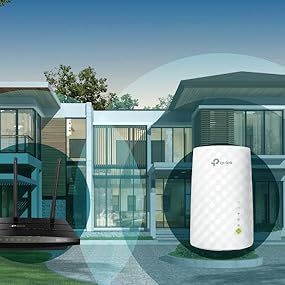
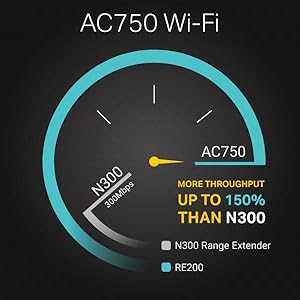
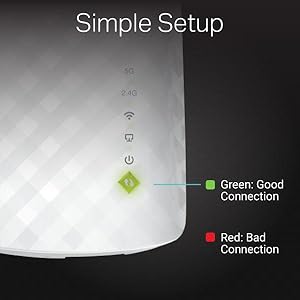
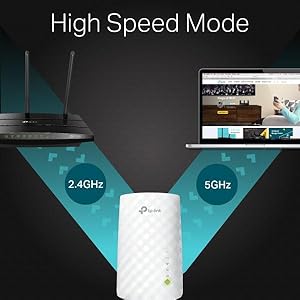
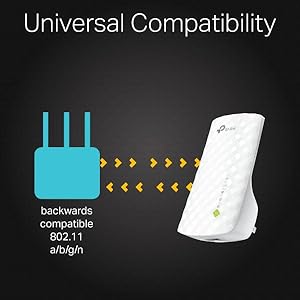
The TP-Link AC750 RE200 WiFi Range Extender amplifies your existing network with dual-band speeds up to 750Mbps, ensuring smooth HD streaming and gaming. Compatible with all standard routers and smart devices, it features a smart signal indicator for optimal placement and offers flexible setup options including WPS and browser-based configuration. Compact and lightweight, it comes backed by a 2-year warranty and 24/7 technical support, making it the go-to solution for eliminating Wi-Fi dead zones in homes and offices.




| ASIN | B00NR2VMNC |
| Batteries | 1 Lithium Ion batteries required. |
| Best Sellers Rank | #747 in Repeaters |
| Brand | MERCUSYS |
| Color | WiFi Extender - Ac750 |
| Customer Reviews | 4.0 4.0 out of 5 stars (21,388) |
| Date First Available | September 18, 2014 |
| Is Discontinued By Manufacturer | No |
| Item Dimensions LxWxH | 4.33 x 2.59 x 2.16 inches |
| Item Weight | 3.21 ounces |
| Item model number | RE200 |
| Manufacturer | TP-LINK USA |
| Operating System | Microsoft Windows 98SE, NT, 2000, XP, Vista or windows 7, 8, 10, Mac OS, NetWare, UNIX or Linux |
| Product Dimensions | 4.33 x 2.59 x 2.16 inches |
| Series | AC750 |
| Voltage | 9 Volts |
| Wireless Type | 802.11a/b/g/n/ac |
T**V
"Quick Setup" problems overcome, this is a great product. BEWARE 'VINE PRODUCT FREE REVIEWS'
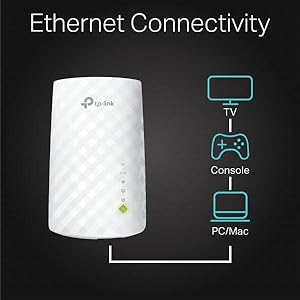
Pro: Does what it says it does. My cable router/modem is upstairs; my downstairs Roku could rarely get a good enough signal from it to be useful. I've positioned the RE200 Extender in probably an even worse spot (near the Roku but on the floor so I can plug the Roku into the RE200 via ethernet cable) and it handles the signal from the upstairs router extremely well. The RE200 also now behaves as a wifi hotspot (which is the main point of the product), allowing our cellphones and other gear to connect downstairs much better than they have ever done. HOWEVER, and this leads to my Con: The initial setup was difficult. The push-button WPS method did not work for me, so I had to set it up via the browser-based utility. Nothing cosmic about that--when it works. It took several tries before I succeeded. Things to remember: 1. During Setup, it's important to re-name the network (in other words, don't accept the 'Copy from Main Router/AP' choice). Otherwise, it's far more difficult to troubleshoot where a connection problem lies. I suppose after you get everything figured out and have it working, you can go back and copy your router's name, but I'm going to keep them separate for troubleshooting purposes down the road. 2. If, during 'Quick Setup,' at the final step (rebooting), you don't get a message that says "Completed!", **it did not complete!** You will have what looks like a new wifi network, but nothing will be able to connect to it. If you did not get your "Completed!" message, you can manually reboot the RE200 by going to 'System Tools' --> 'Reboot', then press Reboot. You should get your "Completed!" confirmation after that. 3. If you're having problems during setup with even getting a simple connection to the RE200 browser page (http://tplinkextender.net/), try setting it up using the ethernet cable as a connection first. Also, if you somehow balled up the 'Quick Setup' and need to do everything again, use the ethernet cable. After you eventually get that sweet "Completed!" message, you can put the Extender wherever you really want it. 4. The RE200 comes in 2 flavors as of now (April '15): RE200(US) and RE200(EU). The US version has no firmware updates. The EU version is on its 2nd update. I have no idea how well or not well getting the update for the other region's RE200 would work, but given how much of a point Tplink makes that mismatching firmware and hardware can damage the unit, I wouldn't try it. I was tempted to try the EU firmware, but in the end I got my unit to work just by rebooting from the System Tools menu. 5. This replaced a HooToo brand repeater (the Nano) I was using that died after 2 weeks. I'll revisit this review if something goes wrong, but so far so good. And it seems about a 1000 times more solid than the HooToo. 6. Finally, I have to reiterate how well this thing works, when you finally get it to work. No deadspots anywhere in the house anymore, and our Roku's now streaming its little heart out the way it's supposed to. If this thing is still working fine in a month, I'll come back and give it that 5th star. EDIT:months later, this thing is still going strong. 5 stars! Last point: the 'Vine Recommendations' are from people who got the product early and for free. After the product has been out for awhile, you should *completely disregard* these early reviews. A review of a free product will almost always be more lenient than from someone who actually shelled money out for the thing.
T**G
Easy To Setup Using WPS--Surprisingly Good
This review is for the TP-link AC750 Dual Band WiFi Range Extender I am using this on a network that has a Mac Mini, a couple of iPhones and an iPad. None of these devices could print to both printers; it was one or the other and not both on every single Apple product. After trying everything I could think of, I bought this extender and tried to set it up using the Quick Setup instructions. Anyone EVER had the experience of those Quick Setups working? I haven't and I've been using this stuff for decades. After Quick Setup failed to do anything other than connect to my router and open my network up to anyone that could get signal, I tried a different approach. The EASIEST WAY TO SET THIS UP is to use the WPS button on your router and on the device. Press the WPS button on the router, then, press the WPS button on the extender. After a minute or so, the router and extender are paired/connected and the result is a secure connection to the router (uses the router's password--you do have a password don't you) with a much stronger signal in what were dead zones. Placement of the extender is sort of an experiment and moving it from plug to plug will show you the best location. Moving the extender after pairing does NOT foul up the connection. I have two printers, a Samsung M2070W laser and an Epson Eco Tank inkjet. Both have wireless capability and can use WPS setup. To setup other WPS capable devices, just press the WPS button on the ROUTER and then the WPS button on the next device you want to connect. The connection to the router goes through the connected extender with no problem and does not interfere with the router/extender pairing. Do each device one at a time. This was the solution I needed and now all wireless devices work together. It's a neat solution to solving signal strength and connectivity that can be an enormous hassle when using multiple devices from different makers.
L**.
Muy facil de instalar. Funciona perfectamente.
M**A
Very easy to install. Covers dark areas well. Excellent performance.
A**I
Good work
G**L
No me llegaba suficiente velocidad a una habitacion en el piso de arriba, y enchufando esto a mitad de camino mas o menos, tengo la velocidad en esa habitacion. Funciona.
A**R
After 1year it's not working
Trustpilot
Hace 3 semanas
Hace 3 semanas