
Descargar la aplicación


Servicios al cliente
Sobre nosotros
Copyright © 2025 Desertcart Holdings Limited
Descargar la aplicación

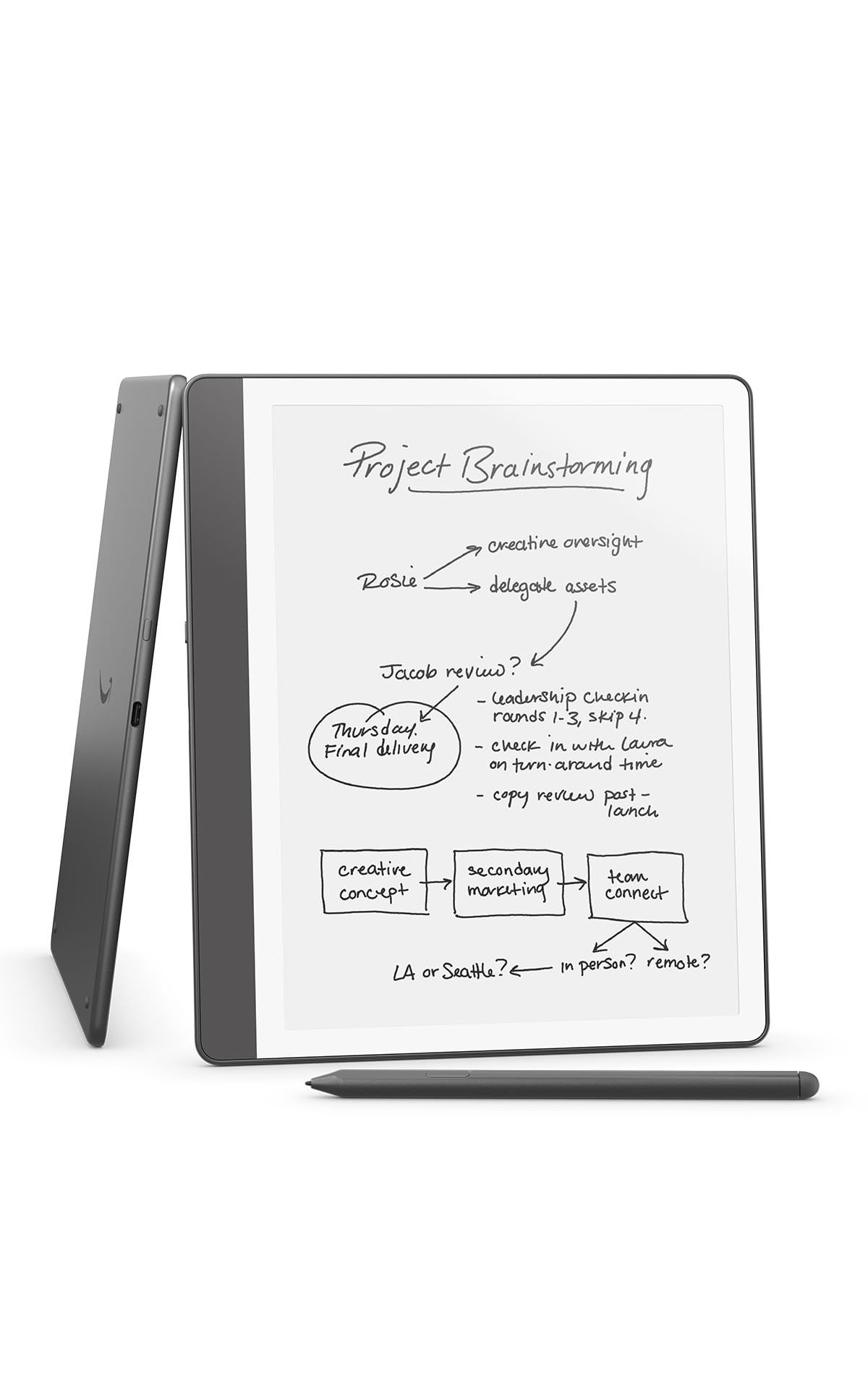


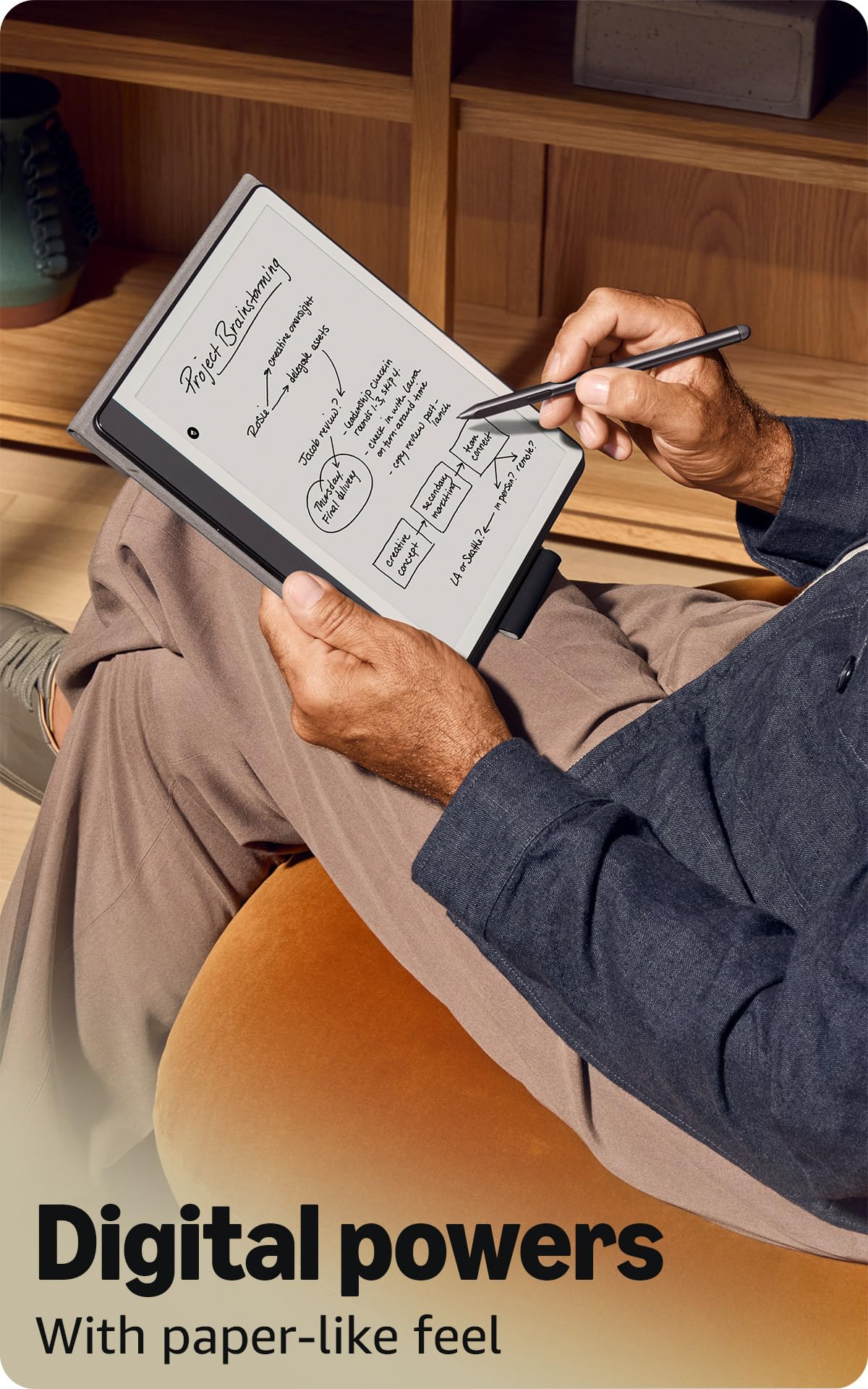
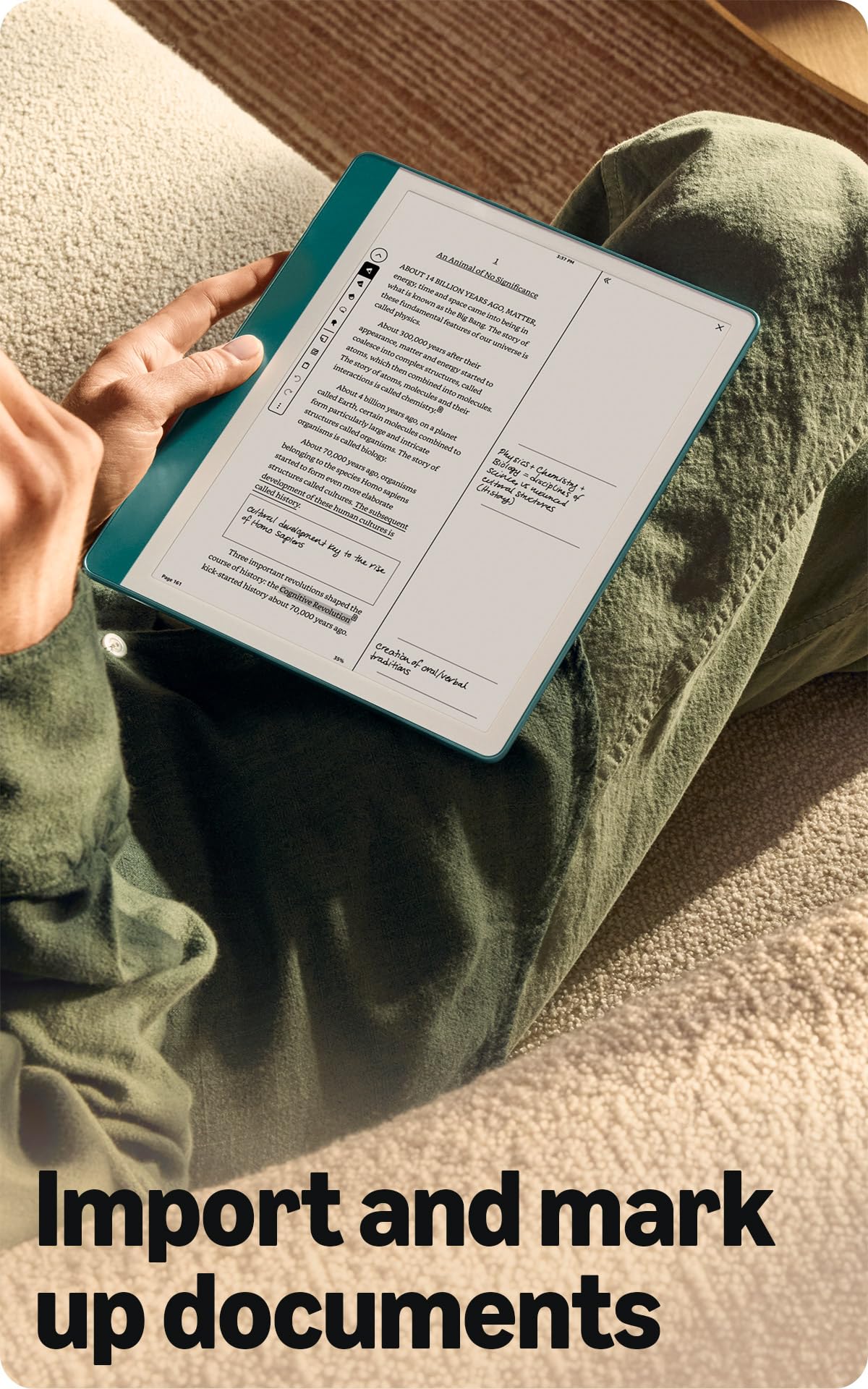
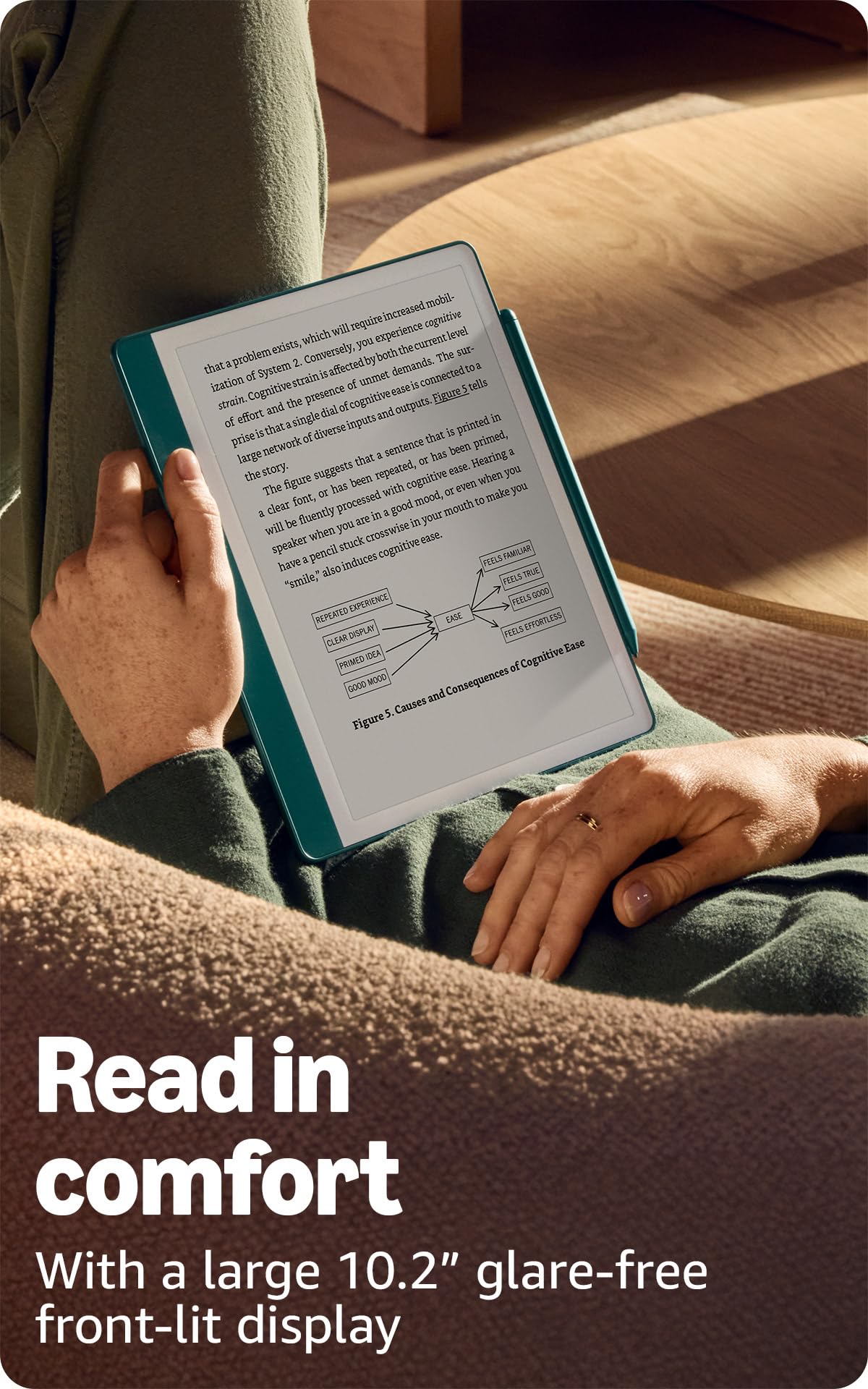
🖋️ Kindle Scribe: Where your ideas flow as naturally as ink on paper.
The Amazon Kindle Scribe (64GB) is a premium 10.2-inch Paperwhite digital notebook designed for professionals who crave distraction-free reading and writing. Featuring a glare-free 300ppi display, a no-charge Premium Pen, and AI-powered handwriting conversion and summarization, it consolidates notes, documents, and books in one sleek device. With up to 12 weeks of reading battery life and seamless PDF markup, it’s the ultimate tool for millennial managers seeking productivity and style in one.
| Display | Amazon's 10.2” Paperwhite display technology with built-in light, 300 ppi, optimized font technology, 16-level gray scale. |
| Size | Device: 7.7” x 9.0 x .22 (196 x 230 x 5.7mm excluding feet) Premium Pen: 6.4” x .35” x .33” (162 x 8.8 x 8.4 mm) |
| On-Device Storage | 16 GB, 32 GB, or 64 GB |
| Weight | Device: 15.3oz (433g device only) Premium Pen: .60 oz (17g) Actual size and weight may vary by configuration and manufacturing process. |
| Wi-Fi Connectivity | Supports 2.4 GHz and 5.0 GHz networks with support for WEP, WPA, WPA2 and WPA3 security using password authentication or Wi-Fi Protected Setup (WPS). Does not support connecting to ad-hoc (or peer-to-peer) Wi-Fi networks. |
| Content Formats Supported | Kindle Format 8 (AZW3), Kindle (AZW), TXT, PDF, unprotected MOBI, PRC natively; PDF, DOCX, DOC, HTML, EPUB, TXT, RTF, JPEG, GIF, PNG, BMP through conversion; Audible audio format (AAX). Learn more about supported file types for personal documents. |
| Accessibility Features | VoiceView screen reader, available over Bluetooth audio, provides spoken feedback allowing you to navigate your device and read books with text-to-speech (available in English only). Kindle Scribe also includes the ability to invert black and white, adjust font size, font face, line spacing and margins. Learn more about Accessibility for Kindle. |
| Warranty and Service | 1-year limited warranty and service included. Optional 1-year, 2-year or 3-year. Extended Warranty available for U.S customers sold separately. Use of Kindle is subject to Amazon's Conditions of Use and the terms found here. |
| Setup Technology | Amazon Wi-Fi simple setup automatically connects to your home Wi-Fi network. Learn more about Wi-Fi simple setup. |
| System Requirements | None; fully wireless and doesn't require a computer to download content. |
| Included in the Box | Includes wifi-enabled Kindle Scribe, Premium Pen, USB-C charging cable, 5 replacement tips, tip replacement tool, and built-in rechargeable battery. |
| Generation | Kindle Scribe 1st generation - 2024 release |
| Battery Life | For reading, a single charge lasts up to 12 weeks based on a half hour of reading per day, with wireless off and the light setting at 13. For writing, a single charge lasts up to 3 weeks based on a half hour period of writing per day, with wireless off and the light setting at 13. Battery life will vary and may be reduced based on usage and other factors such as Audible audiobook streaming and annotating content. |
| Charge Time | Fully charges in approximately 7 hours from a computer via USB-C cable; or fully charges in approximately 2.5 hours with a 9W USB-C power adapter. |
| Documentation | Learn more about Kindle devices with our Quick Start Guide and Kindle User Guide. |
| Available Color | Tungsten and Metallic Jade |
| Software Updates | Learn more about these software security updates. If you already own a Kindle, visit Manage Your Content and Devices for information specific to your device. |
V**M
Exactly the device I didn’t know I needed
I was looking for a device that could help me read more, sketch out ideas, and replace my long-standing habit of taking copious notes on paper—notes I almost never revisit. I wanted something that could bring all of this together in a more intentional way. I seriously considered the iPad, especially with apps like Procreate and various note-taking tools. A couple of friends, however, strongly recommended the Kindle Scribe. I happened to be in the U.S. over Thanksgiving when this version was discounted by about 30%, and on an impulse, I decided to give it a try. I’m very glad I did. The Scribe itself is superb. The writing experience feels natural and satisfying, and the plant-based cover Amazon offers is excellent—simple, sturdy, and thoughtfully designed. Writing on the Scribe feels close enough to paper that it immediately felt familiar. I’ve only had it for about a month, but in that time I’ve been reading a lot more than usual. I enjoy underlining and annotating as I read, and I can easily see this becoming a replacement for physical books for me. The note-taking experience has been equally strong—I’ve already used it extensively in a couple of workshops, and it’s been genuinely pleasant and fulfilling. There are several features I haven’t explored yet, including the cloud and AI capabilities around notes, and I haven’t fully leaned into sketching and drawing just yet. Even so, based on my experience so far, this has been a fantastic purchase. If you’re someone who reads a lot, takes handwritten notes, or wants a focused, distraction-free alternative to paper or tablets, I’d strongly recommend the Kindle Scribe.
P**Y
Excellent for Reading, Notes, and Documents
The Amazon Kindle Scribe (64GB) is a fantastic all-in-one device for reading, note-taking, and document management. The large screen is easy on the eyes and perfect for books, PDFs, and writing. Writing feels smooth and natural, storage is more than enough at 64GB, and the battery life is excellent. It’s especially useful for organizing notes and marking up documents without distractions. Overall, this is a powerful, focused device for anyone who reads and takes notes regularly. Highly recommend.
N**E
1000% worth the cost 💰💸
OH. MY. GOD. 🤩🥳 I have found the holy grail of e-reading. I upgraded by trading in my 10th gen paperwhite. When I received this bad boy (named $crim the Scribe lol), setup was a breeze bc I linked my amazon account to the purchase. I've had it for a week now and it's life changing in the best way 😍 **yes I'm aware you can see my folders & titles of my notebooks, idc lol** I have wanted to journal my whole life but never could stick with the hobby. I have been a journaling FIEND with this piece of technology. I've already made 13 notebooks, with all different kinds of layouts. The planner layout, checklist layout, & a regular notebook paper layout. I have 3 different journals and checklists out the WAZOO. I love writing on it, and I think my handwriting is so much prettier on it vs on actual paper 💀 I don't have any issues with the premium pen, but this is the first time I've used a pen like this lol. The eraser on the end is a little loose, but not to the point that it bothers me. The Kindle itself is super high quality **remember this review is coming from a previous 2018 paperwhite owner lol** It's not as durable as my paperwhite was that's for sure. I love that the button to wake it up is on the side because I put my thumb under the bottom sometimes to hold it while I'm reading. The screen is HUGE and my blind self loves that 🤣 I didn't realize the pen is magnetic and sticks to the side, I was like a cavewoman discovering fire when I found that feature lmaooo. Response time is lightyears faster than my paperwhite, and having 64GB of memory is a dream compared to the 8GB I had. The battery life is impressive, I have mine set to sleep after 5 minutes of inactivity. I don't let my devices get too low on charge so I don't know how many days it lasts with a LOT of writing in notebooks & reading. You're able to send documents to your kindle as well, and then write on them! It's super easy too. One of my notes from my iPhone took a while to transfer, but it still did it so no complaints here! You can customize a little more with this than on the paperwhite. The jade color is BEAUTIFUL, plus my constellation case is so CUTE & perfect for an astrology girlie like me 😍 It works like a dream with smooth & swift transitioning. It's condensed my planner, journal, & e-reader to ONE physical item. I won't have to spend money on yearly journals or continuously buy new journals saying "I'll start journaling now, this is the one." Of course manufacturing the item creates waste, but I like to think I'm helping the environment a little bit by not buying those physical items anymore 🌏 ✨I know the price is pricey (at least to me it is lmfao), but if you love reading, love to journal or want to get into the habit of journaling, BUY A KINDLE SCRIBE!!!!!! This was a purchase I know was worth it as soon as I got to play around with it ✨
I**P
Works great for organizing notes and keeping everything in one place. Excited for the next version!
I've been using the Scribe for almost a week now and though I'm still getting used to it, I'm definitely enjoying it as a notebook. The feel of writing on it is definitely closest to that of writing on physical paper. The writing precision is great, capturing my handwriting very closely. I bought this Scribe merely due to it's price point compared to the reMarkable Pro, but I am eagerly awaiting for Amazon's next Scribe version. So why didn't it get a 5 - the following are areas that can be improved - Color: I am hopeful that Amazon will come out with a color version, competing with the reMarkable Pro. Being able to write/mark in color is purely a preference, I just could not justify the price of the reMarkable Pro and I didn't mind a larger sized e-reader. - More meeting/business templates - the Scribe is a great digital notebook with a good amount of available templates. If there I could add a few more (even just one more), I would love a template to capture meeting notes, some even call it an Agenda template where you have a dedicated place to write a date, maybe even capture to dos from the meeting and then the section to capture notes. I would also like to see a template that can capture a full year's view. - Size - I can see why the current size is great, especially as an e-reader, but I would love a smaller sized option so the Scribe can easily fit into any small bag. This is also a preference things as I prefer my notebooks to be on the smaller side, like the size of an iPad mini. - Notebook functionality - I love the ability to move pages within a notebook or move notebooks between folders. There is no option to move a page from one notebook to another. I think this is a miss. - Speed - Maybe this is an e-ink think, I would need to get my hands on a reMarkable to compare, but sometimes the speed of creating new pages or pulling up pages is half a second too long for me. But I can get over this, as I have before. Overall, since I am familiar with e-ink devices, readers and tablets, I knew what I was getting in to when I purchased the Amazon Scribe and I am not disappointed. Had I paid full price, I might (I got this during the Mother's Day promotion). The list of improvements might seem like a lot, given a 4-star rating, but there's more usefulness for me than there is room for improvements. I like being able to have one thing that can hold all my "notebooks". I like being able to organize the different notebooks. I particularly like the feature that scans my notes and turns it into a separate page that is typed out (my handwriting is horrible). If Amazon makes a color version of the Scribe, I'd likely buy it.
M**R
Another Great Kindle.
I'm very happy with my Kindle Scribe. This is my 3rd Kindle. I've had a gen2 and a paperwhite. The ability to use the pen to take notes and highlight is a great feature. I gotta admit is is a bit large in comparison to the others and sometimes a bit inconvenient, but at other times it is easier to read than the smaller ones (like when running on the treadmill). I'm very happy with purchase. Battery life is excellent! Would buy again.
C**D
Easy Decision
I hesitated buying this for a long time, and I am glad I waited for the second generation. There are multiple upgrades to the newer version. Strictly as a writing tablet, there may be better choices, but for a long-time Kindle user (I have owned the Paperwhite, Voyage, and Oasis), the Scribe was the best upgrade I could have asked for. I should note that the 64 GB version is quite expensive. I got it because it looks beautiful (honestly) and I got an excellent price on Prime Day, and big discounts for trading in two old devices. Still, I can't imagine any situation where I would need anything close to this much storage - I mean most of my stuff is in the cloud and how many thousands of books do you need on the device itself? As for the device, it is very solid-looking, and just feels nice. The screen resolution in the best of any Kindle I have seen, and I love reading on it. It has all the features we have come to expect (fonts, lighting, etc.) plus some new ones. Book annotating is a bit limited, but again for a regular user, it is just fine. I enjoy highlighting passages and attaching notes to them for later reference. You can also view all of your annotations on Amazon's website. So if you are working on a laptop or somewhere without your Kindle, your are still good. If you are someone who likes to review books, like on Goodreads for example, this should work out well. For journaling and other writing purposes, the notebooks are good also. The writing is very smooth and realistic, with a lot of options in terms of pens, pencils, erasers and such. I love the AI feature that refines my handwriting, which is pretty sloppy normally. A bit slow at times, but as long as your writing is reasonably legible, you can expect an excellent result from the refining process. So my notebooks are neatly written and organized. The only thing I don't like is that the AI tools are still a little clunky when it comes to refining multi-page handwritten notes. Right now, there does not seem to be a built-in way to automatically combine content from two or more handwritten pages into one unified, refined note that fits in a single space. So I have to fiddle around a fair amount to make my journal entries look the way I like, and there was a bit of a learning curve in doing so. So what - I still love the Scribe and the easy decision buying it turned out to be.
J**W
Extremely disappointed with quality issues!
I have a previous version 16GB kindle scribe that came with just a basic pen. I love my scribe so much that I've given it a 5-star review. When I saw the new 2024 upgraded version, I wanted to upgrade to a larger storage capacity (64gb) with a premium pen (eraser is so helpful), so I traded in a very old kindle to get the 20% trade-in discount for the new scribe. I had such high hope for the new scribe. I thought that the second reimagined version will be better in every way than the previous version. Oh, was I wrong! I was extremely disappointed that the new scribe fell short on all levels compared to my previous scribe! That, in itself is hard to do - failed on all levels at a premium!!! Where do I even begin with my disappointment?! The White Bezel: The white border or bezel really does not look as good as advertised. If you enlarge my photos, you will see that it’s a white frame on top of the green border and the white frame isn’t even covering the green border that perfectly. You can also see the right side edge has light leaking out from the white bezel and it was driving me crazy when I tried to read. This does not happen with the previous version scribe. The Front Lights and Clarity: When comparing the two devices side by side, the new scribe’s front lights are not as evenly distributed as the previous version. I can see the difference between the two devices. When I have both devices set at the same brightness and warmth level, the new scribe was not as clear nor bright as the previous version, but was slightly more yellowish (oh no, that infamous yellow hue band)! When reading on the new scribe with its lights on, the surface of the screen looks as if there is a slight whitish film covering the screen making the words not as clear as the previous version. The previous version is much clearer and has better brightness and light distribution. It’s harder to tell in the photos, but the difference is very clear to the naked eye. Background Screen Color without front lights on: I couldn’t understand why when both devices were set at the same brightness and warmth, the new scribe was slightly dimmer, so I turned off the brightness (light) and compared the background of the screen and discovered that the new scribe was so much darker (grayer)! Newer scribe should be an improved version and who would’ve thought that it went backward? The Screen Surface: The screen surface of the new scribe is slightly “rougher” or textured. I use three different digital pens on my scribe because all three feel very different from one another, so I use them for different things. When I use them on the new scribe, I notice that the very smooth nib didn’t glide as much and the “rubbery” nib on the Staedtler noris jumbo became too hard to write on the new screen surface (drags too much). So, if you own a Staedtler digital pen and love to use it on your previous scribe, you will hate it on the new scribe. Oh, there is also a very bad ghosting issue with the new scribe, way worse than the older version scribe! Now, about the premium pen. I do love the extra side button and I set it as a highlighter, but the position of the side button is a huge problem. I find myself constantly clicking at it while I write because I like to put my thumb on the flat side of the pen for better stability where the button is located. The button should be located slightly higher. These are the reasons why I give this new scribe a one star. I so wanted to give the new scribe a five star like my older scribe, but there is absolutely nothing good to say about it as it’s really a downgrade from the previous version (I even tried to convince myself to keep it since I really wanted an upgrade). I bought the most expensive bundle with the premium leather folio (another disappointment - horrible quality. You can see my review on that one), so imagine my disappointment! I don’t know if I just got a new scribe with bad quality issues or all the new scribes are just as bad, but I’m not taking the chance to even go for an exchange. It is going back for a refund for sure! BTW, the new software update for kindle scribe came out at the beginning of December, so all the previous scribe owners can now download the new software update (new AI and active canvas) that came with the new scribe!
G**S
The Scribe writing tablet exceeded my expectations!
I planned to purchase the Kindle Scribe and the ReMarkable, evaluate and return one. The Scribe, once you get the writing software working, has exceeded my expectations as a writing tablet. It is perfect, feels like writing on paper, and the pen choices are complete. I don’t draw, however. The scribe is the right size; any larger, and the weight might be a problem, but a bigger concern is that the software is not intuitive, and the connections between functions don’t flow. It is hard to figure out how to work the device. I fought to get the Scribe to be a writing device, and the marketing department obviously wrote the instruction manual: it describes what the Scribe can do, but little on how to get there. The device will convert handwriting to text, easily create a PDF, and send the file via email to print. The device does not have printer device drivers; it relies on the email function. Restart the device, and it is a traditional Kindle. After all these years, I have over a hundred Kindle books, and my only complaint is that Amazon loads the Kindle section with so many books to buy that it clutters the entire Kindle reading process. The software is not well-integrated between the writing and Kindle reading functions. I created a PDF and could add notes, but it was not easy to do, which brings me back to the Remarkable. After all these years and the wealth of Amazon, I believe the Scribe will be around, and they will eventually fix the klunky software and create a menu to access all the great features. I fear that ReMarkable might not last. I once spent three grand on a ‘high capacity’ Bernoulli Box, and a couple of years later, they were gone. The Amazon Kindle Scribe may be around for the long run.
Trustpilot
Hace 1 mes
Hace 1 mes