We remain fully operational. Our teams are working around the clock to ensure your deliveries continue safely.

Descargar la aplicación


Servicios al cliente
Sobre nosotros
Copyright © 2025 Desertcart Holdings Limited
Descargar la aplicación
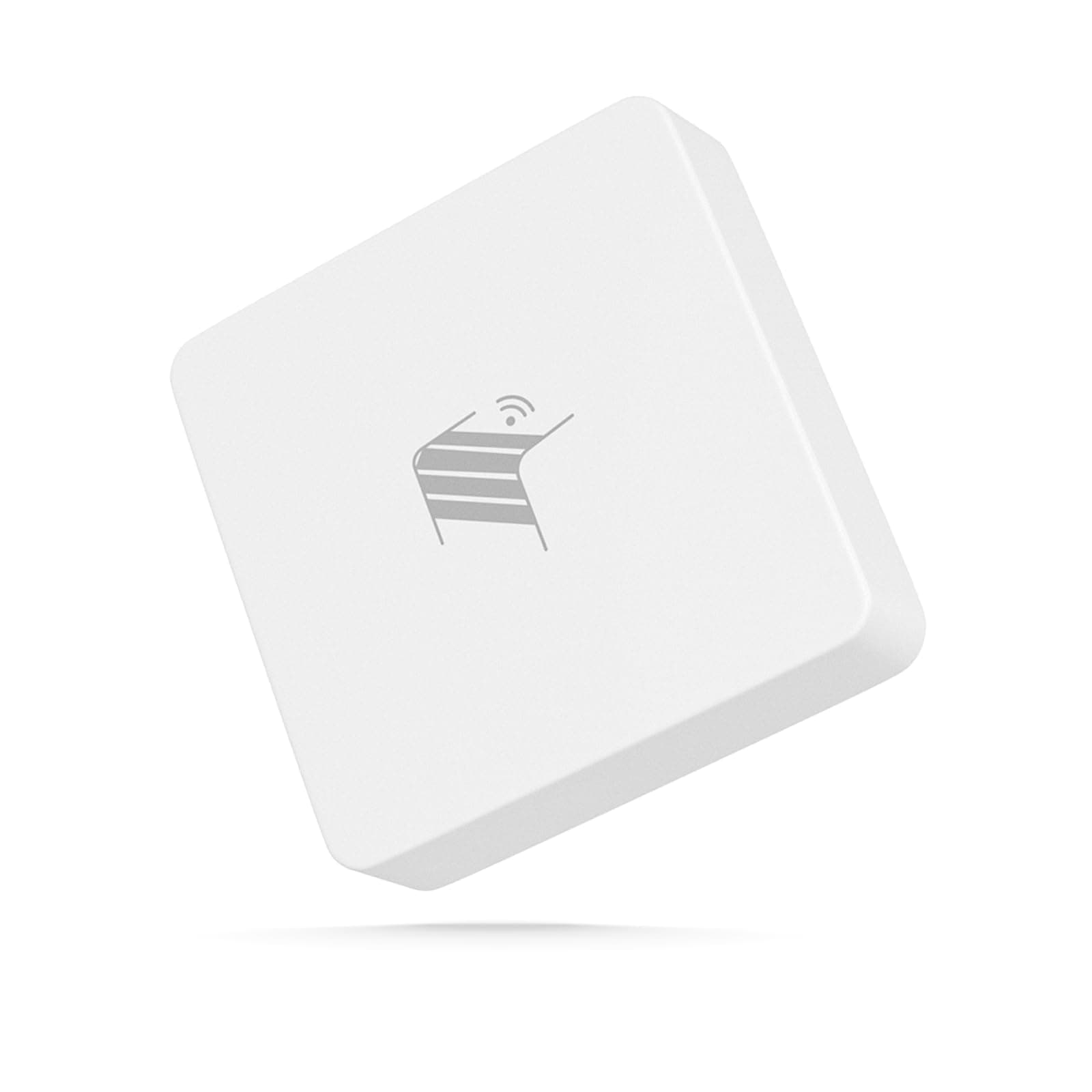

🚪🔒 Elevate your smart home security with precision and power!
The THIRDREALITY Zigbee Smart Garage Door Tilt Sensor offers precise garage door monitoring with adjustable sensitivity and seamless Zigbee 3.0 compatibility. Powered by 2 AAA batteries, it delivers up to 2 years of reliable battery life. Designed for easy installation and integration with major smart home platforms, it provides instant alerts and supports OTA firmware updates to keep your home security cutting-edge.


| ASIN | B0CZP2CJXF |
| Battery Description | AAA Batteries |
| Best Sellers Rank | #20,838 in Tools & Home Improvement ( See Top 100 in Tools & Home Improvement ) #7 in Garage Door Sensors #4,487 in Hardware |
| Brand | THIRDREALITY |
| Built-In Media | Tilt Sensor |
| Color | White |
| Compatible Devices | Home Security System, Smartphone |
| Control Method | App |
| Customer Reviews | 4.2 4.2 out of 5 stars (360) |
| Item Weight | 0.04 Kilograms |
| Manufacturer | Third Reality, Inc |
| Mounting Type | Tabletop Mount |
| Number of Batteries | 2 AAA batteries required. (included) |
| Power Source | Battery Powered |
| Sensor Technology | Zigbee 3.0 |
| UPC | 850001595803 |
| Voltage | 1.5 Volts |
C**E
Reliable and responsive garage door sensor
Installation of this garage door tilt sensor was simple and took just a few minutes to complete. It paired seamlessly with my Zigbee hub and provides real-time notifications if the door is opened or closed. I appreciate the adjustable sensitivity levels, which allow me to customize the sensor to avoid false alarms while ensuring reliable detection. The two-year battery seems to last a long time, and I appreciate not having to replace it frequently. Overall, this sensor has added peace of mind and convenience to my smart home setup, and I have been impressed by its performance.
Y**S
Great product, easy to set up, no weird batteries
Update: Spoke with the seller and they sent a replacement -and it worked, flawlessly. I guess I may have just had an issue with one in particular, I don't know, but the seller was incredible and very responsive. I know that in the future, I'll be looking at Third Reality again for my needs. Old review: Works great when it's within 5' of the zigbee dongle, but once outside of that range, connectivity is non-existent. I turned the alarm back on just to see if it was acknowledging the tilt, and it wasn't even doing that consistently. When it was, and it was within 5' of the dongle, things were fine. When I moved more than 5' away, I would get inconsistent chimes and open/close triggers. When I went into the garage, about 15' from the dongle, I lost everything - no chime, no open/close activity. I bought 2 and only opened and tested one, but both are going back and I'm sourcing another product. Zwave is better for longer range, even with zigbee repeaters/boosters. Too bad the old smartthings centralite sensors died, they were the best and lasted the longest.
A**R
Very reliable and consistent. Battery life could improve.
Battery life is a little less then expected but otherwise a great and reliable sensor. Has an audible noise when opened or close which is handy for status updates so I know it's working.
C**1
A long way around to get it working right, but it is a good unit and worth the cost.
Update 02/07/2025 - back to 5 stars - with caveats As seen below, I had a few pain points. After buying several, I found some would stop updating. Almost as if some units that worked would stop if I added a new one. (This is in Home Assistant) There was a device firmware update. Home Assistant can not install it. The update is supposed to fix that. But you can't install it! The fix: After working with ThirdReality's support, we determined that the only way to solve this was to use their Zigbee/Matter hub. I already have a wokring different brand zigbee hub! But, they were super kind and sent me one to see if it fixes the problem. Workflow: Plug their hub into a USB power brick. Download the Android app 3r-Installer. (on to my seldom used old Android phone). Go into my WiFi router and temporarily remove the password requirement on my 2.8ghz Wifi. Connect my phone to that wifi. Use the app to find the hub. configure settings wit may want to start using it. Go into Home Assistant and remove a problematic thermometer. Bring the thermometer to where the HUB is. Reset the thermometer into paring mode. Click on the hub in the app, and then add the thermometer as a new device. (this can be a pain in the butt. Keep trying to reset the thermometer into paring mode. You will get there in the end.) Once you have it in there, you will have the ability to update the device with the latest firmware. How the update flows - the app on your android device downloads the firmware from ThirdReality and then pushes it into the hub. The hub then takes over and slowly (zigbee is a slow protocol) uploads it into the device. The update happens and the device eventually reboots and shows up again. Now, remove the device from the hub's list of devices. Reset the device into pairing mode and pair it back into Home Assistant on your old zigbee hub. Move onto the next ThirdReality device. Slow, but possible. Finally unplug the ThirdReality Hub, and put a password back into your Wifi router. (do NOT forget that part). Since then (over a week ago) all thermometers I have are placed back into their mounting locations around the house. All are working and keep updating their readings. None have failed to do so. So, the ThirdReality hub (MZ1) isn't expensive. Sure, it's an extra $30 you wish you did not have to spend. But if you are stuck trying to update your ThirdReality devices (and use a different Zigbee hub) in Home Assistant, this is a workable tool you can use and then toss in the old toolbox. I will never use it in my environment, as it is exclusively using Wifi to talk to the app, which I won't allow for my home automation. But that is just me. All of my thermometers are working and no signs of any kicking another one out of the network. --------------- Currently leaving this as a three start review. I bought a pair of these, and they worked great in Home Assistant. I decided to pick up another pair as they were on sale. They too seemed to work fine. Then I decided there are a couple of the rooms it would be great to know how the temperatures were in there and how they fluctuate. That is when the frustration came in. The new units came online, and seemed to work. Then, while they still show up in Home Assistant, they (or a different unit) stopped reporting any temperature changes. After some playing around and getting them online again, they would work for a while and then stop. It seems like when I added a new one, it would knock an old one off from reporting. Then one day I thought, I wonder if there is a firmware update for these. Yes! Great! I'll do that and see if it fixes the problem. However, Home Assistant can not successfully update them. It times out while trying. So, I went to the support portal for Third Reality, and read there is a newer update. It is specifically to help solve the problem where Home Assistant can't update the device. Ummm... So... How am I supposed to update them if Home Assistant can't do it? Right now I am in contact with Support, and they are responsive and are stepping up their game on this. But, I'll leave what we are doing so far, out of this review for now. Since I am not using their hub, the steps are little more complex. I'll update this review if it works out and everything stays online and reporting. ** for anyone who would say "move the device closer to your hub so the update works": I think 6 inches is close enough. Doesn't work. Don't worry. I am working the problem.
K**Y
Works perfect every time
I don't use this with the third reality bridge, it pairs directly to home assistant if you have a zigbee radio which you should if you don't. Fits right into my routines to notify me when the door's been open too long. Battery life is not as good as Z-Wave device, and the range is not as good but they can use the mesh system which works fine. Overall five stars and recommended
P**I
If it would stay connected I'm sure it'd work fine. Don't buy.
This is easy to install and configure. It does a good job initially, but eventually loses connection. Despite the fact that it's 3 feet from a zigbee router. I do not recommend it and will be returning it.
H**B
A good quality, Zigbee motion sensor with good range and few if any errors
I found the range to be excellent with this motion sensor, plus it’s very accurate with very few if any false readings. It was easy to pair with my Zigbee dongle and works well with my Home Assistant automation.
A**R
Unreliable after about 6-8 months
It worked well for a while, but after about 6-8 months it intermittently communicates with the other zigbee devices and shows as unavailable. Pull the batteries and put them back in and it will sometimes work for about a day. When it works it works well, but it is not reliably communicating.
C**S
Funciona correctamente
M**A
Ho aspettato un po’ per recensire questo prodotto, installato su 6 basculanti integrato in home Assistant con 2mqtt, sono passati due mesi e non perde un colpo, automatizzato per accedere le luci, sensibilità regolabile con avviso acustico anch’esso con possibilità di togliere, solo dal dispositivo, funziona con due pile AAA, con due tre aperture giornaliere e dopo due mesi ancora al 99 % Lo consiglio
W**T
Works perfectly in the Zigbee protocol. Used here as entrance-check to turn on lights and heating, based on arrival at night.
N**K
I already use several Third Reality devices, and this one fits right in—compact, responsive, and easy to integrate. Paired instantly with Zigbee2MQTT on Home Assistant, no delays or quirks. The tilt detection is fast and reliable, making it perfect for garage door monitoring. Sensitivity is configurable via internal switches, and the AAA batteries are easy to swap. I’ll be watching how they hold up through winter, but so far, the signal is strong and the setup rock-solid. Just like the rest of the lineup, it does exactly what it should.
S**N
Ein gutes Produkt was still seinen Dienst tut. Der Neigungssensor lässt sich schnell und zuverlässig ins Zigbee-Netz integrieren. Ich betreibe ihn in Home Assistant über Zigbee2MQTT. Er reagiert schnell und lässt sich darüber auch updaten. Leider bieten diese Funktion nicht alle Hersteller. Mit seiner Größe (siehe Artikelbeschreibung) ist er nicht unbedingt überall einsetzen, findet aber viele verdeckte Einsatzmöglichkeiten. Es kommt hier natürlich immer auf den Anwendungsfall an. Ein Positiver Punkt ist auch die Nutzung von AAA Batterien. Diese halten sehr lange und sorgen dafür das man den Sensor nach der Installation erstmal vergessen kann und er einfach seinen Dienst verrichtet. Der Sensor hat auch eine Alarmfunktion, welche für das Öffnen und schließen eines Garagentor gedacht ist. Seinem eigentlichen Anwendungsfall. Dieser Funktioniert wie beschrieben gut. Der Alarm lässt sich aber mittels Jumper ausstellen. Auch die Empfindlichkeit lässt sich in 3 Stufen mittels Jumper einstellen, was gut funktioniert. Der Empfang ist sehr gut und der Sensor koppelt sich auch mit Repeatern (z. B. Steckdosen) anderer Hersteller. Anders als z. B. Aqara-Geräte, welche am besten mit Aqara-Geräten oder dem Router direkt verbunden gut funktionieren. Im Lieferumfang ist noch ein Klebepad zur Montage dabei. Dieses hält den Sensor sehr gut an Ort und Stelle. Ich nutze den Neigungssensor z. B. an der unteren Innenseite der Verkleidung an der Tür vom Geschirrspüler. So merkt das Smart Home ob der Geschirrspüler geöffnet wurde und beendet die optische Erinnerung in HA das er fertig ist und gelehrt werden kann. (Start und Ende des Spühlvorgang wird durch eine Strommess-Steckdose erkannt.) Somit alles in allem ein gelungener Neigungssensor welcher zuverlässig funktioniert, voll kompatibel mit Zigbee 3.0 ist und durch die 2 AAA Batterien lange durchhält.
Trustpilot
Hace 2 meses
Hace 1 semana