
Descargar la aplicación


Servicios al cliente
Sobre nosotros
Copyright © 2025 Desertcart Holdings Limited
Descargar la aplicación


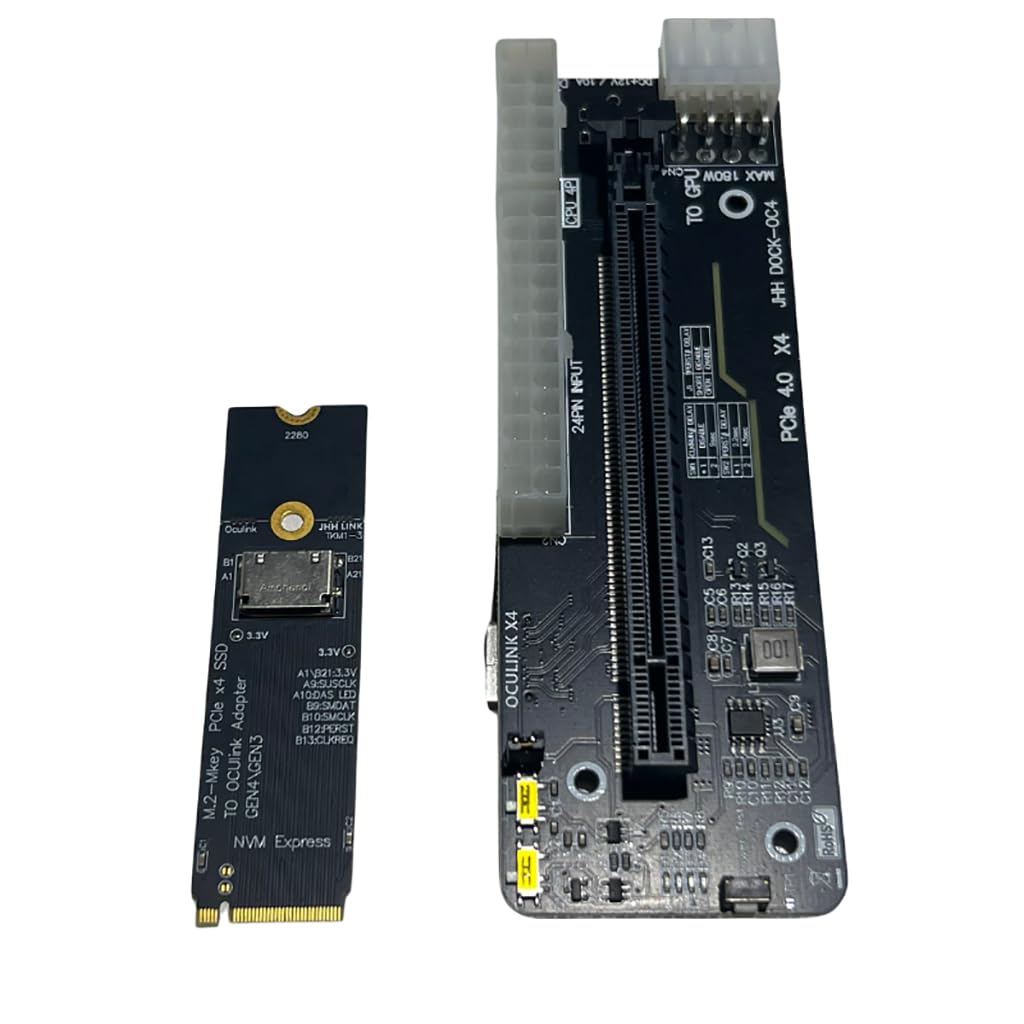
🚀 Elevate your eGPU game — power, speed, and compatibility in one sleek bracket!
The JMT M.2 M-Key to PCIe 4.0 x4 External Graphics Card Stand Bracket is a high-performance adapter designed for laptops and handhelds with Oculink or M.2 NVMe ports. It supports PCIe 4.0 Gen4 speeds, enabling expansion of GPUs, network, sound, and capture cards. Compatible with ATX, SFX, and 1U power supplies (500W+), it features a durable metal/plastic build and smart start/stop functionality, making it an ideal solution for professionals seeking portable yet powerful external GPU setups.
| ASIN | B0CRR7HMX5 |
| Additional Features | Unique Start/Stop Functionality |
| Best Sellers Rank | #529 in Computer Graphics Cards |
| Brand | JMT |
| Color | Black |
| Compatible Devices | Desktop, Laptops |
| Customer Reviews | 4.2 out of 5 stars 51 Reviews |
| Enclosure Material | Metal And Plastic |
| Global Trade Identification Number | 00783798005388 |
| Item Weight | 0.32 Kilograms |
| Manufacturer | JMT |
| Material | Metal And Plastic |
| Model Name | AMD Radeon RX 6800 XT |
| Model Number | F51620 |
| Mounting Type | Tabletop Mount |
| Special Feature | Unique Start/Stop Functionality |
| UPC | 783798005388 078379800538 |
| Unit Count | 1.0 Count |
| Warranty Description | 1 |
S**W
Works well, solid build
Works well, and constructed well. I would opt for the one with power supply along with it, but to save a few bucks, rock solid unit.
M**A
ok
not bad. Need smaller, two fan gpus for these docks and no oculink cable is included. Tight fit but that may protect gpu if you move it.
M**.
Inexpensive and works, I'm an Oculink believer now.
Works. Nice that includes the m.2 Oculink adapter. Be sure to buy an Oculink cable. I have a mini PC that only has (1) M.2 PCIE x4 4.0 slot, so I had to clone my MVME to SATA drive. Comparing FPS with games that struggled, it's apparent that Oculink > USB4/TB4. I wish this had a Power supply mount, and that the Oculink port was more accessible towards the bracket of the graphics card. The power switch on Auto didn't work, so I toggles it to On. Works like a charm. There's potential to 3d print an enclosure. Install notes: ONLY plug your power supply to the 24-pin connector (check/green). DO NOT connect power to the connectors circled in res (X/red). If your GPU requires PCI-E power, plug those power supply cables directly to the GPU power connectors (not dock).
J**R
Occulink doesnt hot plug. You have to power this dock up before starting your rig.
My Pi5 now does 4k games.
E**.
No instructions
No instructions for powering the unit makes it a hassle to properly use.
K**C
5 Stars! Worked right out of the box.
Works perfect with my RX 6800 XT. I have a Dell Optiplex 7070 SFF and low profile compatible video cards are limited. I upgraded the computer PSU to a HU365 (it has a pcie cable) and purchased a Dell D220P external power supply and PCIE X4 low profile card for the JMT M.2 Oculink. I plugged everything in and turned on the power. The computer recognized the GPU right away.
C**W
Just one small quibble
Could use a little documentation in the box, but once I puzzled out how to get it working, it did what I expected it to do.
T**P
Excellent for the price, great quality.
Title says it all. The PCB doesn't feel cheap or flimsy. It comes with brackets and support to secure the PCB, GPU, and even remount mount the enclosure to something. (The mount also has magnetic feet which is really nice) The M.2 adapter included was also sturdy. It didn't feel flimsy. Compared to other cheaper options, this adapter picked up any GPU or PCIe expansion card installed over the others (including GPUs that ran solely off of PCIe lane power) where as competitors would fail detecting cards that didn't require external power. The added switches on the x16 part of the adapter is also a good touch, allowing you to force power the card or wait for PC detection before booting. Honestly, 10/10 adapter for the price.
Trustpilot
Hace 1 mes
Hace 3 semanas