We remain fully operational. Our teams are working around the clock to ensure your deliveries continue safely.

Descargar la aplicación


Servicios al cliente
Sobre nosotros
Copyright © 2025 Desertcart Holdings Limited
Descargar la aplicación
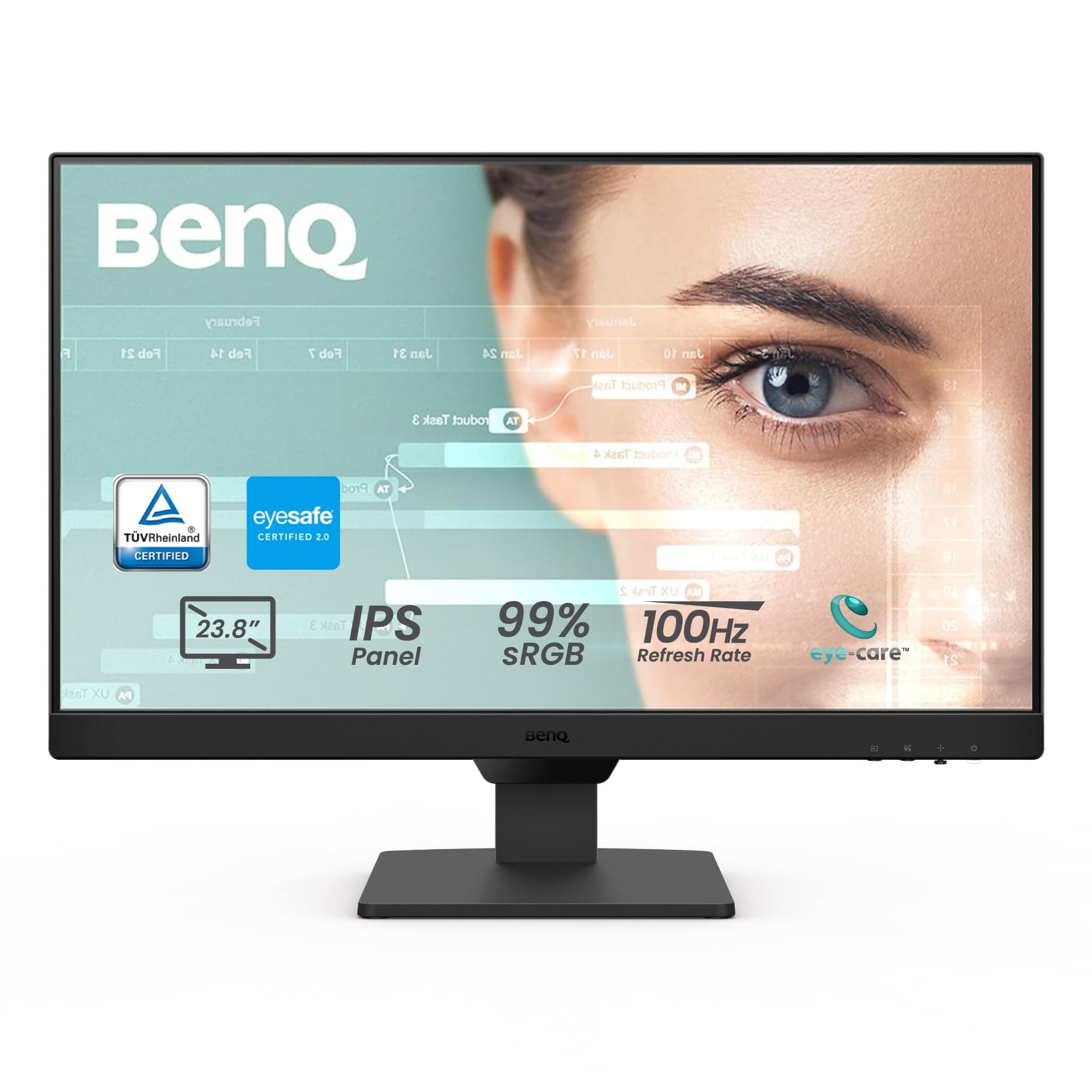
👀 See More, Strain Less — Elevate Your Screen Game
The BenQ GW2490 is a 24-inch FHD IPS monitor featuring a 100Hz refresh rate and 99% sRGB color gamut for smooth, vivid visuals. Equipped with Low Blue Light Plus and Flicker-Free technology, it reduces eye strain during extended use. Connectivity is versatile with dual HDMI and DisplayPort inputs, plus an Input Hotkey for quick device switching. Its slim bezel and VESA mount compatibility make it perfect for sleek, professional setups. Backed by a 3-year warranty, it’s a reliable choice for business, gaming, and creative work.


| ASIN | B0CP9THGP2 |
| Adaptive Sync | FreeSync |
| Additional Features | Blue Light Filter, Built-In Speakers, Eye Care, Flicker-Free |
| Aspect Ratio | 16:9 |
| Best Sellers Rank | #5,967 in Electronics ( See Top 100 in Electronics ) #209 in Computer Monitors |
| Brand | BenQ |
| Brightness | 250 lm |
| Color | Black |
| Color Gamut | 99 |
| Compatible Devices | Desktop, Gaming Console, Laptop |
| Connectivity Technology | DisplayPort, HDMI |
| Contrast Ratio | 1000:1 |
| Customer Reviews | 4.5 4.5 out of 5 stars (165) |
| Display Resolution Maximum | 1920 x 1080 Pixels |
| Display Technology | IPS |
| Display Type | IPS |
| Hardware Connectivity | DisplayPort, HDMI |
| Has Color Screen | Yes |
| Is Electric | Yes |
| Item Dimensions D x W x H | 6.9"D x 16.03"W x 21.26"H |
| Item Type Name | Eye-Care Monitor |
| Item Weight | 8.4 Pounds |
| Manufacturer | BenQ |
| Model Name | GW2490 |
| Model Number | GW2490 |
| Mounting Type | Wall Mount |
| Native Resolution | 1920x1080 |
| Number of Component Outputs | 3 |
| Picture Quality Enhancement Technology | Eye-Care Tech-Low Blue Light Plus, BenQ Brightness Intellifence Tech, ePaper Mode, Flicker-Free |
| Pixel Pitch | 0.276 |
| Power Consumption | 59.5 Watts |
| Refresh Rate | 100 Hz |
| Resolution | FHD 1080p |
| Response Time | 3 Milliseconds |
| Screen Finish | Matte |
| Screen Size | 24 Inches |
| Series Number | 2490 |
| Shape | Flat |
| Specific Uses For Product | Business, Desktop, Gaming |
| Total Number of HDMI Ports | 1 |
| UPC | 840046049751 |
| Viewing Angle | 178 Degrees |
| Voltage | 220 Volts |
| Warranty Description | 3 Year Manufacturer |
| Warranty Type | 3 Years Manufacturer Warranty |
C**E
Very nice monitors
I purchased 2 of the 24" monitors - model GW2490. These are very nice monitors. Great price point. No dead or stuck pixels. Great color. Nice, sharp image. No flicker. They are very bright. I use my computer in a dimly lit location so I had to tone down the brightness to 40%. Controls are in a good location and easy to access and use. They were well packaged. They come with a 3 year warranty. Exact dimensions of the monitors without the stand are 21.25 in x 13" There is a sensor in the middle of the bottom which extends down another 1/2 in and is 3 in wide.
E**O
Got two of these
Great value for all the features you. Let me say Benq is known quality high end monitors. Even though these were less than $100 each they are excellent. I love how they put the button underneath the monitor which makes making quick adjustments so easy. The colors are sharp and text is crisp. The included eye care technology is very useful
A**R
Way nicer than I had before.
So much better than the giant super bright ones I had previously. The color is calm and normal for doing long computer work.
L**.
Excellent picture
I'm very satisfied after viewing the 1920 x 1080 display setting for 1 day. I've looked at internet, photos, and videos. All are excellent. I can't comment on games since I do not use these. I've adjusted brightness, blue light, and speaker volume. This was a little tricky. The button on the bottom of the screen which brings up a menu for these adjustments is a "joystick" type of button which can be manipulated forward, backward, left, and right. The Quick Start Guide which is the only supplied documentation that provides information about operating the monitor did not tell me how to select menu options. Only after downloading the User's Guide did I learn how to make adjustments. I tried different settings for Low Blue Light Plus, speaker volume, and brightness. I found the joystick button inconvenient. It's small and rather sensitive. It's easy to accidentally select an unintended direction. However, I think that most users will seldom manipulate this button after they initially set things up. The Low Blue Light Plus setting seems a matter of preference. I liked it either entirely off or at a level 1 setting. Speaker volume was by default set very low. When my sound was playing through the monitor speakers, I had to adjust my computer's volume setting to 100 in order for the sound to be barely audible. I adjusted the monitor's volume setting to 95 which made the volume better. However, the monitor speakers are, as many reviewers have commented, very tinny. If you have any interest in audio, you will likely do as I did and connect the speaker output of the monitor to an external speaker which will boost it and let you control bass and treble settings. I downloaded and installed the Eye Care app, but didn't find it useful. It allows you to adjust volume, brightness, and other settings by using a mouse to make your settings. This is better than using the joystick button, but I don't expect to change those settings often. It also had a timer that can be set to remind you to take a break from looking at the screen. I can easily do that by means of a clock... I really like the dual HDMI inputs which allow me to share the screen between 2 computers. I connected my laptop to one HDMI input. Using a shared wireless keyboard and mouse, I share the BenQ GW2490 monitor between my laptop and desktop computers. This monitor has all the capabilities I want. As long as it's durable, I have no complaints.
D**W
First BenQ monitor: My thoughts.
Got this for my dad for Father's Day since his Samsung monitor was starting to lose some clarity and color and decided it was time to move up from a 720 resolution to 1080 monitor. Decided to go with this BenQ based on other reviews and decent price. Sharp picture and color accuracy was spot on. With most monitors I have to play around with the settings a bit to get it where I want but this one was pretty much ready out of the box. Just had to fine tune the brightness and contrast. 100hz was a nice feature too especially at this price point. First BenQ product I've ever bought and can definitely recommend it to anyone looking for a better than average 24 inch monitor.
C**N
Great monitor for work
I bought 2 for working remote. Love them. Super easy to adjust brightness or blue light. Bought 2 more for my wife
R**6
Best price quality ratio
For price it's amazing. Crisp image. Low bezels. Various light modes. And even speakers. Which for me is not necessary but as a mini tv can be used. One do the best purchase I made all year. And super cheap.
M**R
There is software to be used for eye protection
Very happy with this monitor. However, after using it for 2 weeks and thinking it has eye protection, I just got around to looking over the user manual. Apparently there is software that needs to be uploaded to have this protection???? I haven't gone any further looking into that feature yet, but I like this monitor. Happy with purchase.
S**I
Perfect Monitor arrived in short time, using it worked fine
A**O
Muy limpia, buenos colores, hz, vertical /horizontal, biende larga... god
G**D
These IPS monitors are excellent (I bought 2), out of the box they have a very high brightness and contrast, so after turning these down they very easy on the eyes. The presets are nice, I tend to use the "coding" one since I am a software developer. The adaptive brightess feature works well - a brightness level icon shows for 2-3 seconds on the lower right of the screen when it makes a change (happens a few times a day (this can be diabled if you don't wnat it). The gap between the IPS pannel and the edge of the monitors is the best I've seen - only about 3/16 inch (4mm). And finally, to my good surprise the power connection is just a cord - no external transformer boxes!
N**N
very clear and vivid anti reflective screen.
A**7
Super écran, les couleurs sont très belles , le mouvement dans l'image est super fluide !! Très belle écran !!
Trustpilot
Hace 2 semanas
Hace 3 semanas