We remain fully operational. Our teams are working around the clock to ensure your deliveries continue safely.

Descargar la aplicación


Servicios al cliente
Sobre nosotros
Copyright © 2025 Desertcart Holdings Limited
Descargar la aplicación

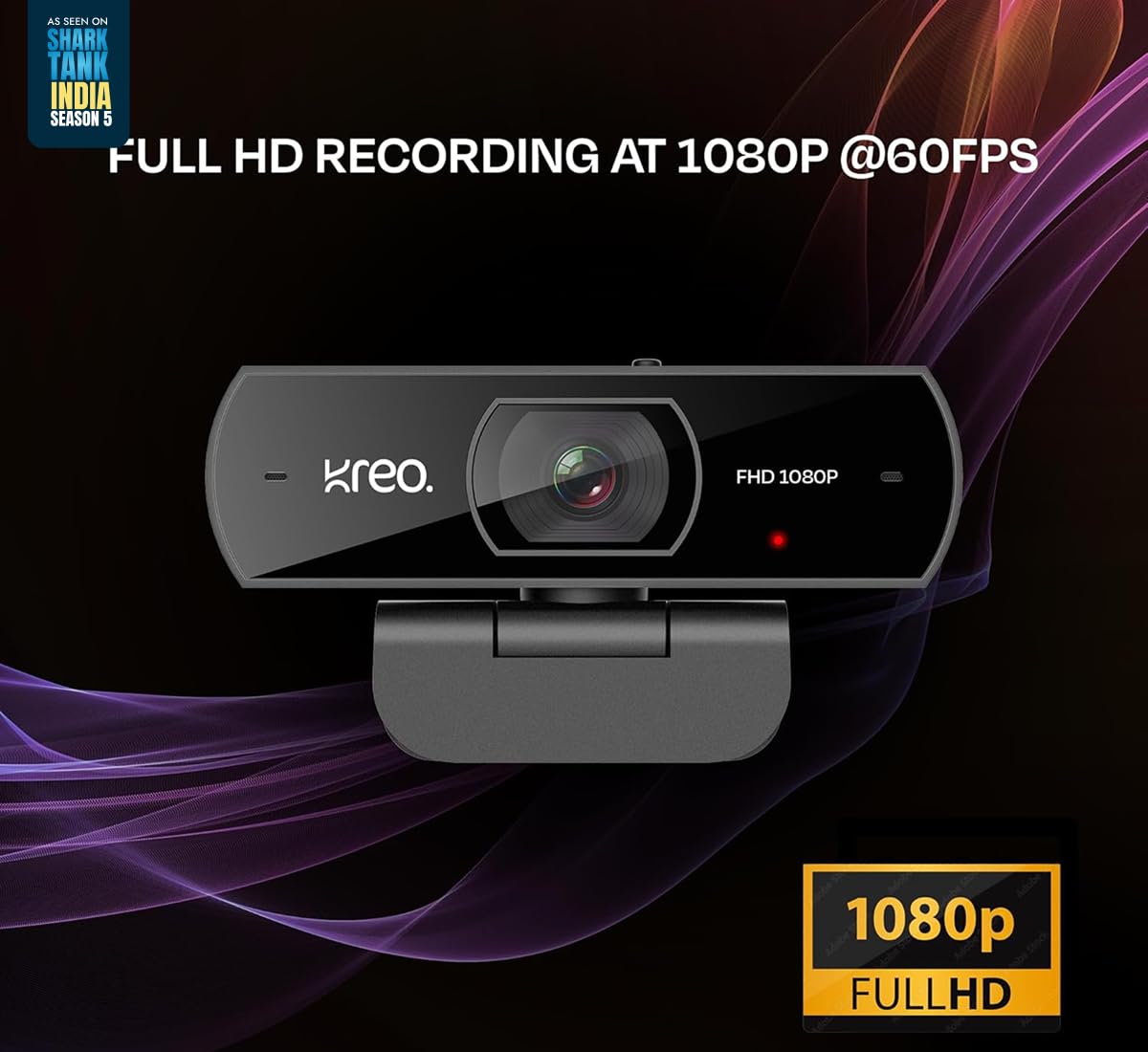



🎥 Elevate your presence—stream, call, and create like a pro with Kreo Owl!
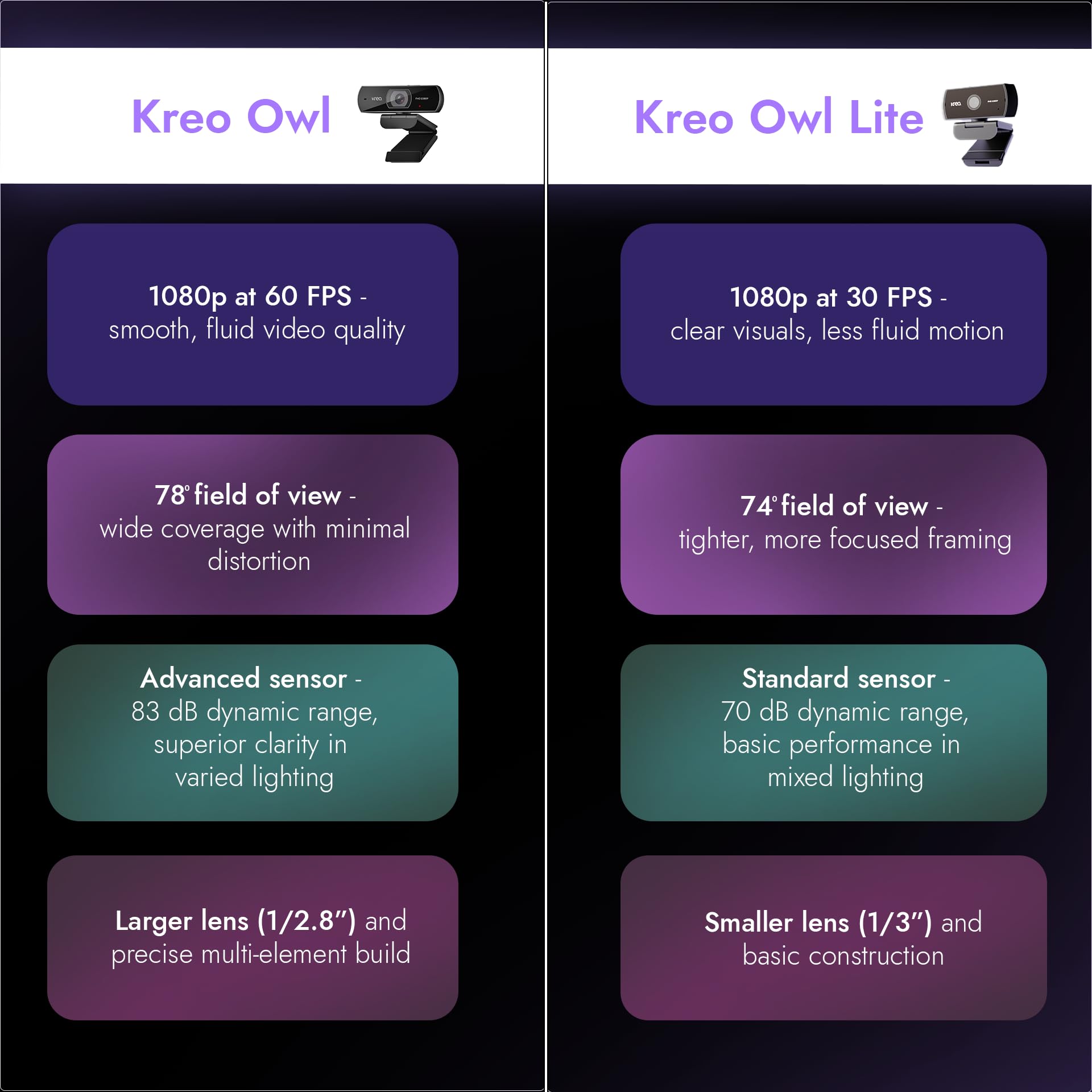
The Kreo Owl Webcam delivers professional-grade video with smooth 1080P resolution at 60 FPS and advanced auto-focus technology. Its 78-degree wide-angle lens offers distortion-free framing, while dual digital microphones ensure crystal-clear audio with noise suppression. Designed for seamless plug-and-play setup, it features a built-in privacy shutter and 360° rotation for ultimate control and convenience, making it the perfect choice for video calls, streaming, and content creation.
| ASIN | B0CG372R11 |
| Best Sellers Rank | #145,352 in Computers ( See Top 100 in Computers ) #762 in Webcams |
| Item model number | WC1678Y |
| Manufacturer | Kreo, Koramangala 4-B Block, Bengaluru, Karnataka 560034, 9611507877, [email protected] |
| Product Dimensions | 8.1 x 12 x 16.2 cm; 157 g |
N**N
Excellent camera! Highly recommended! I tested it with OBS, and all its features passed with flying colors. (sharp image, FHD with 60 fps, auto compensation for low light, autofocus, low-light performance) When we move our hand fast across the screen, there is no lag or motion-blur. In low light condition, the camera works beautifully, without producing a grainy video. Note: If you test any webcam online, the browser limits the frame rate to 30 fps. Usually the webcam is 30 fps, so you never notice this. But this webcam is 60 fps. So if you test it online, you will get a false test result of 30 fps. Beware! Use OBS or other freeware for testing it. It will also allow you to tweak its parameters. The build quality is excellent, including the main camera body and the cable. But it's the small touches that sets this camera apart: 1. Its support angle has a padded and tiltable panel, which rests better on the display panel of the laptop. (No other webcam has this.) 2. It comes with a nice velcro strap to hold the cable together. I am sure this will extend the life of the cable, by avoiding awkward folding after each use. 3. It has a built-in privacy shutter inside the body (very few models have this. Some cameras have an external flip cap, which spoils the looks. Some models have a detachable cap, which is even worse.) 4. Its tilt-and-pan capability allows the user to keep the laptop display at a suitable angle, and yet point the camera to his face. (again, this feature is also absent or limited in other models.) The viewing angle (78 degrees) is perfect for a single user. Do NOT buy this model if you want to participate in teleconferencing as a group. I did not find any flicker (but if you experience any flicker, just change the scanning rate to 50 Hz.) The autofocus is also not an issue: It does not keep hunting. But if you face that problem, you can disable autofocus using the Windows camera controls, or controls available on your software (e.g. OBS). I use a BlueTooth headset for teleconferencing, so I did not check the quality of its built-in microphones. The default saturation is a bit low, but it can be adjusted easily with Windows camera controls. This is a matter of personal preference anyway. I prefer a little higher saturation and sharpness in my webcams.
S**L
I've been thoroughly impressed with its performance and features. The crisp 1080p resolution ensures that my video calls and recordings are always sharp and clear and also with the webcam's low-light performance which turned out to be exceptional as well. Even in dimly lit environments, the advanced light correction technology kicks in. Setting up the Kreo Owl is a breeze. It's plug-and-play functionality means I can quickly connect it to my computer or laptop without any hassle. Plus, it's compatible with a wide range of platforms and software, making it incredibly versatile. While it may not have all the fancy features of any other expensive webcams, the Kreo Owl delivers where it matters most: reliable performance, excellent video quality, and user-friendly design. Overall at this price range, I highly recommend it to anyone in need of a high-quality webcam for work, school, or leisure activities.
I**N
If you have the budget for it, this webcam is just perfect. The video quality is truly 1080p 60FPS, haven't really used the camera's mic yet so I can't say much about that (I use headphones for meetings), and it works perfectly well with Linux which was a big criteria for me. Tested it in OBS Studio, Discord and Google Meets on Windows, Arch Linux and Ubuntu. No driver installation required, worked perfectly out of the box on all my machines. Haven't had a single issue with this one so far. I would go as far as to say this is good enough for YouTube videos as well. Will update my review if I face any issues in future.
M**T
Writing this review mainly for those people who have mentioned issues with Focus Breathing problem, where the camera keeps adjusting autofocus every few seconds which is irritating for the other party seeing your video. I have purchased Kreo Owl Full HD webcam, and using it on MacBook Pro M4 chip. So if you have frequent autofocus problem on your Mac, simply go to Appstore and download an app called Spedal (not Spedal Webcam, just Spedal). This app is free and allows you to modify most of the webcam settings including Auto Focus, exposure, contrast, brightness, saturation and white balance. So if you are facing issues with Auto Focus, simply turn it off from Advance Settings panel (refer attached images). After these updates, my camera started working much better. I am sure Windows should also have similar app or driver settings available to modify it. Now coming to the functionality, features and performance of the webcam itself. I am using it mainly for office meetings and teams call. Since I always keep my laptop lid closed and attached to docking station, I bought this camera for meetings to avoid inconvenience removing laptop from dock, opening lid and using laptop webcam each time I need to join a meeting. This webcam works perfectly after modifying default settings. Image quality, resolution, FPS everything is amazing. I don't think any other manufacturers provide 60 FPS Full HD in this price range. In case you are facing issues where webcam captures background light clearly, and your face appears dark, then trust me it's not an issue with webcam, but rather a problem with your room lighting. Consider adding some LED strip lights or table top light with a stand behind your monitor screen to improve lighting on your face. Overall, I recommend to buy this webcam, it's really good. Just one side note, do check the official website of Kreo because sometimes they provide at lower cost compared to e-commerce platforms.
P**D
A solid product that serves its purpose well, with an excellent camera for meetings. It significantly improves video quality compared to the built-in laptop camera.
Trustpilot
Hace 3 semanas
Hace 2 semanas