
Descargar la aplicación


Servicios al cliente
Sobre nosotros
Copyright © 2025 Desertcart Holdings Limited
Descargar la aplicación

🚀 Power Up Your Productivity with Acer’s Ultimate USB Hub!
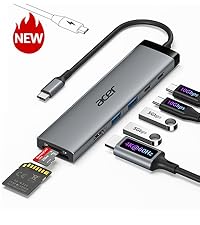
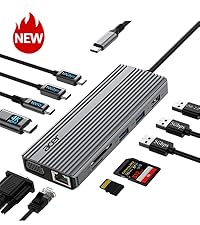
The Acer USB Hub 4 Ports is a compact, plug-and-play USB 3.0 splitter featuring 4 high-speed ports with up to 5Gbps data transfer. Equipped with an advanced GL3510 chip and a Type-C power input for stable performance, it supports simultaneous device connections while maintaining optimal thermal management. Compatible across multiple OS platforms and devices, its slim design and LED indicator make it an essential travel companion for professionals seeking seamless connectivity.




| ASIN | B0CN3F9Y1Z |
| Best Sellers Rank | #1 in USB Hubs |
| Brand | acer |
| Color | Black |
| Customer Reviews | 4.6 4.6 out of 5 stars (13,701) |
| Date First Available | November 10, 2023 |
| Item Dimensions LxWxH | 4.13 x 1.18 x 0.35 inches |
| Item Weight | 1.6 ounces |
| Item model number | ACER-UH501 |
| Manufacturer | acer |
| Operating System | Chrome OS, Linux, Windows 11 |
| Product Dimensions | 4.13 x 1.18 x 0.35 inches |
| Series | ODK350 |
D**R
Compact, reliable, and fast—finally enough USB ports for all my gear!
I bought the Acer USB Hub 4-Port because my laptop only has two USB slots, and I was constantly juggling between my mouse, external drive, and phone charger. This little hub solved the problem instantly. Setup was literally plug-and-play—no drivers, no hassle. The four USB 3.0 ports give me fast transfer speeds (my external SSD runs smooth), and I love that it has a Type-C power port so I can keep everything stable when multiple devices are connected. The build feels solid, not cheap, and it’s compact enough to toss in my laptop bag without taking up space. I’ve used it for work and travel, and it hasn’t let me down once. If you’re tired of swapping cables around, this hub is a lifesaver. Compatible with my laptop, no problem, and functional.
J**N
Fast, convenient, and reliable USB hub
This USB hub has been super handy with plenty of ports for all my devices. Connection is fast and I didn’t have to install any software—just plug and go. Plenty of power for normal use, and the option to connect a 5V adapter is a nice bonus if you need extra. It’s lightweight and compact, fits easily in any bag or laptop case. Feels solid and well-built, which is what I expect from Acer. Definitely a reliable and convenient accessory for anyone needing extra USB ports.
S**T
Great product at a reasonable price
works great with 4 items connected.
A**H
Almost perfect- headset difficulty’s
I’ve been using this Acer USB hub for a few weeks now, and overall I’m really happy with it. I bought it mainly because my laptop doesn’t have enough USB ports for all my schoolwork gear and gaming accessories, and this hub has made things so much easier. Setup and use Right out of the box, it was completely plug-and-play — no software, no setup. I just plugged it into my laptop and started connecting my devices. The size is perfect for portability; I toss it in my backpack when I go between school and home, and it doesn’t take up much space on my desk either. Performance For most of my devices, the hub works flawlessly. My mouse, keyboard, flash drives, and external hard drive all connect instantly and run smoothly. File transfers are quick, and I didn’t notice any lag or drop in performance. The USB 3.0 speeds feel solid, which is great when I’m moving large files for class projects or videos. Build quality It feels well-made for the price — not cheap or flimsy. The cord is thick enough that I’m not worried about it bending or breaking easily, and the ports hold connections snugly. It’s clearly built to handle everyday use. The one issue The only thing keeping this from being a 5-star review is my headset. For some reason, when I plug my USB headset into the hub, it either doesn’t get recognized or the microphone cuts in and out. When I plug it directly into my laptop, it works perfectly fine. It’s not a huge deal since everything else works great, but it’s a bit annoying since I use the headset for both online classes and gaming. From what I can tell, the hub might not deliver enough power or stability for certain audio devices, which isn’t uncommon for smaller, bus-powered hubs like this one. Final thoughts Aside from that minor issue, I’m really happy with this hub. It does exactly what I need — adds a few extra ports, keeps everything connected, and is simple to use. For everyday accessories and school use, it’s a great buy. Just be aware that some more sensitive or high-power devices (like headsets or external hard drives) might work better plugged directly into your computer. Overall rating: 4 out of 5 stars Would I recommend it? Definitely — especially if you just need more USB ports for regular devices and don’t plan on using it for audio or power-hungry gear
M**D
Very easy to use if you need more USB ports
I bought a new laptop and it only had 2 USB ports and I needed a few more USB ports for things like my mouse, plugging in my phone, laptop cooling fan and charging my digital camera. I've had it for a few months now and it's durable enough for me to be plugging and unplugging things everyday and keeps on working. it's compact and light enough that if I have to take my laptop somewhere I can throw it in the laptop bag and it doesn't take up much room. It's easy to use, just plug it in and plug the cables into the USB ports, no software to download.
L**A
Reliable and compact USB hub
This Acer 4-port USB hub works perfectly. All ports function smoothly with no connection issues. It’s compact, lightweight, and easy to carry. Great for expanding USB ports on my laptop.
M**G
Good to use iPad with MIDI piano keyboard, while charging the iPad
I use this adapter to connect my ipad to a MIDI piano keyboard. It allows me to use music programs on the iPad (such as Piano Marvel) while still charging the iPad. I plug the short USB-C cord from the adapter into the iPad's USB-C port, then I power up the Type-C charging port on the adapter with a standard 5vdc charger block. The Piano is connected by a printer style cable to a USB-A socket in the adapter. Works very well, and no unwanted noises (like humming sound).
J**H
This Acer USB 3.0 4-Port Hub has been a game-changer for my setup.
What stands out: Plug & play simplicity — No drivers, no fuss. Just plug it into my laptop’s Type-C power/input, and all four USB-A ports work immediately. Solid speed — True USB 3.0 transfer rates (up to 5 Gbps) make moving large files fast and smooth. No lag or dropouts. Good build & design — Slim, 2-foot cable is just right; the hub doesn't add bunches of bulk and the housing handles heat well. Versatility — Works with my Windows laptop, my MacBook, and even game console. Also handy when I need more USB ports for my keyboard, webcam, and external drives. Minor thing to note: The USB-C power port is only for supplying power to the USB-A ports (i.e. for stability when using multiple devices), not for charging or data transfer itself. Bottom line: If you need a reliable, no-nonsense USB hub with good speed and enough ports, this fits the bill perfectly. I’m extremely happy with it and would definitely recommend it.
N**G
Simple as that. Four ports of 3.0 goodness. Nice long cable so you can place it in a convenient location (i.e. mine goes around from one side of the TV to the other), which also has a reusable velcro tie on it in case the length is too long and you want to restrict it a little (or store the unit). I've plugged this hub into my router so I can supply both a m.2 SSD (via an enclosure adapter) and the printer across the network (the router only has a single port.) This works great and I can access my network drive at the same exact blazing fast speeds as before, and also use my printer with near instantaneous response. At the back of the hub is a USB-C port intended for power delivery to the hub, which is needed if you have a bunch of high draw devices. Would be nice if the manual talked a bit more about this though - it says 5V IN, but it's USB-C... is 5V 0.5A enough? (what your computer provides) - 1A, 2A, ...? Does it work with PD so it could take like 18W maybe? I'm likely overthinking this, and the answer is probably "it depends on your devices you have plugged in", but would be nice if it explained that in a bit more detail. Also a very minor thing, but it would be nice if there was like a micro switch, or timer mechanism that turned off the indicator light after some time. I know this is a very nit-picky thing, but so many hubs have these bright indicator lights which means the room stays lit at night or in the dark that I think it's a bit unnecessary. I'm not letting those above points retract from my overall ranking though, as the hub itself works exactly as intended and at fast speeds. The rest is "nice to haves" that depend on your exact scenario.
J**O
Thank you for this product. Working perfectly
A**L
Best usb hub u will fine just buy it
F**F
Funciona perfectamente. Varios discos duros enchufados y con rapidez en el traspaso de datos.
Ś**A
Dobre fajne i przydatne
Trustpilot
Hace 2 días
Hace 3 semanas