We remain fully operational. Our teams are working around the clock to ensure your deliveries continue safely.

Descargar la aplicación


Servicios al cliente
Sobre nosotros
Copyright © 2025 Desertcart Holdings Limited
Descargar la aplicación
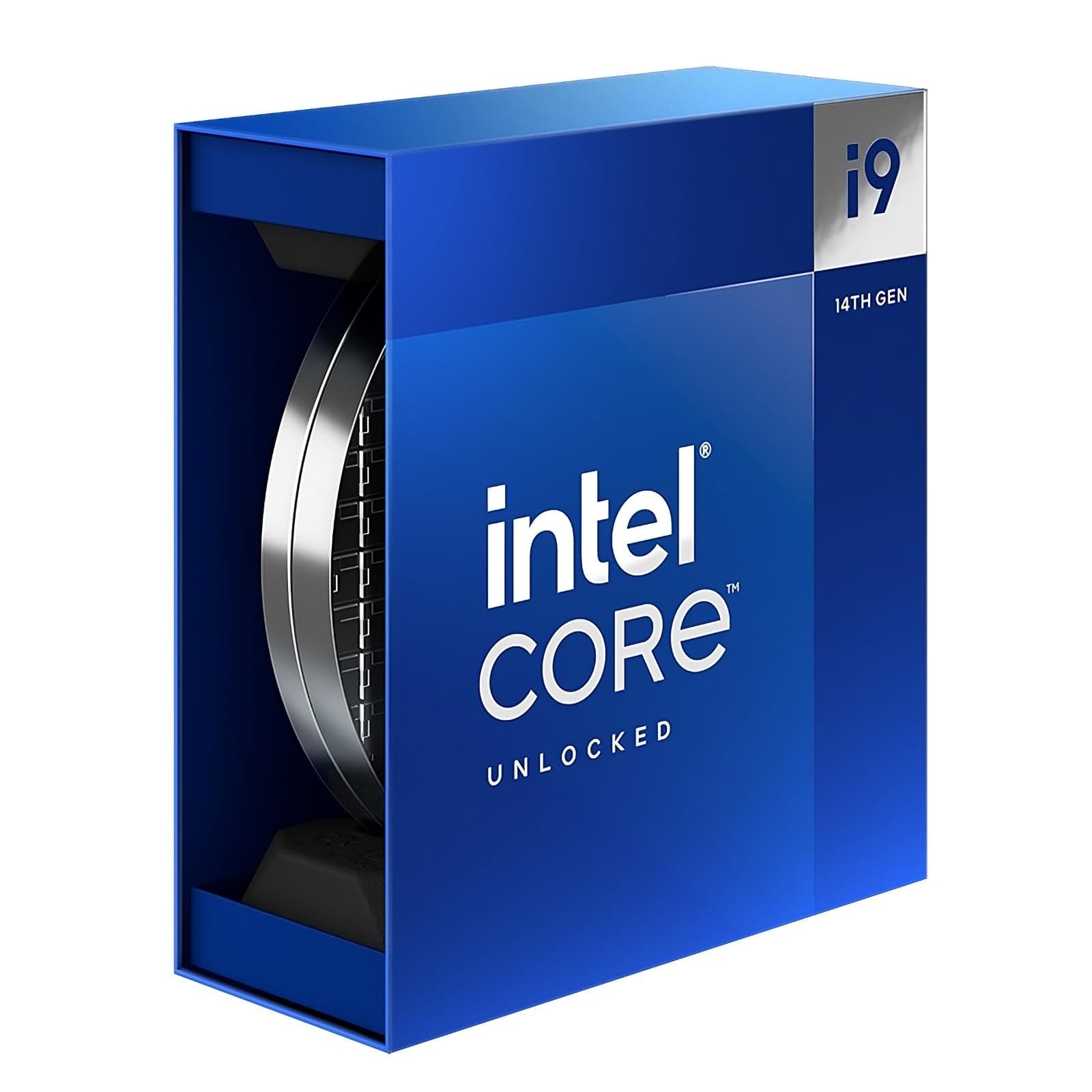







🚀 Power your ambition with the ultimate 24-core speed demon!
The Intel® Core™ i9-14900K is a 14th generation unlocked desktop processor featuring a hybrid architecture of 24 cores (8 performance and 16 efficiency cores) and 32 threads. It delivers turbo speeds up to 6.0 GHz, supports DDR5 and DDR4 memory, PCIe 5.0 & 4.0, and is compatible with Intel 700 and 600 Series chipsets. Designed for gamers and creators, it offers advanced overclocking capabilities and dynamic power management to maximize performance under heavy workloads.


| ASIN | B0CHBJGFBC |
| Best Sellers Rank | 17,886 in Computers & Accessories ( See Top 100 in Computers & Accessories ) 40 in CPUs |
| Brand Name | Intel |
| Cache Memory Installed Size | 36 GB |
| Customer Reviews | 4.2 4.2 out of 5 stars (903) |
| Global Trade Identification Number | 05032037278522 |
| Item Dimensions L x W | 10L x 15W centimetres |
| Manufacturer | intel |
| Model Number | BX8071514900K |
| Platform | Not Machine Specific |
| Processor Brand | Intel |
| Processor Core Count | 8 |
| Processor Count | 1 |
| Processor Number of Concurrent Threads | 32 |
| Processor Series | Intel Core i9 |
| Processor Socket | LGA 1700 |
| Processor Speed | 6 GHz |
| Product Warranty | 3 years manufacturer |
| Secondary Cache | 36 MB |
| Wattage | 125 watts |
D**N
My Thoughts on the i9-14900K
I bought this CPU back in December 2025. It arrived quickly, packed properly, And only about 3 weeks ago I installed it in my pc, even though the CPU runs fairly hot because keep in mind it’s a power hungry cpu, it was a huge upgrade from my i5-10300H, it runs every game super smooth, it was easy to install, even though the price tag of over £400 it surely is powerful, and I highly recommend it!
K**I
Incredibly powerful processor for gaming and productivity
The Intel Core i9-14900K is an absolute powerhouse. With 24 cores (8 performance + 16 efficiency) and boost speeds of up to 6.0 GHz, it handles everything I throw at it with ease. Gaming performance is exceptional, and multitasking or heavy workloads like video editing, compiling, or running virtual machines are effortless. Even under load, performance remains consistent when paired with a good cooler. I’m using it with a Corsair NAUTILUS 360 AIO, and temperatures stay well within safe limits. It’s also highly responsive in day-to-day use — apps open instantly and there’s no slowdown even with lots running at once. Power draw and heat are high, but that’s expected for a chip this strong. Overall, it’s one of the best CPUs available for high-end builds, especially if you want top-tier performance for both gaming and productivity.
R**S
You will need a good cooler for this powerful cpu
powerful cpu 24 cores very stable with a GOOD cooler im using the thermalright 360 radiator sits around 39c jumps up to around 85 under 100% load speedy delivery would purchase again
A**W
wrong tool for the job
blue screens and app/game crashes even at out‑of‑the‑box settings, with random BSODs during gaming and everyday desktop use If you want “set and forget” stability dont bother with rubbish . i just trusted intel as i always have but have discovered this has well well‑documented stability issues If you just want a machine that is fast, quiet, and reliable to actually use rather than constantly tune, the 14900K is the wrong tool for the job
S**.
Good CUP but limited at the moment
Bio does not like running this at the its stated speed, so at the moment not good value for money, will see if bios' will improve to a point when it can be used at the advertised speed! I am on my third Bios upgrade and still having problems, but much better than my K9900
J**D
Excellent cpu
Bought this CPU for my first ever self build. I ensured the motherboard BIOS was updated to prevent encountering the known issues the 14th gen CPU’s have been experiencing. Having done this, I’ve noticed that 2 cores do run at a max of 5.7ghz. I have no qualms with this. One thing to note, is that it does generate a lot of heat. I have 7 fans in total and under strenuous gaming load, the CPU can reach up to 81 degrees centigrade. Although this is hot, it is within spec. Haven’t had any issues thankfully so really happy with the purchase. (UPDATE 29/07/24) having looked more closely, two performance cores do run at 6.0Ghz so it is operating as stated. Thankfully no issues. Have updated the BIOS and haven’t noticed any reduction in performance. Will be looking at updating the BIOS again once intel releases its micro code update. Have noticed temperatures reaching 84-87 degrees during gaming, I think the ambient temperature contributes towards this slightly raised temperature as it has been quite warm in the UK over the last few days.
A**N
Perfect
Arrived quickly. Updated to the latest Asus Bios then put the new CPU in my computer, put on my Corsair AIO, Had Bios come up showing the CPU was replaced as expected. Windows started fine, found 2 of my 4 monitors working ok but no desktop picture showing on 2 of them although the mouse pointer would go onto them ok, reinstalled Nvidia and my Wallpaper Engine, All then fine. Altered a couple of settings to make sure temps was going to be ok, Did have to play about in iCue a bit to get the fans not to run too fast. I now have all working with the CPU resting at 37 deg and below 80 deg when stress testing it. Very happy with the performance and temps.
C**C
Cpu
It’s a great piece of kit very expensive for what it is came in a crap box you would expect for the price it would come in a decent package.have not installed it yet but looking forward to seeing it working
S**Z
CPU (14900K) is packaged differently than visible in the unpacking video (not a sleek silver imitation of a silicon wafer) but in a simple box. Amazon CS wasn’t helpful and wouldn’t replace product or even explain the discrepancy. I have ordered 2 CPUs, both came in simple boxes. Simple boxes (CPUs made in Vietnam) are supposed to be inferior in comparison to „premium” variant made in US, which is quite important considering Intel loose interpretation of stability and longevity of their hardware.
E**E
Package kinda damaged, by I still recieved the item in working order
M**U
Intelin 14. neslini alıp sorun yaşayan kullanıcıların aksine problem yaşamadım. Forumlardan fazla ısındığına dair bilgiler okumuştum. Müzik prodüksiyonu yaptığım bilgisayar için aldım. Scythe FUMA 3 SCFM-3000 fan ile kullanıyorum. İşlemci ısısı beklerken 30-35, Pro Tools ile yüklü bir projede çalışırken 50-60 derece arasında... Zaten genel eleştiriler enerji verimliliği üzerine. 125 W enerji harcadığı için ısınması gayet normal. İyi bir fan veya soğutucu ile yüksek performans alınabilir. Performansı Apple'ın M3 Ultra işlemcisi ayarında.
N**L
Der Intel® Core™ i9-14900K ist das aktuelle Flaggschiff der 14. Generation und richtet sich ganz klar an Enthusiasten, Gamer, Content Creator und Power-User, die auf maximale Leistung setzen. Nach intensiver Nutzung über mehrere Wochen kann ich sagen: Diese CPU ist ein echtes Kraftpaket – aber sie verlangt auch nach einem entsprechend hochwertigen System. ⸻ 🔧 Technische Highlights & Leistung Mit 24 Kernen (8 Performance-Cores + 16 Efficient-Cores) und 32 Threads sowie einer Taktfrequenz von bis zu 6.0 GHz bietet der i9-14900K unglaubliche Rechenleistung – sowohl für Single-Threaded-Anwendungen wie Games als auch für Multi-Threaded-Aufgaben wie Rendering, 3D-Modellierung, Video-Encoding oder Virtualisierung. Benchmarks zeigen: • Gaming-Leistung ist aktuell auf dem absoluten Top-Level, besonders in Kombination mit einer RTX 4080/4090 oder vergleichbaren GPUs. • Produktivitätsanwendungen profitieren enorm von den zusätzlichen E-Cores, besonders bei parallelen Workloads. ⸻ 🧊 Wärmeentwicklung & Energiebedarf – ein bekanntes Thema Die größte Schwäche des 14900K liegt – wie auch schon beim Vorgänger – in der hohen Leistungsaufnahme und Hitzeentwicklung. Unter Volllast sind Spitzen von über 300 Watt möglich, und ohne leistungsstarke Kühlung wird die CPU sehr schnell thermisch gedrosselt. Empfehlung: • Verwende mindestens eine hochwertige 360mm-AIO-Wasserkühlung oder eine Custom-Wasserkühlung • Sorge für gute Gehäusebelüftung • Optional kann ein Power Limit (PL1/PL2) gesetzt werden, um das Verhalten besser zu kontrollieren ⸻ 🧠 Kompatibilität & Plattform • Läuft auf dem LGA1700-Sockel, kompatibel mit Z690, Z790 und teilweise B660 Boards • Unterstützt DDR5 (bis 5600+ MHz) und DDR4 – je nach Mainboard • PCIe 5.0-Unterstützung für GPU und NVMe, zukunftssicher aufgestellt ⸻ 🎮 Gaming-Performance – Spitzenklasse In aktuellen Spielen zeigt der i9-14900K seine Stärke vor allem bei hoher Framerate und niedrigen Latenzen, insbesondere in Kombination mit schnellen GPUs. Für Nutzer, die mit hohen FPS in 1440p oder 4K zocken wollen, ist der Prozessor eine zukunftssichere Investition, auch im Hinblick auf kommende Titel. ⸻ 💬 Fazit: Leistungsmonster mit Anspruch Der Intel Core i9-14900K ist zweifellos eine der leistungsstärksten Desktop-CPUs auf dem Markt – sowohl im Gaming als auch in der Produktivität. Ja, er ist leistungs- und kühltechnisch anspruchsvoll, und ja, es gibt effizientere Alternativen, insbesondere im Alltag oder bei weniger parallelisierten Workloads. Aber wer weiß, worauf er sich einlässt – und bereit ist, in eine gute Kühlung und stabile Plattform zu investieren – bekommt mit dem 14900K eine brutal schnelle und vielseitige CPU, die mit Sicherheit auch die kommenden Jahre problemlos meistert. ⸻ 💬 Kurzfazit: ✅ Enorme Leistung in allen Bereichen ✅ Sehr stark in Gaming und Multitasking ✅ Zukunftssicher durch DDR5 & PCIe 5.0 ❌ Sehr hohe Leistungsaufnahme ❌ Starke Kühlung zwingend erforderlich
M**L
great processor with great speed
Trustpilot
Hace 2 semanas
Hace 1 mes