We remain fully operational. Our teams are working around the clock to ensure your deliveries continue safely.

Descargar la aplicación


Servicios al cliente
Sobre nosotros
Copyright © 2025 Desertcart Holdings Limited
Descargar la aplicación
Buy anything from 5,000+ international stores. One checkout price. No surprise fees. Join 2M+ shoppers on Desertcart.
Desertcart purchases this item on your behalf and handles shipping, customs, and support to Nicaragua.
⚡ Charge smarter, connect faster, and never miss a watt!
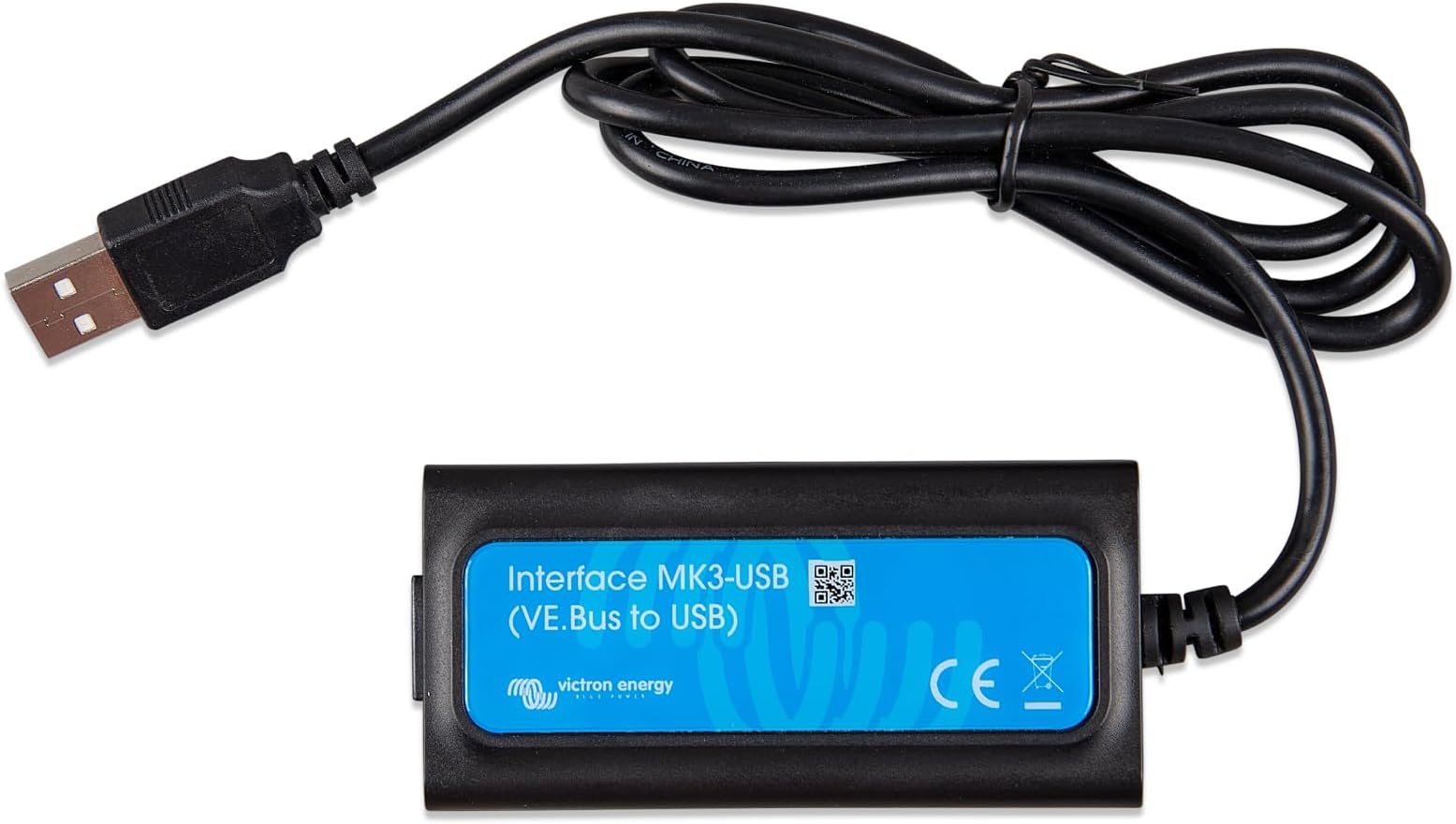
The Victron Energy Interface MK3-USB is a compact, USB-powered communication bridge designed to connect Victron Multi, Quattro, and compatible inverter/charger products to your computer. It enables seamless configuration, firmware updates, and smart battery charging by accurately sensing voltage and temperature, ensuring optimal performance and battery longevity. With easy VE.Smart Networking integration and no extra wiring needed, it’s the essential upgrade for professional energy management setups.


| Display type | LED |
| Manufacturer | Victron Energy |
| Part number | ASS030140000 |
| Item Weight | 5.66 g |
| Product Dimensions | 10 x 3 x 20 cm; 5.67 g |
| Item model number | ENG-VT-00033 |
| Size | VE.Bus zu USB |
| Style | VE.Bus to USB |
| Power source type | Solar powered |
| Item Package Quantity | 1 |
| Included components | Components included in the description |
| Batteries included? | No |
| Batteries Required? | No |
K**H
East to fit and setup
Useful addition for the Victron MPPT controller to enable efficient battery charging based on voltage and temperature. By measuring voltage at the battery bank terminals, errors arising from voltage-loss due to cable resistance are avoided - guaranteeing the correct charge-voltage. For lead batteries, battery temperature data is used to adjust the charge-voltages: cold batteries require an increased charge-voltage, whereas hot batteries require a decreased charge-voltage. For lithium batteries temperature data is used to disable charging when they are too cold: charging lithium batteries near or below freezing causes permanent damage to the cells. No additional wires needed between the two units Very easy to set-up and connect to both the app and the Victron MPPT via their VE.Smart Networking: 1) Start by connecting to the newly installed battery sense in the App (it will automatically suggest to update firmware if required (If you have an active 4G or WiFi on your device). 2) clicking on the cog and the VE.Smart Networking allows you to either create or join an existing network 3) If MPPT is not already on a network, you then just go back into the MPPT controller, to the cog icon then to VE Smart Network and then join this product to the network. Hey presto! all done! No issues with the Bluetooth range and you are left with a tidy setup
S**G
Great
Works great stops the lithium batteries charging below 5 degrees.
Q**Y
Quick and Easy Bluetooth Voltmeter for your 12v batteries and charging sysytem
Having lost a pair of batteries in my Land Cruiser when the Alternator went on the frizz I wanted to make sure that the charging system and new batteries and alternator were all working ok. The Sensor was simple to install as the eyelets bolt directly to the battery terminals. Once I connected the Victron Connect app on my phone to the Sensor, the app immediately downloaded new firmware for the Sensor. It rebooted and connected to my phone app at once, displaying the voltage and temperature of the battery (or pair of batteries in my case). I've included a screenshot showing the background voltage of my batteries (12.7v ie 100% charge), the voltage dip as the starter motor turned the engine over, and then the initial charge voltage when the engine started, a perfect 14.2v from the new alternator. Exactly what I needed to know, everything is working perfectly in the LC. The story doesn't end there. I also have an old campervan and I'd like the same confidence in its charging system and starter battery, the battery being at least 6 years old. My solution was to buy some industrial velcro on Amazon and put the bluetooth sensor in a tight pouch of female velcro. With a strip of male velcro stuck to the top of the battery, the sensor can be moved from vehicle to vehicle as required, once unbolted of course.
R**T
Works well and easy to set up. Could be improved.
I liked that there is clear instructions provided. Temperature and Voltage values are added to the Bluetooth Network App. Although the voltage is already given in the solar charger information, which on my set up is the same. So for me the only thing it brings to the party on my set up is the temperature reading. It would be better if there was a battery charger % indication, which I was hoping for. I guess Victorian want me to spend even more money to get that.
W**N
Smart battery sense
Perfect for solar charger and lifepo4 battery.easy connection
S**O
A* as you expect
Why did you choose this product over others?: Works perfectly. You really do get what you pay for
A**Y
Brilliant product.
Brilliant product.
C**E
Easy to set up on the Victron network.
Wow this solved my issue of the solar controller thinking my lithium battery was full due to the caravan wiring and backing off the solar input. Very easy to set up on the Victron App small and inexpensive.
F**K
Très bon produit victron. Simple et efficace. Je recommande
D**P
Victron is a quality product and easy to connect, configure and integrate into other Victron products.
O**N
Enheten funkar perfekt, men det jag inte förstår är varför inte detta är inbyggt i Victron enheterna från början, för att konfigurera produkterna direkt. App-gränssnittet är tillräckligt bra för att detta skulle vara en helt onödig produkt. Men nu funkar allt som det ska!
N**E
Cher mais indispensable pour configurer divers appareils Victron. Pour ma part c'est un MultiPlus 48/1600. Info importante que l'on trouve dans la doc du VE Bus c'est le mot de passe pour configurer le multiplus à travers le VE Bus: zzz (3 fois z minuscule)
A**.
Perfecto buena compra victron habla por si solo
Trustpilot
Hace 3 semanas
Hace 2 semanas