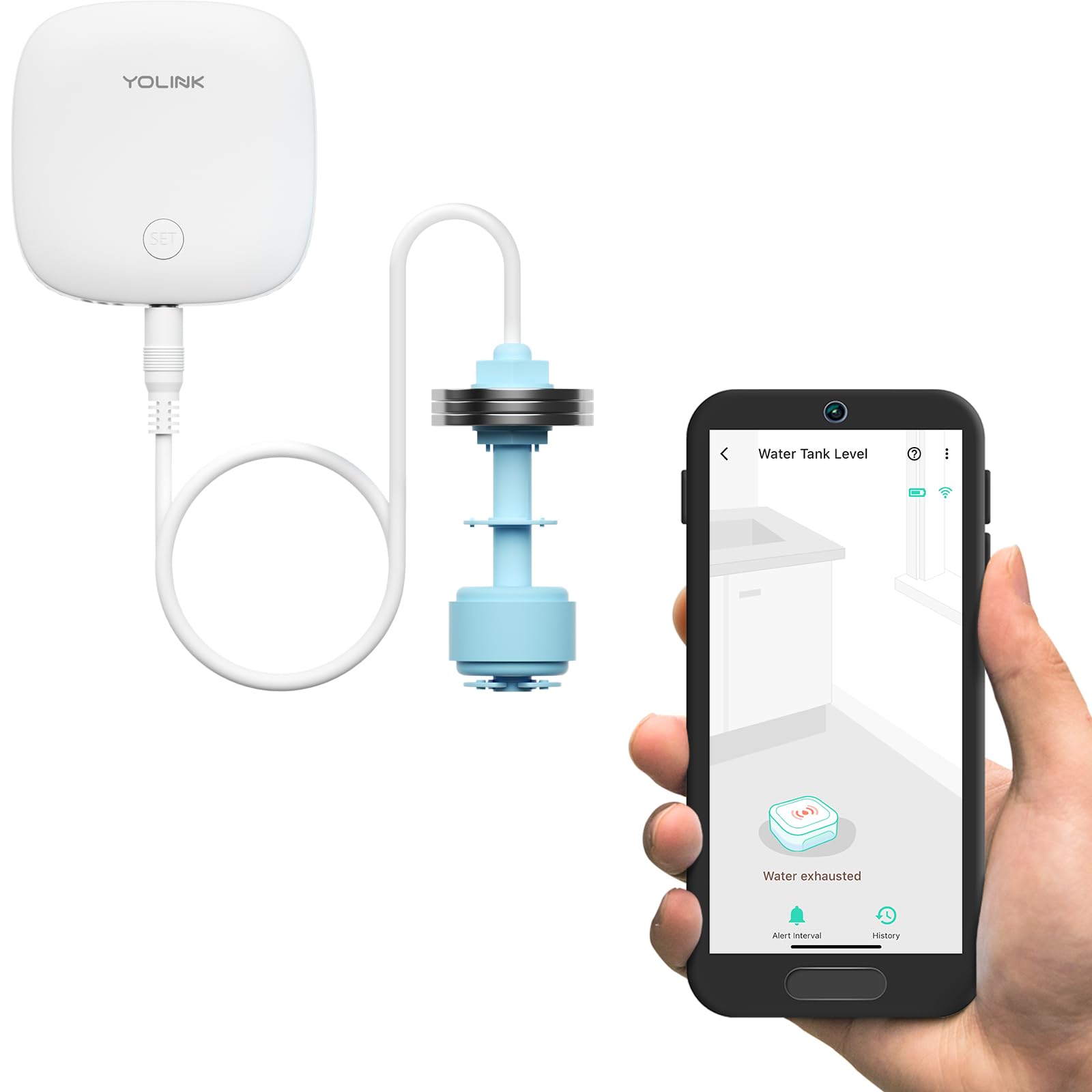
💧 Stay dry, stay smart — water level monitoring that’s always a step ahead!
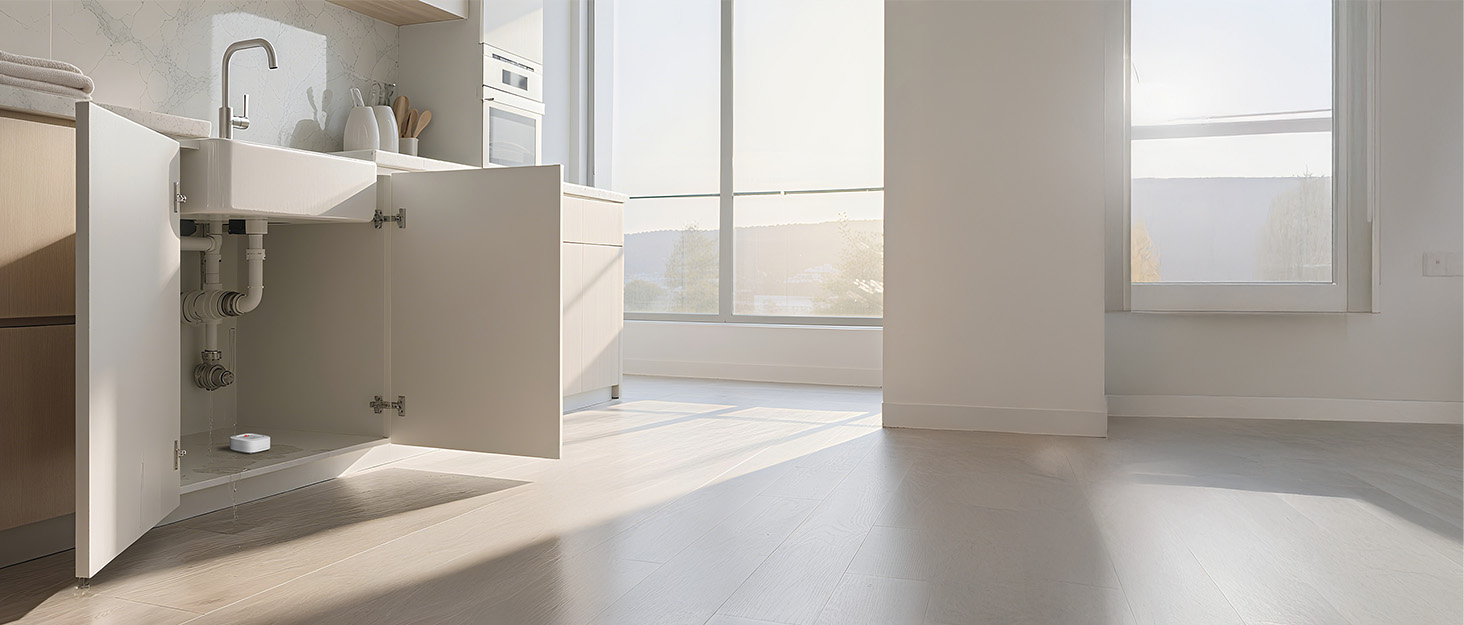
The YoLink LoRa Smart Water Level Monitoring Sensor is a wireless, battery-powered device featuring a 105dB siren and ultra-long-range LoRa connectivity (up to 1320 feet open air). Designed for versatile water level detection in sump pumps, tanks, toilets, and more, it offers easy DIY installation with a pendant float switch and stainless steel ballast. Real-time alerts via app push, SMS, email, and siren keep you informed instantly. Compatible with Alexa, IFTTT, and Home Assistant, it requires the YoLink Hub for operation and supports smart home automation for proactive water management.
| Number of Batteries | 2 AAA batteries required. (included) |
| Control Method | App |
| Noise Level | 105 dB |
| Mounting Type | Wall Mount |
| Maximum Range | 1320 Feet |
| Sensor Technology | Sound Sensor |
| UPC | 810121540848 810121540565 |
| Manufacturer | YOSMART |
| Part Number | YS7904-UC |
| Item Weight | 8.4 ounces |
| Product Dimensions | 2.44 x 2.44 x 0.8 inches |
| Item model number | YS7904 |
| Batteries | 2 AAA batteries required. (included) |
| Style | Without Hub |
| Material | Plastic |
| Item Package Quantity | 1 |
| Coverage | 1000 Feet(Open Air) |
| Usage | Amateur, Professional, Inside |
| Included Components | Detector |
| Batteries Included? | Yes |
| Batteries Required? | Yes |
| Battery Cell Type | Alkaline |
| Warranty Description | 2 Years |
C**.
Easy setup
Simple and effective. Connecting to your phone was easy.
C**R
Great product
Works. Easy to use.
D**K
using for aquarium overflow sensor
Why did you pick this product vs others?: using it to catch when the aquariumd is going to overflow when i'm not home and the siphon is not working correctly has already saved me one overflow! pretty happy and use it in conjuction with my other leak sensors that i got under the same brand
T**H
Not Durable or Reliable
I've had two of these monitors. both failed within a a couple of weeks. For the first one, the control unit became we, so that's my fault, however the second one the sensor failed in the alarm position o wewithin two weeks. Most YoLink products are very durable and reliable - BUT this one is not reliable. Needs a redesign to make it more durable, especially in damp to wet environments (for which it is advertised for). Still looking for a solution to monitor water level with LoRa connectivity. I clearly don't recommend this product as is not durable or reliable.
A**T
Soooo farrr so good
Up front it seams great but only time will tell .... that and if there is a sump pump failure, it notifies me and saves me a flooded basement. ---------------------------------------- Oh... here are a few details about Yolink sensors and hub you really do need to know. All yolink sensors of any type communicate with the hub and the hub communicates with the yolink server and the server communicates with your cell phone and the yolink app. You might think this is bad but I actually love it. Here is why. You link can send you a text or an email if a sensor is tripped. But if that text or email winds up on your phone how do you know it got there? Does your phone make some special beep when a yolink email comes in or a special sound when a yolink text comes in? As for the text I do know how to customize my text to make a special noise but I don't bother. Why don't I bother? Because I set the yolink app to "app only notification". Well ladies and gentlemen.... I found a notification reader app for my phone. It reads yolink notification out loud. Not text, not email but app notifications from the yolink app. It can be set to only read notification from any certain app you want and not from apps you don't want. Get this... it has a time delineation setting.... LOL your thinking WHAT? No it does not delineate time... It delineates THE time the app reads notifications out loud. Here is how I set it, I have it set so the app reader only reads yolink notifications at night. Not during the day time. My wife hates hearing it during the day and evening. During these times the notification makes a small sound. I know to check the notification. My wife can't hear it. So get all that? Yolink could have an "in app reader" or "announcement" that could simply say out loud what sensor just got tripped. But yolink wants you to pay them for a text service that can send a lot of text to you. NO... you don't need that. Install the notification reader, it is called "voice notify" version 1.3.1, it is awesome. It truly completes the Yolink system and makes it what it truly should be. A way for your phone to tell you what door or window or yolink sensor just got tripped and it can happen while you are in your easy chair at home, or, in an airport on another continent on the other side of the planet. ~
P**B
May or may not perform depending on our application.
First, it’s important to know this is just the same “Water Sensor 2” sensor as YoLink’s rope-style water leak sensor and their remote cable style water leak sensor. During setup, it gets configured as their remote cable sensor, but the alerts are simply inverted, so that it alerts when “dry” rather than “wet”. Where this is important is in how the sensor communicates and behaves. Because the sensor is, at its core, a leak sensor, it tends to get very chatty if the body of water you are monitoring for level with this sensor has any chop, as in, say, a swimming pool (even one that’s not actively in use.) I didn’t mind this, as I turned off the alerts and was simply intending to use this with a Home Assistant automation to selectively trigger and stop an auto-pool-refill function. However, it seems like this extreme chattiness may be having other adverse consequences in how the device interacts with YoLink’s platform. I don’t have confirmation yet, but I suspect my device’s updates are being rate-limited by the upstream servers. This unfortunately results in the sensor becoming “stuck” in either the wet or dry reading, regardless of what the sensor’s float switch position actually is. And when the rate limiting (or whatever the problem is) finally resolves, if the float switch doesn’t again cross over the trigger point, the sensor will remain in whatever erroneous position. This has caused me to overfill my pool a couple times as I did not realize the issue was occurring. So, if you have a glass-smooth water surface, such as in a closed reservoir or a small indoor aquarium, where the float switch is reliably either on or off, this may work for you. But for anything where the sensor may tend to cross back and forth over the trigger point cintinuously, such as with any sort of automations, this may not be the best solution. I am currently in the process of working with YoLink support on the issues I’m having, and I will update this review with the results. To their credit, they are extremely helpful. Already they have sent me a replacement sensor to see if that would correct the issue (but it did not). I am now awaiting their next response after giving them detailed feedback. Update: within a week of my previous review, YoLink support informed me of a new updated firmware they had available that would allow a delayed reporting interval for water level alerts. In the computer programming world, you might call this a “debounce” capability. With this firmware update, I can specify how long the sensor must continuously register a water exhausted warning internally before reporting it in an upstream alert to the servers. After applying this update, and some back and forth with support regarding some behaviors that still seemed to not be quite right, I can now say it seems that the sensor is performing as intended for my needs in monitoring the water level in my outdoor swimming pool. I am of course still closely monitoring it to make sure it doesn’t overfill my pool again, but I am cautiously optimistic that YoLink has, with this update, corrected the issue I was having. I am really impressed with Yolink’s responsiveness and willingness to help me find solutions here. I don’t know if the minor firmware update they made available is something they had in the works already, or something they added at my request, as it was very much aligned to a suggestion I made that might alleviate the issue. Either way, it was rolled out seemingly in response to my troubles in a very short order. Kudos to them! I am raising my review rating to five stars (previously 3 stars) for now. Assuming the sensor continues to perform as it is now, the 5 star rating will be deserved. If not, I will return again with an update.
S**T
Works as Advertised
This and the D2D connection to the EVO shutoff valve is the way to go. This has already proven itself by immediately shutting off our water at 2am when our sump pump failed.
S**K
Burns through batteries...
Bought one to put in a water basin to trigger the shutoff of water pump once a certain depth of water is reached. Works great to turn off pump, but I have had to replace the batteries 3 times in the past 6 weeks.
K**.
Parfait pour avoir la tête tranquille et être averti en cas de panne de la pompe ! Je n'ai pas eu de problème avec ma pompe depuis l'achat, mais lors de mes tests les avertissements fonctionnaient bien!
D**E
Wow! Love this brand. I already have some door sensors to prevent the kids sneaking out at night, and now added a high level sump pump sensor. Works like a charm, texts and alerts on my phone and the unit itself beeps in the basement. I would definitely recommend this product for many different applications.
B**R
This has been a great product for us. As we don’t have an auto filler for the pool, I was able to use this to warn if the pool level was low so we can fill the pool when needed. Using Alexa, we automated a routine to automatically turn the hose on when the water level is low. Also, I put the unit inside an electrical enclosure and drilled out a small hole for the level sensor. This keeps it protected from the elements.
B**H
Not loud enough. I’ll need the hub so that I receive email notification. So I bought the hub and everything works well. I get a text and an email should the water in my sump rise. Also, I get notifications through the hub if my Internet is down! And I get a notification when it’s back up I think it’s a very good product.
A**R
Don't buy!!! Contacted support to learn how to get app to stop sending notifications after a bad sensor. They didn't know how !!!! Expected better. Deleted the app until they can get me a proper answer.
Trustpilot
Hace 5 días
Hace 1 semana



