We remain fully operational. Our teams are working around the clock to ensure your deliveries continue safely.

Descargar la aplicación


Servicios al cliente
Sobre nosotros
Copyright © 2025 Desertcart Holdings Limited
Descargar la aplicación

Buy anything from 5,000+ international stores. One checkout price. No surprise fees. Join 2M+ shoppers on Desertcart.
Desertcart purchases this item on your behalf and handles shipping, customs, and support to Nicaragua.
🎮 Elevate your workspace & game zone with pro-grade Mini LED clarity!
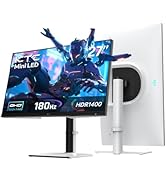
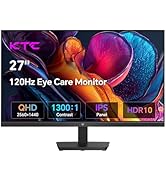
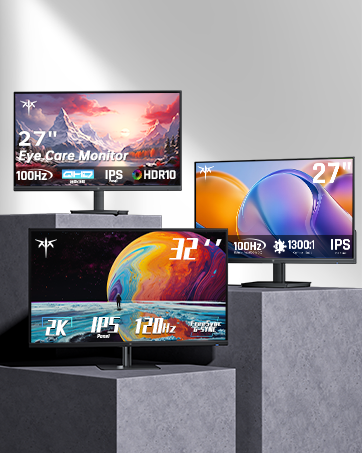
The KTC 27 Inch Mini LED Monitor combines a 2560x1440 QHD Mini LED panel with 576 local dimming zones and HDR1000 brightness for exceptional color depth and contrast. Designed for gamers and professionals, it offers a blazing 165Hz refresh rate, 1ms response time, and compatibility with G-Sync and FreeSync. Robust connectivity includes USB-C with 90W power delivery, HDMI 2.0, DisplayPort 1.4, and a KVM switch, while ergonomic adjustments and built-in stereo speakers complete a versatile, immersive setup. This monitor balances cutting-edge tech with practical features at a competitive price point.





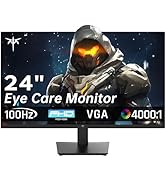
| ASIN | B0BG3Y3G1S |
| Adaptive Sync | FreeSync Premium, G-Sync Compatible |
| Additional Features | Blue Light Filter |
| Aspect Ratio | 16:9 |
| Best Sellers Rank | #21,023 in Electronics ( See Top 100 in Electronics ) |
| Brand | KTC |
| Brightness | 1000cd/m² |
| Compatible Devices | gaming consoles and PCs with HDMI, DisplayPort, or VGA output |
| Connectivity Technology | HDMI, DisplayPort, USB |
| Contrast Ratio | 1,000,000:1 |
| Customer Reviews | 4.5 4.5 out of 5 stars (708) |
| Display Resolution Maximum | 2560 x 1440 Pixels |
| Display Technology | LCD |
| Display Type | LCD |
| EU Spare Part Availability Duration | 5 Years |
| Hardware Connectivity | DisplayPort, HDMI, Headphone, USB 3.0, USB Type C |
| Has Color Screen | Yes |
| Is Electric | Yes |
| Item Dimensions D x W x H | 32"D x 66"W x 12"H |
| Manufacturer | KTC |
| Model Name | M27T20 |
| Model Number | M27T20 |
| Mounting Type | Desk Mount |
| Native Resolution | 2560x1440 |
| Number of Component Outputs | 4 |
| Picture Quality Enhancement Technology | Mini-LED 576 Zones Local Dimming, HDR 1000 |
| Power Consumption | 90 Watts |
| Refresh Rate | 165 Hz |
| Resolution | QHD Wide 1440p |
| Response Time | 1 Milliseconds |
| Screen Finish | Matte |
| Screen Size | 27 Inches |
| Shape | rectangular prism |
| Specific Uses For Product | Gaming |
| Total Number of HDMI Ports | 1 |
| Total USB 2.0 Ports | 3 |
| Total USB 3.0 Ports | 3 |
| Total Usb Ports | 3 |
| Viewing Angle | 90 Degrees |
| Voltage | 24 Volts (DC) |
| Warranty Type | 1 Year Manufacturer Warranty |
A**T
After 1 year of daily use, I can say this is the best monitor I've ever had!
***UPDATE (01/13/2026)*** - The M27T20 is still going strong with no issues whatsoever! I've been using the KTC M27T20 as my main monitor for a little over a year now and it has been amazing! I updated the firmware to the latest version (V1.2.1A) and used an ICC Profile from a YouTube channel called "techless" and loaded it through a program called DisplayCAL and after a few small tweaks to the settings in the monitor's OSD (which I'll upload a screenshot of my settings), this monitor has gone above and beyond my expectations! The two main features that make this monitor worth it for me are the Local Dimming and HDR capabilities. First, HDR is amazing but I have found that your experiences and how it is implemented with PC games will vary from game to game. Though with NVidia's new RTX HDR and programs like SpecialK/reShade, you can customize HDR content to best fit your display and the KTC M27T20 will need some tweaking to get things perfect but once you've got the settings dialed in, it's beautiful and vibrant. Second, Local Dimming is a must have feature to have enabled when using HDR as you'll be able to get those inky blacks. While you're not getting the black levels of an OLED display, the KTC M27T20 is a VA display with excellent contrast and with local dimming enabled, you can get pretty close to an OLED with minimal blooming...most of the time. Local dimming should really only be enabled with HDR content and I leave it on Auto but when I used my Switch to play The Legend of Zelda: Tears of the Kingdom, I turned it on and despite being SDR, it worked really well with the artstyle and areas like the Depths looked great with Local Dimming enabled so your mileage will vary. A feature that I was unaware of when I purchased the monitor but came in handy was the 90w USB-C port on the back of the monitor. It can be used as an alternate display connection for a variety of devices and act as a fast charging port. Because of it's power output, I can power my Pinecil soldering iron off of my monitor which is crazy to think about. There's also 2 USB-A 3.0 ports, a USB-B UpStream port, 2 HDMI 2.0 ports, a DisplayPort 1.4 port, and a 3.5mm audio connection. This monitor also doubles as a KVM but I haven't tested it since it's a feature I don't have any use for personally but I know many look for it. If I had one complaint about the monitor, it's that the power cable is a bit short. There's a cable that runs from the monitor to a power brick and then another cable running to the wall or surge protector. Both cables are awkwardly short and I have to prop the brick on a shelf under my desk otherwise it would be suspended in the air rather than resting on the floor where I would've liked it to be. Also, despite having built in speakers, they work but the quality leaves a lot to be desired. Make sure you get a pair of desktop speakers instead. Final thoughts, if you don't want to spend the money that current OLED monitors are going for and want a good HDR monitor with excellent contrast, go with the KTC M27T20. It's cheaper than a lot of the competition and as long as you update the firmware from the main website, you'll be golden. (Sorry for poor quality phone pictures, I just wanted to show the difference Local Dimming can have when running a game with HDR enabled)
S**3
Awesome Gaming Monitor!
Please restock this item, KTC! I got one of these on Prime Days and wish I'd gotten three. I actually ordered two more from Newegg after having this for a week. At this price point, theres nothing I'm complaining about with this monitor. 4k resolution, 144hz, 1ms responce time, the HDR is amazing, G-Sync compatible, everything I want in a gaming monitor. I run a 4080 Super and have been getting 120fps on average full res, you don't need a 160/180 fps 4k monitor right now, maybe you'd hit that with the next-gen GPU's but highly doubtfull with a 4000 or even a 5000 series card . The games are just gorgeous. Windows text is flawless, no pixelation in text or images. No backlight bleed or dead pixels. The only thing this monitor doesn't do is verticle height adjustment, it only tilts. I can get another mount later if needed, not enough to change my review. KTC knocked it out of the park with this one!
M**N
Starter Gaming Monitor
Great bang for the buck monitor, Great image quality. Very low latency and a great size for a computer monitor. Perfect gift for a newer gamer who's just wanting a good quality monitor.
P**L
Good monitors for the sale price with a caveat
I'm just received two of these. Everything worked fine out of the box, which was really well packaged. Pros: - Great price (got it on sale for around 150) - 85% of the quality other monitors I've seen for half the price - Color reproduction is not lacking, but not professional - No dead pixels - Packaged well - Decent OSD - Backlight bleeding is minimal (this is also usually a QC issue, so your mileage may vary) - Inputs are good - Support by email is possible Mid: - Some text is a little blocky, tuning ClearType helped a little. Cons: - Holy moly the 1/4" underscan... - Stand is bare bones, but I have a VESA mount - OSD is better then other value monitors, but not great - Don't use this for speakers unless you have none - Support site is non-existent Using this over Display Port to an AMD 6900xt. The amount of underscan on Display Port is .... not great (see pic, the pink thing is a mechanical pencil) . I have about 1/4" of black screen on the horizontal sides and top, and about an 1/8" on the bottom. Some people won't notice it, but it is noticeable. The OSD gives no adjustment for picture size, and forcing overscan is for HDMI only. This is the reason I took away the star. This may not be an issue if you use HDMI, but then you won't want to if you also want Freesync. AMD Adrenaline software has no options to fix, but it looks like there's at least an attempt. Curiously there is a way to do USB updates, but as there is no support site, I don't know if there are any updates. I don't game a ton, but when it's been working well for BG3 and CK3. Overall it's a great monitor at the price, just know that underscan for it is a thing. I would probably buy again I will update this if I find a way to fix this.
O**I
اذا انت تلعب 120 هيرتز في السوني لاتاخذها ماتدعم الشاشه في السوني تدعم 60 هيرتز فقط ، الوانها جميله وفيها عربي ستم استراجعها لعدم دعمها لي 120 هيرتز وهذا مخالف للوصف
L**S
I recently purchased two 32-inch curved gaming monitors (2K, 170Hz), and I was pleasantly surprised by their performance, especially considering they were among the cheapest 1440p monitors on Amazon. I didn’t expect much, but the picture clarity is impressive, providing vibrant colors and sharp details that enhance my gaming experience. The 170Hz refresh rate makes for smooth gameplay, reducing motion blur during fast-paced action. Another bonus is that the color matches very well between the two monitors, creating a seamless dual-monitor setup that looks great. Overall, these monitors offer fantastic value for anyone looking to upgrade to a 2K display without breaking the bank. I highly recommend them for both casual gamers and those looking for an immersive experience!
P**A
If you reside in the U.S.A., KTC has this monitor for sale for $489 USD! Since I reside in Canada, I could only purchase this monitor through Amazon and unfortunately, there is a premium to pay. However, there is no mini-LED monitor available in Canada that I know of in this price range. Facts: KTC is the OEM that produces both the Cooler Master GP27Q and GP27U. This particular monitor is identical to the GP27Q with the exception of the Cooler Master using an IPS panel while the KTC uses a VA panel. Pros: 1440p @165Hz, but can support 2160p via downscaling. Excellent contrast ratio 576 zone mini-LED backlight with 2304 LEDS Peak HDR brightness of over 1000 nits Peak SDR brightness of over 600 nits Menu is easy to navigate Pair of integrated 2W speakers Built-in KVM switch Cons: Refresh rate is reduced to 144Hz when HDR is enabled Like most VA panels, exhibits some black smearing if there is a lot of motion, but it's not that noticeable. Definitely not as fast as Samsung VA panels used in the G7 and higher models Minor bloom and halo effect caused by the mini-LEDs around bright objects, however the contrast ratio mitigates the effect greatly. You won't notice it while consuming most HDR content. Not really a con, but this monitor is REALLY bright out of the box, but then again, this is what one wants when consuming HDR content. Firmware out of the factory is a bit buggy. Highly recommend that one upgrades the firmware as it resolves a lot of issues when using HDR and VRR at the same time. Speakers aren't that great. No bass whatsoever. If you have headphones however, there is a headphone input built-in.
A**S
Monitor is so fire, but it’s missing 2 Nails
ع**ض
مايعلمني ب اعدادات الشاشه كم سرعه استجابه ونو مفعل او لا مثل شاشات LG تعلمني
Trustpilot
Hace 2 meses
Hace 2 meses