We remain fully operational. Our teams are working around the clock to ensure your deliveries continue safely.

Descargar la aplicación


Servicios al cliente
Sobre nosotros
Copyright © 2025 Desertcart Holdings Limited
Descargar la aplicación


🚀 Elevate your Wi-Fi game with pro-grade speed and control—because buffering is so last decade.
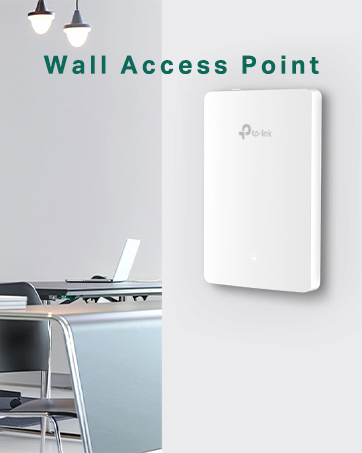
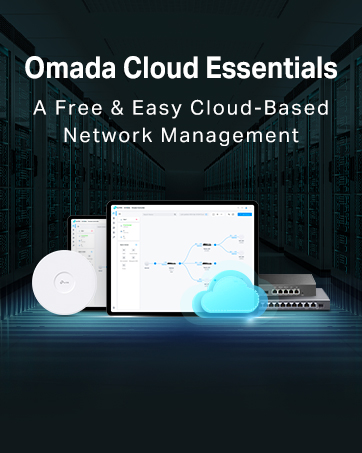
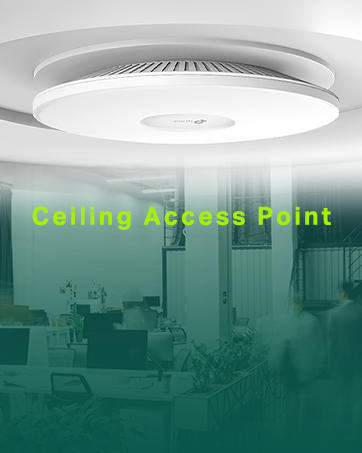
The TP-Link EAP115 is a business-class wireless access point delivering up to 300 Mbps on the 2.4 GHz band. Featuring Power over Ethernet (802.3af) for streamlined installation, it supports Omada mesh technology and centralized cloud management for scalable, hassle-free network control. Its sleek design mounts easily on walls or ceilings, making it ideal for large homes or offices seeking reliable, high-performance Wi-Fi coverage.





| ASIN | B01IR41LJY |
| Antenna Location | Business |
| Antenna Type | Fixed |
| Best Sellers Rank | 6,660 in Computers & Accessories ( See Top 100 in Computers & Accessories ) 18 in Wireless Access Points 234 in Legacy Systems |
| Box Contents | Mounting kits for ceiling or wall mounting |
| Brand Name | TP-Link |
| Colour | red |
| Compatible Devices | Gaming Console, Laptop, Personal Computer, Smartphone, Tablet |
| Connectivity Protocol | Wi-Fi, Ethernet |
| Connectivity Technology | Wi-Fi |
| Control Method | App |
| Controller Type | Cloud-based Software Controller" or "Separate Device Software Controller |
| Coverage | Large areas |
| Customer Reviews | 4.3 4.3 out of 5 stars (488) |
| Data Transfer Rate | 300 Megabits Per Second |
| Frequency | 2.4 GHz |
| Frequency Band Class | Single-Band |
| Global Trade Identification Number | 06935364096946 |
| Has Internet Connectivity | Yes |
| Has Security Updates | Yes |
| Is Modem Compatible | No |
| Item Weight | 0.3 Kilograms |
| LAN Port Bandwidth | 1000 Mbps |
| Manufacturer | TP-Link |
| Manufacturer Part Number | EAP115(UK) |
| Maximum Upstream Data Transfer Rate | 300 Megabits Per Second |
| Model Name | EAP115(UK) |
| Model Number | EAP115 |
| Number of Antennas | 1 |
| Number of Ports | 1 |
| Operating System | TP-Link OS |
| Other Special Features of the Product | Access Point Mode |
| Product Warranty | 36 Months |
| Router Firewall Security Level | True |
| Router Network Type | False |
| Security Protocol | WPA2-PSK |
| Unit Count | 1.0 Count |
| Voltage | 12 Volts |
| Wi-Fi Generation | Wi-Fi 4 |
| Wireless Compability | 802.11b, 802.11g, 802.11n |
M**M
Fabulous System
I am fortunate to have a large house which I have been renovating myself for nigh on ten years - as my dear wife reminds me every six months - and as part of that renovation I reboarded the entire house with foil back plasterboard. I figured that as I'd taken everything back to bare walls in most places I may as well spend a little more and improve overall heating efficiency. And it did. And it also created a bit of a Faraday cage as well which, I had not thought about... Doh! Anyway, this means my house is a bit of a struggle for WiFi from one unit and there are dead spots. A lot of them. My first efforts were to go with a mesh system - the BT one - and it works but really, the truth it that its a bit pants. No way do I get the same WiFi speed and the various hubs have to be almost within touching distance of each other to work. So I looked at an AP system and this TP link one is without a doubt the best bang for buck one. Designed of course for office/hotel use it also doubles up perfectly for home use for bigger gaffs and even outdoors. The overall setup is simple. Get a POE network switch, run Cat5/6 to where you need it and plug into one of the TP LInk Omada AP's. Using the App on your phone you set it up and hey presto, it works. It's really, really simple and even a complete computer nonce could manage it. I will add that I also purchased the Omada controller which, makes monitoring and control even easier and I'd say that should be in your basket as well. So installing onto your system is easy now for the actual unit. First off this does need a power supply. Despite the POE tag used on the Omada gear the cheaper items come with a power block that you need as well. I use mine right by the network switch and this means I don't need power close to the actual AP. I can put up with the slight inconvenience of a power block in my cupboard where my switch is located. Secondly this unit comes with a mounting base that you fit to a wall or ceiling. It makes fitting very easy indeed. Simply locate the mount - carefully lining it up so that the square(ish) AP won't look wonky - and then fix it to your desired spot. Plug in the Cat5 or 6 cable and then lock into place the AP. Easy. The unit itself is neat, low profile and unobtrusive. After a short while you simply forget that it's there - not something one can do with the BT mesh hubs as they are prominent wherever they are. And one thing for those not sure. When setting up your AP Omada network each AP is part of the same system login so you set one SSID and password and whichever AP gives the best signal will be the one your device seamlessly connects to. Given that this AP setup is actually cheaper - or can be - than a mesh WiFi network it's a no brainer if you can run cables.
D**E
Should have bought one years ago...
I don't write many reviews, but this device deserves a good one. Our router is in a garage converted into an office, and the insulation in the wall between it and the house is lined with aluminium - thus blocking the wifi signal like a Faraday cage. Grr. I have mucked around with wifi-in/wifi-out extenders over the last few years but they've been rubbish - mainly because I've been trying to get the signal to 'go around a corner'. I installed a powerline system to get internet to our TV, and that's been good, but obviously it's only good for devices wired into that one location. So - I took the plunge with this access point - drilled a hole in the shielding wall, fed a 10m ethernet cable through, fixed the AP in place, plugged it in, and - voila - problem completely solved. I just followed the simple instructions on the startup sheet, installed the app on my android phone, and now have excellent wifi throughout the (awkwardly shaped) house. Thank god for that! No dropouts and no resets in the first week. If the power goes off (I've been doing some wiring) the AP just seems to start itself up again - faster that the router does, it seems. The tp-link android app is fine and simple, although now I've set the password I can't see I'll need to do anything else. I wall-mounted the unit and it looks quite nice and sleek, or at least not irritating (see pic), and if the wires are fed through the wall you can arrange it so you can't see them. By the way, unlike an extender, the AP acts like a completely separate broadcast point. It has its own ID and you can give it a different password from your main router. My phone just seems to switch to whichever of the two is giving it the best signal. The instructions show that you can set up complex, wide-ranging systems, with multiple APs, and judging how 'independent' this one is, I can see that that would actually be quite simple. You could certainly have two or three if you had a humungous house. Just FYI, I looked up how far you can expect an Ethernet cable to carry a signal and it seems to be 100m - and if your house is bigger than that, contact me and I'll come round and use your pool and sauna.
D**N
Easy Setup, satisfactory Performance.
Bought to cover the far side of the house where current wifi was poor. Has worked without issue, no dropping out as it were. Considering it is in our bedroom, we seem to lose quite a bit of performance compared to being hard wired. If I have the cable plugged directly in to PC we get the 70MB provided but out supplier. When accessing net via access point we are down to 50mb??....but it is reliably consistent, so it is still better than what we had before. Range of wifi is fine in our circumstances, but does not seem poor compared to our existing setup.
M**Z
Easy to setup and works well
The access point is very easy to setup and works really well. I hung it on the wall with ease and configured it in 2 minutes with the app.
E**.
Good choice for extra WiFi
A neat solution to creating an additional WiFi zone outside the range of your primary router - this is what this device is intended to do. And it does it very well indeed. Perfect for a garden office where you can run an Ethernet cable out and plug the other end into the house router. Setting up is not too taxing but you will have to log in to the new box and change a few settings to add a necessary layer of password protected security. I also halved the standard WiFi range to restrict the new wireless zone. The mounting bracket was a bit fiddly to get right. Cheaper devices are available but this access point is no eyesore and works very well.
B**R
No UK Plug
Can’t really give a review as it came without uk plug… no option to select this.
A**O
La copertura non è delle migliori.
A**L
formidable ,super appareil ,seul bémol il faut avoir une prise française ,car la prise et américaine et donc incompatible .
Trustpilot
Hace 2 meses
Hace 1 semana