We remain fully operational. Our teams are working around the clock to ensure your deliveries continue safely.

Descargar la aplicación


Servicios al cliente
Sobre nosotros
Copyright © 2025 Desertcart Holdings Limited
Descargar la aplicación
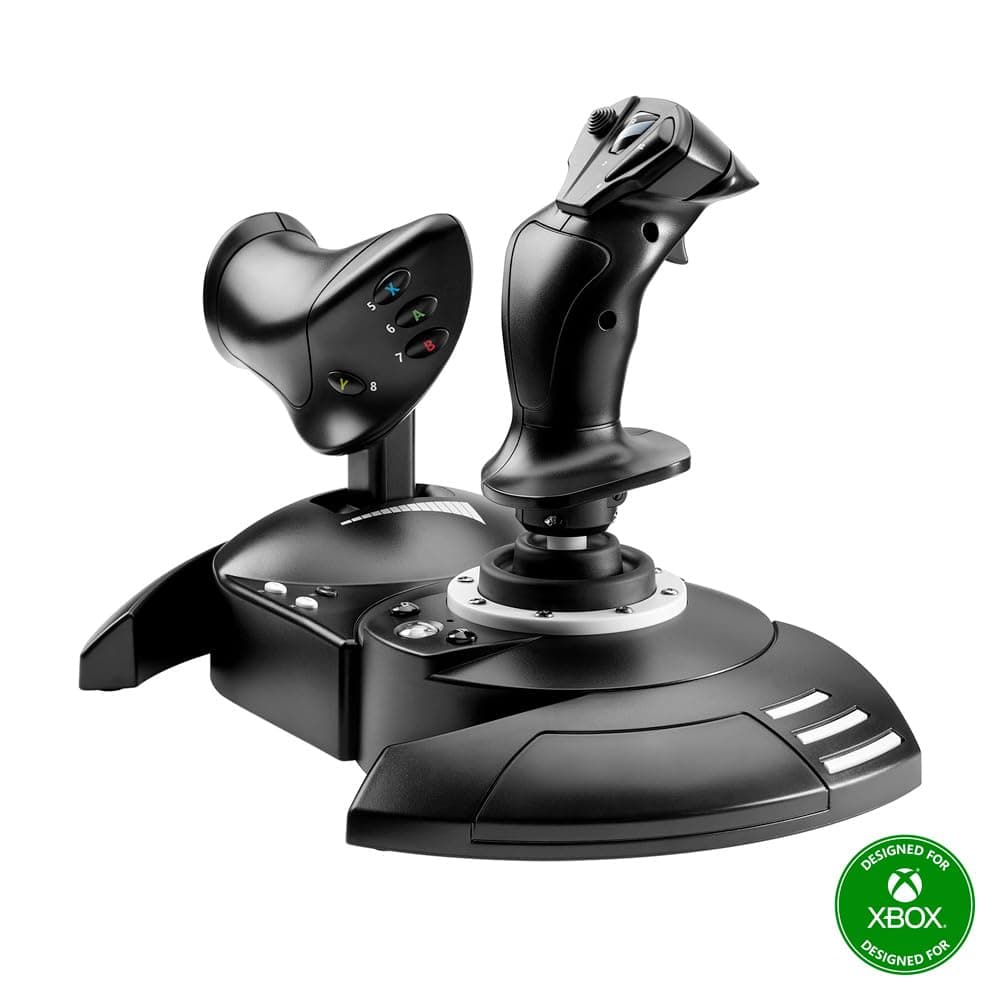
✈️ Take control of the skies with precision and style—your cockpit awaits!
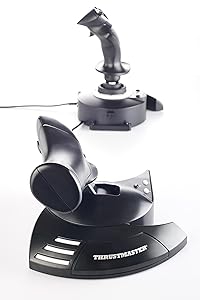
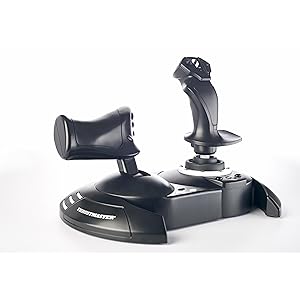
The Thrustmaster T-Flight Hotas One is a versatile, ergonomic flight stick controller featuring a detachable throttle, 14 programmable buttons, and adjustable joystick resistance. Designed for PC and Xbox Series X|S, it offers plug-and-play USB connectivity and supports a wide range of flight simulators. Perfect for beginners and enthusiasts, it delivers realistic, immersive control with modular setup options and compatibility with additional Thrustmaster accessories.

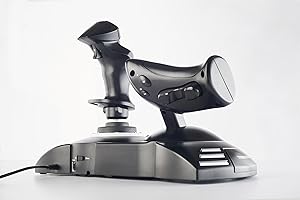
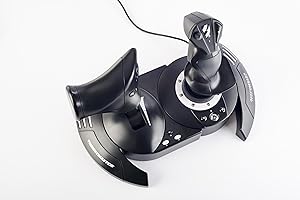
| ASIN | B07643TW2V |
| Additional Features | Ergonomic |
| Best Sellers Rank | #738 in Video Games ( See Top 100 in Video Games ) #2 in PC Game Flight Controls #19 in Xbox Series X & S Controllers |
| Brand Name | Thrustmaster |
| Button Quantity | 14 |
| Color | Black |
| Compatible Devices | PC, Xbox One, Xbox Series S, Xbox Series X |
| Connectivity Technology | USB |
| Controller Type | Flight Stick |
| Customer Reviews | 4.4 4.4 out of 5 stars (6,393) |
| External Testing Certification | Não Aplicavel |
| Global Trade Identification Number | 00663296421005 |
| Hardware Platform | Xbox Series X |
| Included Components | Instructions manual & flightstick |
| Item Dimensions | 20.47 x 11.42 x 22.24 inches |
| Item Type Name | Flight Stick |
| Item Weight | 1644 Grams |
| Manufacturer | Thrustmaster |
| Model Name | Thrustmaster T-Flight Hotas One |
| Package Quantity | 1 |
| Power Source | Corded Electric |
| UPC | 734130217037 663296421005 |
| Warranty Description | One year |
A**T
Don’t download the drivers I was ready to return it
Works mint, just DO NOT FOLLOW THE PAPER GUIDE SAYING TO UPDATE DRIVERS, fresh out of the box it was perfect (bought used like new version) so I decided to myself ”heck why not update them drivers” Worst mistake I made. At first it was fine no issue but mid flight on MSFS 2020 my plane starts sinking, I think it’s me being dumb and not having enough pitch up but I swap views and sure enough my throttle is having a seizure between 0%-25% throttle range. I was like that’s odd, check my game settings and my input for throttle was jumping from 0-25% range, so I decided to unplug and plug it back in, no luck. Google and there’s apparently issues from 3+ years ago of people complaining, I was about to return this thing. I decided to try uninstalling the drivers since I was going to return it anyways, decided to recalibrate it (never gave option to calibrate because I updated drivers so it preconfigured) and magically my throttle works perfectly. Turns out the driver updates break the throttle axis all together and it doesn’t let you calibrate to fix it the only option to get your throttle to function is to calibrate it and not update the drivers. Upon deleting and calibrating it to pc it functions perfectly plus it’s awesome to know I can throw it on my Xbox and enjoy playing too if I decide to!
B**Z
Great Entry-Level HOTAS – Smooth Controls and Perfect for Flight Sim Beginners
The Thrustmaster T-Flight Hotas One is an awesome starter setup if you’re getting into Microsoft Flight Simulator or any flying games on Xbox or PC. The controls feel solid and responsive, and the throttle + joystick combo gives a much more realistic flight experience compared to a standard controller. Setup was extremely easy — literally plug in and go. The joystick has a nice weight to it, the buttons are well placed, and the adjustable resistance is a nice touch. The throttle moves smoothly and gives you good control during takeoff, cruising, and landing. I also like that you can separate the throttle from the stick if you want more realistic spacing. For the price, the performance is excellent. You’re not getting the super high-end metal feel of a premium HOTAS, but everything works reliably and feels good in the hand. Perfect for new pilots, casual sim players, or anyone who wants a big upgrade from using a controller. If you’re looking for an affordable and dependable HOTAS setup for Xbox or PC, this one is absolutely worth it…..
C**R
It disappears. What every good controller should do. (Xbox One User)
You get so into using the device that it ceases to exist. You aren't thinking about it being there. It just melts away because the actions you perform with it become so natural, that belief is suspended. You get these easy muscle memories for actions. "Oh, there's a star. Hard bank right, throttle up, turn out, wait until you hit 1c, then throttle back and tap the system map to pick dock." You think that. Then your hands just do it and you aren't thinking about it. Because it's such a good controller. It feels cooooooooooool using it. I can't put it any other way. It's not good for shooters. I tried to use it to drive tanks in War Thunder, but that's a twitch shooter's world. Not a stick world. Not unless you are flying the planes. Perfect for that. But it will take a lot of TIME to get the stick to play nice with War Thunder. Their default settings aren't just bad, they are dangerous. No rudder control to speak of. You have to remap it off the stick because it's way too high, even if you set it to 0 in settings. Remap it to the toggle button on the back of the throttle. But Elite Dangerous? It's like they sat down with the folks behind the game and made SURE it would just be perfect out of the box. Because it was. I haven't changed a single button, setting, or mapping. I adore the default setup for this stick with Elite Dangerous on Xbox One. This alone, for me, is enough of a reason to buy this thing. It's one of the most rewarding gaming experiences I've ever had. "Throttle up to engage light engines." Sure thing. And you slam that throttle forward and start hurtling through fields of stars.
P**N
A missed opportunity for a well built joystick.
This is a really nice simple joystick made useless because they can't include a diagram to show you which buttons represent what! I am still trying to find the left trigger corresponding buttons so I can accelerate to take off. What they also don't tell you is like the logitech wheel, you should restart the xbox with the joystick plugged in and then navigate to the game via the joystick. I figured out how to navigate the xbox menus (it would have been helpful if a schematic was included but that would have made things way too easy.) I would have given this 1 star but the stick is very well built and PC compatible. I plan on trying this on my pc since it is frustrating getting any game (besides Squadrons) working with the joystick. You would think MS Flight Simulator would have a vested interest and give you guidance on what buttons to push to accelerate, turn, etc... I've crashed now over 3 dozen times running off the runway because I can't find the right button combination to accelerate fast enough. I thought moving the throttle forward would increase the speed but that would be too easy. Sadly this joystick is a big missed opportunity. At least it looks cool.
M**O
Thrustmaster TFlight Hotas One works great!
Great flight stick for the price and easy controls. As other reviewers stated- no need to install the Thrustmaster driver as others reported issues. Just use the basic driver windows 11 installed by default. Press the xbox button to turn it on. For the following steam games: Elite Dangerous detects this joystick by default. For Mech Warrior 5 Mercenaries - right click game in steam and select properties and select controller and click set up and follow on screen instructions and afterwards play in gamepad mode in game and everything works including throttle and twisting to turn! Enjoy! Strike Suit Zero sees it as a Xbox 360 game pad, just set the throttle as the throttle in game and enjoy.
T**S
Easy to use, qreat quality and just what he wanted
R**I
Excellent. Everyone should take it. It makes adventure to play Games .
F**R
Es una buena adición para el simulador, además de que incluye los botones de xbox por si lo juegas en el xbox series. yo lo conecte a la pc y ha funcionado muy bien con MSFS 2020, 2024 y X-Plane 12. tiene varios botones para poder configurar a tu gusto
C**S
So far this item has worked great.
J**C
Un joystick davvero eccellente e intelligente ... pienamente soddisfa la mia modalità di gestire gli strumenti di vari aerei per volare in MSFS 2020. Grazie
Trustpilot
Hace 1 mes
Hace 2 semanas