
Descargar la aplicación


Servicios al cliente
Sobre nosotros
Copyright © 2025 Desertcart Holdings Limited
Descargar la aplicación

✍️ Elevate your digital note-taking game with precision and style
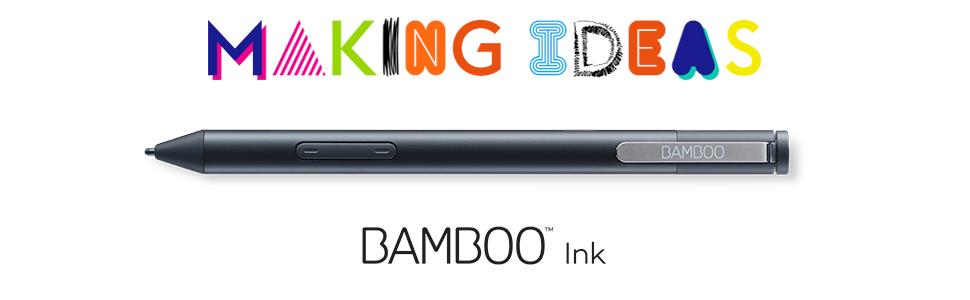
The Wacom Bamboo Ink Smart Stylus is a pressure-sensitive, ergonomically designed pen optimized for Windows 10 touchscreen devices. Featuring three interchangeable 1.9mm tips, customizable shortcut buttons, and seamless Windows Ink Workspace integration, it offers a professional-grade writing and drawing experience powered by a long-lasting AAAA battery.




| ASIN | B071KFY82N |
| Are Batteries Included | Yes |
| Batteries | 1 Lithium Polymer batteries required. (included) |
| Battery description | Alkaline |
| Best Sellers Rank | 1,066 in Stylus Pens |
| Brand | Wacom |
| Colour | Black |
| Customer Reviews | 3.9 3.9 out of 5 stars (252) |
| Date First Available | 21 Jun. 2017 |
| Delivery information | We cannot deliver certain products outside mainland UK ( Details ). We will only be able to confirm if this product can be delivered to your chosen address when you enter your delivery address at checkout. |
| Guaranteed software updates until | unknown |
| Item Weight | 20 g |
| Item model number | CS-321 |
| Lithium Battery Energy Content | 0.5 Watt Hours |
| Lithium Battery Packaging | Batteries packed with equipment |
| Lithium Battery Weight | 0.88 Grams |
| Manufacturer | Wacom |
| Product Dimensions | 7 x 2.4 x 18 cm; 20 g |
| Series | Bamboo Ink |
R**S
massive improvement over bundled HP stylus
I bought this as a replacement for the stylus that came bundled with my new HP Elitebook. The existing stylus would sometimes lose connection (if i held it upside down, for example) and my writing would disappear and occasional random lines would appear on my notes when it caught up - very frustrating, particularly as I annotate notes during training courses and it made me look a bit unprofessional. I'm happy to say that having used the new stylus for a few days, all of these problems seem to have disappeared. It works perfectly - no gaps in lines or words etc, and I had no problems pairing it via bluetooth; it's a good weight in the hand (substantial but without being heavy), doesn't slip and I personally prefer the triangular shape over the circular shape. All in all - very happy. I can now concentrate on what i'm doing rather than being worried about the kit i'm using.
B**B
Worked very easily, when Dell official pen was not available
It's quite hard to figure out which of the inking standards a touchscreen laptop supports and which any given pen supports, but because Dell were saying their own-brand pen wouldn't work properly until later in the year when a new BIOS update is made available, it seemed worth trying something else. Wacom is a brand I'd heard of elsewhere so thought it was worth a try, and it paired easily and works very well with my Inspiron 14 7445 2-in-1
K**M
Great pen, using it on a Surface Pro 3
Great pen, using it on a Surface Pro 3. The only con is the button is too delicate - it snapped off on my first day.
N**S
Didn't Work So I had to send it back.
Didn't work for me. Tried contacting Wacom support and still no response. I have a MS Surfacebook Pro. It just wouldn't work on the device no matter which protocol was selected. The device was paired but didn't work.
D**.
Works well with MS Surface Book 2
Excellent value for money. Works well with Windows Ink, and also Adobe Illustrator which are the apps I use. Easy set -up and quick response when using on the device.
S**R
Very nice but not compatible
Overall the product feels really nice and looks as though it is really good quality, however the buttons and pressure sensitivity did not work for me, so I assume this was a compatiblity issue. The laptop in question was a hp pavilion x360, so would not advise for this laptop. Pen worked really well as a simple stylus so I imagine it would be really good if compatible. As such I have returned it was was easy to do.
A**N
Active screens only!!!!!!! Check your touchscreen isn’t “capacitive”
Didn’t work because my touchscreen is “capacitive” rather than newer technology. My laptop is Dell XPS 15 9560 — if you have this model number the Bamboo Ink stylus will not work on your screen.
A**R
fairly good
CS-321 Bamboo stylus is reasonably good came with extra 3 different tips. It is little bit disappointing with working of tip, as it also function as switching on and off stylus when tip gets pressed while you start writing anything. Back and forth spring action of tip should be minimized to near zero for better note taking experience.
M**L
Usé este lápiz para mi portátil HP con digitalizador y funciona perfectamente. Es cómodo y tiene muchos niveles de presión, hace bien su función. No le encuentro ningún inconveniente.
W**H
Habe diesen Stylus von Bamboo für mein kürzlich erworbenes Surface Pro gekauft. Da in diversen Foren über Fehler beim nutzen des aktuellen Microsoft Stylus und dem Surface Pro (Störung beim Aufliegen der Hand). Mit dem Bamboo Ink konnte ich keine Fehler oder Störungen feststellen, im Gegenteil, es funktioniert tadellos. Insgesamt wirkt der Stylus auch hochwertig und klasse auch die ergonomische Form. Der Knopf oben scheint leicht wackelig, aber nicht all zu sehr. Super finde ich auch die auswechselbaren Spitzen, diese habe ich auch bereits ausgetauscht, da nachdem ich eine Displayschutzfolie angelegt hatte, das Schreiben etwas schwerer von der Hand ging, aber durch das Tauschen der Spitze lief wieder alles glatt. Die Tasten scheinen auch einen guten Druckpunkt zu haben, nur leider sieht man diese nicht wenn es dunkel ist. Sonst ein klasse Stylus den ich jedem Empfehlen kann.
U**S
Très bon produit, je l'ai reçu et en deux minutes il fonctionnait avec mon PC en bluetooth. Le manuel est simple et le stylet est facile à prendre en main. Bien entendu il faut vérifier la compatibilité avec sa machine, mais pour la mienne c'est bon. Le stylet fonctionne sous Windows et aussi sous Linux, et ce sans avoir besoin de refaire l'appairage. Un bonheur !
D**O
Ho comprato questa penna per sostituire quella bundle del surface pro 3 che ormai dopo 4 anni di servizio era conciata male. Devo dire che funziona meglio dell'originale, si è connessa subito al surface ed è molto precisa e reattiva nel disegno e nella scrittura
S**.
Ho ricevuto la penna da Amazon come sostituzione ad un'altra difettosa della Acer. L'articolo si presenta molto piacevole al tatto, ed estremamente ergonomico, grazie alla forma triangolare. La scrittura risulta fluida e l'esperienza può essere personalizzata grazie al set di punte fornito in confezione. L'installazione su Windows è immediata (presenti delle pratiche istruzioni) e la compatibilità è assicurata dalla presenza di due diverse modalità (attivabili tenendo premuti qualche secondo i due tasti). Qualche dettaglio: il tasto superiore, che avvia diversi shortcut, risulta un po' fragile: non si rompe da tende a staccarsi col tempo. Andrebbe migliorato. Inoltre le funzioni dei due tasti (quello di sopra gomma, quello di sotto selezione) risulta un po' scomodi (per me almeno), e pare non si possano modificare. Offrire questa possibilità sarebbe molto apprezzato.
Trustpilot
Hace 4 días
Hace 2 meses