We remain fully operational. Our teams are working around the clock to ensure your deliveries continue safely.

Descargar la aplicación


Servicios al cliente
Sobre nosotros
Copyright © 2025 Desertcart Holdings Limited
Descargar la aplicación


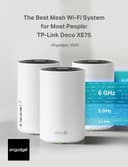



🚀 Elevate your WiFi game — coverage, speed, and smarts that keep you connected everywhere!
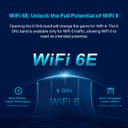
The TP-Link Deco XE75 AXE5400 is a premium WiFi 6E tri-band mesh system designed to deliver ultra-fast speeds up to 5400 Mbps and expansive coverage up to 7,200 sq.ft. Its innovative 6 GHz band reduces interference and boosts network efficiency, while AI-driven mesh technology ensures seamless roaming across multiple nodes. With robust security features including WPA3 and HomeShield, plus easy app and voice control, this 3-pack system replaces traditional routers and extenders to future-proof your home or small office network.


| ASIN | B0B88T5RDY |
| Antenna Location | Gaming |
| Antenna Type | Internal |
| Best Sellers Rank | #133 in Electronics ( See Top 100 in Electronics ) #3 in Whole Home & Mesh Wi-Fi Systems |
| Brand | TP-Link |
| Built-In Media | 1 x Quick Installation Guide, 1 x RJ45 Ethernet cable, 3 x Deco XE75, 3 x Power adapters |
| Color | Black and White |
| Compatible Devices | Personal Computer |
| Connectivity Protocol | Wi-Fi |
| Connectivity Range | 7200 Square Feet |
| Connectivity Technology | Ethernet, Wi-Fi |
| Control Method | App |
| Controller Type | App Control |
| Coverage | 7,200 square feet |
| Customer Reviews | 4.3 out of 5 stars 7,292 Reviews |
| Data Transfer Rate | 5400 Megabits Per Second |
| Frequency | 6 GHz |
| Frequency Band Class | Tri-Band |
| Global Trade Identification Number | 00840030707148 |
| Is Modem Compatible | Yes |
| Item Dimensions L x W x H | 4.13"L x 4.13"W x 6.65"H |
| Item Weight | 1.59 Kilograms |
| LAN Port Bandwidth | 10/100/1000 Mbps |
| Manufacturer | TP-Link |
| Maximum Upstream Data Transfer Rate | 2700 Megabits Per Second |
| Mfr Part Number | Deco XE75(3-pack)_US |
| Model Name | Deco XE75 V2 |
| Model Number | Deco XE75(3-pack)_US |
| Number of Ports | 9 |
| Operating System | TP-Link Firmware |
| Other Special Features of the Product | QoS |
| RAM Memory Installed | 512 MB |
| Security Protocol | WPA-Personal, WPA2-Personal, WPA3-Personal |
| Smart Home Compatibility | Smart Home Compatible |
| Special Feature | QoS |
| UPC | 840030707148 |
| Unit Count | 1.0 Count |
| Warranty Description | 2 year manufacturer |
| Wi-Fi Generation | WiFi 6E |
| Wireless Communication Standard | 802.11ac, 802.11ax, 802.11b, 802.11g, 802.11n |
| Wireless Compability | 802.11ac, 802.11ax, 802.11b, 802.11g, 802.11n |
M**E
One of the very best mesh routers you can buy
I am a techno-geek. Have degrees in electronic engineering and in computer science (networking). Have been working in the computer and telecommunications fields for the past 45 years. Way before Al Gore even invented the internet. I have a ranch style house with full basement; approximately 3,000 sq feet + 2 car attached garage. I normally have 2 routers active; main router for all ethernet connected devices as well as providing VPN connection (Linksys WRT3200ACM); which also connects to the 2nd wireless router a netgear R7000 for my normal open WIFI for non VPN traffic and guests. Both routers are in the downstairs, centered, and work good. The VPN router/WIFI covers the areas of the house for fixed/PC/Laptop that use VPN; but the netgear providing clear WIFI couldn't cover the entire house with a usable signal; even though the R7000 is a very good high end wireless router. It covered MOST of the house, but none to the garage and very little outside front or back; and a couple of sketchy places in the house. I tried wifi extenders and even another router as an access point. Problem with those are there is no smooth transition when walking around with a cell phone, tablet, taking laptop out on the back deck, and other mobile scenarios. Great if you're going to a spot and staying there; but extenders and AP are not good if you're moving around. So, I went with a Mesh system; the TP-Link AXE5400 XE75. This has been awesome. Setup is easy, just follow the app instructions. I left my primary Linksys VPN router as is, and simply removed the Netgear R7000 and replaced it with the TP-Link. (Yes, double NAT is fine for 99% of traffic; IF the primary router, in my case the linksys, is set up properly to allow traffic flow to the TP-LINK to work properly). Anyway; the main TP-LINK router is where the netgear was, and I wireless connect the second slave node on the main floor. This is working great. My VPN linksys wired/wireless router still covers the 2 home offices that use the vpn; and most of the house for the other rare vpn occasions. The new TP-Link XE75, between the downstairs node and the main floor node, are covering every inch of the house, garage, back yard, and front yard. And being I gave it the SAME SSID name and password that the Netgear USED TO BE, I didn't have to change any settings in ANY of my wifi devices. Not even security cameras, Roku, AppleTV, phones, tablets, laptops, etc... All the devices were instant connections. And when I roam around the house, yard, deck, etc... the portable devices like phones and tablets transfer from the one node to the other node seamlessly. I was considering getting a 3rd node, but after using this for the last month, there's no reason to spend more money. This is the best setup I could have wanted. Definitely buy it if you need PORTABLE WIFI COVERAGE for phones, tablets, etc... that move around a lot. If your devices are pretty well fixed and don't move, like streaming tv boxes, smart tv, laptop/computer in an office, etc. then learn to better position your existing wifi router for better coverage or look into using an extender. Extenders are great if you're staying in one place; because it's shows a different SSID than the main and your device can't auto switch between them. But for fixed devices or scenarios where you stay put for long periods of time, extenders are great. Especially for the cost of the TP-Link. I got it on sale, but an extender is still much cheaper. But if you need the mesh technology so you can be more mobile with uninterrupted connections, then this is the mesh wifi for you.
C**B
Excellent Mesh Network that meets my requirments
UPDATE 8-Dec-2024: In my review I mentioned the TP-Link Dual-Band BE5000 WiFi 7 Mesh Wi-Fi System (Deco BE25) was a lot more expense, and I suggested waiting until you needed WiFi 7. Well, the price is so close to the WiFi 6 I'd go with it now to help future proof! I didn't check other vendors, and I don't have the WiFi 7. If I had to buy today, I'd do the WiFi 7 for sure. 2-Pack WiFi 6 = $220 ($110 each) 2-Pack Wifi 7 = $230 ($115 each!!!!!) 3-pack, WiF 6 = $330 ($110 each) 3-pack WiFi 7 = $300. ($100 each!!!!!!!) UPDATE 29-Sep-2024: I'm totally satisfied. ZERO issues, works beautifully. I had this at 4-Stars to start as installation and set-up went smoothly however I wanted time for it to "bake-in" with use., now I'm at 5-Stars. There is a TP WiFi 7 model available that does cost less than other vendors, still expensive though. The WiFi 6E was $188 for the pair, WiFi 7 is $449 for a pair. That's a big jump, and yes, from what I've read you'll get higher performance. The question that needs to be asked: Do you need it for the extra price? If you can easily afford it, no reason not to. I've worked for 30 years as a network design/architect/consultant in the carrier industry. As described below, for my requirements the TP WiFi 6E is perfect. In 5 years, I may need to look into upgrading to a higher grade mesh. By then, prices will come down for a WiFi 7 and maybe when WiFi 8 is out that'll be a consideration. For now, WiFi 6E works. I give routers a 5-year life span as tech improves rapidly, but do you need annual upgrades? Not in my world, yet. I'm still waiting for 5G cellular service in my rural setting yet I do get 80Mbps down/19Mbs up (Verizon), and in some places in Colorado Springs I've clocked 1.3Gbps on my iPhone which is insanely fast. My iPhone does provide good hotspot backup if needed. If you have a "Brady Bunch" size family, maybe the WiFi 7 would better, and you may need more than 2 routers in the mesh depending on your house, basement, patio, number of devices and floors. The nice thing about the TP mesh is adding more as needed is easy, as it should be today. GENERAL: 16-Sep-2024 I needed a new WiFi mesh solution. I'll explain why in a bit. For 99% of the users at home, basic settings should be fine. For those with bespoke setting requirements, they know what needs to be done. This isn’t a commercial grade device like from Cisco or Meraki although for small offices, I think the XE75 would be excellent. DETAILS TO CONSIDER: I’m using the TP Deca XE75 – be SURE to know this, not Deco AXE5400 as this is not a choice when registering via the app. I use just a pair in a 3,800’ slab-on-grade ranch. Each XE75 works at 2.4/5/6Ghz. There are 3 “Networks”: Router, Guest and IOT to isolate connections. Pricing was excellent at $219 for the pair + a $30 discount coupon! This is not a Base plus Extender, these are both full-function WiFi routers with the first one setup being the Main. They each have 3 UTP Gbit ports. I only needed UTP on the Main. Password, frequencies, ect settings are all transparent across the mesh network. You can click on each Wifi router in the mesh to see what is connected to each. Each SSID will have its own password. Be sure to use Upper/lower/a few numbers/a few special characters, and MAKE SURE TO JOT THEM DOWN! SSID Router and Router_6Ghz + Password you create - iPhone, laptop, printer, SAN/NAS SSID Guest + Password you create: if I have visitors SSID IOT + Password you create: all other connections like Hunter-Douglas PowerView (motorized Roman shades), TVs, 22KW Generac generator, DTV, DVD, etc that have vendor access for updates and such. SETUP: SUGGESTION: Unplug your ISP equipment before you start setting up the app. My iPhone just downloaded via my Verizon cell connection nicely. This gives your ISP equipment the 5 or more minutes to quiesce (shutdown, clear). When I connected to my ISP equipment and powered-up, I called my ISP, they saw the new device, authorized and in a few seconds I was back on-line. Download the TP App, and follow the instructions step-by-step. When setting up, each XE75 has a barcode on the bottom that needs to be scanned as you set them up – easier than typing in the code. It’s a tad fuzzy to scan, just don’t give up. I used an iPhone 13 Pro to scan and was surprised how difficult it was. Just follow the instructions at setting up the router EXACTLY (keyword=EXACTLY) as they say. The app will ask you to name it, I used Office from the choices, and I think you could do a custom name. With my ISP, I have to call and tell them a new router is being connected so they can authorize it for security. My ISP is a local company in Colorado, Kellin, that services remote areas hence microwave (plans in the next 12-18 months include going up-to 500Mbps - way more than I need), and support is seriously fantastic after more than 10 years. The UTP ports (3 on each route) support 1Gbps. The TP should work for all ISP, probably even StarLink although check first to be sure. The App set-up worked great as I followed the instructions EXACTLY as they specified. Next, I created PASSWORDS for Office, Guest and IOT networks. Next, I added the other XE75 to the mesh using the barcode reader, and boom, up it came, connected to the mesh and I named it Bedroom. On the App you’ll see: ISP icon---Office/MAIN icon----Bedroom icon (these are my locations) plus you’ll see how many devices are connected to each with a footnote number for each. Nice. Next, I started discovery for Router – my laptop runs at 6Ghz. BTW, UTP connections go to Router only that I can tell, not Guest or IoT Next, I started discovery for IOT No Guests yet, however, they should connect as easily Under “More Settings” at the lower right corner of the app, click and you’ll see Wi-Fi Setting (Main Network), then Guest Network and IoT Network. Pretty straight forward; naming Wi-Fi Setting the same as the Main Network would make better sense at least to me. In Wi-Fi and Guest Networks you have 2.4/5Ghz and 6Ghz network options. In IoT you only have 2.4/5Ghz. I turned off 6Ghz for Guest as 2.4/5Ghz will be fine plus you’ll get better distance and plenty of bandwidth performance. If I need to connect my laptop to Guest or IoT, my laptop selects the highest frequency. My iPhone 13 doesn’t do 6Ghz. When I upgrade my iPhone in a year or 2, it’ll probably have 6Ghz. PERFORMANCE: My microwave ISP is 120Mbps Up/Down, plenty for me. I don’t game or have kids. I work from home as a consultant, do WebEx/Zoom/MS Teams video calls that are excellent quality, I’ll watch an Amazon Prime movie now and then, I use DirecTV not a streaming or cable service. So far, performance has been flawless. Generac has “issues” with mesh networks – this is on them to fix as it is 2024 and it is not a $50 device, but that is for another review. (Generac works great, it’s the 2.4Ghz WiFi set-up that is archaic.) If you do have a Generac, the best way is if the remote mesh router is near the Generac, turn it off and force the Generac to connect to the Base. Then, bring the remote router(s) back on-line. This seems to fix the stupid problem. And yes, it is stupid for a $17,000 device as it should have a great WiFi solution, it doesn’t. This is a problem for Generac with all mesh networks, not just TP. I did a lot of research and found a good work-around solution Reddit. For the price and performance, I think you’ll like this device. I only have the main and 1 remote. More remotes, no idea. My video calls, streaming with Amazon Prime (Netflix should be OK, I don’t have it) and gaming should be fine (I don’t game). Another thing that will affect performance over the Internet will be your ISP’s quality. They say like 1-Gig service however, that is the max you’ll probably get. During busy times performance may degrade based on how many people they support – it gets complicated with over-subscription to bandwidth during peak hours. Clearly, more users will be on between like 6PM and Midnight than at 1PM or 3AM in a residential area: streaming movies and gaming uses a LOT of bandwidth. That 1 Gig you subscribe to is not 100% all the time. This has nothing to do with TP or a home set-up. AND NOW FOR SOMETHING COMPLETELY DIFFERENT – Why TP? 2.4/5/6Ghz: What’s the difference? The higher the frequency, the more data that can be transmitted. Problem is, as the frequency goes up the ability to penetrate walls drops. 2.4Ghz carries less data however it penetrates walls better than 5Ghz and 6Ghz. I won’t get all wonky. Extenders are the reason they are needed in large houses/multiple floors to penetrate hence we have mesh networks today as single WiFi devices have distance problems at higher frequencies as more data is needed like for gaming, video, streaming, phone calls, ect all at the same time. I had to replace my Netgear Orbi 850 w/1 satellite. The Base unit UTP ports stopped working which means I lost ISP access and UTP devices. My hardware warranty ended 7 weeks prior. I paid over $600 in July 2023. I contacted sales to see if I could buy a refurb'ed 850 base at a decent discount. Nope. They just said your hardware warranty has ended - I was up-front and told them that. I connected my laptop to my ISP and it came right up. They wanted to troubleshoot. Waste of time. Duh. I’ve used Netgear for over 20 years, routers, WiFi and LAN switches. I upgrade when needed. This Orbi 850 issue and how they handled it was poor. This wasn’t a $50 device. And, now I have an Orbi 850 satellite I need to sell on eBay, the base will get recycled. Will I ever buy Netgear again? Extremely unlikely. I like the LAN switches, solid, reliable, lifetime warranty on the ProSafe products however I have all the Gigabit LAN switches I need as WiFi speeds get better. I tried the eero Pro 6E mesh Wi-Fi router, $184.00 + 20% rebate + $100 credit sending my Orbi back. Great deal. My ISP recommended eero. The set-up was a tad awkward (I wrote a review) and I got through it. Connected my devices and all. I noticed my laptop had really poor performance and disconnects. I decided to buy the eero Extender & wall mount total $95, neat set-up. Got it, however, my laptop kept going to the base router, never the Extender. The problem was the Extender only handles 2.4/5Ghz, not 6Ghz. I have no way to disable 6Ghz on my laptop, this is a deficiency and Lenovo support was no help. I called for eero support to see if a 2.4/5/6Ghz extender was available or if I could disable 6Ghz on the Base Router. No to each question. At least TP allows you to disable 6Ghz. The recommendation: buy a 2nd eero Pro 6E mesh Wi-Fi router, and now the price ~7 days later was $249. Not having an Extender at 2.4/5/6Ghz when the base equipment does is silly given we are now seeing WiFi 7 being released (EXPENSIVE though). I sent the eero stuff back for a refund. Had the eero Extender provided 6Ghz, I would have kept it as it did work really well, 2.4/5Ghz is fine for my house, and a new laptop would have cost a LOT more. If your device doesn’t do 6Ghz, eero would be fine. However, as with all technology we’ll see upgrades with new devices in the coming years. If you have a device that can’t disable 6Ghz, you'll have a problem. If you are still awake, I hope this helped.
L**R
Solid, easy to use and reliable.
I have been looking for a great quality router for about a year now. I have watched YouTube videos and visited different forums to find the perfect one for our 1350 ft.² single family home. I have read differnt reviews and this is one did not come up a lot. It was not till I was chatting with a friend that I heard about this item. After he explained how the 6e worked I was excited to get it in and try out. The router I had was from 2019 and in my eyes I thought it was working fine but once I connected the TP-Link to my modem and started doing some testing around my property I didn’t realize what I was missing and how my old router was not even giving me the speed I was being providing. Set up was so easy. Once you download the app all you have to do is follow the app instructions. It literally is that easy. And the second until was plug and play. I now am able to utilize the speed my service is providing me which is Spectrum throughout my house and beyond. Signal strength is amazing. For what you get price was very reasonable. The app and user interface is not complicated at all. Another nice feature is there is only one light and it is not that bright which is nice because you don’t want a super bright light while all other lights are off. I would highly recommend this router system and as of now will give it a 5 start. I will give an update down the road on how it is holding up. Device seems to be durable and solid.
D**L
Not working out for me at the moment! XE75 2 Pair *Updated*
So far not so good. A quick background for me. I worked previously as a Network Engineer for over 10 years, with multiple degrees and certifications in the field. 4 years ago I left networking behind and moved into a different field. So I'm not new to this stuff at all. I purchased the XE75 (AXE5400) about a week ago. Setup was quick and easy. I initially set it up using the 6GHz backhaul, in AP mode. (I have a firewall upstream managing all the routing, DHCP, etc.) It worked for about 48 hours then everything went sideways. I couldn't get the "satellite" unit to connect to the "main" unit. I tried rebooting, moving the units closer together, checked the firmware, etc. and nothing worked, so I connected them both via Ethernet. I bought this particular model so I can use the 6 GHz band for the dedicated backhaul. At any rate, the Ethernet backhaul worked, and seems to be working well still. That being said, the 6 Ghz backhaul SHOULD work and it doesn't. That's very disappointing. With a work around for the backhaul problem in place...a couple days later I started just randomly losing my connection to the network. The SSID would disappear on my phone (and other devices) and it would automatically switch over to my LTE connection. I thought perhaps it had to do with a roaming issue so I checked that fast roaming was enabled, and it was not, so I enabled it but the problem persisted. I disabled fast roaming then I disabled beamforming, and the problem persisted. I prefer to mess with a single variable at a time so I know what fixes the problem. Neither of these settings solved my problem. I reached out to support about this, and they suggested the above steps, as well as disabling the security on my Guest Wireless network. I'm testing that as I write this. I will report back on my findings with that. When it works, which is intermittent at this point, it's been great. I've seen some pretty good reviews from some people that seem to be pretty qualified on the topic and have had a great experience so far. All I can say about that is I believe them, so there must be a production quality issue here and possibly some faulty hardware. Support is supposed to be calling me soon to talk to me. We'll see if that actually happens, and like I said previously, I will try to report back on that conversation. As of this moment, if that call doesn't put me on a solid path to resolution I will likely be returning these. P.S. - Something I observed, in AP mode you loose a lot of the security features outlined in the product description. That makes sense to me since they are routing functions, but keep that in mind. I use a Firewalla Purple upstream for all my routing, and content filtering needs. No monthly subscription! It's affordable, and works very very well. So all those extra features provided by TP-Link I don't need, and never intended to use. I literally just need my wireless devices to connect to the network, and it doesn't seem to be handling that well at the moment. *Update* So support did call me and they remotely connected to my Deco units. We did some troubleshooting for about 2 hours. We tested various things and they collected logs and other info to analyze further. After a few more emails back and forth afterwards we came to the conclusion that the 160Mhz band was causing problems. A setting I overlooked during my own troubleshooting, but when you click on your SSID password it brings up a few more options and at the bottom of the page you can select 160 or 80. After setting it to 80 things stabilized, in fact I don't have any problems at all except on the outside edges of my home and in my garage (my home is about 5,000 sq. ft. not counting the garage) I might just need another deco as I'm likely experiencing signal strength issues in those places. I did not realize my 2 year old iPhone doesn't play well with the 160Mhz band, and a lot of other devices for that matter. Even though the 160Mhz option is marked as recommended I wouldn't use it unless you know your devices support it. At any rate the problem seems to be resolved and support was very persistent. I actually got to the point where I was tired of troubleshooting it and told them so and wanted to just return these units but they really wanted to figure the problem out, and I think they did. So because of both of these reasons I increased my rating to 4 stars. One more thing, during our troubleshooting I noticed new firmware was released. The release notes mentioned wireless backhaul stability and general wireless stability improvements. I did NOT update during troubleshooting (again because I didn't want too many variables in play here). Once things were stable for a few days I did roll the update. It's been 24 hours and I have not noticed any problems. I want to disconnect my wired backhaul and see if that problem is now resolved with the update. I'll report back when I have a chance to test. If it does work that will be huge! I'm hoping this review helps others avoid some time troubleshooting. At this point I'd say my opinion of these has changed and I would now recommend them. Even though I can't take advantage of some of the features yet (i.e. Wifi 6e, 160 Mhz band) I got this unit to future proof my home network and because for the price and feature ratio you can't beat it with the other brands. Based on my experience with support they're determined to make sure they work. Another Update: I've been running the primary unit connected via Ethernet, and the the satellite unit is backhauled via the 6Ghz band to the primary unit for about 2 weeks now and it's working flawlessly. I suspect the firmware update fixed my stability issues. I'm going to leave my review at 4 stars because of the initial issues I had, but I'd definitely recommend these. Also, I never updated on disabling security on Guest Wifi during initial troubleshooting. It didn't work, as expected, but wanted to make sure others know incase they run into similar issues. Just make sure your firmware is up to date and disable the 160Mhz (use 80 instead) unless you absolutely know for sure your devices utilize 160. Those that don't use 160 will likely run into problems though. Test it yourself and see which works best for your devices and home. Good luck!!
R**T
Very happy! Made a big difference in wi-fi performance
We have an AT&T gateway and have been using three older TP-Link routers as access points connected by ethernet using our home's structured wiring and a TP-Link repeater to boost the signal to our two Ring doorbells. I'm embarrassed to say but we only have 50mb/sec internet because nothing faster is available where we live, even though communities right next to us have had fiber for years. That said, the speed we have actually works just fine for everything we do, which is quite a lot. We do streaming for all our TV watching, work from home, have many Ring cameras and doorbells, and lots of other devices. The problem was that our wi-fi seemed to get bogged down and wasn't able to even deliver the 50mb/sec speed we have. This was especially problematic for our two Ring Doorbell Pros, where the video quality really suffered. Everything was blocky and blurry, I'm assuming because the cameras weren't getting enough speed and/or strong enough connection. The construction of our house likely doesn't help since the front is brick and stone. With this new Deco system, everything works and works well. We have a 3-story house, and I placed one unit on each floor. The first and third floor units are wired and the second floor unit is wireless, connected to the third floor unit above it. This configuration allowed me to place the second floor unit closer to the front of the house where the two Ring doorbells are, without the need for an extender. The system was very easy to set up and the app is great. It is easy to navigate, and settings are straightforward and easy to change. It provides lots of information on status, connected clients, signal strength, speed, etc. It's not as 'advanced' as the typical web-based router configuration interfaces but seems to have everything I needed. I have these in access point mode also, since my gateway acts as a router. I may see if I can change that at some point, but everything works flawlessly, so I may not mess with it. The great part is that I now have full wi-fi speed everywhere in the house and everything loads much faster. Live feeds on the Ring doorbells take less than a second to start and video is crisp and clear. I'm also getting excellent signal strength readings from all our outdoor cameras and doorbells, with readings in the -40s. Streaming starts faster on every TV, and we haven't had a single issue since we started using this system. Also, you can customize settings for every connected device, like which Deco you prefer it connect to and if you want to restrict it to a certain band (both default to 'Auto'). This is useful in certain cases, like for our two Ring doorbells, I set them both to preferred connection to the second floor Deco because it's the closest one. That way if it gets unplugged or there's a power outage, this will ensure it always connects to the closest one. I left most everything else on Auto and that seems to work fine, and it seems to select the best (closest) Deco. I've also had no issues with 5Ghz devices connecting to the 2.4Ghz band. Our phones have 6Ghz capability, so I specifically connected them to that network, since it has a different SSID. Signal strength and speed on that network is also excellent everywhere. I made both the main and guest network SSIDs and passwords the same as our old system. Most 2.4Ghz clients connected to the new system automatically. Any clients we had on the 5Ghz band had to be reconnected because our old system had those networks separate. That wasn't a big deal, and this new setup is simpler to work with, having both 2.4Ghz and 5Ghz combined. The guest mode works great. We use that network for my wife's home-based business for her clients to connect to because it isolates connected clients from our main network and devices. You can easily turn it on and off in the app as well. I couldn't be happier, especially given how affordable this system was. I know you can spend a lot more, but wow this one is awesome and a great price. When I bought it, the price was $269 for new, but Amazon also had one from 'Amazon Resale' in 'Like New' condition for $219, which I bought. It all works fine, but when I received the product, it had a sticker on the box stating that it was 'Refurbished', which was no disclosed in the listing, which stated it looks and works like new and included ALL original accessories and contents, noting minor damage to the product box. What I received did not include any instructions or manuals and included a slip that said these could be obtained on-line and were not included with refurbished products. It also stated that it had a 90-day warranty but the original warranty that would come with a new product did not apply. While I'm thrilled with the product and it does work, I feel this was a bait and switch situation on Amazon's part. I highly recommend this system.
T**B
Amazing solution even for a smaller space if you have a lot of Wi-Fi crowding
Love my system! Was easy to setup - I had it up and running in under 15min. I have a 1000 square-foot condo but lots of interference from all the nearby units. Tried the Cox pods, but they are complete junk. This unit gives me near-wired WiFi speed near the first unit, which is hooked up directly via ethernet. The second unit which is three walls away uses the 6GHz WiFi network for backhaul gives me 75% of max speed of cable router. I had to assign a new ssid for this mesh network. Right now I’m getting great connectivity with no dropouts and reasonable roaming capability. The app monitors my network, even when I’m away by using the logged in account. Couldn’t be happier with the set up
K**W
Fast when it works, disconnected 90% of the time...
UPDATE: IT NOW REFUSES TO CONNECT TO THE INTERNET NO MATTER WHAT. I have literally reset and re-setup this POS no less than 23 times and it does not work. Absolutely infuriating product. I'll summarise this into pros and cons. Previously had Orbi and thought to give TP-Link a try while overhauling our mesh to triband 6E. PROS - WiFi 6E is super fast - Setup is relatively straightforward CONS - Range is incredibly disappointing on 5GHz (one room over, approximately 6 metres from the router with only one drywall in between the signal strength is already 30% and speeds cap out at 100Mb/s... I've had to move this right against the wall to see full signal strength, meaning it's only 3m away. Ridiculous honestly, the Orbi I had would give a solid 10 metres of range at full strength. - The firmware is TERRIBLE. If you ever experience a power cut, unplug the power cable or ethernet cable to route it slightly differently, basically upset the internet connection even in the slightest, the Deco will COMPLETELY lose internet connection and never restore it. You have to perform a hard reset on it, manually remove the network you just setup from the app and REINSTALL the entire @##%$#% Deco from scratch... Looking into the problem on Google people have been having this issue for the last 3 years and TP-Link still hasn't addressed it. Their support has been the typical script of "have you tried turning it off and back on again? Are all your cables plugged in correctly?"... - This drops the internet on a regular basis, once a day approximately. Thankfully it doesn't require a full reset from scratch like if a cable is ever physically disconnected, but you will have no internet for a good half hour, it fixes itself eventually and I don't want to mess around with rebooting it lest it make me have to install it from scratch again. To get around this I've taken the modem out of bridge mode so that I have two WiFi networks and can manually switch over to a working network when the Deco drops out. This is embarassing for a mesh network... On occassion it will also completely lose the network and then expect you to reset and start from scratch again Currently this is the second time in 3 weeks for that, and literally daily on the random disconnections. - The app is very very slow even on a flagship device and there's no web interface. This can mean the Deco's actual status isn't reflected on the app for up to a minute at a time. Most of the time it doesn't even know it's status even if you previously opened the app a few minutes ago so you sit there waiting for 20 seconds for it to do its thing until it finally loads the status of your networkwhenever you open it. - The only status light is a tiny LED on the bottom of the device at the very front. You can barely see it during the day, but at night it's super bright. There's an option to schedule on/off times for the light, but not to change the brightness. Personally I prefer how Orbi does it with no lights until it detects a fault and shows a softly glowing ring across the whole top of the device. - This isn't compatible with their Archer modems mesh system, which is very annoying as it means you need to switch your expensive Archer modem into bridge mode, basically making it a cable modem for passthrough, and then plugging in a Deco to sit right next to it... I expected that with other brands' routers and is how I ran the Orbi, but not with TP-Link's own modems... - Minor consideration, but the build quality is surprisingly lightweight and flimsy. A stiff LAN cable can upset how it stands up... If this falls off the stand you put it on, there's a good chance it will crack the housing if it lands on hardwood floors. The Orbi system I last had was significantly sturdier. OVERALL SUMMARY - This is cheap for a 6E mesh router, but has flaws that make it seem like very poor value for money - Buy an Netgear Orbi mesh system and don't cheap out.
M**T
Finally have stable Wi-Fi again
I have about a ~2k sq ft house, with about 75 Wi-Fi connected devices, many using Apple HomeKit. I had a popular mesh network setup before, but I got so frustrated with HomeKit devices going to the dreaded "No Response" state and Sonos being laggy and slow, I decided to switch to another brand and picked TP-Link and the XE75. When I first got the new mesh XE75 set up, I noticed two things: 1) Performance on my iPhone and Mac was significantly better than the previous mesh network. Like, crazy better, everywhere in the house. On the old mesh, throughput was spotty and would degrade over time, even when right next to the router. A hard power cycle would fix it for awhile, but then performance would degrade over time. I don't have this issue at all with the XE75. 2) HomeKit and Sonos were notably better! Not perfect, but significantly improved. I had some weird issues where an Apple HomePod Mini would cause HomeKit to basically die and network performance to get spotty and weird, so I left it unplugged and stuff worked like 95% of the time, up from the ~50% with the prior router. I switched my Sonos to SonosNet and that made Sonos performance work great. Then, firmware update 1.2.8 came out for XE75. I have no idea what sort of coding magic or sorcery they did, but no joke, my network has been literally perfect: like 0% HomeKit No Response errors and consistently great performance. It has been YEARS since I have enjoyed truly stable wifi and HomeKit performance as my network has grown, and I am finally back to a stable everything-just-works state. I even plugged in the HomePod mini and everything is good again. That said, full disclaimer: I have not been bold enough to remove SonosNet (and go to straight WiFi mesh) not have I re-enabled Fast Roaming, but I suspect those will work again if re-enabled (just trying to eliminate changing too many variables at once). I waited until firmware 1.2.9 came out before writing this review to make sure all of this as a fluke / stroke of luck, and sure enough, we are still looking great. I did a lot of technical analysis and I think improvements were made with multicast and mDNS performance that HomeKit and other home auto-discovery services rely on heavily. This directly influences the performance of Thread-bridged and direct Wi-Fi devices, working on both 2.4 and 5GHz bands. Anyway, I'm very happy with the XE75 set up. They are a great value, the app is solid, and the mesh technology has been bullet proof since the latest firmware upgrades. My phone and newer devices connect with 6E and networking is plenty fast at home. Note: I will downgrade this rating of this review if the quality deteriorates, but fingers crossed that never happens!
Trustpilot
Hace 4 días
Hace 2 semanas