
Descargar la aplicación


Servicios al cliente
Sobre nosotros
Copyright © 2025 Desertcart Holdings Limited
Descargar la aplicación

🔐 Secure your digital life with speed and confidence — because your data deserves the best.
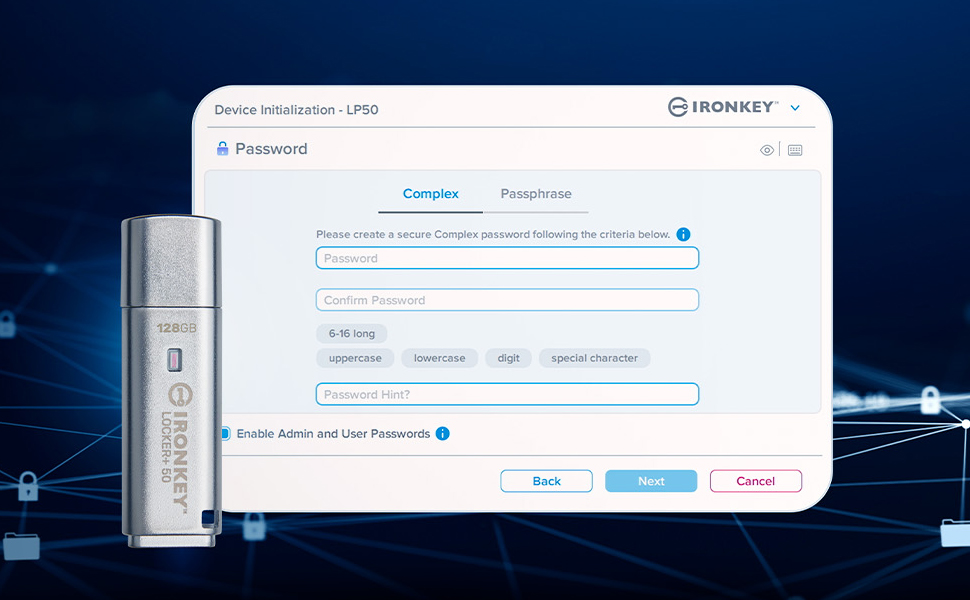
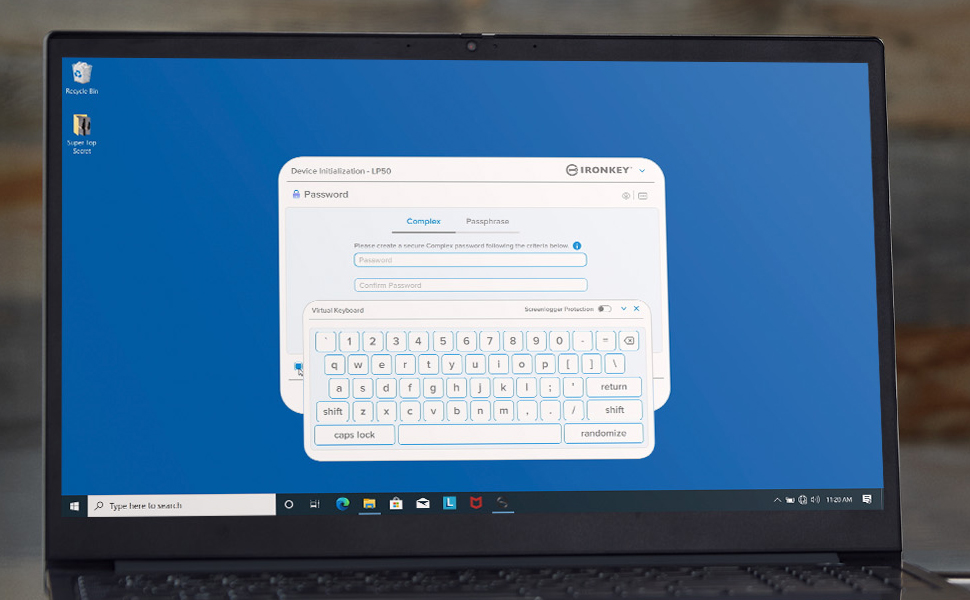
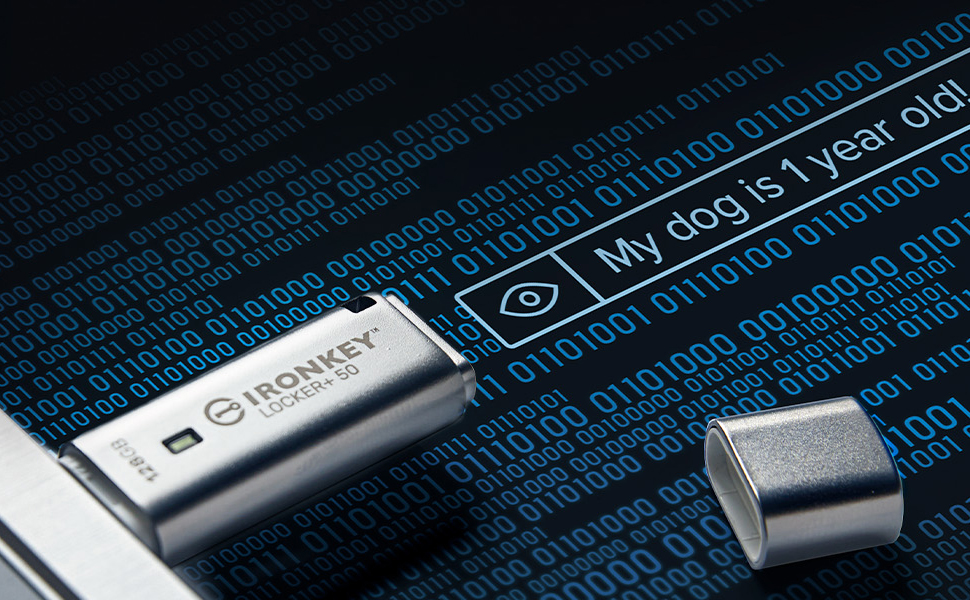
The Kingston IronKey Locker+ 50 32GB is a robust, silver-metal USB 3.2 Gen 1 flash drive designed for professionals who demand top-tier security. Featuring FIPS 197 AES-XTS 256-bit hardware encryption, multi-password options, and a virtual keyboard to prevent credential theft, it safeguards sensitive data against brute force and BadUSB attacks. With fast read/write speeds up to 145/115MB/s and automatic cloud backup, it combines performance with peace of mind in a compact, durable metal casing.


| ASIN | B0B5B2WL5R |
| Batteries | 1 AAAA batteries required. |
| Best Sellers Rank | #134 in USB Flash Drives |
| Color | Silver |
| Computer Memory Type | DIMM |
| Connectivity Technology | USB |
| Customer Reviews | 4.5 4.5 out of 5 stars (789) |
| Date First Available | June 28, 2022 |
| Flash Memory Type | USB |
| Hardware Connectivity Technology | USB Type A |
| Is Discontinued By Manufacturer | No |
| Item Dimensions LxWxH | 2.38 x 0.73 x 0.38 inches |
| Item Weight | 0.704 ounces |
| Item model number | IKLP50/32GB |
| Language | German |
| Manufacturer | Kingston Digital, Inc. |
| Model Name | Flash Drive |
| Product Dimensions | 2.38 x 0.73 x 0.38 inches |
| Read Speed | 145 Megabytes Per Second |
| UPC | 740617329339 |
J**Y
Secure and Reliable Encrypted USB Drive for Business Use
We use this Kingston IronKey Locker+ 50 encrypted USB flash drive in a professional environment where data security is a priority. Setup was straightforward, and the hardware encryption works as expected. The drive provides reliable performance for storing and transferring sensitive business files. Build quality feels solid, and the security features offer peace of mind when handling confidential data. Capacity is sufficient for our operational needs, and compatibility has been seamless across our systems. Overall, this is a dependable and secure USB drive that meets business and compliance requirements.
A**J
Nice solid drive
Neat little device. I was previously using bitlocker on a regular usb-C 3.1 thumb drive, but decided to try this. Pretty good so far. Seems to work well. Things of note though. 1. Solid build and has weight to it. Love it 2. Irrespective of the details in this ad, it actually has fips 197 and 256 AES XTS....same as the higher model enterprise Privacy 50. See Pic. So a great bonus. 3. Manually running the ironkey app everytime is too many steps just to open. Perhaps after the initial setup, the app will auto run and immediate the login pw screen comes up after plug in. Also once opened, the virtual cd drive remains shown as well. So you'll see a virtual drive with the ironkey system files (typcally as D$) and your encrypterd data drive on another drive letter, all within the windows explorer view. Weird. I can some typing to write this virtual cd drive All in all, a good value with excellent encryption. I recommend.
J**A
Sleek, sturdy and secure drive for a safe file storing option.
I am extremely pleased with this storage drive; its robust metal casing, generous storage capacity, aesthetically pleasing design, and outstanding value for money have truly impressed me, making it an exceptional choice in the market. The drive operates with impressive speed, ensuring reliable data security, and boasts an intuitive user interface that simplifies its operation. However, my only minor drawback pertains to the pre-installed software, or "bloatware". Although an option to decline the installation is present, the continuous and persistent prompts for software installation proved to be somewhat bothersome during the initial setup process.
E**E
Great device
Works as expected but mainly for windows
M**Y
Fast, super easy to install and use, durable
The Kingston IronKey is lightning fast as well as super easy to use and setup. It literally took me 30 seconds to get it setup- there is a video below on Amazon walking you through the process and it works exactly like they show you. The file directory interface exactly like my C drive interface making it so easy to use . You do not have to back-up to the Cloud - like the video below shows you can just click on the decline button if you don't want to back up to the cloud. It is encased in metal and seems very durable. It costs considerably more money than the cheap plastic flash drives available from other manufactures. I originally bought three of the cheap ones made of plastic and all three cost less than this one. But, two of the plastic ones failed within a year, they were difficult to get setup, frustrating to use, much slower, and had bugs. I have used Kingston before and came back to them. I have two Kingston Data Travelers one is 14 years old and the other is 8 years old and they both still work. I just needed more capacity so a bought another one. I am extremely happy with it.
S**N
Great security
Great storage capacity and security. Password protected. Easy to set up and use. Great if you are needing something secure and private to store files.
D**.
Use specific
Could not use it for the reason I bought it. Originally purchased it for the speed of transfer to support live music multi channel recording. Unfortunately the mixer cannot access memory due to the encryption that cannot be bypassed. Works great on the computer and was a good price.
C**C
Unusable on Mac
I bought the Kingston IronKey Locker+ 50 (LP50) expecting a simple secure USB experience on macOS: set password, plug in, enter password, use drive. Instead it turned into a long troubleshooting session and the drive is basically unusable on my Mac. WHAT HAPPENED (STEP BY STEP): 1. Initial setup: I set a password, confirmed it, and copied/pasted it to ensure it was exact. 2. Reopen test: After properly ejecting the drive and plugging it back in, it refused the password and forced a reset. Not a typo — I was pasting the same confirmed password. 3. Verified it wasn’t user error: • Checked for hidden spaces/newlines in plain text: none. • Confirmed the clipboard paste was identical. • Used the “show password” (eye icon) in the IronKey login window to visually verify the exact string. • Still rejected after a “thinking” pause. 4. Drive behavior on Mac is confusing: the only volume that consistently mounted was IRONKEY (an “installer” partition full of Windows junk like .exe and autorun.inf). The actual encrypted storage volume often didn’t mount at all. 5. Reset and re-initialize: since nothing was on it, I wiped it and set a brand-new test password. 6. macOS permissions loop from hell: macOS repeatedly prompted: “IronKey would like to access files on a removable volume.” I clicked Allow, and it immediately prompted again. Infinite loop. The usable encrypted volume still didn’t mount. 7. Tried to fix permissions the “right” way: • System Settings > Privacy & Security • IronKey showed up in the privacy lists, but granting access still didn’t stop the repeating removable-volume prompt. 8. Tried Kingston’s official macOS updater: downloaded the official IKLP50 Mac Updater from Kingston’s support page. macOS refused to open it with: “The application ‘IKLP50_Mac_Updater’ can’t be opened.” No “Open Anyway” option appeared in Privacy & Security. At that point the only workaround was Terminal commands or using Windows to manage a product that’s supposedly Mac-compatible. BOTTOM LINE: This isn’t “secure,” it’s unreliable. A security drive that can’t consistently accept a password, can’t consistently mount the encrypted volume, and gets stuck in macOS permission loops is worse than a normal flash drive because it wastes time and forces wipes/resets. TIME COST: This should have been a 1–2 minute setup. It turned into roughly 45 wasted minutes of troubleshooting, resets, permissions hunting, and downloading an updater that macOS wouldn’t even run. RECOMMENDATION: If you’re a Mac user, avoid. Buy a drive with a properly notarized native macOS solution that installs cleanly and consistently mounts the encrypted volume, or use a different encryption approach.
K**.
Der Stick ist für mich perfekt. Er ist einfach einzurichten und man kann die Daten über eine sehr lange Passphrase sichern. Das Gehäuse ist nicht nur sehr stabil sondern sieht auch ansprechend aus. Die Lese-/Schreibgeschwindigkeit ist absolut ausreichend.
D**S
Absolutely idiot proof in setting it up! First hand quality. Totally satisfied with the product. Well done
H**B
Very effective for storage.
J**N
Je suis très satisfait de mon Kingston IronKey Locker+. Ce dispositif offre une sécurité renforcée pour mes données grâce à son chiffrement avancé et sa protection par mot de passe. La qualité de fabrication est excellente, ce qui me donne confiance quant à la fiabilité et à la durabilité du produit. La facilité d’utilisation est un vrai plus, permettant de protéger rapidement mes fichiers importants. C’est un choix idéal pour quiconque souhaite sécuriser ses données sensibles de manière simple et efficace. Je recommande vivement !
M**Z
Compré esta memoria USB para guardar mis archivos confidenciales (documentos financieros y personales) y cumple perfectamente: encriptación hardware AES 256-bit con teclado físico que bloquea acceso no autorizado, incluso si se pierde, y software IronKey Locker crea contenedores seguros compatibles con Windows/Mac. Es muy robusta con carcasa metálica resistente a golpes, agua y polvo (IP68), velocidades de lectura/escritura rápidas para transferencias grandes sin ralentizar. Perfecta para usuarios con info sensible que necesitan portabilidad segura. Pros: Seguridad militar-grade, construcción indestructible, fácil setup. Contras: Teclado táctil requiere adaptación inicial.
Trustpilot
Hace 3 semanas
Hace 3 semanas