We remain fully operational. Our teams are working around the clock to ensure your deliveries continue safely.

Descargar la aplicación


Servicios al cliente
Sobre nosotros
Copyright © 2025 Desertcart Holdings Limited
Descargar la aplicación

Buy anything from 5,000+ international stores. One checkout price. No surprise fees. Join 2M+ shoppers on Desertcart.
Desertcart purchases this item on your behalf and handles shipping, customs, and support to Nicaragua.
🎮 Click into the Future with Style!
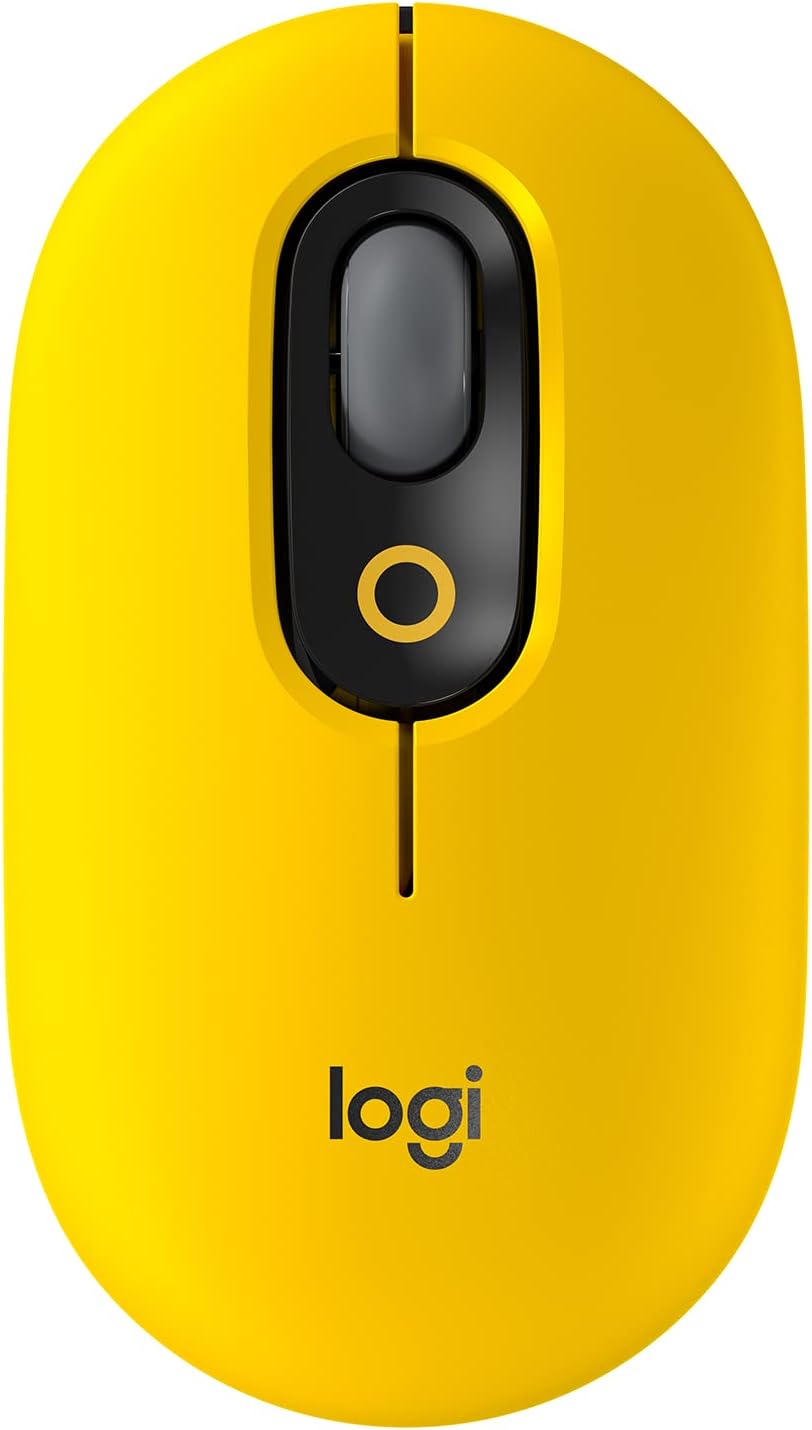
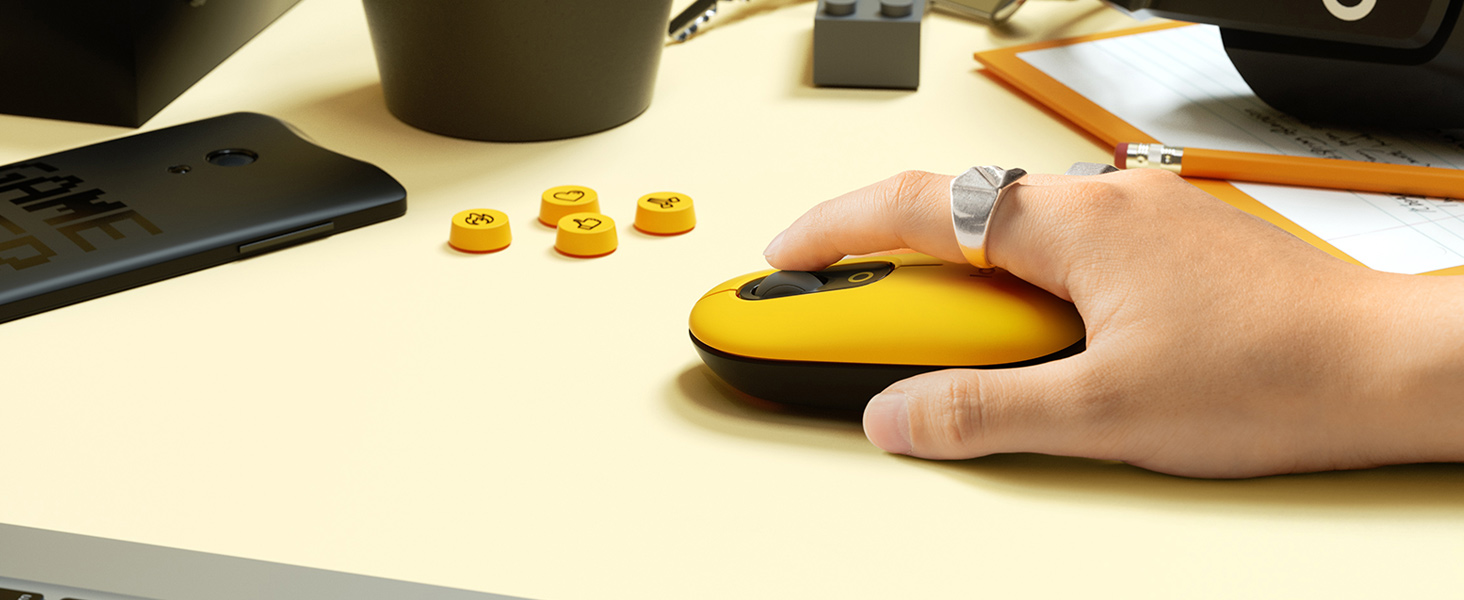
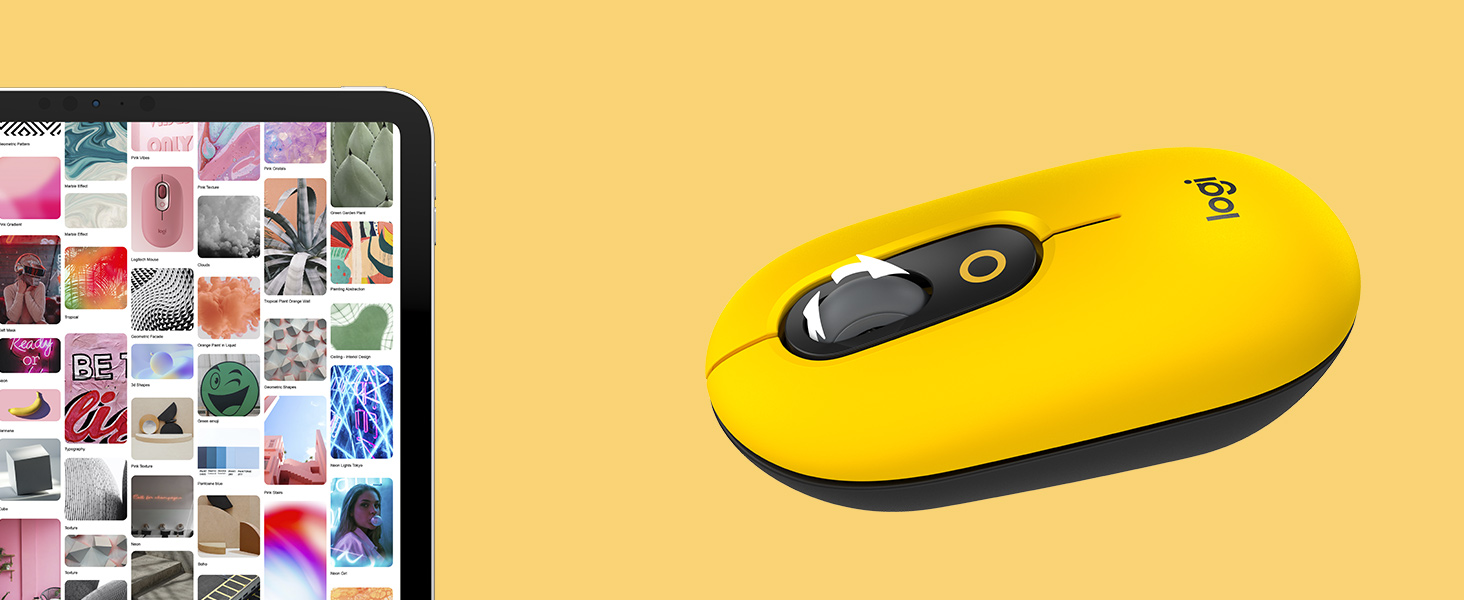
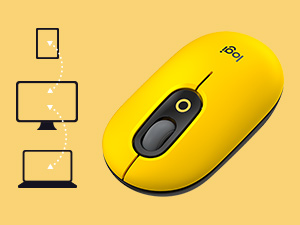
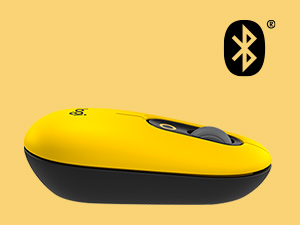
The Logitech POP Mouse in Blast Yellow combines a vibrant retro aesthetic with cutting-edge technology. Featuring SilentTouch technology for quiet operation, a 24-month battery life, and multi-device compatibility, this wireless optical mouse is designed for professionals who value both style and functionality. Weighing just 2.9 ounces and compact in size, it's perfect for work or play, making it an essential accessory for any modern workspace.

| ASIN | B09DVP5Q6Q |
| Additional Features | Lightweight, Portable, Soundless, Wireless |
| Antenna Location | Gaming, Office |
| Are Batteries Included | Yes |
| Are Batteries Required | Yes |
| Battery Average Life | 24 months |
| Best Sellers Rank | #770 in Computer Mice |
| Brand | Logitech |
| Button Quantity | 4 |
| Color | Blast Yellow |
| Compatible Devices | Personal Computer, Smartphone, Tablet |
| Connectivity Technology | Bluetooth, USB |
| Customer Reviews | 4.6 4.6 out of 5 stars (913) |
| Enclosure Material | Plastic |
| Hand Orientation | Right |
| Hardware Platform | Laptop, PC, Tablet |
| Item Dimensions L x W | 8.5"L x 6.3"W |
| Item Type Name | Wireless Mouse |
| Item Weight | 2.9 Ounces |
| Manufacturer | Logitech |
| Model Name | POP Mouse |
| Model Number | 910-006543 |
| Movement Detection | Optical |
| Number of Batteries | 2 AAA batteries required. (included) |
| Operating System | Windows 10, 11 or later, Linux +no software support legal footnote, Chrome OS +no software support legal footnote, macOS 10.15 or later, iPadOS 13.4 or later (+no software support legal footnote) |
| Power Source | Battery Powered |
| Range | 10 |
| Style Name | POP Mouse |
| UPC | 097855172662 |
| Unit Count | 1.0 Count |
| Warranty Description | 1 Year Limited Hardware Warranty |
U**L
Durable, flexible, easy to use, and easy on your eyes..
This mouse is great, I have dropped it so many times and the top shell has popped off and the battery compartment opened and the batteries went in different directions but nothing ever breaks. The thing just pops back together again like brand new. Plus it is great on almost every surface I have tried it on, except for my hairy legs. Super easy to switch between 3 different devices devices I use it for my iPad , my MacBook Pro and my work PC laptop with no problems. It worked on My LG TV too. Plus it is brightly colored and easy to find in a sea of black devices and black leather furnitures. It is cute and friendly looking as well.
G**J
Cheerful Color - Great Logitech Design - Low Profile
This mouse features the great design and features that one expects from Logitech. BENEFITS — Having a wireless mouse with the latest Bluetooth technology provides long battery life and reliable connectivity. No USB receiver is needed, so it frees up a USB port on your computer. Similar to other Logitech Bluetooth devices, this mouse lets you easily switch between three different computers or devices such as laptop, desktop, and tablet. This saves money and space on your desk. The Emoji button gives you quick easy access to the emoji list. This is similar to the Emoji button on the Logitech MX Mechanical F6 key. Emoji use is traditionally on a smartphone where the touch keyboard has an Emoji button to bring up the emoji list. Desktop and laptop keyboards have not had this option in the past. SIZE — The Logitech Pebble mice have an attractive oval shape. The new design, called POP mice, are based on that familiar friendly Pebble design, yet the height increases toward the palm-side of the mouse. Presumably this will offer a better hand fit. The original Pebble mice were low profile and flat, which could feel too small for some people. COLOR — The bright cheerful color of this mouse is unique. The gray accent color of the wheel area is nice. If you are excessively picky about color matching, you will notice the circle icon under the roller wheel is an orange color and does not match the yellow color of the mouse. DRAWBACKS — Logitech offers wireless Bluetooth mice that also include a USB receiver for connecting if Bluetooth stops working, or for use on a computer not equipped with Bluetooth. With this POP mouse, having only the Bluetooth option, you may need a wired or USB wireless mouse for setup and operation if the Bluetooth has issues. SHARP — The mouse buttons have a slight overhang and have a slightly sharp feel to them, due to the thin tapered edge. This may bother some people, especially if you've experienced the Logitech Pebble mouse design with very smooth button edges on the magnetic removable mouse top/cover. The entire top of a Logitech Pebble mouse is recessed at the edges and fits nicely into the mouse around the full oval. So the buttons and entire oval edge is very comfortable. With the POP mouse, you'll notice the edge that sticks out in the front where the buttons are. ROLLER — With the Logitech POP mouse roller, is has more resistance and a smooth surface that may sometimes feel like it requires some extra effort to use. If you're eating a sandwich with mayonnaise, and your fingers get slippery, it will be very hard to use the smooth high tension roller. There are several factors to consider with mouse rollers. Some have ridges, and some are smooth. There are also varying degrees of tension with mouse wheels. A smooth mouse with tension may be hard to move if your finger is really dry. The ridges make a mouse more grippy. The Logitech M325S mouse is an example of an ideal mouse wheel — smooth and comfortable with low rolling resistance and the ability to give the wheel an extra push to scroll up/down more distance. CLICK NOISE & FEEL — With this Logitech POP mouse, there is no click noise or feel. The audible confirmation of a mouse click is similar to the noise that a mechanical keyboard makes. So, you may find the lack of a confirmation click to be a problem. By comparison, the Logitech M325S mouse has a good click sound and feel. CONCLUSION — If you like the color, the design, the quite click, the multi-device feature, and the quick Emoji access, this may be a good choice for you. At over $20, this mouse seems to be premium priced. Logitech and other brands offer budget-priced mice with some features you may prefer over this one.
B**T
Awesome mouse and almost silent
The Logitech POP Mouse is not only stylish but also impressively quiet, thanks to its SilentTouch technology. Each click is almost silent, making it perfect for use in shared spaces like offices, libraries, or classrooms where noise can be distracting. Despite the near-silent operation, the mouse still delivers satisfying tactile feedback, so you don’t lose the feel of a traditional click. Combined with its compact design and vibrant Blast Yellow color, the quiet functionality makes this mouse a standout choice for anyone who values a peaceful, distraction-free workspace. It’s reliable, fun, and ideal for everyday use!
T**.
Worth Every Penny.
This is a great all around modern mouse. Things I love would include the silent clicking, super quick Bluetooth pairing, the extra programmable buttons, and the ergonomics, and I love the bold Yellow Pop color. The things I dislike would be no dongle, no rechargeable option, no side buttons, and lastly the plastic feel. I initially thought this had a rubbery finish like the scroll wheel, but it is just plastic. The silent clicks feel really precise and snappy. You can customize the extra wheel button and inner button to whatever you want and even change what they do for each program, which is pretty insane. It pairs to 3 devices really easily which is nice for work or just multiple setups around your house. It is all Bluetooth, which I was thinking would sometimes be really laggy or glitchy, but so far it feels no different from my MxAnywhere 2S. The wheel is smooth and clicky, but can also infinite spin or scroll if you flick hard enough. I prefer the MxAnywhere scroll wheel which feels weighted and like there is a bearing in there, but I guess most people don't like that. Overall I love it and would say there are far more pros than cons with this model.
P**.
Great travel mouse.
There is a lot of good to say about a Logitech mouse. This one however, I would have to say is a really great product that has its drawbacks for folks with large hands (me). It just seems small. Not to distract from the fact that it is well made, works perfectly. Connected instantly, and had the fun emoji button. The one thing I dont like about it, which is personal preference. It is silent. I dont hear/feel that click when I press the button. If that isnt an issue, and you have small to medium hands, this thing rocks!
S**O
Love it!
Great quality, easy to set up, love the color!
E**G
Gran mouse, el contraste estético que da es genial y la sensación al tacto es muy buena.
C**E
o mouse é super confortável e é silencioso. a pegada dele é muito boa e acho que o único ponto negativo foi ele não ter vindo com a pilha, que nem o teclado, mas isso é de menos. tô mt satisfeito
R**F
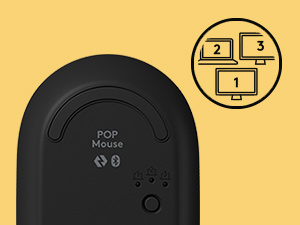
A mouse is as very personal thing! This one was made for smaller hands, it’s nice compact and easy to carry. It's ultra light, and it will be even lighter if you replace its battery with a lithium ion battery. I recommend the Energizer. It is light and it lasts forever. It's easy to access the battery, as the top cover locks in using magnets. The mouse has a middle button, which you can customize, like opening the emoji menu. If you prefer, you can also customize it by app. The wheel can also be pressed, which means you can customize it, too. At the bottom, you have the button to connect to up to 3 different devices. I use it to connect to my work Lenovo laptop, my personal Macbook pro and my iPad Air. Word of caution: if you connect your headset/headphone via Bluetooth, you might want to purchase the Logitech Bolt dongle https://www.amazon.ca/gp/product/B09JL9Y1WS/ref=ppx_yo_dt_b_asin_title_o00_s00?ie=UTF8&psc=1 to connect your mouse to the dongle, instead of your laptop bluetooth. This way it won't mess up your voice when you're on conference calls. You can download the Bolt app from the Logitech website to configure the mouse connection to it, instead of the laptop's bluetooth. Talking about app, Logitech currently offers two apps you can choose from to customize your mouse. I did that for the Windows 10 laptop, but I didn't like the experience with the MacBook pro because it messes with my Logitech MX mini keyboard screen capture behaviour. The app let’s you choose the command for when you press the middle button and the wheel. Lastly, the mouse connects easily with all my devices, and is nimble, precise and a delight to use. I highly recommend it.
V**A
I love Logitech colourful mice: last one I bought is over 10 (15?) years old and still works. Hope this one will, too. It looks great and works smoothly. I also like the extra functions you can assign to buttons (though I tend to not use them too often). No problem with connectivity, don’t remember any noise (have used it a few months now). No issues at all!
T**W
I purchased 2 of these devices (I was going to type mice but decided against it!) for both myself and my father-in-law. I have a newish MacBook Air M1 and my father-in-law has a MacBook Air from about 6 or 7 years ago. The construction is awesome, the mouse feels good in your hand and they paired with the laptops with no issues. The device allows you to pair to 2 separate computers using a slider switch located on the bottom. The battery compartment is located under the two buttons which can be easily lifted as they are held down by a "just strong enough" magnet which I find is a very astute and intelligent design. I use mine on a daily basis and have had no issues whatsoever. Logitech is a brand name that I trust and they tend to build excellent products, this mouse proves as much. So far the battery use is minimal, almost uncanny. I would highly recommend this mouse and you should sigh a sense of relief as when you do order it, you've made the right choice!
Trustpilot
Hace 4 días
Hace 2 semanas