We remain fully operational. Our teams are working around the clock to ensure your deliveries continue safely.

Descargar la aplicación


Servicios al cliente
Sobre nosotros
Copyright © 2025 Desertcart Holdings Limited
Descargar la aplicación


🚀 Secure your perimeter like a pro—long range, zero hassle, total control!
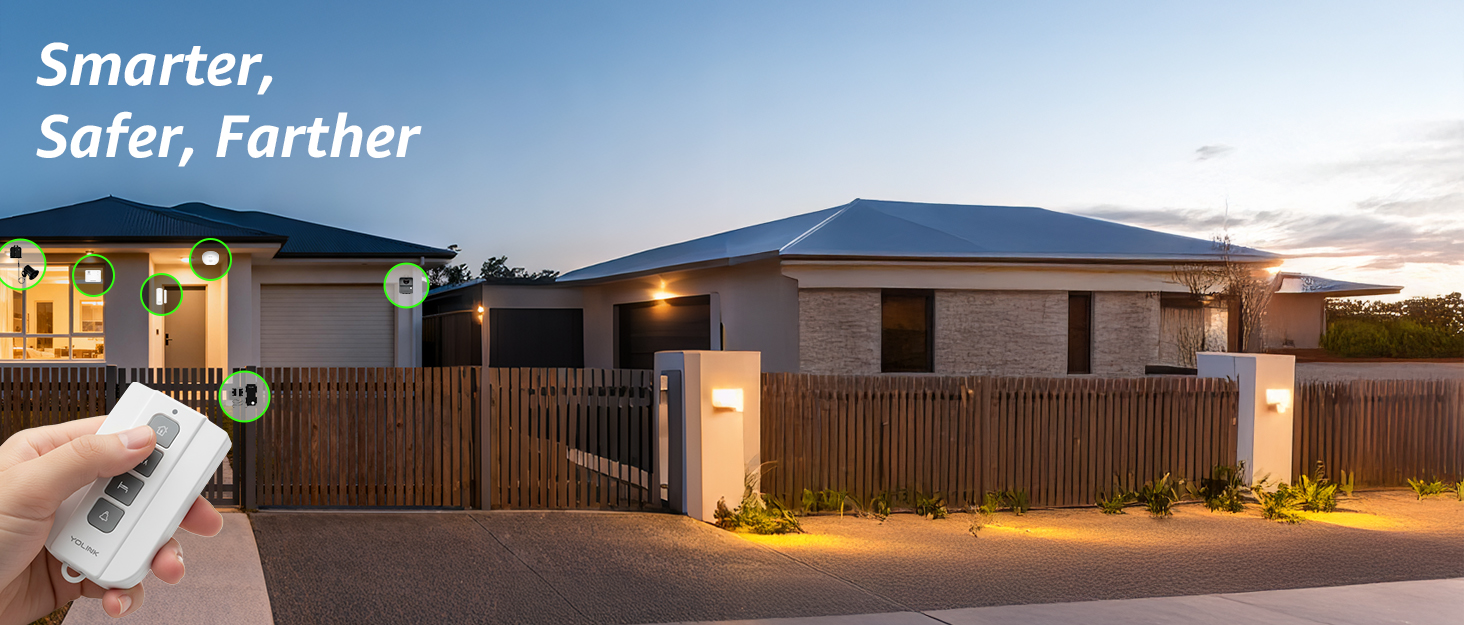
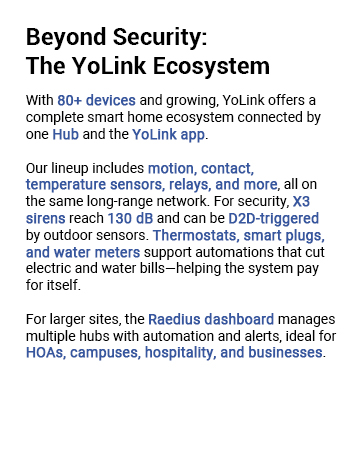
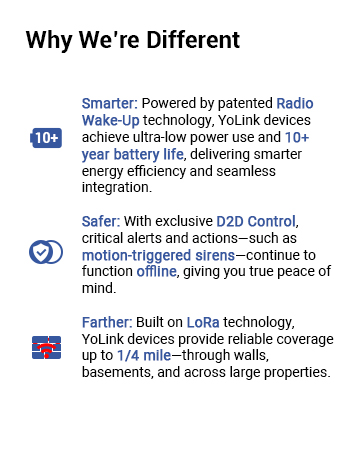
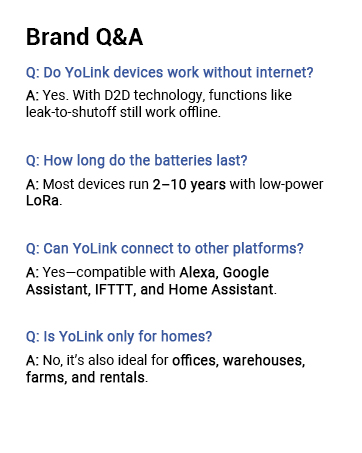
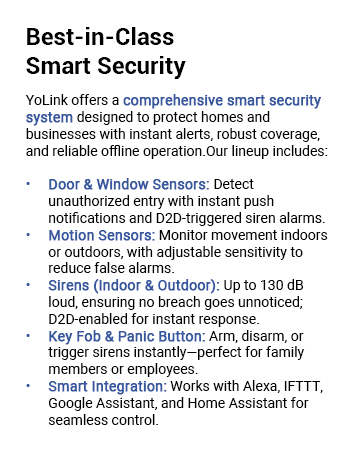
The YoLink LoRa Smart Outdoor Motion Detector offers a groundbreaking 1/4 mile wireless range using LoRa technology, enabling reliable motion detection for remote and hard-to-wire locations. Battery-powered with 2 AA batteries included, it delivers over 2 years of standby life. Compatible with Alexa, IFTTT, and Home Assistant, it sends instant alerts via email, SMS, and push notifications without any monthly fees. Easy to install and pair, it’s the ultimate solution for professional-grade outdoor security and driveway monitoring.

| ASIN | B08ZXVK1XZ |
| Battery Average Life | 2 years |
| Battery Description | Two AA batteries |
| Best Sellers Rank | #6,331 in Electronics ( See Top 100 in Electronics ) #19 in Motion Detectors (Electronics) |
| Brand | YoLink |
| Color | Gray |
| Compatible Devices | Android Phone, iPhone |
| Customer Reviews | 4.4 out of 5 stars 2,080 Reviews |
| Item Dimensions D x W x H | 2.6"D x 2.83"W x 2.95"H |
| Item Weight | 130 Grams |
| Manufacturer | YoSmart |
| Manufacturer Warranty Description | 2 Years(Sensor), 1 Year(Hub) |
| Maximum Range | 6 Meters |
| Mfr Part Number | YS7805 |
| Model Number | YS7805 |
| Mounting Type | Wall Mount |
| Number of Batteries | 2 AA batteries required. (included) |
| Operating Temperature | 122 Degrees Fahrenheit |
| Power Source | Battery Powered |
| Smart Home Compatibility | Smart Home Compatible |
| UPC | 850024791145 |
H**D
Easy setup, long range, reliable alerts
Bought this sensor to monitor my RV that is parked at the barn about 100 yds from the house. Winterized it, and setup the YoLink temp sensor inside, indoor motion sensor, and outdoor motion sensor. The speakerhub is in the house on wifi and gives alerts from the devices for motion and low or high temp. Have had it setup for a few months now. It's been very reliable, handles the distance well. The alerts are configurable, I use email, and the app notifications. Was super easy to setup, device batteries haven't needed any attention so far.
C**B
This sensor has a range which is beyond imagination
Well there have been so many sensors. So why buy yolink? If you are thinking of this question then stop thinking and buy first and the read my review. I have been experimenting with smart home products since last 7 years when they were barely launched starting with smart bulbs and moving on to all different products and using Alexa to bind them and then comes these sensors. Frankly I have wasted tons of money on contact and motion sensors. I have tried sensors linked to hubs via zigbee and zwave which have their own problems with regards to range and going offline etc etc Then comes wifi sensors which require routers in every room and they have a significant lag ofcourse. And if your wifi is down then bye bye to them Frankly I was so fed up I stopped using any sensors. Controlled everything with voice which works atleast 99% of time And then I read about yolink. Their loran technology. I am from aviation and yes we have knowledge of long range technology and different wavelengths as such. So we'll it seemed interesting. But I had wasted enough money and now I cannot trust anyone unless I try my hands on. For a change just ordered 2 motion sensors and one hub just to experiment knowing I will lose my money again I stay in part of world where we use brick and concrete walls where even drill machines give up, forget any sensors. And when nothing works it's YOLINK which works. And they were flawless. I did a stress test. Kept their hub in living room and I installed motion sensors in bathroom which are inside my bedroom. There are like quite a few walls and doors between hub and sensors. And oh my god they just work instant. Like super instant. They are truly truly SUPER LONG RANGE So they can pass through walls concrete bricks doors and what all and still respond instant Best thing each set up literally takes 20 secs flat. I bet not more than 20 secs ever. I was so happy I order so many more sensors. As of now I have 12 window door sensors, 5 motion sensors, key fob and their speaker hub. To set all these sensors over all it took me like less than 5 mins. Such straight forward pairing and app is straightforward. Also do register for their newsletter as I ended up getting 20% coupons which saved quite an amount. Overall I feel nothing can beat these sensors ever in terms of simplicity reliability and range which is my fav as its superrrr looong range. Hats off for such wonderful products and technology.
L**R
This is the best system for smart home use with Alexa and smartphone or apps
i have this 1000 feet from my home and they work flawlessly. I have 25 different types of Yo-link devices ( water leaks, motion. temperature, humidity, light switches) I monitor 3 barns for motion inside and 3 for temp/ humid, , greenhouse temps and humidity, 2 sump pumps, 2 ejector pumps, next to washing machine, under all sinks, in mailbox, on long drive entrance, in my pond. Every one has worked flawlessly. It caught an ejector pit overflowing onto basement floor and i got to before damage could occur. If I forget to turn off barn lights (400 feet away) I can just tell Alexa to shut them off- other brands do this but not a 1/4 mile away from home! I know exact moment mail is delivered. The temperature of my 1 acre pond. I'm alerted to trespassers and if some gets into my pole barns! It all displays on my echo show, smartphone, apple watch, and all of my alexe's tell of leaks in house, motion or temp when asked. Easy breezy setup. Low priced!
S**M
Absolutely LOVE YoLink products, what a great company!!
We have so many YoLink products, but since this review is specifically about this indoor motion sensor, I'll try to stick to that. First, this is much smaller than it appears in the pictures which was a great surprise for me. We're using this to monitor the evening activities of a senior dog so it is mounted on the side of a table in our living room, which means the small size was welcomed. Like all YoLink products, it was a snap to install, just a few taps in the app, and it was ready to go. And it works as expected. Every time it senses motion it sends an alert (depending on config) and it reliably senses motion. Almost too much sensitivity for our needs, so we had to turn the sensitivity down to "low" so that it was only catching when our dog actually got up and moved, not just when she twitched or raised her head or kicked her legs in a dream. The only reason I gave 4 starts instead of 5 was for a few options that I think are missing in the setup and configuration for this motion detector. First, I would really love a way to turn it off during certain times. You can turn off alerts by using alert schedules, but you can never turn it "off" unless you physically turn it off which we of course don't want to do. It would be really nice if the app allowed you to configure an "active time", a time during which you wanted to track motion, and an "inactive time", a time during which you didn't want or need motion tracked. Since you don't have to be alerted, I know it seems like a small issue, but I don't see any point in wearing down the batteries to have it sense motion during times that I don't care. The second issue is that I would really like to be able to schedule different alert schedules for different users. This is an issue with many of their products, not just this one. When you configure a device for an alert schedule in the app, it uses that alert schedule for EVERYONE that uses the app, which doesn't make a lot of sense to me. We have a lot of their products and my husband and I definitely have different wants and needs for being alerted by the devices, and there doesn't seem to be a good way to configure different behaviors for different app users. Most devices have behaviors that apply to the device, not the user. THANKFULLY because these products integrate with Amazon Alexa (very easily, I might add, by simply activating the YoLink skill), I'm able to do what I want to do using that software instead. But it would be nice to do it directly through the YoLink app. YoLink support has been very responsive to my questions and assures me that what I want doesn't currently exist in the product or app, but they do mention they will pass it along as a feature request. I don't know if they'll actually implement it anytime soon, or ever, but at least they responded!
N**L
Highly recommend
We have tested various devices for a few weeks. I have to say that we are very pleased. The first thing we noticed when unpackaging was that everything seem to be designed and made with attention to detail and care. That was a little surprising for us. Many times you get cheap packaging and apps that look like they were created in a single afternoon. Not so in this case. We had to double check to verify that this is a start up company. By all outward indications, it feels like it’s a well polished company that has been in business for quite some time. All manuals and set up information is available online. Do not expect much in the box. We had a little difficulty finding the information we needed at first but we were grateful, and still are, for the fast response from the company. Since we mentioned the company, we have to note that any kind of support request is answered promptly, even at odd hours of the night. That was surprising. But they have always been friendly and helpful, even when we should have checked product documentation first. The initial set up was a little challenging with Wi-Fi. But that is not due to product limitations. It is due to limitations on the wireless routers we used. The wireless routers we used did not allow us to separate the 2.4 GHz and 5 GHz networks. This system uses the 2.4 GHz network, which is needed in order to have the range. In the end, which simply hooked up the network hub to the router using the provided ethernet cable. Everything has been pretty much smooth sailing. Again. The system requires a 2.4 GHz Wi-Fi network. If you have trouble getting it to connect wirelessly, the issue is almost certainly your wireless router failing to separate the two networks or failing to allow the device onto the 2.4 GHz only. It’s not a product limitation or defect. Our recommendation is just to hook it up with the ethernet cable since the range is very long, anyway. Before using the system, we recommend updating the firmware on all devices manually. Depending upon how long it has been sitting in the Amazon warehouse, you may have an older version of firmware and might experience a few bugs. That was our case. We had a few problems with erroneous notifications that were rectified as soon as the firmware updated. The update, you find the firmware version in the device and tap it. The firmware does update automatically. But if it’s your first time setting up, it’s good to manually update the devices. We would love to see a way in the app to review the firmware status of all devices on one screen and manually trigger a firmware update for all devices from that same screen with a single click. But this is merely a want, not a flaw. Do not forget to edit the alarm strategy before you start using the system. It appears to default in the app to multiple strategies, which can mean getting an app notification, an email notification, and or text message notification each time something is opened or motion is detected. That might be something to look into on the app development side as far as prompting you during set up to choose your desired preferences. We have had no difficulties with the devices maintaining contact with the network hub. The network hub has reported itself going offline once or twice overnight, but this appears to be momentary and related to a firmware update automatically applying and automatically rebooting the device. Battery life so far appears to be really good. We are surprised by the quality of the 3M self adhesive tape on each one. There is no alcohol wipes provided, but we used simple rubbing alcohol and a cloth to clean the surfaces prior to sticking the devices on. You can do similar or just make sure that it’s really clean. As a test, we applied some of the devices to a surface that was not prepared/cleaned ahead of time. those devices have no problem sticking to the surface and have not fallen down. They appear to be well secured when we try to tug on them. We would love to see the adhesive strips offered as a replacement item for purchase. We can see down the road people moving devices around, say if they’ve changed their minds about location or if they move. We had also thought about having an extra mount for the motion sensor so we could move the motion sensor between different locations at different times. This was because we were only able to buy a limited quantity due to inventory at that time. But that is something that others might be interested in purchasing at a later date. The motion sensors have been updated to include sensitivity adjustment. They can be pretty sensitive, detecting slight movement even in the dark. We have no complaints. The range and spread appear to be great. The door/window sensor performs equally well. it can be mounted in virtually any orientation and still function so long as the sensor portion of each piece is within about 1/2 of an inch to the other. so you could even mount one of them at a 90° angle to the other. So long as they are within that distance to each other, they still function perfectly. We found this to be necessary with one door where we had a proper clearance on the door but did not have proper clearance on the frame. The products integrate seamlessly with IFTTT. We would love if the temperature/humidity sensor had the option to show more frequently than one hour on the history graph in the app. But the graph is clean, uncluttered and easy to read. We will soon be testing additional products. We are adding additional door sensors and motion sensors to the system, which will then have approximately 20 devices connected. We are also going to be testing for the first time the garage door motion sensor (ordered). We were originally going to test the motion sensor/ garage door opener combo, but none of the garage door openers we have available appear to be compatible. Afterwards, we will test additional devices on our “wish list.“ We have found zero indication of user data tracking, analytics tracking, or communication with ad servers on the app. It really does appear to be simply designed to do what it is supposed to do and nothing more. It’s refreshing. So to summarize, we can’t really find anything wrong. We have struggled to find anything to critique with the devices or the app. Everything works as intended and we are extremely pleased.
J**E
Long-Term Reliability and Performance
I have been using the YOLINK LoRa Smart Outdoor Motion Sensor for over a year now, and I must say it has consistently delivered exceptional performance and reliable security monitoring for my property. This long-term experience has solidified my confidence in this product's capabilities. One of the standout aspects of the YOLINK motion sensor is its impressive durability. Despite being exposed to various weather conditions throughout the seasons, including heavy rain, extreme heat, and even freezing temperatures, the sensor has remained intact and fully functional. Its rugged construction and weatherproof design have proven to be reliable and have ensured continuous operation without any degradation in performance. The motion detection accuracy of the YOLINK sensor has been consistently impressive. It effectively distinguishes between human movement and other sources of motion, minimizing false alarms and providing reliable notifications only when necessary. This has been particularly valuable in reducing unnecessary interruptions and ensuring that I am alerted to genuine activity on my property. The 1/4 mile open-air range advertised by YOLINK is not an exaggeration. I have placed the sensor at a significant distance from the receiver, and it has maintained a strong and consistent signal without any connectivity issues. This extensive range has allowed me to cover a large area of my property without the need for additional sensors, providing comprehensive security coverage. The integration of the YOLINK motion sensor with various smart home platforms, such as Alexa, IFTTT, and Home Assistant, has greatly enhanced its functionality. I have integrated it seamlessly into my existing smart home ecosystem, enabling me to control and monitor the sensor through voice commands and automate it with other connected devices. This integration has added a layer of convenience and has expanded the possibilities of utilizing the sensor for home security purposes. Over the course of the year, I have relied on the YOLINK motion sensor to provide timely alerts through email, SMS, and push notifications. The delivery of these alerts has been consistently prompt and reliable, ensuring that I am promptly notified whenever motion is detected. This real-time notification capability has been invaluable in allowing me to take immediate action or assess the situation remotely. In conclusion, my experience with the YOLINK LoRa Smart Outdoor Motion Sensor over the past year has been highly satisfactory. Its durability, accurate motion detection, impressive range, and seamless integration with smart home platforms have made it a reliable and valuable addition to my home security system. If you're looking for a long-term solution for outdoor motion sensing and property monitoring, I highly recommend considering the YOLINK motion sensor.
K**R
Plays well with other devices
Very pleased with this. I purchased this motion sensor and hub to go in my garage to automate turning the garage lights on and off. Initially I was hesitant to add a whole new ecosystem to my very involved smart home, but this has been a joy to work with. I downloaded the app to my phone, setup my account and plugged the hub into a network switch, that shares one port on the router with many other smart home devices. Knowing that this uses a separate radio frequency to operate and was competing with number of other devices on the switch for bandwith, I was fearful there were going to be issues with the hub not working correctly, or the Yolink radio frequency interfering with the Wifi, the Lutron, or the Zigbee, however in the end none of that occurred. Setup was easy and it integrated well with my other devices on the switch, not causing any issues. I next linked the motion sensor to the app by scanning the QR code on the motion sensor with my phone, while sitting by the hub. No problems at all, found the sensor right away, it appeared in my app, a brilliant way to do it. Then I took the motion sensor out to the garage, which is detached and on the far side of the property from the router and hub. Surely I thought there would be signal issues. I installed it on the bottom of my garage door opener, across from the Wifi signal boosters and surrounded by Zigbee lighting controllers, still the sensor maintained a very strong signal, even with the garage door closed. To this day it has not once disconnected from the hub. I installed the Alexa skill, signed in my new account and programmed a routine into Alexa to be able to activate the Zigbee lighting controllers in the garage and turn on the lights when motion was detected. No problem, worked as expected. Then the real test, can it it turn off the garage lights when no motion is detected? I had already purchased several other motion sensors that were not able to do this and fully expected another fail, I programmed the routine into Alexa and to my amazement, IT WORKED, the lights turned off after no motion was detected for the time I set. Overall I am very pleased with this, they took the Alexa integration seriously, the App is well designed and everything was easy to set up. I've already added a temperature sensor and plan to add additional plugs and motion detectors to my new Yolink ecosystem. I already suggested they add a mailbox sensor to their line up and they responded very quickly to my suggestion, so customer service is responsive. Everything I set up so far has been easy and reliable, a very good deal for the price.
T**R
I love my YoLink networks, and yes I have several
So I'm a cybersecurity engineer, automating my personal systems. I have houses 700 miles apart, and I have a ridiculous level of automation because that's just how I roll. So much of the gear I use works great when I'm in the room, and fails the hour I leave for the other house. Wifi is a wonderful thing, when it works. The problem is it is easy to jam up wifi, AND so many of the IOT devices are based on 2.4ghz wifi that can be shut down by any baby monitors that use wifi frequencies but do not use wifi. A baby monitor /can/ shut down any 2.4ghz wifi within a half mile. So as a result I see tons of wifi failures in that 2.4ghz band. It's not just baby monitors, but those are a common example, there are many others. Yolink uses loran technology for communication, easily overcoming wifi failure modes. This is important to ME. Your mileage may vary. I have only two issues with yolink products. One is the speakerhub, it is wifi only, so it falls outside of my "sphere of reliability", I /really/ wish it had an ethernet port. Speakerhub makes a noise when wifi goes up and down... I hear that noise a LOT. And it isn't my wifi router's fault, any properly operating wifi AP will fail to operate when blocked by a interfering signal, that is a required part of the wifi protocol, wifi that doesn't do this is actually illegal because it might be near a military radar installation. The second thing about YoLink is that sometimes I need polling cycles of short duration, so for example a temperature probe on an air conditioner will need to have fast polling cycles to capture the curves needed to check performance of the unit. The hour polling cycles are great for most things, but sometimes I need more frequent polling cycles, even if only temporary. I wish there was a way for me to buy extra polling cycles on a month to month basis, but I think that functionality is probably reserved to larger customers with larger operations. So the power of the yolink platform is that because it is not on your wifi, it can be used to repair and remediate issues with your wifi. In my redundancy setup, I have a hub on each of the ISP's feeding a site, so that if one ISP is down, I can reboot the router from the other ISP connection, from anywhere on the planet. And in the short time I have been doing this, I have used it to resolve issues with both ISP's, thereby avoiding 20 hours of driving. I have many brands of remote power modules, as well as temperature sensors, 4 brands of surveillance cameras, a cisco dual-wan router, hvac controls, and automations to manage some of my personal "infrastructure". YoLink has been the solution for many problems, and a joy to build ifttt automations for. It is clean and simple.
Trustpilot
Hace 3 días
Hace 2 meses