
Descargar la aplicación


Servicios al cliente
Sobre nosotros
Copyright © 2025 Desertcart Holdings Limited
Descargar la aplicación

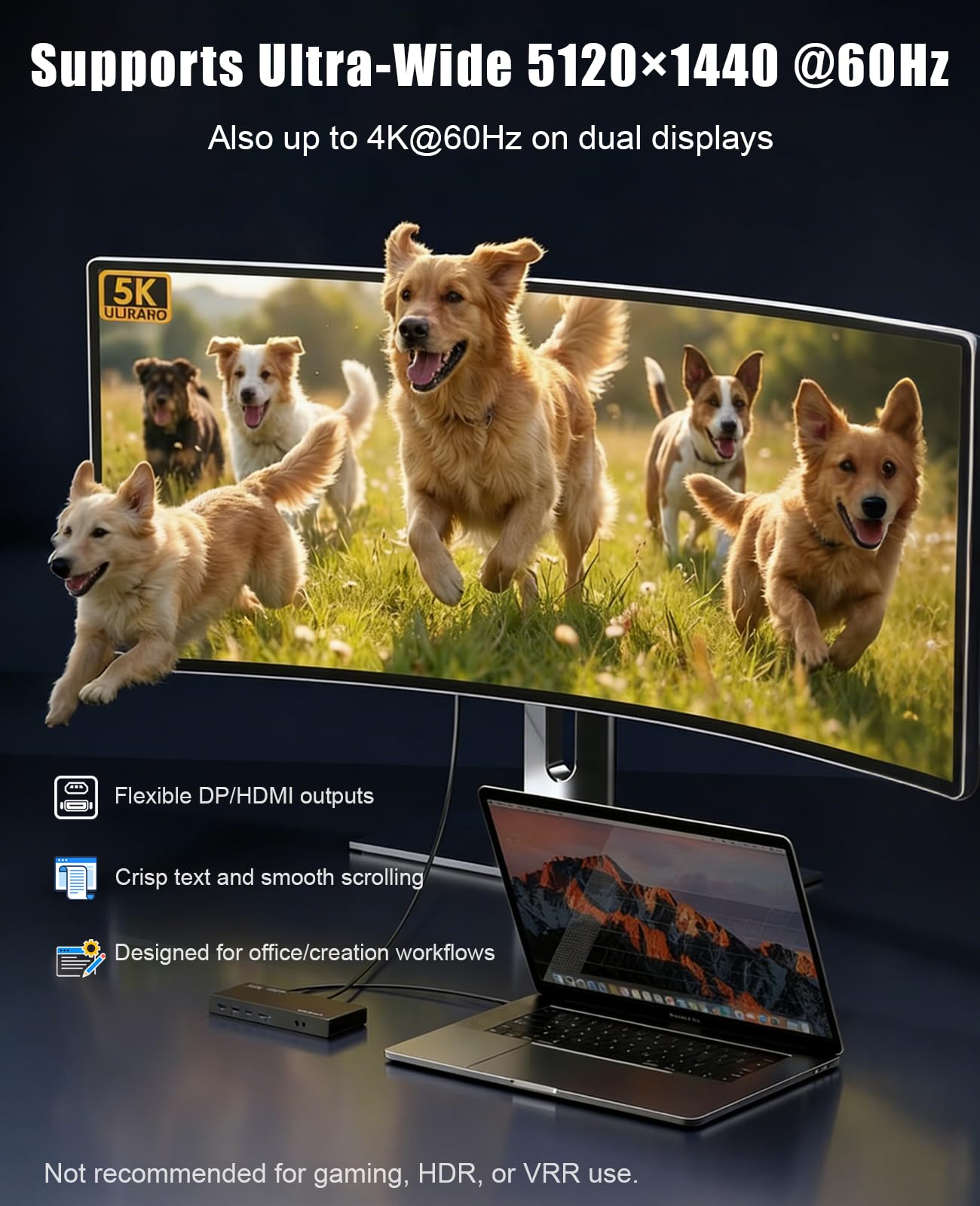
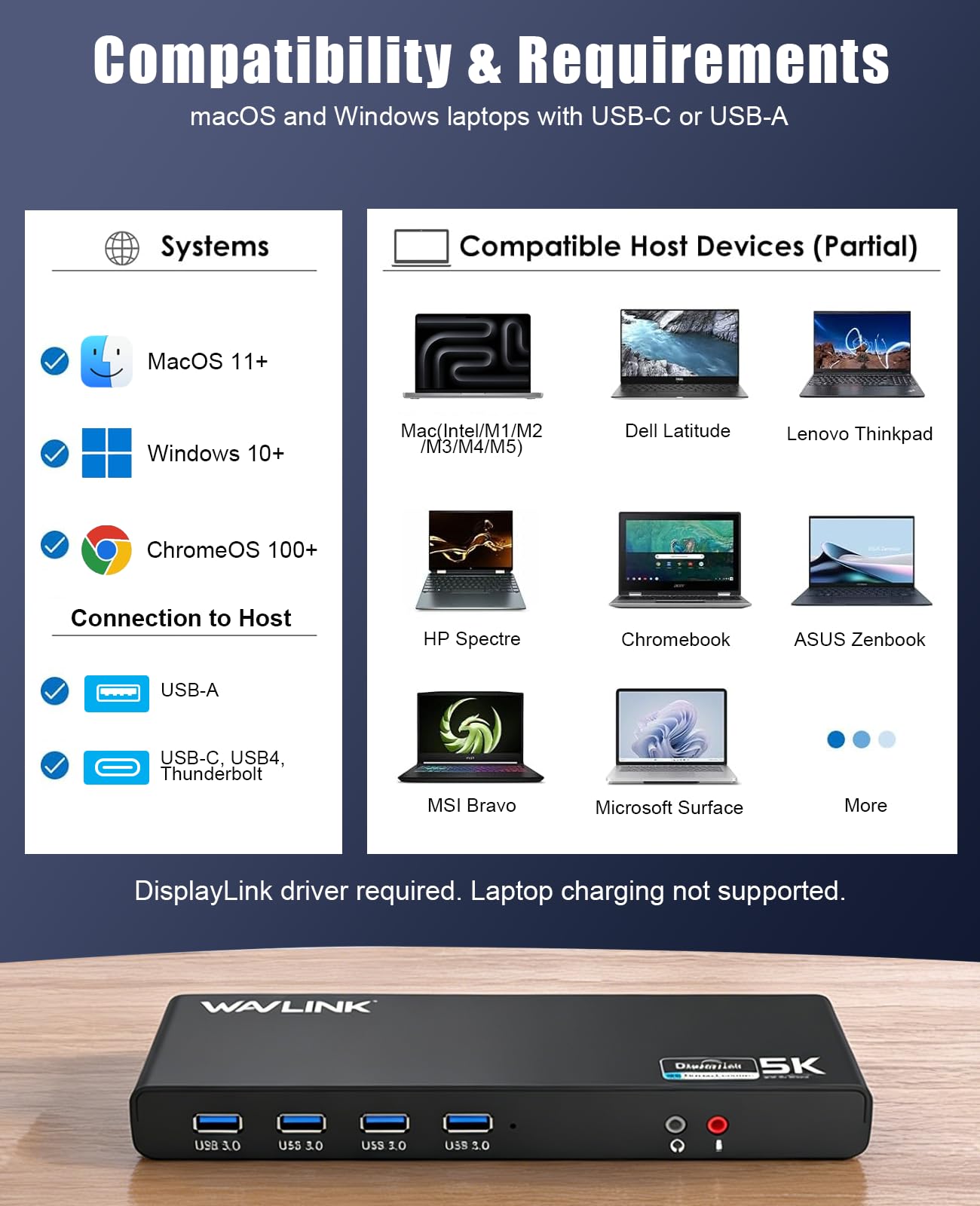
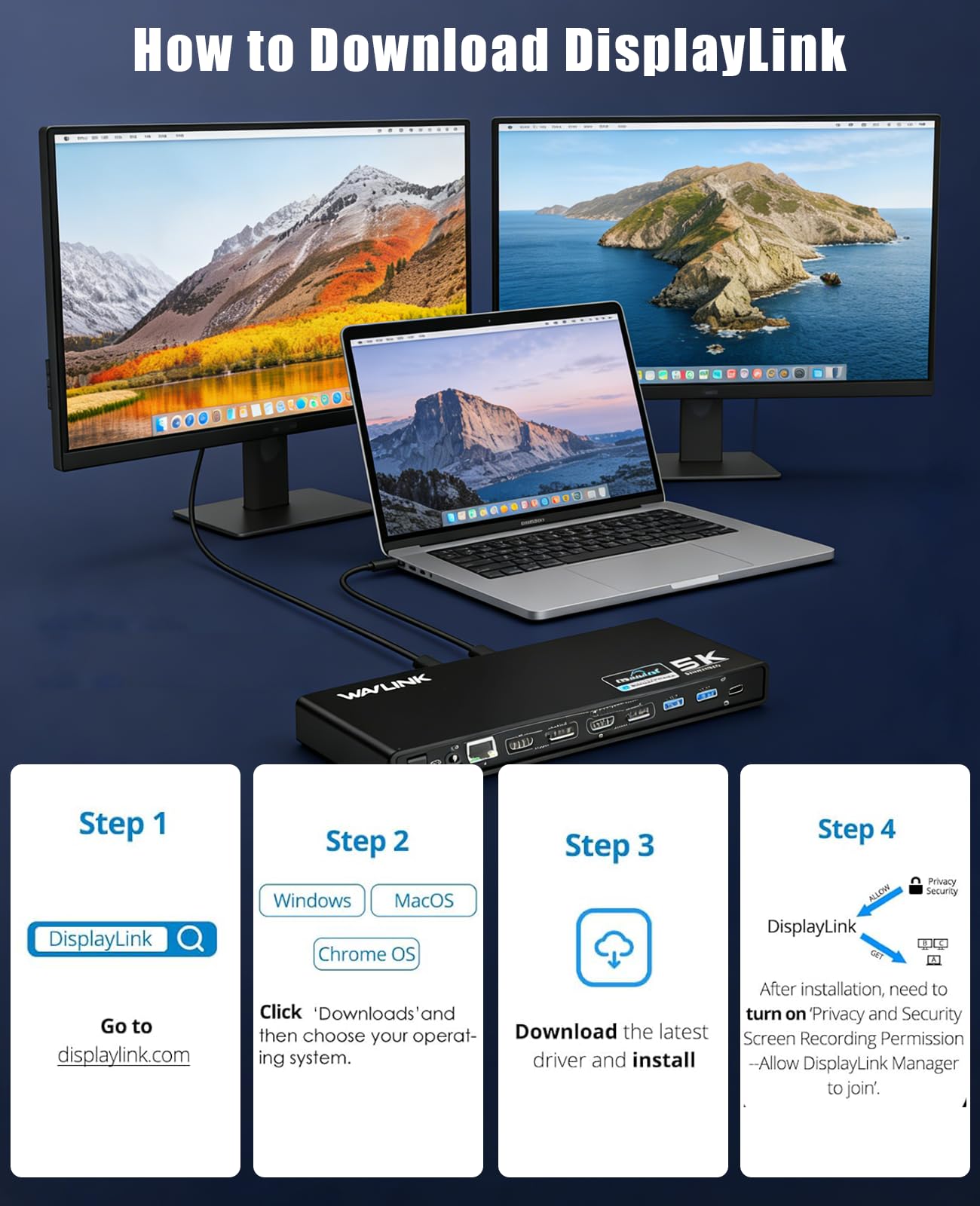
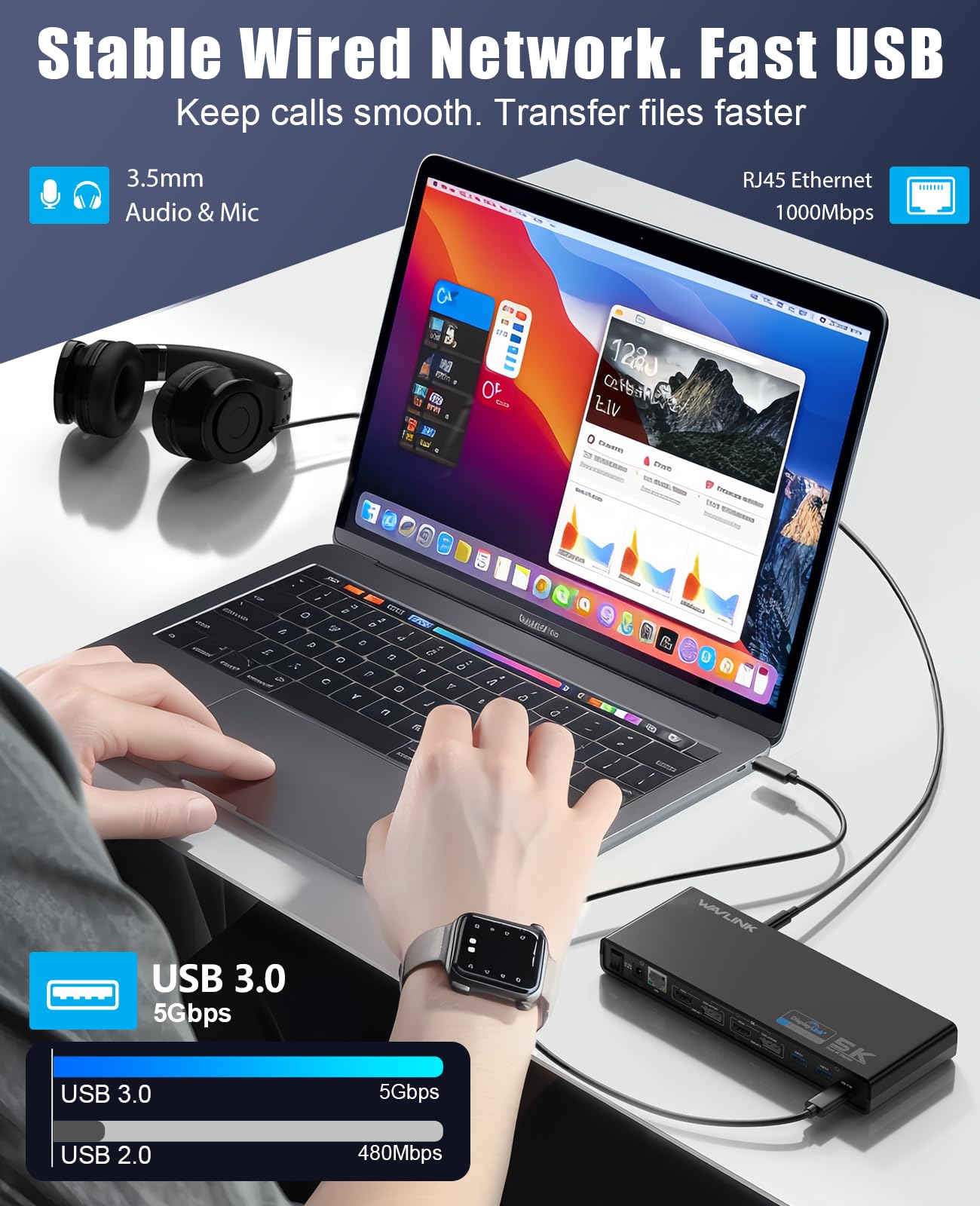
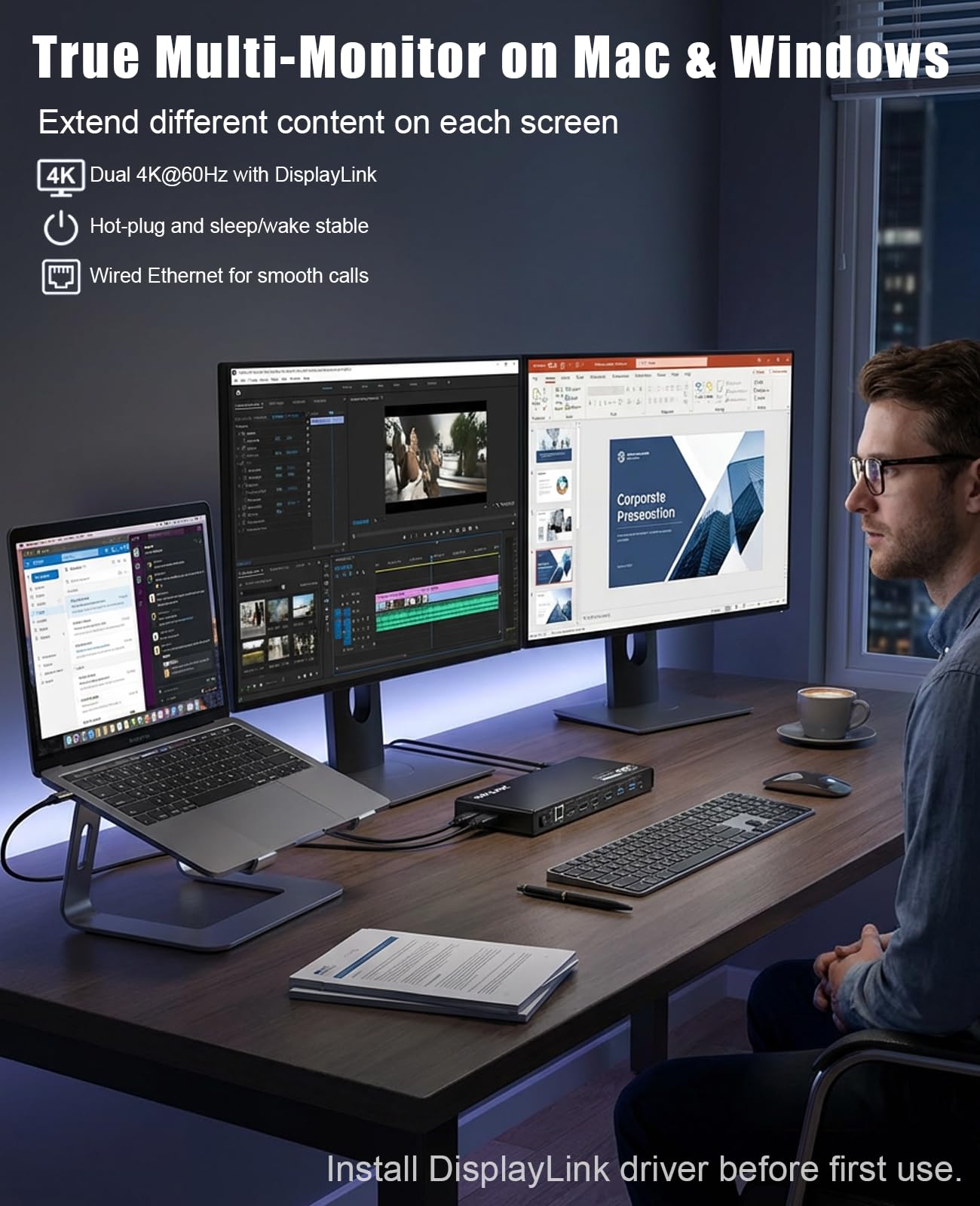
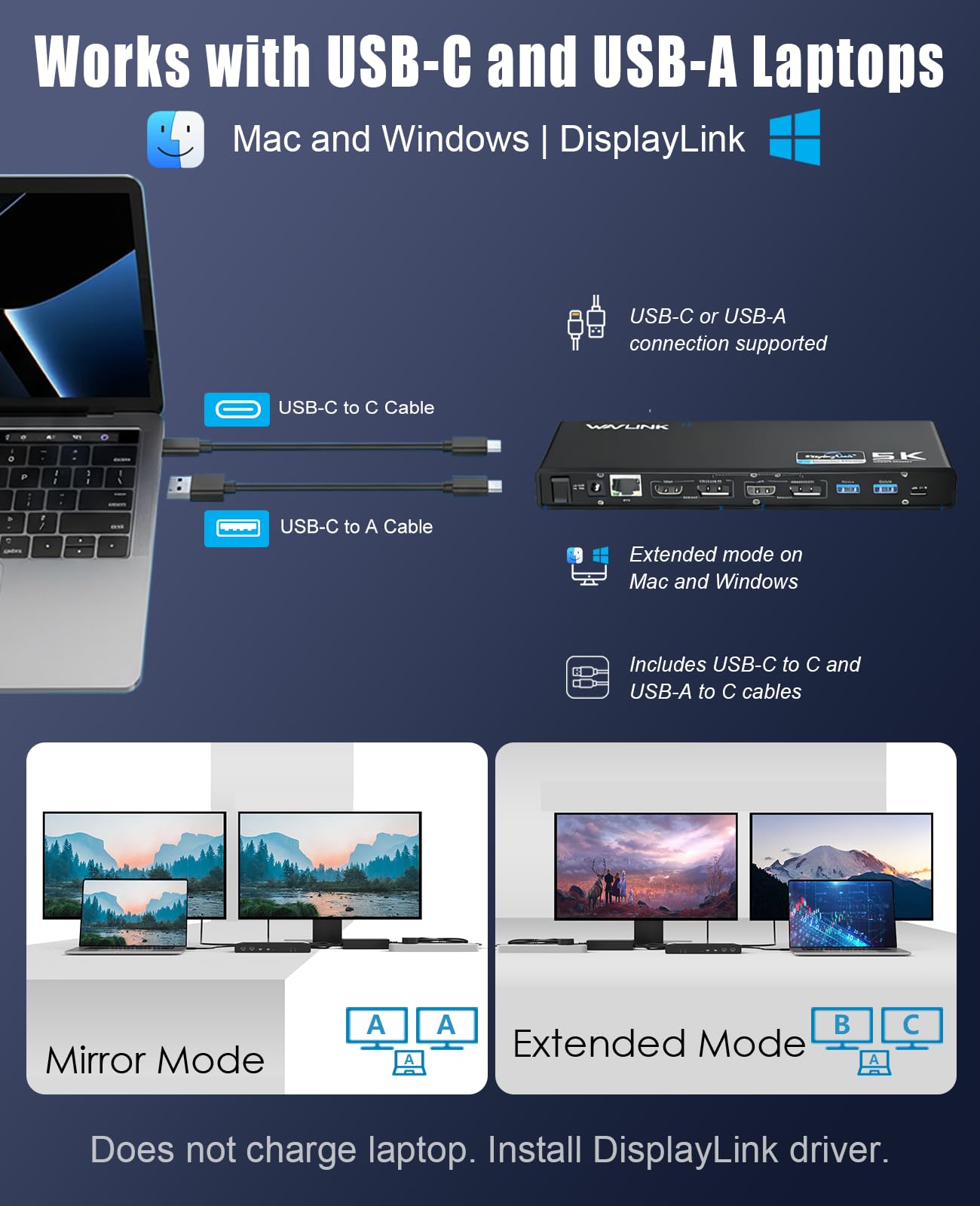
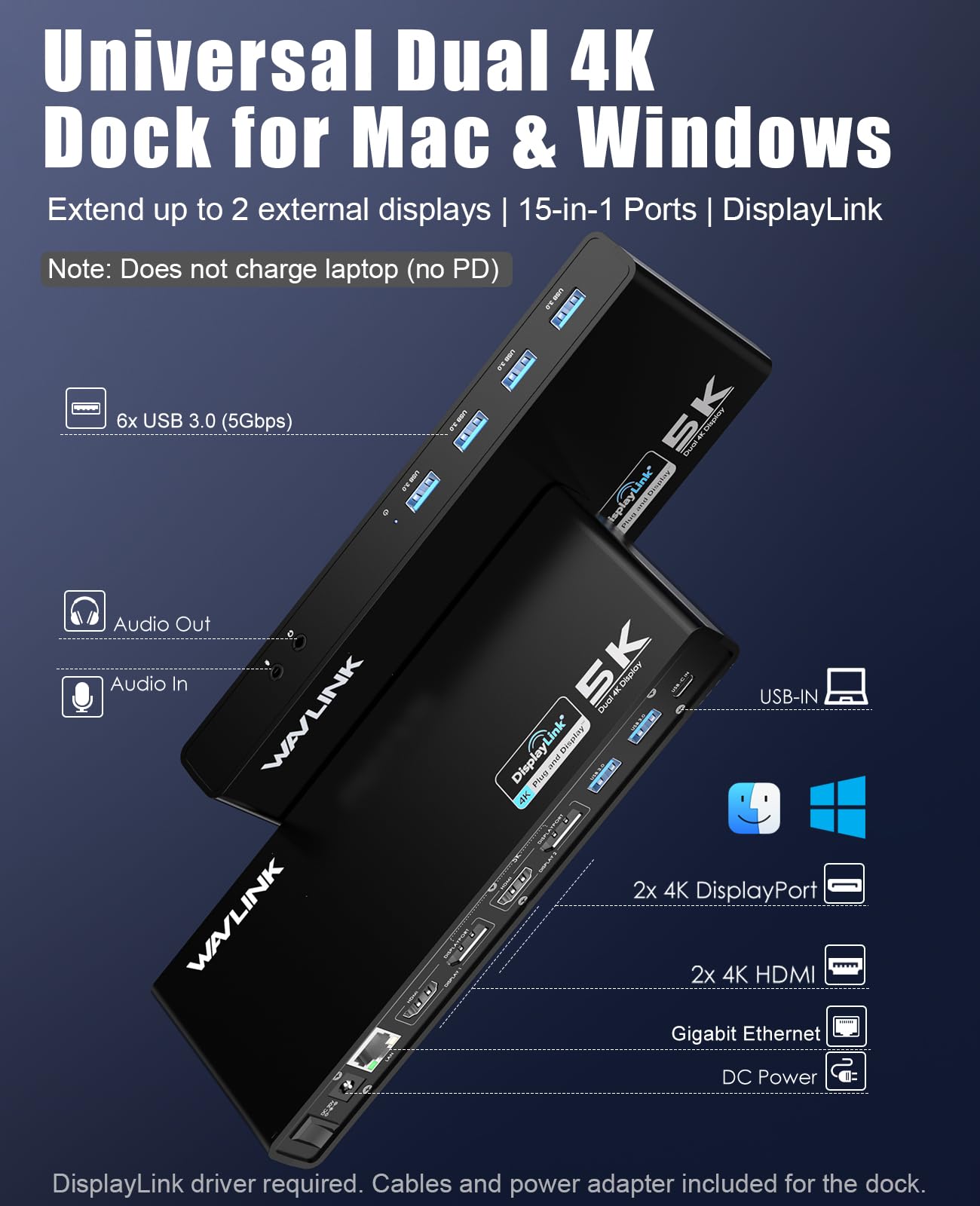
🚀 Elevate your desk game with seamless multi-display power!
The WAVLINK USB 3.0 Universal Laptop Docking Station transforms your laptop into a powerhouse workstation with dual 4K or single 5K video outputs, six high-speed USB 3.0 ports, and gigabit Ethernet. Compatible with USB-C, USB-A, and Thunderbolt 3 devices on Windows and Mac, it’s the ultimate solution for professionals craving expanded screen real estate and reliable connectivity in a sleek, compact design.


| ASIN | B07DCLK55V |
| Best Sellers Rank | 34,770 in Computers & Accessories ( See Top 100 in Computers & Accessories ) 313 in Docking Stations |
| Guaranteed software updates until | unknown |
| Item model number | 8541562306 |
| Manufacturer | WAVLINK |
| Product Dimensions | 32 x 15.49 x 5.99 cm; 249.48 g |
C**F
Perfect solution for M1 M2 chips from apple
Expensive device but definitely the best solution for multiple screen issues found with the new macbooks. Super easy to install, just plug all your devices to the deck and connect the deck to your machine. You have the option to connect to your machine via USB or USB type C. Versatile and practical. For better use you need to install the display link app on your laptop. Once this is installed and detects the deck your laptop will be able to share with 2 external monitor while preserving the independent visualization on each screen. No delays and no issues with image clarity. This was the only solution for M1 chip macs that wont display in multiple screens. The one thing to note is that video streaming is no supported with safari when in this sharing mode. However, if you change and use firefox for the streaming the problem is solved and you can keep all your screens plus your streaming or live tv. Totally worth the price. The keyboard works smooth and same the mouse. Now everything is connected to the deck which leaves one of the usb type c ports free to charge your laptop.
R**Y
2020 M1 Macbook Pro
I purchased this item as I started to use my 2020 M1 Macbook Pro at home a lot more. I already had 2 pre-existing monitors at my desk for gaming and my old pc and I wanted to use the power of my Macbook for Photo and Video Editing. I was skeptical of the price as it was an investment as such but decided to go for it since there was no other way of getting round single display support for the M1 Chip. It is annoying that is limited to only 1 display but went for the only workaround. The setup was very straightforward with a power cable and USB type-c cable for connecting to the Macbook. I installed the drivers from their website and installation took less than minutes. I connect all my HDMI cables to my monitors and intently the drivers took over and gave me 2 external monitors. I was really excited to have more workroom just from the power of a laptop. The driver works very well and I can even close my main screen and use the laptop like a normal computer in clamshell mode (Constant power needed). I am very happy with my purchase and if anyone is in the same situation to expand their workspace for their Macbook. I highly recommend it. The ports are very handy to have on the Display Docking station as I can connect external storage, Keyboards, Mice, and pretty much anything without any hassle. 5 Stars.
B**N
Just works with dual QHD monitors
My SFF Desktop (Win 10) had stopped pushing out video on both ports so I got this. Despite the PC having old USB A type USB3 ports, it just plugged in and worked on my two QHD monitors. No drivers or anything needed. I can also use this dock with my work laptop. I am disappointed with the USB C in Port on the dock. It seems of poor quality and the supplied cables (One for USBC and one for USB A) do not go in such that the body of the cable socket sits against the body of the Dock. This means the 'plug' can move about and ultimately could damage the port on the dock. Second poor point is the shape of the Power Supply (UK). The length of the body means it will not plug into my desk dado sockets :(
M**H
Works Exactly As Required
Purchased to enable extension to 2 monitors from a MacBook Air (M2). Need to also download DisplayLink Manager for iOS. Easy to setup and working quickly and as required. I do need to lookup on if I can configure 1 or both screens to display in portrait mode (rotated 90 degrees), not sure if it can but it may be due to the DisplayLink Manager settings rather than the hub, so check online about a version of DisplayLink Manager which would support this.
A**G
FAILED AFTER A YEAR
What can I say? Worked perfectly for about a year and half and then suddenly the device is not being recognised. USB driver port failed restart, connecting and disconnecting all the time. Tried to change cables and nothing. Tried it on another pc and still nothing. Tried updating drivers and STILL NOTHING. What to say. Have fun with it until it lasts.
M**R
Great alternative to other docks
Brought this to replace an Ascrono dock for multi screen on a Macbook Air 15" M2. Ascrono dock was proving tricky to get working (Probably my fault not the dock). This on the other hand was working exactly as expected 3 minutes after opening the box. Can't fault it at all. Simple to use, loads of connectivity. Driver link provided in the box and simple download and install instructions. All round exactly what i needed at a decent price.
S**N
Great piece of kit, easy to use!
I have been using this docking station for about 6 weeks and it was really easy to set-up with two monitors using HDMI cables, both monitors are working independently which is what I wanted. I am able to drag windows between the two screens. I literally plugged in the monitors and connected to my laptop via the USB-C cable and it was plug and play. I have even plugged in the dongle for my wireless keyboard and mouse (logitech) and these are working without any annoying delays. Would definitely recommend this as an easy to use and really well functioning docking station.
R**S
Feels cheap, ports and connections not good quality for price
As the title suggests. Not sure how to fix (have tried numerous workarounds and no answer out there) but any monitor which runs through this uses the docks (virtual) GPU which will not run any game in sufficiently decent graphics or FPS. Had to connect gaming rig directly to monitor via display port, which kinda ruined the whole point of the dock, i.e. Having one port to switch all devices and two monitors amongst gaming rig and work laptop. Sufficient for most office working purposes tho. Will not charge your laptop either (but doesn't purport to - although this should be made clearer)
J**N
Resuelve el problema de los m1 de Apple. Dos pantallas adicionales, la instalación es fácil, instalar displaylink conectar y listo. Por ponerle alguna pega, no trae puertos usbc o lector de tarjeras. Pero lo importante lo resuelve perfectamente.
J**A
Fantástico adaptador para expandir el escritorio de tu computadora. Si tienes un macbook air M1, este adaptdor es lo mejor para usar 2 pantallas adicionales.
A**ー
ノートPCのマルチモニター用で購入しました。PC本体+ディスプレイポート×2の3画面が可能になりました。 USBもこの機器から可能なため、本体には1本のケーブルで拡張可能です。 持ち運びもするため、全てが1本化出来るのが良かったです。
J**Y
I'd actually wondered why you don't see a multi-monitor docking station in the laptop stand form factor all over the place. Anyway, WAVLINK has added this to their expansive line of computer connectivity accessories. First things first--it says it doesn't support Linux systems but if you know what you're doing you won't have any trouble. I've used it with a variety of Linux distros including my current 'daily driver' laptop running Ubuntu. It may be distro dependent but I've found that if you use one of the more widely support distros (eg: Ubuntu) there's not many peripherals you can't run. I've also used it with Mac OS and Windows 10 & 11. Should you need to install a driver just hit the WAVLINK website and you'll have no trouble finding the link. I didn't need to install one on any of my test computers but that's a thing that varies from OS to OS and has nothing to do with Wavlink. I found it extremely easy to set up and get running on all of the half dozen or so laptops I tried it with. Once it's up and running, you've got a ton of options. It has a total of 13 ports which not only gives you the ability to use multiple monitors but also gives you plenty of room for other peripherals. Even cutting edge laptops are stingy with USB ports so if you're a 'power user' you can always benefit from more. Data transfer rates are very good and the device supports 80W pass-through charging. I've always been a big fan of WAVLINK products and this is one of my favorites. It's great being able to combine the functionality of a laptop stand and a docking station in one unit. Highly recommended!
A**R
This is a very heavy duty stand for laptops. Once the position is set it stays in position unlike some I have used in the past. It provides a useful selection of ports with 2 USB-C ports on the back basically dedicated to providing power and connecting the laptop as well as 2 sets of video ports and a gigabit RJ45 Ethernet. On the front face there is another USB-C as well as 3 x USB-A, unfortunately only one of which is USB 3.0. This is probably enough as keyboards and mice don’t benefit from USB 3.0 but it would have been nice to have all at the higher specification. External video is via DisplayLink which means that drivers need to be installed. This isn’t a problem with my Windows laptop but it does leave my Linux laptop out in the cold. Overall it’s a solid unit that helps keep everything connected with only a single cable to your laptop when docking or undocking.
Trustpilot
Hace 3 días
Hace 2 meses