We remain fully operational. Our teams are working around the clock to ensure your deliveries continue safely.

Descargar la aplicación


Servicios al cliente
Sobre nosotros
Copyright © 2025 Desertcart Holdings Limited
Descargar la aplicación
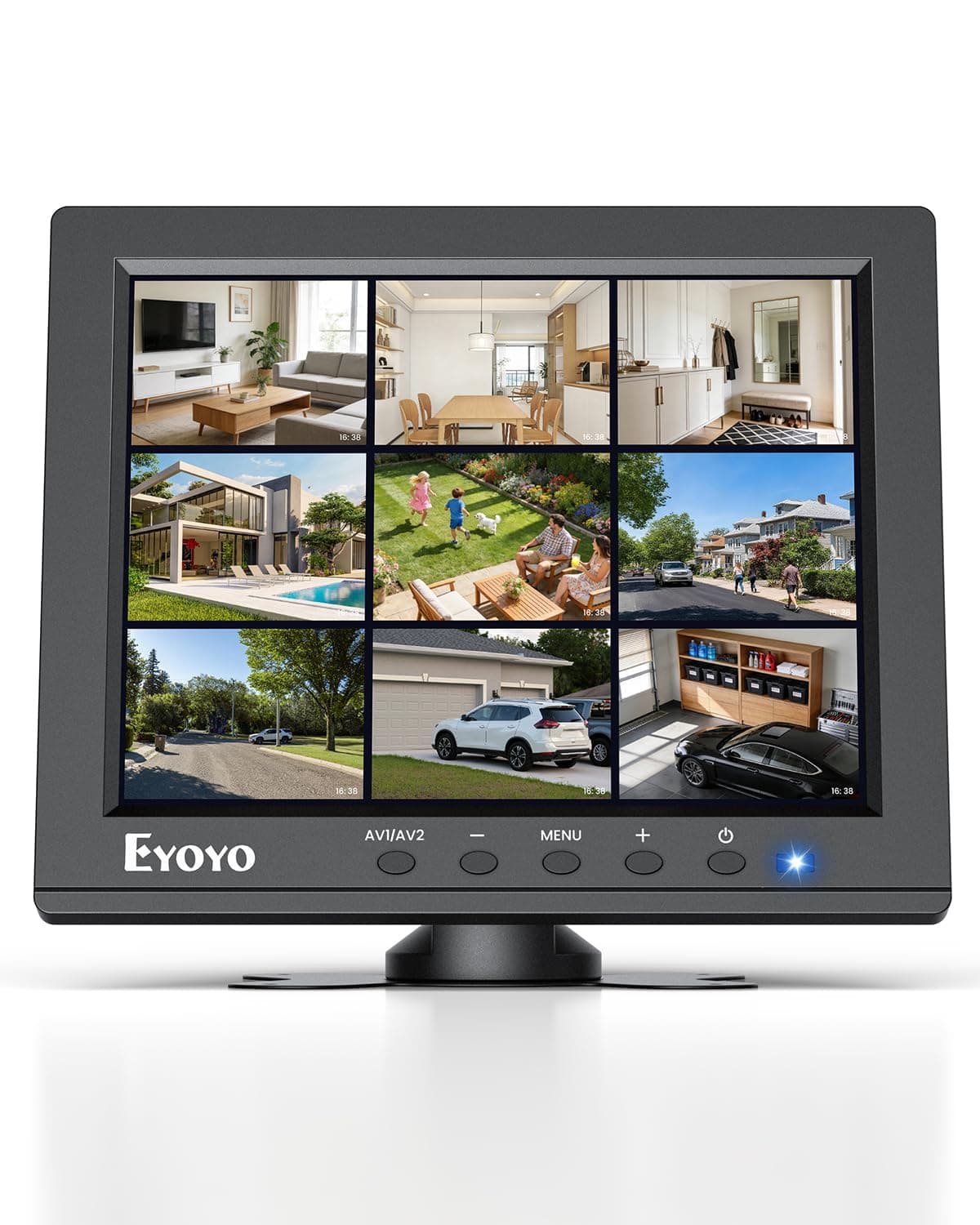

👀 Small Screen, Big Surveillance Power — Stay Ahead, Stay Connected!
The Eyoyo 8" Security Camera Monitor is a compact, versatile 4:3 LCD display with 1024×768 resolution and multiple input options including HDMI, VGA, AV, BNC, and USB. Designed for continuous 24/7 operation, it features built-in speakers, image mirror functions, and supports VESA wall mounting. Ideal for security, Raspberry Pi projects, and tight spaces, it delivers reliable, sharp visuals with low power consumption.


| ASIN | B01FHDL1DE |
| Additional Features | Built-In Speakers, Eye Care, Height Adjustment, Image Flip Function, Small Screen Size |
| Aspect Ratio | 4:3 |
| Best Sellers Rank | #86 in Video Monitors |
| Brand | Eyoyo |
| Brightness | 250 Candela |
| Built-In Media | BNC/HDMI/VGA/AV input |
| Color | Black |
| Color Gamut | 72 |
| Compatible Devices | Camera, Desktop, Gaming Console, Laptop, Tablet |
| Connectivity Technology | HDMI |
| Contrast Ratio | 400:1 |
| Customer Reviews | 4.1 out of 5 stars 727 Reviews |
| Display Resolution Maximum | 1024 x 768 Pixels |
| Display Technology | LCD |
| Display Type | LCD |
| Hardware Connectivity | AV Port, HDMI, USB 2.0 Type A, VGA |
| Has Color Screen | Yes |
| Image Contrast Ratio | 400:1 |
| Item Dimensions D x W x H | 1.29"D x 7.87"W x 6.49"H |
| Item Weight | 1.76 Pounds |
| Manufacturer | Eyoyo |
| Model Name | EM08B |
| Model Number | EM08B |
| Mounting Type | Desk Mount & Wall Mount |
| Native Resolution | 1024x768 |
| Number of Component Outputs | 1 |
| Picture Quality Enhancement Technology | Eye CareResolution |
| Pixel Pitch | 0.12 |
| Power Consumption | 12 Watts |
| Refresh Rate | 60 Hz |
| Resolution | HD+ |
| Response Time | 6 Milliseconds |
| Screen Finish | Glossy |
| Screen Size | 8 Inches |
| Screen Surface Description | Glossy |
| Shape | Flat |
| Specific Uses For Product | Desktop, Gaming, Surveillance |
| Total Number of HDMI Ports | 1 |
| Total USB 2.0 Ports | 1 |
| Total Usb Ports | 1 |
| UPC | 889251067525 |
| Viewing Angle | 140 Degrees |
| Voltage | 12 Volts (DC) |
| Warranty Description | 1 Year Manufacturer |
| Warranty Type | 1 Year Manufacturer Warranty |
R**T
Supports HDMI, RCA, VGA. Bonus USB power out and OK sound. Perfect for Pi-like deployments
In a world of monitors the size of a bedsheet, it's easy to overlook that sometimes small tasks call for small monitors. This is not a primary monitor for a thousand column spreadsheet or a CAD modeler. It's great for passive monitoring like status indicators for a build or for carrying to setup servers that will spend most of their lives without a monitor. My favorite feature of the Eyoyo is that it has every video input that matters. HDMI is there, of course. but it also decodes the older analog input from RCA jacks or a VGA DB-15 connector. If you're hooking up a "classic" gaming console or tiny computer (Original Pi, the C.H.I.P, or even a video iPOD (cable not included) having that RCA composite video input is super handy. It also supports HDMI, which provides sound and video on the contemporary connector. You can leave all the video connections plugged in and switch between them via the on-screen display. The unit is small enough to keep in your bag of tricks if you're having to enter the pre-boot environment, such as BIOS for a server upgrade or backup recovery for a normally headless system. Text was clear and bright. As a bonus, there is a 5V/1A USB output for power. This is useful for things like an LED "ring' light (not for the camera itself), powering Single Board Computers, or powering network gear. This is a power-ONLY USB-A. I could never really get the aspect ratio right when testing on my iMac. I think that MacOS just hasn't had to support 4:3 in so long that it just doesn't. Honestly, that's a bit of a silly combination and I didn't research it much. This monitor Just Worked in high resolutions on all the tiny computers (CHIP, Pi, Pi Zero, old desktop Linux, UNIX systems, game boxes and more. Text mode, though tiny, worked as well as all the respective GUI environments. It does come with a bracket that's probably best mounted to a wall. The wires at the bottom edge can be a bit crowded when the cables have to exit and them make a right turn to miss the desk. In all, I appreciate the size because I share it between several systems that are USUALLY network connected. Picture quality was good and the variety of hardware connections is handy for a gadgeteer.
M**C
The only small 4:3 monitor with proper PAL support
I had this TFT version of this monitor for 5+ years and I just ordered and received another one. It has a relatively bad picture and the colors are way off (especially blue). Viewing angle is also bad. The LED indicator of the monitor ON/OFF is not working on both of my monitors (I actually prefer this -- i normally mask the annoying light). However I am using it with my Amiga 600 over Composite and since its small footprint and an excellent stand it can sit on the computer giving it a nice laptop feel (see the picture). No, it is not 15KHZ compatible over RGB to VGA (that is a tall order and only a small number of LCD monitors can do that) cable BUT it has a fantastic feature: automatic NTSC/PAL detection and proper display ("shrinking") of the PAL signal, with PAL colors, which is super rare these days. If your requirements are: 1) small 2) native 4:3 ratio 3) LCD 4) automatic PAL support 5) new (not used/refurbished) 6) cheap then THERE IS NOTHING ON THE MARKET to buy except this model. I bought all models available on Amazon and tested them all on my Amigas and this is still the only one that satisfies them all. So i had to order another one and might even get a third one as a backup. At that price there is simple nothing better on the market. So even though the picture is bad compared to modern panels i simply have to give it 5 stars. I will also keep the newer IPS version of this monitor (amazon link: https://www.amazon.com/dp/B0BG77R6ST, i left my review there too) since the picture is way better but alas Eyoyo removed the PAL support!!! (It detects the signal but the picture is black and white and it stutters -- unwatchable). With PAL support that IPS model would be my dream monitor and i would be willing to pay way more for it since the picture is fantastic. I will use it on my Amiga 1000 which is incapable of producing the PAL signal so all is good. FOR EYOYO IF YOU ARE READING: PLEASE ADD PAL SUPPORT TO THE NEWER IPS MODEL!!!
A**.
Affordable, and it work if you give it a few minutes to configuration time.
Pretty good, reliable and cheap 8" monitor. Using this with Thrustmaster MFDs as backscreens for the MFDs in flight games. Work pretty well for my purpose, lots of connectors in the back of the monitor. The down side, in Windows 10, the screen seem to be off and Nvidia is detecting this as 1280x720 native. Took a little bit of working around to get it to roll at 1024x768, and had to use manual resize feature to finally get it to display in 962x722 pixel as the resolution that would fit on the screen. 1024x768 was overlaying a bit and about 1cm getting cut off from the bottom. You can fix it, jsut a little annoying to have to do that. There are also no native controls to move the output display on the screen. You can move the On Screen Display (OSD) but not what come out of your computer on the screen. Overall, good monitor, built in firmware a little lacking on autodetection and picture placement, and very basic picture adjustment. For most cases where you need a 8" monitor, it'll worked. I bought one, then bought another one.
J**S
Nice Little Monitor
This small, 8" monitor fills the bill for uses where you want a small monitor. You could use it for security applications, with either BNC or RCA composite input, or for monitoring video that you're streaming or previewing when you don't want a big monitor (HDMI or VGA). If you just wanted a small monitor rather than watching a bigger screen, say on an airplane, or lying around in bed or on the couch, hook it up with the HDMI. I tested all of the inputs. The only one I couldn't figure out was the component (YPbPr). If I get that figured out, I'll update the posting. I don't think it's that important, because, why bother? To get the aspect ratio right, be sure to set the device resolution to 1024 x 768, otherwise the picture is a bit more square (width compressed). Playing back a DVD, the picture was that way also. You probably could set your DVD player to the correct aspect ratio, but I didn't have the patience, and I mean watching a DVD on an 8" monitor, who cares if it's a bit narrow. The monitor can also be set to 800 x 600. The manual lists 640 x 380, but I didn't try that. It also has two mounting methods, a "butterfly bracket" and a "crescent bracket." It says both are optional, but mine came with the butterfly. The threaded holes on the back appear to be VESA standard 75mm spacing, however the butterfly mount doesn't match those and instead comes with a matching foam pad with double-sided adhesive. The mount has a tripod head type of attachment (see picture). PS: It played back video from a VCR perfectly :), but then who's going to do that? Maybe if you're archiving your videos and want a small monitor.
D**N
Native resolution is not available on MacOS; all supported resolutions have an incorrect aspect ratio
This device is advertised as a 1024x768 resolution display. However, when I connect it to a Mac (running High Sierra) access the extended "Scaled" menus in Desktop (Option-Click the option for a menu with all of the resolutions that the display supports), the options include: 1024 x 576 800 x 600 720 x 576 640 x 480 1080p 1080i 720p 480p Notice what's missing? It's not just weird that the complete list of supported resolutions does not include the native resolution for the display; it's actually a big problem because none of the other resolutions match the aspect ratio of the display. Even the ones that *should*, like 800x600 (which is 1.333 just like 1024x768), force the display into a weird, arbitrary scaling down to a different aspect ratio. As a result, every mode listed above produces output with an incorrect aspect ratio. The output is either vertically stretched / horizontally squashed (tall, skinny letters) or vertically squashed / horizontally stretched (short, fat letters). It looks awful and there's no good solution. The unit I received was also defective: the middle 2/3 of the display is discolored. It's noticeable even with a completely black screen. I presume that this was a manufacturing error (and normally I wouldn't penalize a review for that; even Apple occasionally ships a DoA unit), but figured I'd mention it as part of this review.
V**D
Actually Only 800×600
When I connected this to my Windows 7 computer via the included VGA cable and a DisplayPort to VGA adapter, I was surprised to see I could only set the resolution to 800×600 (recommended) or 832×624. Sure enough, at 800×600 the pixels were scaled exactly 1:1. I also noticed ClearType text was blurry and colorful, as if viewed through a glass prism; the subpixels are arranged BGR, not the usual RGB. I solved this by rotating the whole screen 180° and then using the monitor's horizonal and vertical mirroring features to make the picture upright. I later realized I probably could have simply set up ClearType for BGR subpixels on that display using the Windows ClearType tuning tool, but I'm not sure how well that works, and I'd rather have my cables coming out of the top of the monitor than the bottom anyway, for clearance reasons. The image isn't quite as crisp as it could be, with each pixel influencing its neighbor to the right to some degree. No fiddling with the timing phase will fix this; it seems to not be a timing issue, but possibly some fractional pixel error in the process of scaling an 800×600 pixel signal onto an 800×600 pixel panel. That sounds boneheaded, but the issue may be complicated by the fact that the firmware seems to think it's a 16:9 panel (which is also kinda boneheaded). Setting it to display the picture at 16:9 will cause it to fill the 4:3 display with the provided picture, with no distortion (as long as the computer generating the signal expects a 4:3 display). Also, I had to adjust the horizontal and vertical picture position settings to avoid cutting off at least one column and row of pixels. Maybe that wouldn't be necessary if I used a digital video connection. The screen is bright, the colors are vivid, and I haven't noticed any viewing angle problems. There seems to be a kind of shimmering or dithering effect visible in areas of solid color, even pure white. You probably don't want to stare at this screen for long periods of time, though. If you can accept this monitor's many shortcomings and just need a small extra screen to refer to when something's taking up the entirety of your main screen, you'll probably find this worth the price.
J**.
Portable and Reliable for Field Work
I bought two of these for field engineers in my company, and they’ve been extremely useful. They’re lightweight, easy to carry in a small bag, and perfect for supporting equipment installation projects. The 4:3 resolution is ideal for legacy interfaces and the multiple input options make them very versatile.
C**S
Small monitor - very versatile
I needed a small monitor to keep track of dubbing some older tapes from VHS to DVD. The very nice feature is that this unit has many different inputs: HDMI, RCA(RGB), VGA, BNC. The picture was crisp and clear. I was looking for a unit that had all 3 separate: Red, White, and Yellow for my RCA plugs since I find this presents a better picture than most units that combine them down to one input port for a single jack. This unit has a port for each cable. I had to return a previous unit where the combined wire wouldn't work on three different pieces of my equipment. So for the retro fit for RGB this was just what I needed. For small speakers they were loud and adjustable. The unit also has an HDMI port and a VGA port both of which worked fine, and a BNC port which when this is not in use for dubbing can handle a security camera. I am satisfied I bought the right unit and it has the ports I was looking for.
Trustpilot
Hace 1 día
Hace 3 días