🔵 Elevate your workflow and game with one programmable key—because shortcuts are the new power moves.
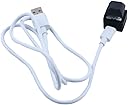
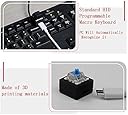
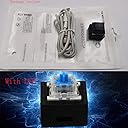
This compact, single-key programmable mechanical keyboard switch features a blue LED and blue mechanical switch for precise tactile feedback. It supports any key input, complex key combinations, multimedia controls, and mouse click functions, making it ideal for gaming, productivity, and secure password entry. Setup requires Windows software, but once configured, it works seamlessly across Windows, macOS, and Linux. Lightweight and USB-powered, it’s a versatile tool for professionals and gamers seeking customizable efficiency.
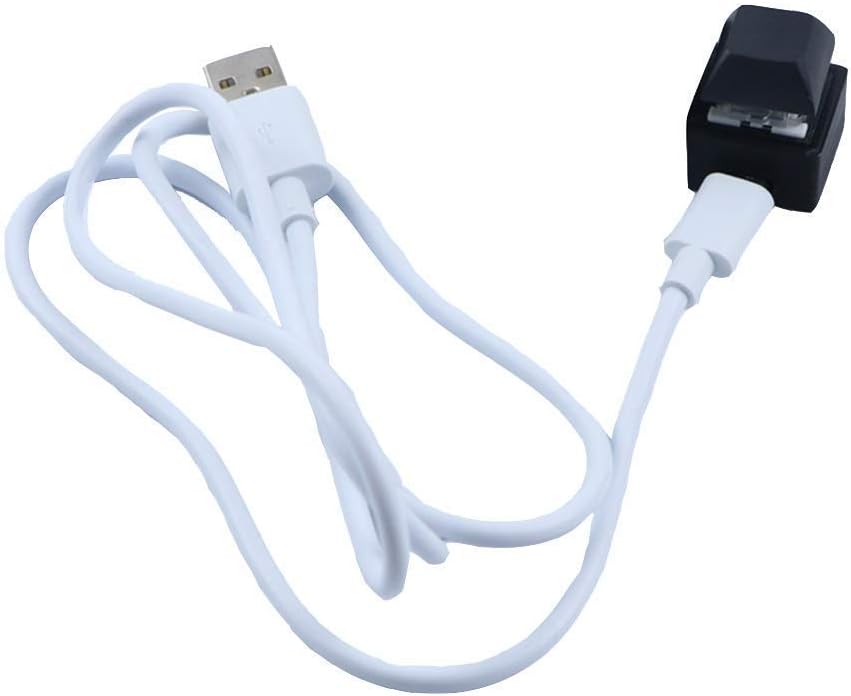
| ASIN | B08SQGWZN4 |
| Antenna Location | Gaming |
| Are Batteries Required | No |
| Best Sellers Rank | #2,444 in Computer Keyboards |
| Brand | Ne fashion |
| Built-In Media | USB Cable |
| Color | Black Single Keyboard |
| Compatible Devices | Keyboard, Personal Computer, Speaker |
| Connectivity Technology | Usb |
| Customer Reviews | 3.5 out of 5 stars 80 Reviews |
| Hand Orientation | Ambidextrous |
| Item Weight | 0.03 Kilograms |
| Keyboard Backlighting Color Support | Single Color |
| Keyboard Description | Mechanical |
| Keyboard Layout | QWERTY |
| Manufacturer | Ne fashion |
| Operating System | Windows, Macos, Linux |
| Other Special Features of the Product | Multimedia Keyboard |
| Special Feature | Multimedia Keyboard |
| UPC | 049500565367 |
| Unit Count | 1 Count |
A**R
Simple print screen button
Super simple way to program a button to print screen. Works every time.
M**E
Works great - NEEDS windows for setup
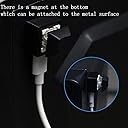
Despite coming with very sketchy setup instructions that are printed in probably 4px font size (TINY), this standalone key works great. I programmed it to spit out a message on press. About the sketchiness, the instructions promised that they were "non-toxic" and sent me to a random looking website to install software, and requested that I turn off any antivirus programs that I had running. I had a secure enough machine so I proceeded, and everything worked out fine. The key is mounted on a slightly magnetic block, but I affixed it to a flat weighted metal rectangle with velcro to anchor it better when it sits on a desk. IMPORTANT NOTE!! It needs to be set up using Windows. I'm a mac user and thankfully have a Windows vm installed on my machine. Once it was up and running, I had no trouble using the key with my mac. There are a few misleading responses to questions about operating systems given by the seller that say that the key is compatible with mac - as stated, it will work on mac but apparently ONLY AFTER it is set up using Windows.
M**E
doesn't work on macs
doesn't work on macs. Like the other reviews, say you can only set it up on a PC, which I did. Other reviews also say doesn't work on newer Macs. in fact, it appears to not work on any Mac, as I tested on a 2013, 2020, and 2024 Mac.
D**E
Does what it's supposed to do
Does as advertised. The software is a little janky but works if you follow the included instructions correctly. Key switch feels sturdy enough - housing is clearly 3D printed but perfectly fine. Micro USB is a drag - maybe update to type C?
M**R
Can be programmed and then taken to another device, but...
In Windows Press the 2 key. In the software. I was hoping to use this to program for multiple keys. It should be programmable by a regular keyboard or copy and paste a string of keys. I don't like having to use my mouse to type what I want in the software. Please make your program better! It is pretty cool though to have a macro key.
T**N
Interesting product
Kinda expensive for one but I needed it for a “push to start” button on my sim rig and it works. had to fondle around trying to get the keybind working but it’s good now.
S**N
This key is working really well for me.
A friend of mine gave me a very nice keyboard, but it didn't have an Escape key. So I got this key so that I could add an Esc key. It works great! One minor point (hence the 4 instead of 5 stars) I would bring up is that I had to try this key on a couple usb ports before I found one that worked consistently. The problem was that on some usb ports I had to unplug it and plug it back in to get it to work, but once i found a "good" usb port it's been perfect (maybe it has to do with how much power the port puts out?). Also, I did download the utility in order to reconfigure it from outputting "2" to "esc" and it was in English and worked for me. I would prefer if it was open sourced so that I would be more comfortable that folks could review the code for the utility and that it could be maintained by others in the future.
J**M
Bad design that could've been easily avoided
This product suffers from a major design mistake. When you plug it in, it is automatically recognized as the "2" key. The only way to change this apparently is to download some sketchy software from a chinese website lol. This could have easily been avoided by designing it the following way: Have the key be recognized by Windows as relatively unique/rare keyboard key. I've seen this on a different keyboard I own, there is a key in the top right that is a "Calculator" key (automatically launches the Windows calculator app). I reassigned the key to do other things PowerToys Keyboard Manager (a Microsoft product). The problem with this key is that if you use PowerToys Keyboard Manager to reassign this key, it will also reassign the 2 key on your keyboard, so every time you press 2 it would work anymore. If the had chosen a different key besides 2, and used a key that a normal user wouldn't normally use, this could have been avoided. Just a stupid design choice...
Trustpilot
Hace 1 mes
Hace 1 mes