
Descargar la aplicación


Servicios al cliente
Sobre nosotros
Copyright © 2025 Desertcart Holdings Limited
Descargar la aplicación
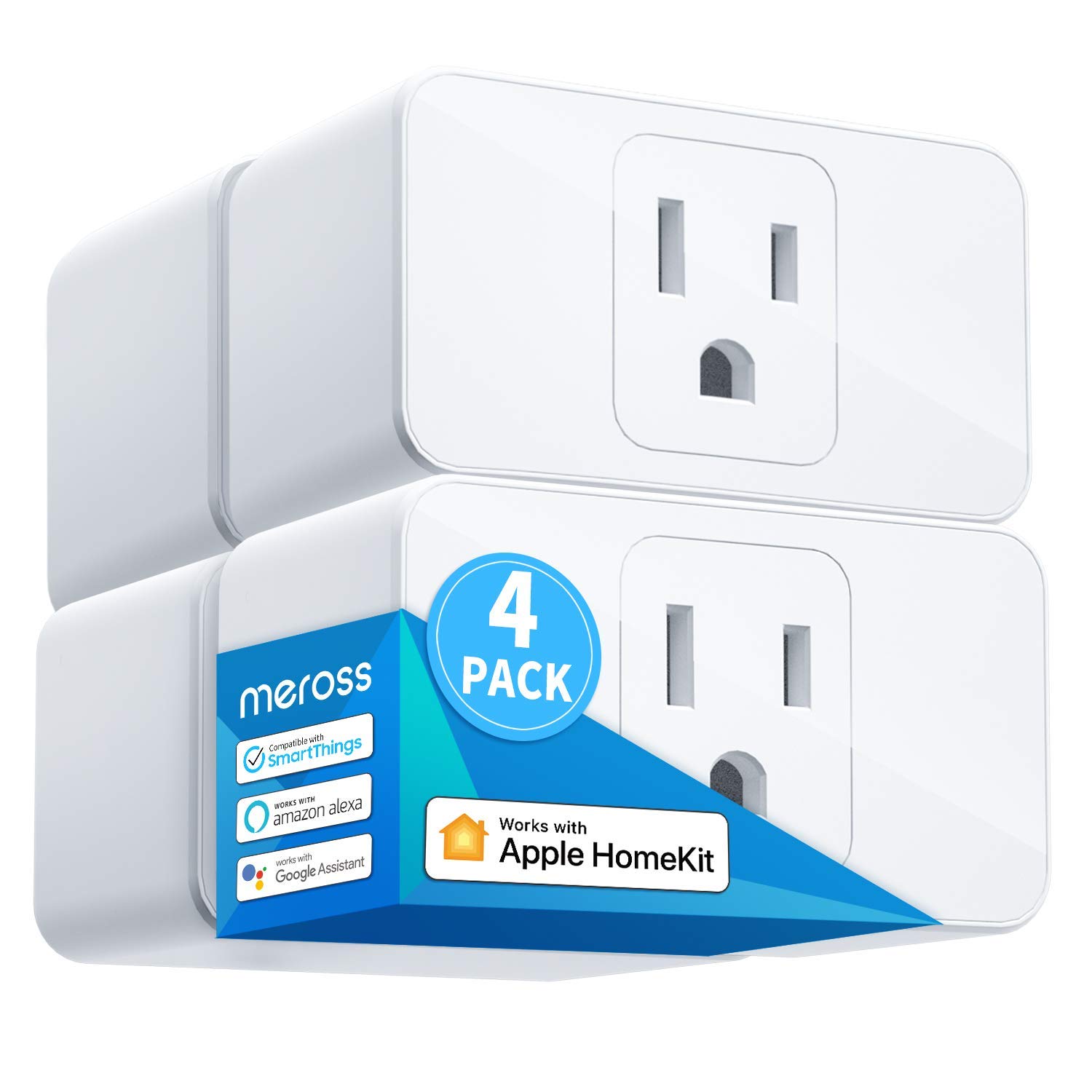
🔌 Power your smart home with mini magic—control, schedule, and save like a boss!
The meross Smart Plug Mini is a compact, reliable 15A smart outlet that connects directly to 2.4GHz Wi-Fi without needing a hub. Compatible with Apple HomeKit, Siri, Alexa, Google Assistant, and Nest Hub, it offers seamless voice control and app management. Its space-saving design allows two plugs per outlet, while scheduling features help automate your devices and reduce energy waste. Certified for safety and built with flame-retardant materials, this 4-pack is perfect for upgrading any home with smart convenience and professional-grade reliability.


| ASIN | B084JHJBQT |
| Best Sellers Rank | #8,773 in Tools & Home Improvement ( See Top 100 in Tools & Home Improvement ) #43 in Electrical Outlet Switches |
| Date First Available | February 5, 2020 |
| Item Weight | 11.1 ounces |
| Item model number | MSS110HK |
| Manufacturer | meross |
| Product Dimensions | 2.7 x 1.5 x 2.3 inches |
K**W
Works well for Christmas lights once you set them up
These are a full 15-amp remote switch, so the box is a little wider that I had hoped, but you can plug 2 into a standard American outlet, one over the other. Works great with Alexa - BUT - you have to install the Meross app first, then once it's operating the Alexa app takes it over. Should work with other automation systems. There's a manual on/off button on the side. Took just a few seconds to setup. You cannot put furniture too close to the wall due to the thickness of the box and the plug plugged into it - need about 3 inches of clearance. Worked great with the Christmas tree.
H**S
Headache free and reliable extensions to the reach of your HomeKit
I have about a dozen of these plugs and kept coming back based on my experience with Meross’ simplicity and reliability. These plugs offer an excellent HomeKit solution for making dumb devices smart. Also, the low profile allows more than one per outlet plate, which is great (and less common than you’d think). Response time is consistently near instant (via HomeKit or Siri) and super reliable with next to no instances of these plugs bouncing off-line (the solution is simply to unplug and re-plug). Pairing to HomeKit is simple and quick. At their low price point these are an excellent solution to enhance your smart home ecosystem with devices that would otherwise not be possible - heaters, heated blankets, water fountains, white noise machines, coffee machines, lamps, fans, you name it - as long as the device resumes its setting after power interruption. I have some more creative solutions in my home too, such as using shortcuts to activate these plugs when another smart home devices acts as a trigger. I also HIGHLY recommend the Meross garage door openers - they have been headache free and the very best solution after having tried literally four other brands.
B**S
Great for the Apple Homekit network
Great smart plugs for the Apple Homekit environment. Have used several of these plugs throughout our house to manage lighting and other electric devices. Easy to set up and configure. They stay connected and operate as expected. Never an issue.
R**S
Works Well, Updates are Slightly Wonky
Simple, works, supports a clicker/toggle button on the left-side to turn on/off manually. Light indicating "on/off" can be enabled/disabled (ie: usually green==on, off==off, but you can turn off the light all the indicator light all the time w/o putting a piece of tape over it). Updates are semi-frequent (I'm describing the iOS / Apple / HomeKit experience), but they're a little difficult to successfully manage. #1 updates have to be run by a secondary (junky) app, otherwise homekit complains of "out of date firmware" notification #2 the app for updating doesn't match the iOS / HomeKit naming (it's always: "Plug, Plug, Plug, Plug, etc...") so if you have a single plug which hasn't updated it's kindof tricky to figure out which one it is for troubleshooting (pro-tip: turn off all the lights/outlets, then turn them on one, by one, switch over to the app, and rename the only outlet which is turned on). #3 the app is kindof gross. It's got coupons and probably spyware and what not. From a HomeKit perspective, the app is _necessary_ b/c of the updates it provides, but not well integrated. On the plus side, they're really affordable, and I've been super happy to have them. My suggestion is to pair this with 1-2 `Eve` brand outlets which support usage monitoring. 1) Pick the target device (lamp, xbox, fan, whatever). 2) Run it for a few weeks w/ the "better" Eve outlet with usage monitoring. See about how much it costs to run that device per day/week/month, etc. 3) Switch it over to a cheaper Meross plug, and then keep in mind about how much it costs 4) Repeat with your next device... 5) 100% buy these Meross plugs for anything which you can "turn off" easier and "will pay for itself". For me, I'm able to physically power-down my X-Box overnight w/ one of these plugs, which saves ~$2-5/month compared to accidentally leaving it on overnight. That means these plugs pay themselves off in 2-3 months... BUT you need a usage-monitoring plug in order to figure out where it makes the most sense to have app-control. I'm unaware of the vampire-load of each of these plugs, but that info is probably in another review or answered question. Summary: - They're easy to set up - They work well with HomeKit - They're mostly OK to keep up to date - The app isn't great (but you don't need to use it often) - They're simple and I've been very happy they're cheap enough to put them in a bunch of places!
A**R
Compatibility with Apple Homekit.
Setup is easy on HomeKit. I did have a bit of trouble with 2 of the units but if I got away from the router and took the Mini Plug and the iPhone into the garage away from close proximity to the router they hooked up fine. I've ordered more.
D**L
Incompatible with Apple Homekit over dual-band 2.4GHz + 5GHz wifi
Received the smartplug. Downloaded the Meross app. Created an account. Added the smartplug via Meross app. It turns on and off great. Then I tried adding it to Apple Home via QR code. Doesn't work. Apple Home just times out. Checked the instructions again. "Connect your iOS device to a 2.4GHz home Wi-Fi while setting up HomeKit. If you use the same Wi-Fi name for both your 2.4GHz and 5GHz Wi-Fi and you fail many times during the setup, you need to turn off the 5GHz band for a while." My wifi is Google Wifi, which fits this description exactly: It has both 2.4GHz and 5Ghz bands. It uses the same name for both. It doesn't have the option to change the names or turn the 5GHz band off. I have never had this problem with any of the hundreds of devices that have been added to my mesh over the years. Including several Kasa smartplugs which only work with 2.4GHz as well. I should have bought more of those. IMO Meross should address this shortcoming in future models, but for now they could at least put the following sentence into their product description: INCOMPATIBLE WITH APPLE HOMEKIT OVER DUAL-BAND 2.4GHZ + 5GHZ WIFI
M**N
These plugs work as you’d expect once setup. They react VERY quickly through HomeKit when working with automations, Siri, or manual control through the Home app or the Meross App. Setup: This was the most involved part. As others have stated, HomeKit setup can be a little tricky if you haven’t done it before, that being said I didn’t run into nearly as many issues as other reviewers seemed to have had. I setup directly as a HomeKit device through the Meross app following the on screen HomeKit prompts. I also set up the devices in a kitchen outlet first so I don’t have to bend over behind a couch for the initial setup. This also allowed me to keep the phone within a foot of the device for setup which seemed to help. The first time I tried I was standing 6 feet away with my phone in my hand and it didn’t complete the setup, the please wait wheel just kept spinning. Once I left the phone on the counter directly under the plug (~1ft away) it setup instantly, the HomeKit prompts do tell you to stay “close” to the device while setting up. Each plug must be set up individually, as such I recommend doing just one at a time so you don’t get confused about which is which. Once the HomeKit setup was complete, you have to add the device to the Meross app again as it is not done automatically during the HomeKit setup. This isn’t a bug, this is a HomeKit thing, not a Meross thing. In the Meross app you tap the “+” button in the top right and. The HomeKit plugs are recognized in the Meross app as unlinked deviced at the top of the add device page in the app. Once added to the app, it will prompt you for a firmware update, let the device do the update (1min), and then your done. You can not control the plug through the app or the home kit app. Use: It’s a plug that you either turn off or on. My use case was for a pair of floor lamps that didn’t have a dimmer, but required me to lean over my couch to turn on/off. The device reacts EXTREMELY quickly through HomeKit. The lag time between hitting the “switch” in the Home app is non existent. Conclusion: Over all I’m very happy with the plugs. Sure they may have limited use cases, but if you have an application for an automated outlet, these work great! They are also ETL listed so you know they aren’t some cheap product that will accidentally burn your house down.
H**.
Fácil de instalar y funcionan muy bien con Apple HomeKit
G**C
Muy útil y de muy buena calidad, funciona perfectamente con Apple HomeKit
A**N
El producto me encanto. Es súper funcional y muy fácil de instalar y programar a través de la aplicación. Perfectamente compatible con la app Home de IOS y se puede activar o desactivar por voz con Siri. Lo recomiendo altamente. Instale dos dispositivos en exterior para una fuente y unas luces de jardin y su conectividad es muy estable a pesar de que el módem de internet no está tan cerca.
A**.
Llevo varios años usándolos, se enlazan fácilmente a HomeKit y con algunas actualizaciones de firmware a través de la app de Meross se han hecho muy estables.
Trustpilot
Hace 2 días
Hace 1 semana