Some deliveries may take a little longer than usual due to regional shipping conditions.

Descargar la aplicación


Servicios al cliente
Sobre nosotros
Copyright © 2025 Desertcart Holdings Limited
Descargar la aplicación

🚀 Elevate your home office game with stunning visuals and seamless style!
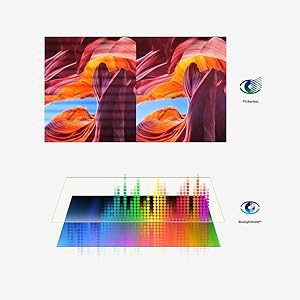
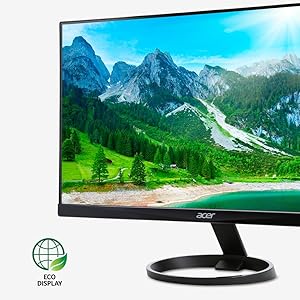
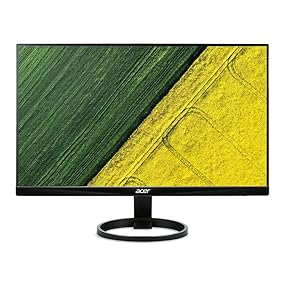
The Acer R240HY bidx is a 23.8-inch Full HD IPS monitor delivering vibrant colors with 72% NTSC gamut and wide 178° viewing angles. Its zero-frame design and multiple input options (VGA, HDMI, DVI) make it a versatile, eye-friendly display perfect for professional home office setups.




| ASIN | B0148NNKTC |
| Best Sellers Rank | #17,941 in Electronics ( See Top 100 in Electronics ) #472 in Computer Monitors |
| Brand | acer |
| Color | Black |
| Customer Reviews | 4.6 4.6 out of 5 stars (15,449) |
| Date First Available | September 6, 2015 |
| Is Discontinued By Manufacturer | No |
| Item Dimensions LxWxH | 21.3 x 7.3 x 16 inches |
| Item Weight | 6.38 pounds |
| Item model number | R240HY bidx |
| Manufacturer | Acer |
| Max Screen Resolution | 1920 x 1080 Pixels |
| Product Dimensions | 21.3 x 7.3 x 16 inches |
| Screen Resolution | 1920x1080 |
| Series | R240HY bidx |
| Standing screen display size | 23.8 Inches |
M**C
Excellent value, sharp, crisp, and better quality than I expected for the price.
Just received mine today to replace an older Acer display that is going on to other uses in my house. Installed the base no problem, hooked it up, no problem and off and running. First thing I noticed is that it is much brighter and crisper than the LCD screen it replaced. I am not an expert on color reproduction and all that. It seemed fine right out of the box. I did some minor tweaking in my NVIDIA control panel to tone down the brightness by about 3% but other than that, nothing. I play an online multiplayer game and I immediately noticed how much smoother this was and everything looked almost new. My old LCD was still a pretty good 5ms monitor, but this one transitions so much better. Other notes: -Using a DVI-D connection to my computer - I have a lot of cables lying around and for me the included VGA cable goes into the electronics recycle bin -This monitor uses a power "brick" but it is so small, it's more like a power "mouse" -The base is great, my old monitor used to shake when the washing machine went into spin cycle. This one doesn't move a bit. -For the money, if you are looking for a good monitor without a ton of features, just want to plop it on your desk and be done with it, this is a great deal. -This monitor appears to be exclusive to Amazon. -It's a very nice design, very pleasing to the eye. -I have this side-by-side with a very high quality HP display and I think the two are comparable. With my old display, when I switched from one to the other, it looked like going from a shiny new car to an old rusted beater.
M**L
Great value monitor
I’ve been using this monitor for the past year without issues and think it is a great product for the price. I work from home so I am a heavy user of my monitor. My old monitor was beginning to flicker all of the time which led me down a research rabbit hole and ultimately deciding between this Acer model and an HP. I opted to go Acer because it was slightly cheaper. I could not be more pleased. Connections: there are numerous ports that connect to different cords so it is a breeze to switch from my laptop to my husband’s laptop and our Chromebook. My laptop is 99% attached. Colors and clarity: my old monitor was old and small and pixel-y so anything was a step up. I had lower expectations for this monitor given the price and really just needed something that did not flicker. The first day I plugged my laptop in I was amazed by the colors and the clarity of everything. The Microsoft lock screen that swaps new stock pictures daily is absolutely gorgeous. My eyes do better when looking at Excels too. Size: I went with the 23.8 bc I did not want to get something obnoxiously large. I almost regret not getting the 27 bc the monitor is so light and thin. The 23.8 is nowhere near overwhelming and definitely is a great everyday size that blends into a workspace, but don’t be afraid to go big. Reliability: I have been using this exactly a year and the monitor has had no issues. It’s been great. I highly recommend this monitor for anyone looking for a great monitor that is thin and light at a great price.
S**E
Excellent monitor by Acer
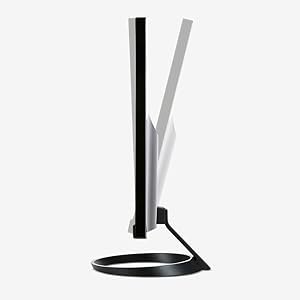
Excellent value for money. I suspect this to be one of the best choices of monitors in the category. I am very satisfied with it's performance and have found no evidence of leaks around the perimeter (as a review I had read might have suggested). Picture image is absolutely steady and color and detail are vivid and sharp. The frame around the image is arguably the thinnest in its category. This is a big plus when it comes to long sessions of work. Also, it would be a plus when using multiple monitors. As I expected, there is a relatively wide viewing angle from any direction - so there is little need to adjust the stand constantly. Again, during long sessions of work I change my angle and height of viewing quite a bit, the wide viewing angle is much more comfortable in such cases. One small issue I have noticed while testing is that I would have preferred a height adjustment on the stand. My preferred viewing height would have been about an inch shorter than the fixed 4.5 inch height (bottom of image to desktop). Sometimes I have to place the monitor on a standard tabletop at work, which is particularly where this need becomes apparent. I thought of mentioning this only for the manufacturers, but it is not really a big problem since I am quite accustomed to it even at this time, three weeks after putting the monitor into use. Since I use this monitor with a new build, its generic drivers were installed by Windows during assembly. However, I replaced these with the Acer drivers. Regardless of how impressed I was with this monitor, I have to state that although I have been a computer builder and business user/enthusiast for many years, I have not been able to figure out how to use the physical buttons on the monitor to tweak its settings - I gave up and used the Windows Control Panel instead. The monitor comes well tuned and does not need much or any tweaking out of the box. Overall, I think most customers would be entirely satisfied with buy and I recommend it highly.
V**O
Lo primero que llama la atención de este monitor es su estética, tiene acabado tipo piano y y el borde es ultra delgado lo cual lo hace atractivo. Lucirá bastante en tu escritorio. Ha funcionado muy bien en actividades cotidianas con la computadora y de oficina; el reflejo es mínimo en el monitor. Los botones para acceder a su configuración se encuentran en la parte de abajo del marco; el acceso a ellos puede ser un poco complicado y aunque cuando ingresas al menú de opciones te aparece una ayuda visual del lugar donde debes de presionar, no llega a ser tan sencillo, hay que practicar un poco. No obstante, creo que muchos monitores apuestan por la estética y ocultan los botones de acceso a su configuración. Opté por crear una configuración personalizada al inicio; esta personalización y otros modos predeterminados del monitor pueden alternarse a través de los botones disponibles. Los modos con los que cuenta el monitor son: Personalizado, Eco, Estándar, Gráficos y Película. El monitor cuenta con entrada HDMI, VGA y DVI. Me hubiese gustado que este monitor fuera compatible con la herramienta de Acer Display Widget para sacarle mayor provecho pero no fue así.
S**E
an amazing monitor if you get it on sale for 149 CAD. at it's regular price it is a bit pricey for what you're getting; i'd wait for amazon to restock and have it drop in price to 149-159 CAD. pros: - best IPS monitor near 24 inches for the price - images are just straight up better on an IPS panel - once you buy this monitor, you will never want to look at bezels again (yes it is that nice) - two of them together would be amazing but for gaming/youtube, i recommend incorporating a panel actually designed for gaming into a multi-screen set up (reason below) - amazing for movies and content - suitable for light games but doesn't compare to a screen that can actually drive over 60 fps - it does tilt, like with all acer monitor stands, dont be afraid of breaking the screen and it WILL tilt towards or away from you. the monitor must be fully assembled before tilting; you cant tilt it while its partly assembled when you’re unboxing. hold the top of the screen and the stand simultaneously and put your back into it cons: - its full non-on-sale price - you'd probably want to get this on sale - not vesa compatible which is fine if you don't plan on mounting in the future (but should definitely take this into account if you plan on creating a "forever" set up; i'd recommend looking into VESA mounting for "forever" setups) - in reality, it's not a gaming monitor but that's why i have the GN246hl beside it overall 8/10 monitor for $149
N**E
I am very pleased with this monitor! Nice and bright, clear and excellent color reproduction. Everything looks beautiful on this screen. This monitor's I/O includes HDMI, VGA, and DVI-D, and a 3.5 mm headphone jack. The power cord is thin, with a barrel connector on the end. And wait 'till you see the freaking bezels on this, too!! They're brag-worthy!! My brother is so jealous, when he saw this monitor he wanted one too!! You can't go wrong, trust me!! GET ONE!
O**R
Desde hace tiempo estaba buscando un monitor como este, la verdad es que tiene una excelente calidad de imagen y esta a un precio muy accesible, perfecto para gaming y diseño. el panel ips me agradó mucho ya que tiene un amplio angulo de vision, a diferencia de los paneles Tn. se ve fluido y sin motion blur, gracias a su tiempo de respuesta de 4 ms. los colores, la nitidez y contraste que trae de fabrica no son tan buenos, pero con un poco de ajuste desde las configuraciones queda perfecto. En verdad lo recomiendo.
C**R
I have two of these set up on my desk. They are great monitors if you can get them on sale. Not too bad at regular price, they don't allow for a VESA mount unless you buy a third party adapter. Though it does hold it nicely. The only complaint I had with this monitor is the base is so large if you have a slightly smaller desk two of these becime a hassle. Even with the desk in the picture I still had problems with the base hitting my keyboard or mouse as I was gaming. Though I do like to keep my arms on the desk as deep as I can.
Trustpilot
Hace 4 días
Hace 2 semanas