Desert Online General Trading LLC
Dubai, United Arab Emirates
Desert Online General Trading LLC
Dubai, United Arab Emirates


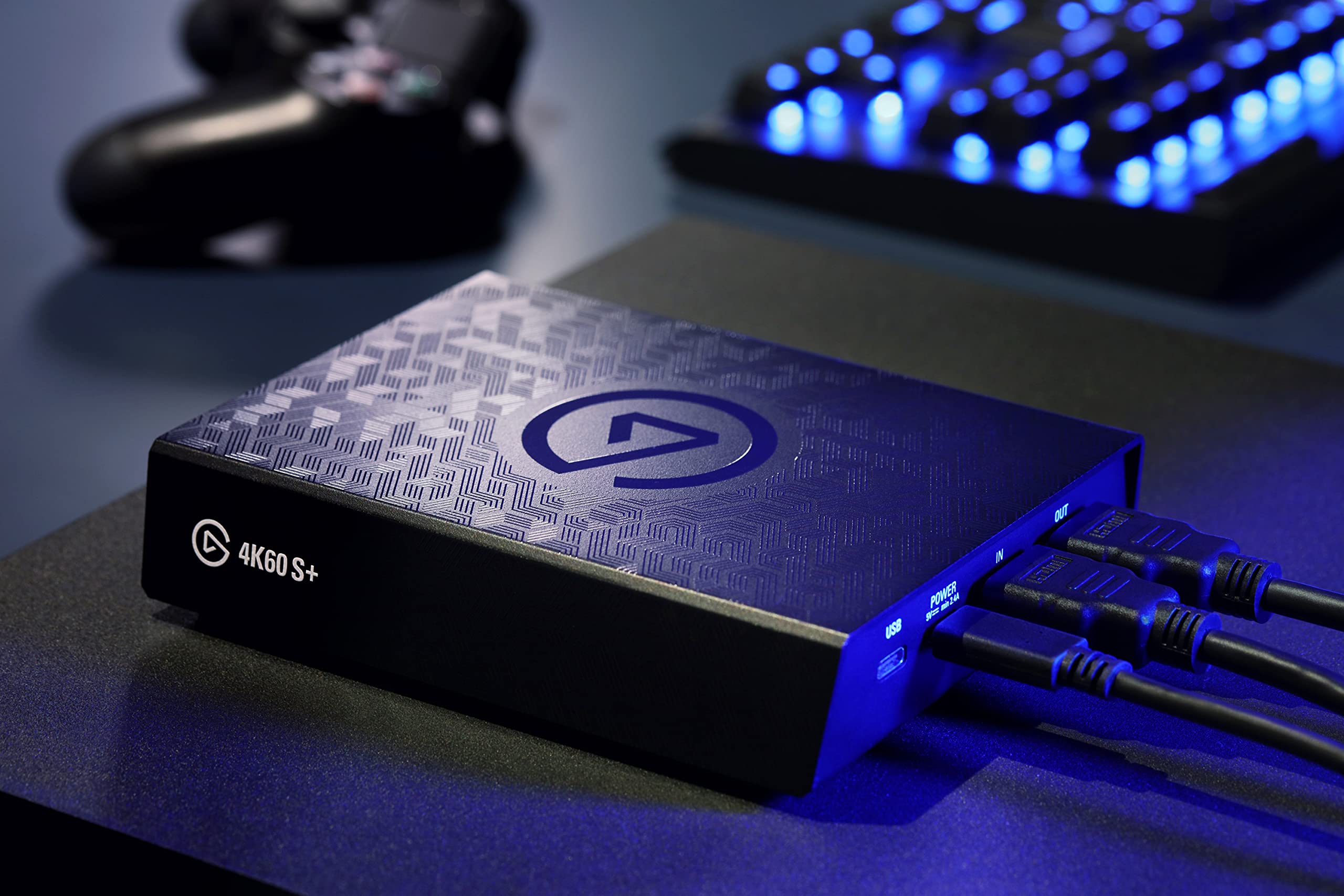


🎥 Capture Brilliance, Stream Like a Pro!
The Elgato 4K60 S+ is a professional-grade external capture card designed for Windows users, delivering pristine 4K60 HDR10 recording with ultra-low latency passthrough. Compatible with major consoles and popular broadcasting software like OBS Studio, it features onboard HEVC encoding to reduce CPU load and file sizes, plus an SD card slot for standalone recording. Its innovative Flashback Recording lets you save gameplay retroactively, making it the ultimate tool for high-fidelity content creation on the go.

| Brand | Elgato |
| Series | 4K60 S+ |
| Item model number | 10GAP9901 |
| Operating System | windows |
| Item Weight | 12 ounces |
| Product Dimensions | 5.59 x 4.37 x 1.26 inches |
| Item Dimensions LxWxH | 5.59 x 4.37 x 1.26 inches |
| Batteries | 1 Lithium Ion batteries required. |
| Manufacturer | Elgato |
| Language | English, English, English, English, English |
| ASIN | B082N68RNS |
| Date First Available | January 4, 2020 |
J**E
Best capture card owned!!
I was in dire need of a new capture card and Elgato products have always been my go-to whenever I needed something of high quality and I can honestly say that this capture card goes beyond that. After a lot of use with this capture card, I can safely say that this is hands down one of the best ones to own and it’s very much worth the price. The functionality of being able to record without a PC is also a plus if you honestly don’t feel like booting it up or if you use a laptop. Just insert your SD card, plug it in, and it’s good to go!I’ve also recorded a few videos without PC and went onto Premiere Pro and the quality and playback are absolutely crisp. It captures everything perfectly and it’s no struggle setting up. I would highly recommend this to anyone if you really want to take your game recording up a notch, as it really does the best job!
T**R
Not Good Enough For Next Gen
I purchased this product to record game footage from a new Xbox Series X console. I currently record using an internal capture card on my desktop PC and record in 4k@60, on a SSD using OBS. I wanted to get away from having my PC next to my console in the living room, and would use the “best external capture card” available. I was interested in the standalone functionality of this $400 brick of hardware. After having purchased an SD card that is capable of 240mb/s write speed, I was told by several techies and early adopters that this was the capture card I needed to record 4K at 60 frames while also playing the game. It has a very good pass through?! So they said. After downloading the Elgato software and updating the system.txt file to record at the MAXIMUM BITRATE that the card can do...every recording has a micro-stutter. The .aac audio file is great, having a separate audio file is handy for creators, but not at the expense of a very BAD capture of the video. Frustrated, I decided to use the Elgato software to record onto my PC again. This time the capture was good, in 4K and appeared to capture the HDR well also. However, when using the SD card, 3 different brands and all of speeds higher than 140mb/s bitrates which is the MAX write speed of the card, the stuttering was severe. After over 40 recorded attempts, with suggestions from the manufacturer, the stuttering was always there. I was even told to “lower my resolution” how exactly does a person lower the resolution of an Xbox? And why would I want to record at a lower resolution? Did their company just admit that this card doesn’t function as advertised in a standalone mode?!!! (My ONLY reason to purchase this product). After hours of support forums and literally hundreds of complaints about the EXACT SAME ISSUE, and I decided to return this product for a full refund from Amazon. Elgato (Corsair) clearly didn’t do enough product testing to release this at such a ridiculous price point. I would recommend ANY 4K internal card over this, and until they can get a pass through that will allow for 4K@120 or FASTER, then the capture market is limited to having a PC to capture from a console. Essentially removing the convenience of having an external card to capture the next gen footage.I’ll be purchasing their competitors latest internal card. And would NOT recommend this product to anyone. Overpriced crap that is dependent on an uninformed market.
S**M
Best standalone HDMI capture device ever!
Life is much easy with this product, All you need to do is insert SD card then hit record button. I purchase this to capture drumming music game. It have 3.5mm line-in jack as additional audio input. This is what I'm looking for and fit my use-case as all of my audio came from electronic drum, it does not come from HDMI. The configuration method for standalone recording is very clever, just edit configuration file which automatically created when you insert SD Card. Recording quality is very high, Actually too high :p . Default bitrate for 1080p is 60Mbps which is overkill, I've reduced it to 40Mbps and still got amazing result. This product worth every dollar that I spent. Very happy with the product and highly recommend to everyone that looking for standalone capture device.
E**.
Not a fan of the standby mode.
My initial unit had issues and intermittently worked. After engaging support I received a replacement after some weeks. The replacement unit worked as advertised and does what I had hoped for, which was to capture gameplay downstairs from my consoles. There are some issues I still have that hopefully can be addressed by future firmware:* Device's clock gets reset easily. As a result, the timestamps in the saved files' names are useless and make organizing files saved to my NAS a hassle.* Lack of HDR tone mapping is annoying, particularly since I haven't figured out an HDR workflow yet without buying all new editing software and I want to play games with HDR enabled.* The most problematic issue though is standby mode which the device automatically enters when not being used. To exit standby mode you have to physically press the capacitive button on the device. This could be an issue if you've got a cat in your lap or are otherwise not able to cross the room to your entertainment center. Even worse is that (at least with XBOX) the console will refuse to start a remote play session if it can't detect an hdmi display is connected. You could literally be on the other side of the state at the time you want to play now that such remote features exist. To work around this, I keep an hdmi coupler nearby to directly connect my TV and Xbox when I am not recording. It would be a much better experience if standby mode ended automatically when I began using my console or if I could disable the use of standby mode entirely via the config file.
S**D
Great Device. Fix for stuttering and choppiness when streaming.
Great capture device... Beautiful, crisp gameplay capture.There is 1 problem with the device (atleast in my system). There is a lot of choppiness and stuttering while gameplay capture. At first I thought it might be because of bitrate in Obs Studio or my internet upload speed is less. After fixing those, these problems didn’t go away. So, I thought why not try a last thing, that is get a usb-c to usb-c cable and not use the usb-c to usb-3.0 cable that comes with the box. And those choppiness and stuttering all went away. I understand why it includes the usb-c to usb-3.0 cable, but it will better if they include an usb-c to usb-c connector and let the customer buy the usb-c to 3.0 if their device doesn’t support usb-c.
Trustpilot
Hace 1 semana
Hace 2 meses