
Descargar la aplicación


Servicios al cliente
Sobre nosotros
Copyright © 2025 Desertcart Holdings Limited
Descargar la aplicación
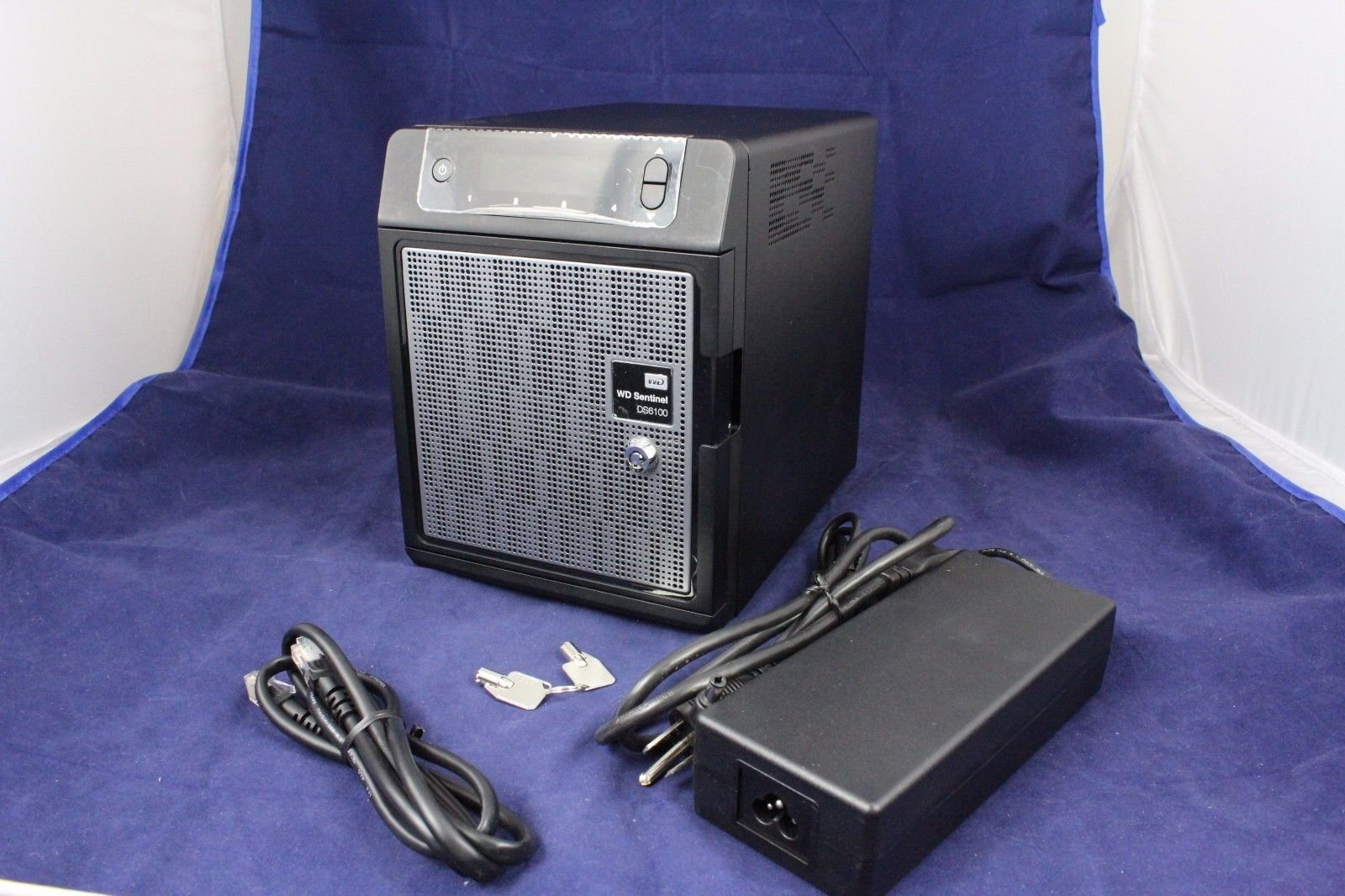
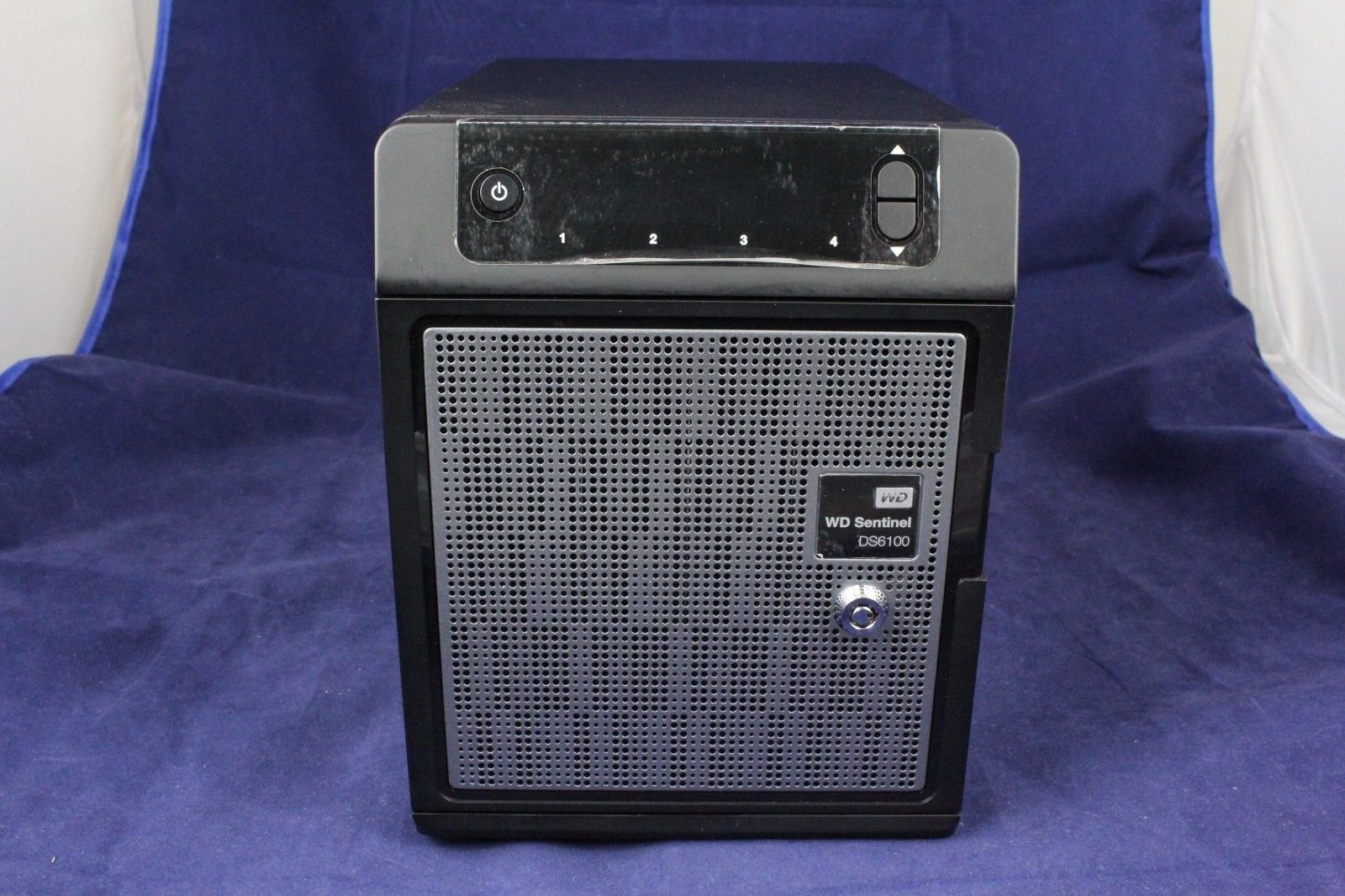
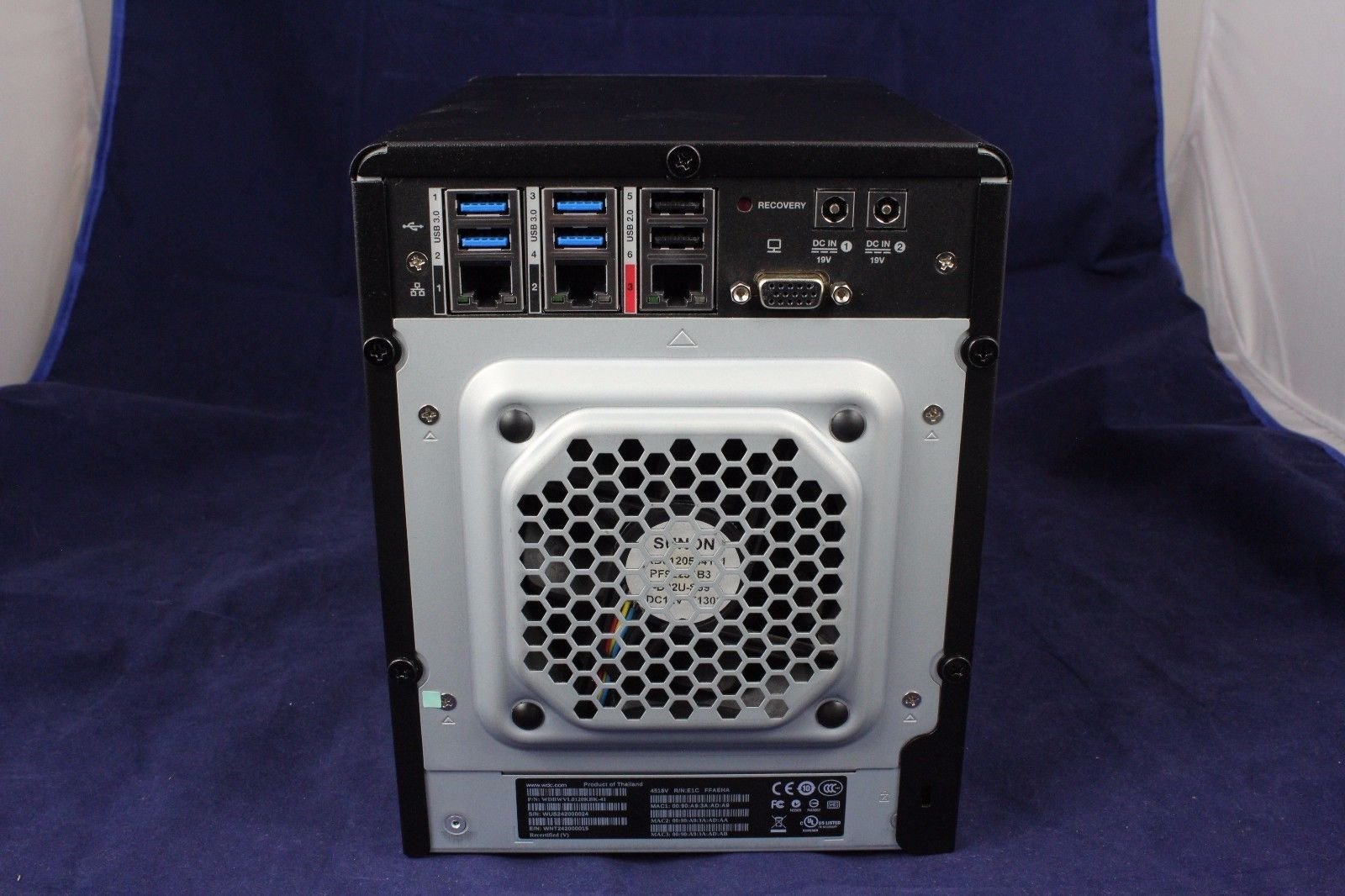
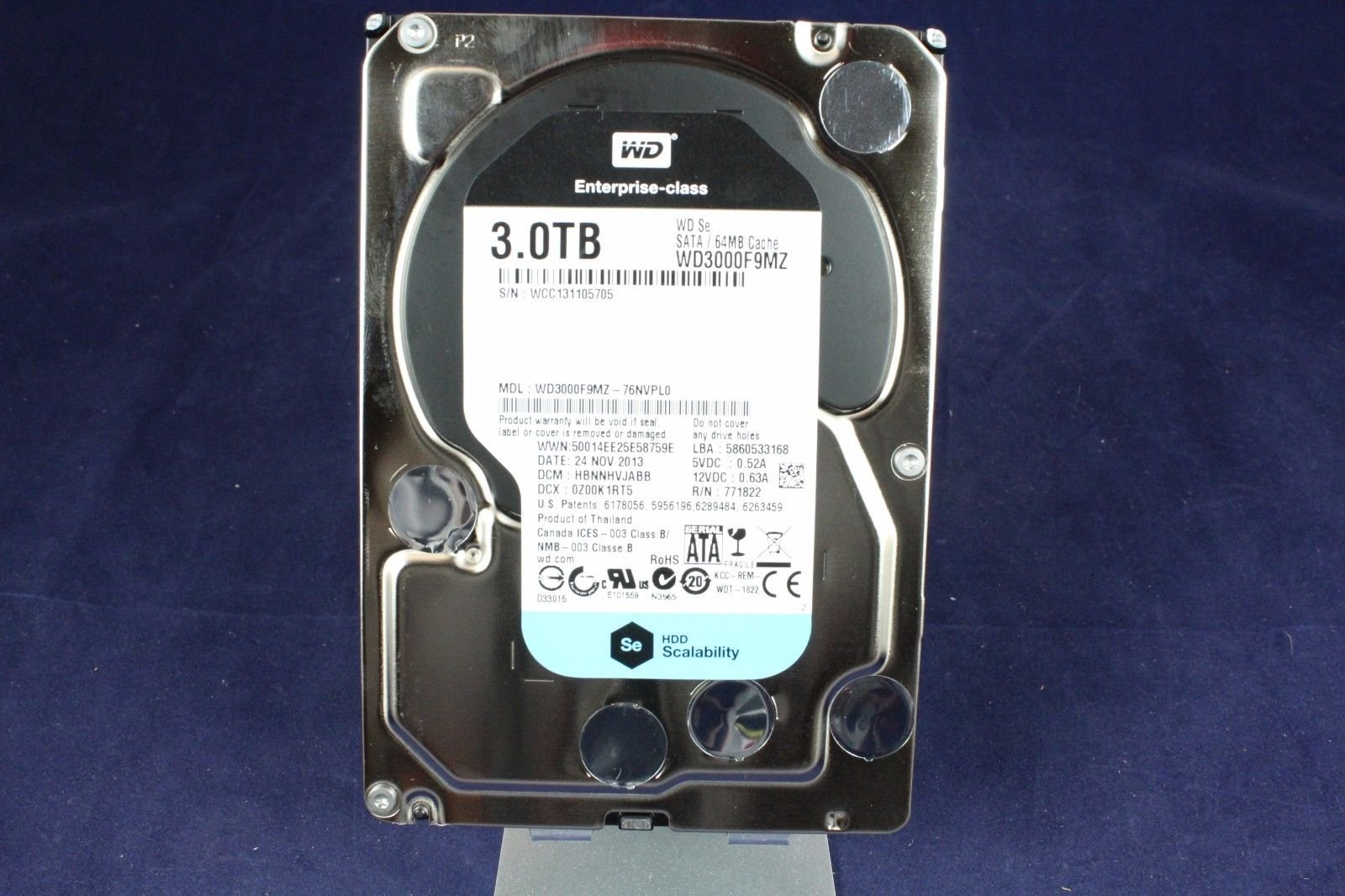
🚀 Elevate Your Business Storage Experience!
The WD Sentinel DS6100 is a powerful 12 TB ultra-compact NAS solution designed for small businesses, supporting up to 25 users with high-performance processing and enterprise-grade reliability. Featuring an Intel Xeon processor, 16 GB RAM, and multiple connectivity options, it ensures secure data management and easy access, making it the ideal choice for modern offices.
| RAM | 16 GB |
| Hard Drive | 12 TB Desktop |
| Number of USB 2.0 Ports | 4 |
| Brand | Western Digital |
| Item model number | WDBWVL0120KBK-NESN |
| Hardware Platform | PC, Mac |
| Item Weight | 14.6 pounds |
| Product Dimensions | 8.8 x 6.3 x 8.1 inches |
| Item Dimensions LxWxH | 8.8 x 6.3 x 8.1 inches |
| Color | Black |
| Number of Processors | 4 |
| Computer Memory Type | DDR3 SDRAM |
| Hard Drive Interface | ISCSI |
| Department | nas |
| Manufacturer | Western Digital |
| ASIN | B00F42GXAU |
| Is Discontinued By Manufacturer | No |
| Date First Available | October 10, 2013 |
C**N
Started out good then got much worse ...
It has been discontinued. We got it on sale, and appeared to be a steal. It has long been discontinued and sadly it is nearly impossible to keep it current or upgrade its OS from WS 2012 R2.Update June 2016: My DS6100 failed completely doing simple windows updates download and install. I contacted Tech support and their suggestion to reload the OS did not work either. I get the (apparently dreaded) "Startup Failed oxD9" message. I'll return the unit and try another, hopefully this one will last more than a year.At this point I can no longer recommend this unit to any small business.Update August 2022: Well, I limped along with the replacement server for my small business and it was always OK, not good or great. The biggest problem with it is it has all sorts of proprietary hardware and firmware features and the firmware and drivers have not been updated in over 8 years (when it was discontinued). It is almost impossible to simply upgrade the OS for this reason, so we are stuck in 2014.You can't buy one now, but if you could - I'd recommend against it. I'm getting a new Dell server, that I can more easily update parts and the OS as I please (albeit Dell parts are not cheap).
J**.
Excellent Small Business Server
For small (less than 25 users) outfits that want to implement their first server, this little powerhouse is a no-brainer! It runs Windows Server 2012 R2 Essentials that includes a primary domain controller, active directory, remote access and other basic server functions that are fairly easy to setup and maintain.The specs are top notch especially given they are squeezed into a case not much bigger than a toaster. An Intel Xeon quad core processor, 16 GB RAM, 4-3TB enterprise grade data drives (I have ours configured as fault tolerant RAID 5 with 8 TB of usable storage), 2-320GB mirrored boot drives, 6-USB ports (4-USB 3.0), dual Ethernet, dual power supplies and much more. It's amazing they got so much computing power in such a small package.Bought this to replace an aging Windows 2008 R2 server, which made setup more challenging, because the DS6100 is not designed to join an existing domain without upgrading to the standard version of server 2012 R2. I did not want to do that, so I setup a new domain and migrated our users, computers and data to the new environment. It was a pretty big job and I would not recommend it for anyone who is not very experienced dealing with Windows server environments. However, setting this up as a first server would be relatively simple and straight forward.
J**S
junk
the biggest piece of junk i've ever purchased. within 4 months all 3 out of 4 drives went bad, got them replaced under warranty and within 2 months all of them went bad. got another replacement boot drive, this time out of warranty and within 1 week that new drive was bad, WD sent me another replacement boot drive and the machine was just stuck on "startup initializing" and won't do anything.
J**K
Do not buy
WD will not support this product.
R**.
Excellent
Bestest solution ever! Migrated from SBS 2003 FINALLY. Using Office 365 in combination with this "file server" in a small network with 8 user profiles set up. Lightning fast and feel super secure and safe!
T**H
For those that need the power, the Sentinel offers strong performance and simplicity in spades.
The Western Digital “DS” line, which comprises two models – a mid range DS5100 and a higher end DS6100 model – sees the company bring in more powerful hardware and update the OS platform to Microsoft’s newly release Windows Server 2012 R2 Essentials. The older DX line (in desktop and rackmount) configurations remain in place for now as entry-level Sentinel options.If you’re seeking an off the shelf business solution for a Windows Server 2012 R2 Essentials device, then you’ll be interested to know what’s new in Western Digital’s latest release.The key differences between the WD Sentinel DS5100 and DS6100 are in their hardware specification. Both a four bay servers whose chassis isn’t dramatically different from the older DX4000 server we reviewed previously – indeed, from the outside you’d be hard pressed to tell them apart. Inside, it’s a different story.Whilst the DX4000 was powered by a consumer-positioned processor (Intel’s dual core Atom D525 which has been around for a good few years), the Sentinel DS range is upgraded with your choice of an Intel Xeon E3-1220LV2 2.3 GHz Dual Core processor (DS5100) or the faster Intel Xeon E3-1265LV2 2.5 GHz Quad Core processor on the DS6100.Both processors come from Intel’s 3rd generation “Ivy Bridge” family of processors (we’re still awaiting the 4th Generation ‘Haswell’ Xeon processors to trickle into the market) and are clearly marked as business-class chips (variously used in both business desktops and servers). Given the relative newness of the processor design (and manufacturing process), clock speed increase and enhanced features of the Xeon, you can expect a significant performance boost between the Sentinel DS line and the older DX line – whichever model you opt for. If you need virtulization support or you have a suite of line of business applications to run on top of the basic storage server roles built into the platform, then the DS range will offer what you need.One other difference comes with RAM support with the Sentinel DS range now supporting error-correcting ECC RAM. The DS5100 ships with 8GB and you’ll find 16GB available on the DS6100 with both models upgradable up to 32GB.Other notable enhancements on the Sentinel DS range include two additional USB 3.0 ports – that’s four ports in total compared to the two we see on the DX4000, a VGA port which will enable you to hook up a monitor (the DX4000 desktop is headless, whilst the rackmount RX4100 has a VGA port) as well enhancements to RAID support.This latter feature makes sense for a server designed for greater flexibility – Western Digital make no secret of recommending RAID 5 configurations on their prosumer and entry level servers – the four bay MyCloud EX4 offers RAID 5 as does the Sentinel DX4000 – it offers a great combination of storage capacity and data protection. However, the Sentinel DS series offers a much greater suite of RAID options, with JBOD, RAID 0, 1, 5 and 10 all available to serve businesses with varying needs.Whilst there are definite differences between Sentinel’s old and new, one aspect unsurprisingly stays the same. If you’re buying a WD server, you’re going to buy it populated with their disks. No diskless version of the Sentinel DS is available at retail – your options on the DS5100 include 4TB (2 x 2TB) and 8TB (4 x 2TB) whilst the DS6100 offers 8TB (4 x 2TB), 12TB (4 x 4TB) and 16TB (4 x 4TB) – all designed to take advantage of the server’s RAID management feature (and add a bit of additional margin for Western Digital, no doubt).That said, those drives are Western Digital’s WD SE Enterprise and Datacenter class hard drives which include a five year Enterprise warranty, so at least you’re paying for quality (and peace of mind). Also included in the mix are two additional 2.5” “boot drives” (configured in a RAID 1 array) which hold the Windows operating system, so all of the capacity available across those four bays will be dedicated to storing (and protecting) your data, alongside your Line of Business apps.So, make no mistake – whilst the WD Sentinel DX line is positioned to do a great job for prosumers and micro-businesses alike, the Sentinel DS line is a more powerful business class solution for more demanding, more complex operations – with a price ticket to match. The obvious question in many readers minds will be what performance premium you get for your money over a “roll your own” option such as the new HP MicroServer Gen 8 (roll your own in terms of installing an OS, that is) and whilst there’s definitely more horsepower tucked away in the Sentinel DS range, Western Digital are positioning the Sentinel more of a high end solution (with a more convenient out of box setup, extended warranties and value added services) than a server – as such, the two devices are positioned to cater for different needs. That means, depending on your budget and technical know-how, the HP MicroServer (plus OS, which you’ll need to buy) may well be a better bet for you.As mentioned, you’d be hard pressed to point out the newer models in the Sentinel range by looks alone, as the DS-line’s industrial design is principally the same as the older DX4000 desktop. That’s no bad thing as the Sentinel is a great looking device – small, compact and professional. One immediate plus you’ll notice on the Sentinel DS however is a front door lock to add a layer of physical protection to your data. It’s certainly a missing on the DX4000, so good to see it included on the higher end models. Otherwise, it’s pretty much as you were, with a front-mounted display offering basic device controls when a remote desktop session isn’t to hand.The new Sentinel feels very solid in your hands, with a full metal construction, save for the drive bay door which is plastic (and as a result feels a little flimsy compared to the rest of the hardware). Open up the drive bay door and you’ll spot the screwless drive bays which come with a simple latch which allows you to access your drives.You’ll be glad to know that for a server priced in four digits, the drive bay mechanisms are solid and well built, opening and closing with a satisfying click. The 4TB WS Se drives supplied with the DS Sentinel slide in and out with ease.Pop out the drives, and you can see right into the guts of the server. Look closely to either side of the motherboard and you’ll notice the twin 2.5″ drives which hold the operating system.Closing the server up, and swinging around the back you can take a look at the Sentinel DS6100’s connectivity. The main section of the rear is taken up by a large exhaust fan design to cool those four hard drives whilst your ports are positioned at the top for easy access. Alongside the four USB 3.0 and two USB 2.0 ports previously mentioned, you’ll see twin Ethernet ports and twin power inputs offering increased reliability (and optimised throughput in the case of the network sockets).The aforementioned VGA port allows you to hook up the server to a monitor, unlike other headless servers. A recovery button completes the rear line-up, in case the server ever needs to be completely restored from a backup.Overall, the Sentinel DS looks the business – as a minor quibble, I’d like to see one of those USB ports switched to the front to allow easy transfer of data to the device from external thumb drives or other peripherals. It would also allow easier connection of a USB keyboard and mouse, but that’s a minor blemish on an otherwise great looking device.Connect up your power, data, monitor, keyboard and mouse and you’re ready to power on the Sentinel DS. The server fan will kick out a racket for a few seconds, but fortunately that dies down quickly and you won’t notice any noise from the server in normal operation – it’s really quiet. The device boots into Windows standard first run configuration wizard, which guides you through key settings such as language, region and keyboard settings. A quick reboot after agreeing the EULA and you’re straight into server configuration.For those who have used a more simple server platform like Windows Home Server, Windows Server 2012 R2 Essentials will look and feel very familiar but with includes advanced features such as Active Directory support to allow easier identity and security profile management across the network. Your Sentinel will need to be set up as the first server in the network – that is a pre-requisite built into the platform by Microsoft.Your first tasks are to set up an administrator account on the server, provide your company name and a server name and then configure your update settings. It’s a simple start that should take a couple of minutes before the Sentinel then runs its final configuration routines, resulting in multiple reboots. That configuration does take a little while (Windows quotes 30 minutes but the Sentinel does it a little quicker – around 15 minutes), so worth brewing up a drink whilst it churns away.As a nice usability touch, the Sentinel’s LCD display will keep you up to date with configuration with a percentage completion message reflecting what is being shown by Windows on screen.Once complete, you’ll be able to open up the Dashboard (Windows Server 2012 R2 Essentials’ administration console) and have a look around. For those new to Windows Server 2012 Essentials R2, a quick run down of the main features: Microsoft designed Windows Server Essentials as an ideal “first server” for small and medium sized businesses. The idea is that it is simple enough to install, configure and manage without the need for dedicated IT support, but in reality, that depends on how complex your needs are – for the basics of centralised file storage, print management, remote access and backup (both client backup and server backup is supported) most people will be able to get up and running (perhaps with a little help from guides such as our own Using Windows Server 2012 Essentials) for more advanced account and identity features, you may wish to get your local SMB IT Consultant in to help out for a short while.The Windows Server 2012 Essentials R2 Dashboard (from here on in known as The Dashboard as that’s way too much to type every time!) is where you set up and manage your Sentinel’s features. They include:- Backup and Restore – protect the data on up to 50 Windows and Mac computers (the latter using the Sentinel as a Time Machine target whilst PCs use Windows Server’s own in-built backup service), with incremental backups that minimise data storage requirements. Bare Metal Restore allows you to get broken computers back up and running in a matter of minutes.- Secure Remote Access – a simple to configure remote website offering access to files and computers securely over the Internet as well as easy VPN configuration and management.- User management – support for up to 25 user accounts on the server, each with their own personal, secure user folder. Full administration control over shared folders and data stored on the server.- Cloud Service Integration – close integration with Microsoft’s Azure online backup service and Office 365.- Computer health monitoring – the server will monitor its own health as well as computers running Windows 7, Windows 8, Windows 8.1, and Mac OS X version 10.5 and above. Issues picked up will relate to computer backups, server storage, low disk space, and more.The Dashboard is split into several sections, pertaining to users and device management, storage management, applications (add-ins and integrated services) as well as a WD-specific Monitor tab. The latter includes a diagnostic application which tracks how your Sentinel is performing (network health, fan speeds, temperature, storage health and so on) as well as links to Western Digital’s WD Guardian extended warranty services.The Sentinel’s LCD panel comes in handy again if Western Digital issue any software updates for the Sentinel. You’ll receive an alert on the panel telling you an update is available, following which you can download and install the bits directly from the Dashboard. That makes life for the part-time IT administrator (that’s you, the business owner) pretty straightforward indeed.The theme of simplicity continues with remote web access – Windows Server 2012 R2 Essentials ships with a remote access wizard which will attempt to configure your router to direct traffic from a domain of your choice (either a free sub-domain from Microsoft or paid for option) to the server using uPnP. Should that fail (and it often does) a quick dig into your router’s port forwarding settings should do the trick and allow you to browse files and folders remotelyConnecting clients to the server is also very easy. Simply browse to http://[your server’s IP address]/connect and a connection wizard walks you through the steps needed for your server to recognise your PC and/or Mac clients. Once connected, PC backups can be configured automatically to run through the day or overnight as your needs determine.With regard to storage configuration and management, you can opt to use Microsoft’s own Storage Spaces feature, which provides pooling capabilities to transform multiple hard drives into a single volume of storage space. Alternatively, for best performance, you can opt for Western Digital’s own RAID configuration utility (available from the Task bar) which allows you to configure a variety of RAID flavours depending on your needs and drive complement. Both are very easy to use for the uninitiated – which is useful, as your data drives will need to be configured and formatted before they’re recognised by Windows. That’s involves a trip to Computer Management in Windows which isn’t the most intuitive method for getting up and running, but is a one-time deal.From a benchmark perspective, the Intel Xeon processor simply blows away the Atoms, Celerons and Pentiums that you’ve generally found in prosumer and micro-business servers – and that includes the older WD Sentinel DX4000. Admittedly, the Sentinel DS6100 is at the top end of servers but Western Digital has delivered an incredibly strong package in a very small footprint.The Intel Xeon E3-1265LV2 2.5 GHz processor shipping with the WD Sentinel DS6100 is fabulously equipped to deal with basic server tasks as well as more demanding line of business applications. It’s Passmark CPU score of 7976 puts it streets ahead of other home and SOHO servers, including the Sentinel DX4000 which clocked in with a score of 749, so you’re definitely getting improved performance for that price premium. If you only need a server for the basics of file storage and serving then the Intel Xeon may be overkill, but for more advanced setups, it’s going to handle most tasks you want to throw at it with ease.In file transfers over the network, the WD Sentinel DS6100 didn’t disappoint with a Sequential Read/Write performance clocking in at 351 MB/s and 328.6 MB/s respectively. Western Digital has taken a good look at their previous Sentinel server, the DX4000 and have gone one better. No, make that two, three, ten better. From the outside, you’d be pushed to tell the difference between the old and new generations of Sentinel, but make no mistake, the new Sentinel DS6100 is in a different class than its predecessor and you can understand why Western Digital are keeping the older DX4000 in the Sentinel range. The bump to Microsoft’s new Windows Server 2012 R2 Essentials operating system is welcome, delivering Microsoft’s latest and greatest features for small business, including that inevitable march to the Cloud. We loved the Sentinel chassis when we reviewed the DX4000, and whilst the drive bay door remains a weak point, we’re still fans of the DS6100’s industrial design. OK, the LCD panel is a luxury we could live without and the lack of a front USB port is a minor annoyance but otherwise, the Sentinel is a great piece of kit.Clearly, when you’re spending this kind of money, you want performance and the WD Sentinel delivers what your business needs in spades. But when considering your selection, think carefully about just how much power you really need in your server. If you’re looking for the basics, the DX4000 (or alternative servers from HP and others) are more than likely going to deliver a better band for the buck (with the emphasis on the buck rather than the bang) – but if your business needs a strong, reliable server to support line of business applications as well as centralised storage, backup, identity management and remote access the WD Sentinel DS6100 is going to be your new best friend. Incredible power you can manage yourself.
Trustpilot
Hace 2 meses
Hace 3 semanas