We remain fully operational. Our teams are working around the clock to ensure your deliveries continue safely.

Descargar la aplicación


Servicios al cliente
Sobre nosotros
Copyright © 2025 Desertcart Holdings Limited
Descargar la aplicación


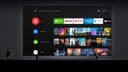
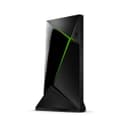


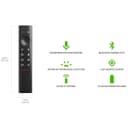

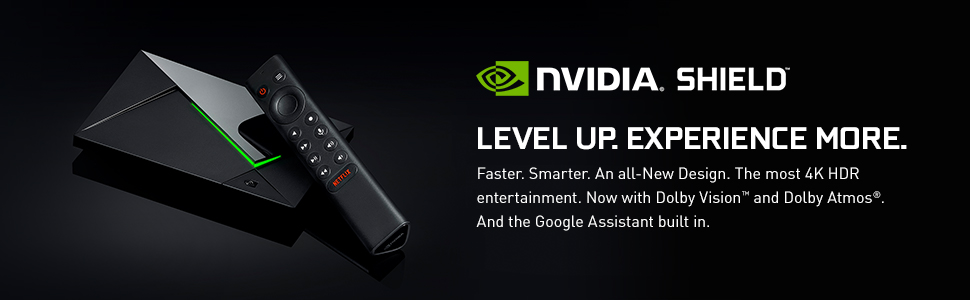
🚀 Elevate your entertainment game with NVIDIA Shield TV Pro – where speed meets cinematic brilliance!
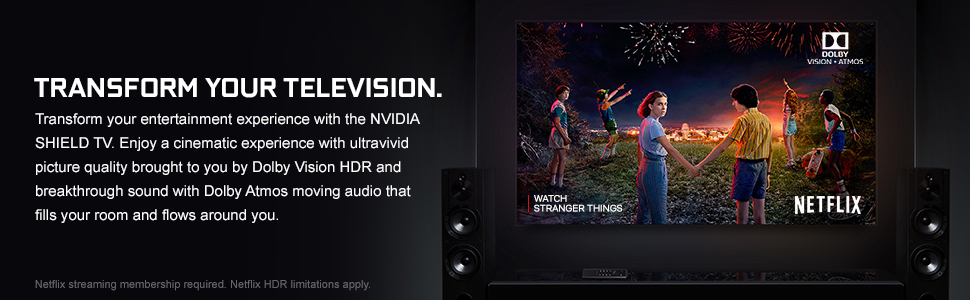
The NVIDIA Shield TV Pro is a premium 4K HDR media streamer powered by the advanced Tegra X1+ processor, delivering 25% faster performance than its predecessor. It features Dolby Vision and Dolby Atmos for immersive audiovisual experiences, AI-driven real-time upscaling of HD content to 4K, and robust connectivity options including gigabit Ethernet, dual-band WiFi, and Bluetooth 5.0. Designed for seamless streaming, gaming, and smart TV functionality, it supports major apps like Netflix, Hulu, and Amazon Prime Video, making it the ultimate upgrade for UHD TVs.


| ASIN | B07Z6RD4M9 |
| Best Sellers Rank | 4,073 in Electronics & Photo ( See Top 100 in Electronics & Photo ) 46 in Streaming Clients |
| Box Contents | Remote Control |
| Brand | nVidia |
| Brand Name | nVidia |
| Colour | Black |
| Compatible Devices | Television |
| Connector Type | HDMI, Micro USB |
| Connector type | HDMI , Micro USB |
| Controller Type | Remote Control |
| Customer Reviews | 4.6 out of 5 stars 5,962 Reviews |
| EU Spare Part Availability Duration | 2 Years |
| Form Factor | Compact, standalone design for TV placement |
| Item Dimensions L x W x H | 15.9L x 9.8W x 2.6H centimetres |
| Item Type Name | Media Streamer |
| Item Weight | 8.8 Ounces |
| Manufacturer | NVIDIA |
| Manufacturer Part Number | 945-12897-2505-101 |
| Memory Storage Capacity | 16 GB |
| Model Name | NVIDIA SHIELD TV Pro |
| Model Number | 945-12897-2505-101 |
| Network Connectivity Technology | 802.11ac 2x2 MIMO 2.4 GHz and 5 GHz Wi-Fi, Bluetooth 5.0 + LE, Captive Portal support, Gigabit Ethernet, HDMI 2.0b with HDCP 2.2 and CEC support, Two USB 3.0 Ports (Type A) |
| Other Special Features of the Product | Chromecast |
| RAM Memory Installed | 16 GB |
| Resolution | 4k |
| Special feature | Chromecast |
| Supported Internet Services | Netflix, Hulu, Amazon Prime Video |
| Supported Internet services | Netflix, Hulu, Amazon Prime Video |
| UPC | 812674023045 |
| Video Codec | H.264, H.265, VP8, VP9 |
| Video Output Resolution | 3840 x 2160 (4K) |
A**K
BUY THIS!
Having used cheaper Android TV boxes for years, I was at my wits end. The specs supplied for the lower-cost options are misleading. There are multiple issues with the majority of these inferior devices but the two 'biggies' are lack of updates & the fact that the network connections (both ethernet and WiFi) are notoriously slow. I'd actually reached a point where I was contemplating building my own device with a raspberry pi (etc.). I then did some research & discovered the Nvidia Shield Pro! I do realise that at £189, the Shield is (conservatively) 3-4 times the price of some of the cheaper alternatives, but there is a good reason for this: 'It does exactly what it says on the tin'. The Nvidia Shield Pro is BY FAR the best Android TV box I've ever used & you can trust the specification & performance information provided. The UI is smooth & easy to use, it is clear that Nvidia take great pride in the user experience & I applaud them. This device is a true multimedia centre and is geared towards cloud gaming. I looked at buying the official controller but this was expensive. I therefore purchased an 'MSI FORCE GC300' Wireless controller for £32.99 (a bargain) & paired it with the shield. For budget-friendly gaming this device is a must & it also converts any UHD TV into a high-end smart TV (Dolby vision & AI upscaling are giving me some of the best picture quality I've ever personally witnessed). To summarise, learn from my mistakes; buy this now instead of a cheap & inferior alternative. If I'd have known how good the Nvidia Shield devices are (back then), I would've! Hope this helps!
G**R
Excellent TV Box
Bought this to replace an aging firestick, the performance is excellent and the gigabit ethernet helps massively. It's a very fast TV box with plenty of connectivity to connect an xbox controller and for game streaming from my gaming PC. It was very easy to setup, I don't get any buffering issues and there's loads of apps to download from the play store.
H**R
Nvidia Shield 2 pro. It’s an android tv box, and a very good one.
If you are reading this you are probably already aware of what the box is and are just looking for pros and cons. It is hard to quantify some aspects easily without getting hung up on specs. Chances are that at the price point this sits at you will also be looking at a version of the beelink gt series. If all you want is a simple android media box then a gt, or even a lower specced device may be enough and you can stop reading this now. Otherwise read on. The shield (pro, v2, whatever) is expensive and overpowered for a tv box alone, but it does bring video upscaling to the party which none of the competition do. There are reports that some people have issues with the AI upscale causing stutters, I have never seen it happen and its been my go to device for all my media consumption from the day I got it. Its not my first rodeo with android boxes, and this has been almost unbelievably good at everything I need from it with none of the issues previous android boxes gave me. On the retro gaming front, There are retro games systems running perfectly on the shield that other android boxes struggle to even run, much less run well, The ppsspp emulator is a big one of those. Ppsspp runs faultlessly on the shield, as do the many other emulators. Those that I can confirm are working flawlessly include atari lynx, vcs/2600, 800, 5200, 7800, ST, sinclair spectrum, nintendo gameboy,gameboy colour, gameboy advance, sega sg1000, master system, megadrive, gamegear, nintendo nes, famicon, snes, nec pc engine, neogeo, magnavox odyssey, Sony psx, playstation portable, Mame 2000,2003, commodore 64, Amiga, Bandai wonderswan and Milton Bradley Vectrex. There are numerous others, but those already mentioned are confirmed working and are easily run through Retroarch 64 on the shield. They are obviously not native to the system, so you may need to source BIOS files for some machines emulated and it is worth having a keyboard for some of the computer emulation. Note that BIOS files are copyrighted, as are most of the games these emulators run, apart from the Vectrex which was thrown into the public domain when it reached the end of its shelf life. The only one of the many you will likely expect to work that could be an issue is the n64, at time of writing I dont think theres an emulator that is ratified for the shield. When it comes to initial setup, Setting up the shield is a breeze, even easier if you have an android phone as it can grab all the network and app settings from the phone as the shield is an android unit itself. Storage on the shield isnt great, being only 16gb, But you do have 2 usb expansion ports. Add an external drive or a usb stick for more storage if needed (no micro sd card facility on the V2 shield unfortunately). External storage can be just plug in and remove for transfer to a pc etc, or you can let the shield format it as ‘internal’ memory. If you take that internal memory option you need to think of it as being fixed to the shield and not removable as setting it to internal storage will remove the option to store files on the usb for transfer to pc as the computer won’t recognise the file structure, so choose wisely. A word of warning on using usb thumb drives on the shield. If plugged directly into the shield they run hot, Very hot. Even with the shield in standby any usb thumb drive left in the shield was getting uncomfortably hot. After trying 2 brand new (different but well known brand) new usb thumb drives and finding how hot they both got, I did some research and found the only way to prevent the heat issue was to use a usb hub. Having added a hub, drives both perform normally when connected to the hub and at most get warm during actual use like any other thumb drive when accessing a lot of data. There are plenty of people out there that have had thumb drives fail after relatively short periods (months not years) when plugged straight into the shield and left in place, so adding a cheap hub between the drive and shield will save you suffering the same fate. If I hadn’t been removing the usb to add stuff to it from the pc I would never have noticed the problem and am convinced the excessive heat would have drastically reduced the life of my thumb drive. Neither the hub nor either drive have shown any heat issues since the hub was added. In terms of media, the shield will easily run a plex setup if that’s your thing. It can also play movies stored on the usb drive or from internal memory. Kodi? No problem, and All the usual apps like netflix, prime etc, along with access to the google store for more. Vpn software runs fine and generally the shield is faultless, Except if you are in the UK and want channel 4 catchup. There is no official app for it on the shield platform, though there is at least one alternative that be sideloaded to bring c4, c5 and more back into play on the shield but that’s something you need to look for yourself and needs to be installed from a 3rd party source. Control of the box has numerous options beyond the supplied remote including bluetooth games controllers, keyboards etc, but also an android phone app for controlling the shield. If you install the shield app on your phone you can not only control the shield from your phone itself, but can even find your remote if its gone awol down the back of a cushion as you can use the phone to tell the remote to sound a noise for thirty seconds at a time. As to the remote, it is an odd toblerone shape that lights up when you pick it up, it’s a weird feel at first with an equally odd button layout, but you get used to it fairly quickly. It has a dedicated netflix button, but if you dont have netflix there is a piece of software called button mapper that lets you completely disable it, or change its use to a short press, double press and long press so you can launch any one of 3 apps from that one button when needed. I accidentally press that button a lot when trying to turn down the volume, so consider button mapper if you don’t want to keep launching netflix by accident. The shield pro V2 came out in 2019 and hasn’t had an upgraded hardware revision since, which unbelievably is still a good thing as any new version would likely be running the latest firmware. When set up, I would highly suggest disabling auto firmware updates. Chances are it will download an update as soon as it sees your network, If it does you will get an ‘install fw update’ message on the home screen. Personally, I would ignore that update if I were you, and be aware that the update prompt can be switched off in the settings to never show up again if you want to avoid any accidental update later. The reason for not updating and crippling updates? Simply put? it’s Google. The latest firmware has google ads baked in. I dont want ads for disney etc on my box, I dont want any ads at all in fact, especially when this is a premium box so to my mind should have no forced ads as it was first released without such intrusions. But nvidia succumbed to corporate greed in tying their latest updates into this google BS and should hang their heads in shame for foisting it upon users in their latest updates. Stay on the firmware it came with and avoid the ads. If the thought of ads doesn't bother you then update away, I have found only one potential downside to not updating, and that is casting from your phone to the shield as the chromecast on the phone doesn’t trust the shields outdated profile. But considering the shield can do all the heavy lifting itself? Then casting from a phone seems superfluous. For a games controller I use an 8bitdo pro controller,, and like everything else it has been faultless on the shield. So to sum up, the ONLY operating negatives in the real world with the box are, no official channel4/5, the chromecast issue on older firmware, and having to avoid the latest firmware update to avoid google ads. It’s worth noting that updating to the latest firmware also causes some emulators to fail as well, so if gaming is a thing to you, then again, avoid the updates. There is one thing I really don’t like though, the power adapter is proprietary. It looks like a USB C connector but it isn’t. Don’t go ruining the port and potentially the shield by forcing a usb C connector in the power socket. If you are 50/50 on buying it, don’t give it another thought and buy it, this box is awesome and worth every penny it cost. Yes, it could be cheaper, but if you want a seriously good android media device, this is it.
S**R
Worth the money, despite a few flaws.
Despite the limitations of Android TV, the shield delivers on a basic level on every front, but often excels, so long as you're willing to get a bit techy and geeky. If you're looking for a simple plug and play device, android TV app support may leave you wanting, but if you have the technical and troubleshooting chops to poke around a bit, you will find a really flexible device that will do loads of awesome stuff. I got the shield to serve two purposes. The first and main reason was as an upgrade to the older steam link to stream games from upstairs, and the second was to have one device that can pretty much do everything we need it to media-wise. As a gaming device the Shield will deliver 4k 60fps with 5.1 surround sound from my high-end gaming PC upstairs over an Ethernet cable no problem at all. I use both the Steam Link app and the third party Moonlight app to do this. Geforce now is also pretty nifty, but I only have the free version owing to the input lag of purely cloud gaming making it only really useful for demoing games you have interest in. On the TV side of things. I set up VLC with access to a shared media folder on my PC so that I can stream downloaded content over the local network - which again streams with no problems with surround sound working fine. I know there are more impressive solutions for this like the included plex, but I rarely watch TV or movies and so this simple method suited my needs just fine. My girlfriends main concern was getting the streaming services she uses on the Shield, and this mostly worked fine. All the apps we wanted were easy to grab with the exception of All 4 and SoundCloud which do not have Android TV versions. For most people this wouldn't be a big deal as the shield can be casted to, and so those apps you can just cast the content from your phone. But my girlfriend wanted a more comprehensive solution as she prefers browsing content on the TV instead of locating it on her phone and casting (fair enough). Android TV has its limitations in that not all the apps you would get on android phones will appear in the google play store as they aren't supported (IE, the developers dont care). Fortunately installing apps using .apk files is super easy, (look up side-loading) and you can try your luck downloading the .apk files of android phone apps and installing them to see if they work. I was able to get All 4 working this way (even if the menu is in the wrong aspect ratio, content is fine) and I managed to get soundcloud working using a web-browser app and just pointing it to the website. Web browsing is actually totally workable as the shield supports mouse and keyboard devices, and the ability to side-load apps means I can install SmartTube to replace YouTube (its a youtube app which blocks the ads). The tegra chip inside the Shield also makes it a formidable emulation device and I've tested a PS1 emulator with great success. The only downside here is the on-board storage is only 12gb usable, which is super limited for things like PS1 games. The only other downside is the ads on the main menu. I know there is a solution to switch out the app launcher and thus get rid of the ads, but I have yet to find a solution for this. In short: - It streams games great ✔ - It's got all of the streaming services we use (with a little bit of techie magic) ✔ - It can browse the web and handle web streaming services like soundcloud etc if you need it to ✔ - It supports third party android applications like SmartTube via side-loading ✔ - It emulates like a pro ✔ - People can cast to it ✔ - It streams content over the LAN with ease ✔ - Extensive blutetooth support for mice, keyboards, and games controllers ✔ - It's got an awesome remote shaped like a Toblerone ✔ - The way it can control your TV means you can ditch your TV remote and go all-in with the Toblerone. ✔ - Small internal storage is problematic for larger game ROM or app collections, and the only way to expand it is via USB memory stick (i would've liked a memory card slot) ❌ - Ads on the main menu are frankly unacceptable for a device of this price, but this isn't worth knocking off a star and can be overcome, I just haven't figured out how yet. ❌
I**S
An excellent piece of hardware for a home theatre setup!
An excellent product when you need to stream of different platforms with varying codecs such as Dolby Atmos. Many apps to stream e.g. Plex, YouTube, Disney and Apple TV etc. A fine edition to any home theatre setup that is easy to use and setup. Also, you can connect an Xbox controller to it (with some minor limitations such as rumble support) and it works flawlessly if you don’t prefer the remote. You can even connect a USB DAC if you use this for your HiFi! Very stable OS and self explanatory (coming from someone who has never owned an Android TV). The shield can even give life to an old TV that has a HDMI port! *Important* - the reason why I have given the unit 4/5 stars is due to a suspected defective unit that I received when it had arrived. The shield was constantly bootlooping, crashing and randomly restarting by itself. This did not resolve when I even factory reset it. I had requested a refund of the unit and had ordered it elsewhere and the experience was flawless and the issues that I had were non-existent. I advise ANYONE that buys this to really test the product and its features to ensure they do not receive a faulty shield. I am sure I was unlucky but I want to give others a heads up incase they choose to buy this product, as it really shines when it’s correctly setup. Hope this helps someone! :)
S**R
Outstanding 4K Streaming Box – Superb Picture, Stunning Sound, and Highly Customisable
I’m so pleased I spent the money to buy a more expensive streaming box. Fantastic for streaming. Picture clarity superb on my OLED TV and sound is sensational on my surround-sound cinema system; so much better than cheaper streaming boxes. It’s great to use straight out of the box but if you want to customise it there is a lot you can do. I’ve added Projectivy launcher and an icon pack to make the home screen even more special, and Button Mapper to customise some of the keys on the remote. The remote is great too. It’s triangular, which makes it comfortable to hold, and the buttons illuminate when you move it – great for if you need it whilst you’re watching a movie with the lights low. Having said that, I added the Logitech K400 Plus media keyboard for added convenience, and I recommend that add-on if you are likely to do much typing on-screen.
F**S
Extremely capable with even modern standards
Used to allow an otherwise great TV access to some streaming services not natively available. Took a short time to configure as needed with a couple of online videos providing excellent tutorials. Much smaller and lighter than expected. Easy to hide away from sight and the remote is very confortable and easy to use. Overall and excellent product.
W**R
Still the best streaming device on the market.
I now have 2 Nvidia Shield Pro Android TV units. It is still the best streaming device on the market. Don't bother buying anything else, this is the one you want. It is also one of the very few Android boxes which is able to run BBC iPlayer. Nothing comes close to the performance of the Nvidia shield. The reason why I bought the second box was to put in the bedroom so I could stream live TV, movies and TV programmes from my Plex server. Most of my media files are 4k HDR but I am running a Hisense 1080p TV in the bedroom. The Android box I was using simply couldn't handle this, and was even having issues with 1080p content. It starts up instantly, no lag, no buffering. I would definitely recommend the Nvidia Shield TV Pro.
Trustpilot
Hace 3 semanas
Hace 2 semanas