We remain fully operational. Our teams are working around the clock to ensure your deliveries continue safely.

Descargar la aplicación


Servicios al cliente
Sobre nosotros
Copyright © 2025 Desertcart Holdings Limited
Descargar la aplicación


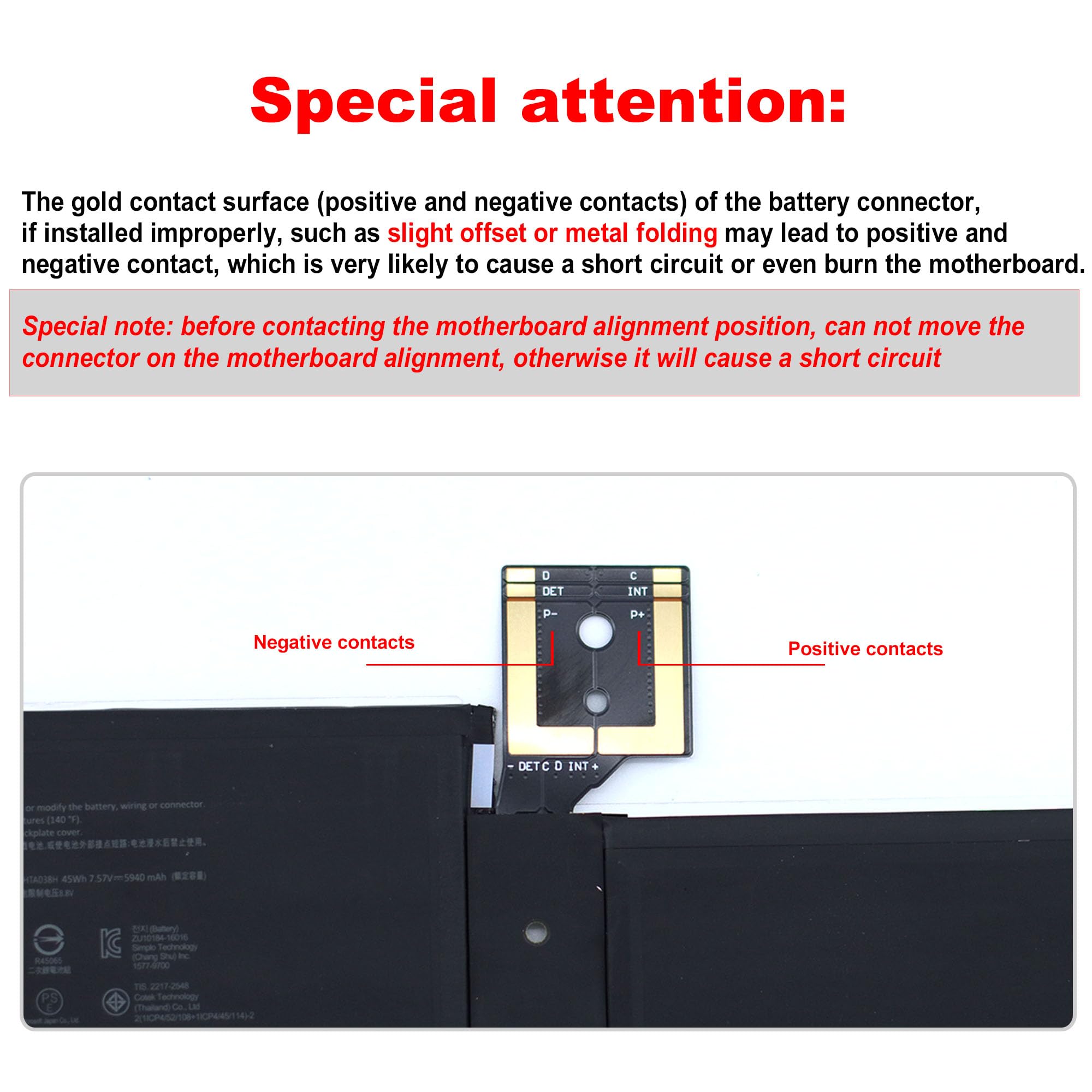


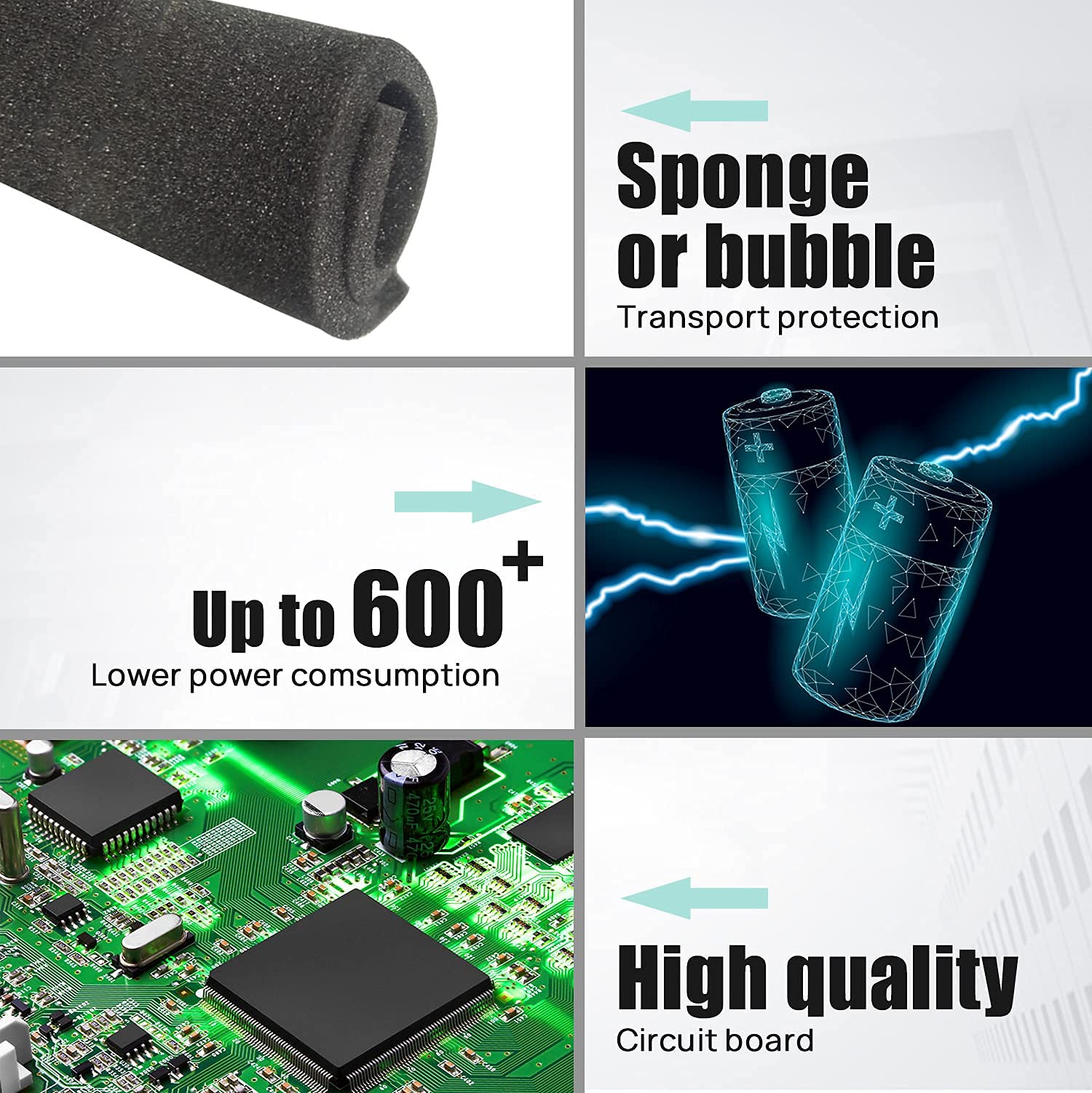
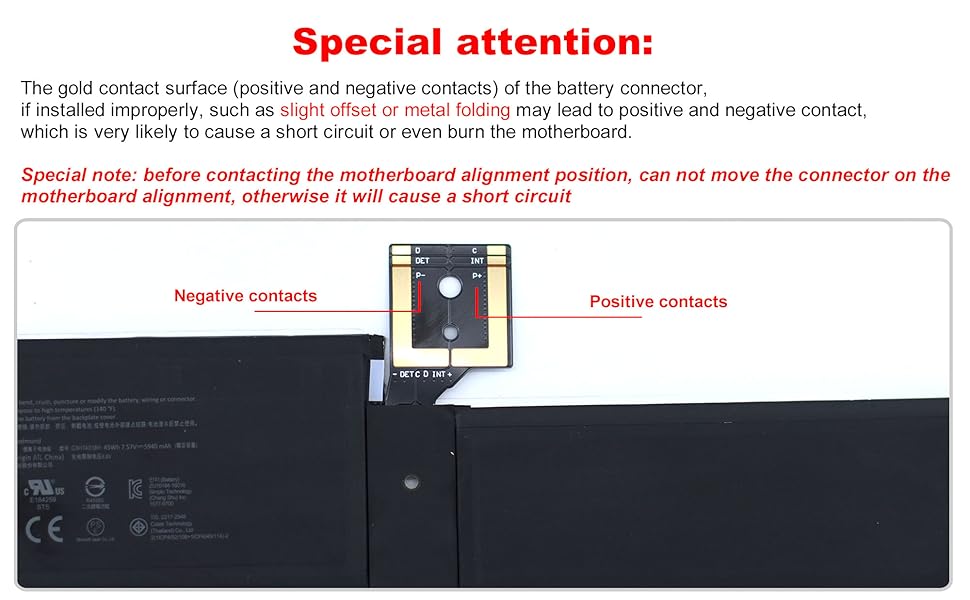
🔋 Power up your Surface Pro like a pro—don’t get left behind!
The G3HTA038H Battery is a 45Wh, 7.57V Li-ion replacement battery designed specifically for Microsoft Surface Pro 5 (2017) and Surface Pro 6 (2018) 12.3" 2-in-1 devices. It includes professional-grade installation tools and meets strict CE/FCC/ROHS/UL safety certifications, offering up to 500+ recharge cycles. Engineered for perfect compatibility and stable performance, this battery empowers users to extend their device’s life with confidence.




| ASIN | B07KZGW6VV |
| Batteries | 1 Lithium Ion batteries required. (included) |
| Best Sellers Rank | #68,647 in Electronics ( See Top 100 in Electronics ) #960 in Laptop Batteries |
| Customer Reviews | 3.6 3.6 out of 5 stars (132) |
| Date First Available | November 29, 2018 |
| Is Discontinued By Manufacturer | No |
| Item Weight | 10.2 ounces |
| Item model number | G3HTA038H |
| Manufacturer | Simplo Technology(ChongQing) Inc. |
| Package Dimensions | 10.36 x 5.99 x 1.26 inches |
A**R
Best Battery for Surface Pro 5 Laptop
I went online to find a replacement battery for Surface Pro 5. I found few sites which sell the battery but don't find much information. At last I found this in Amazon with detailed battery specification. I got it within 2 days . I replaced my surface Pro 5 battery myself by going through youtube . It is fitted to my laptop perfectly without any issue. It has been 2 weeks and I don't find any issues. It is working great. Thanks to seller. And also price was great as well. I highly recommend them
B**R
Don't Do It! No instruction. No Youtube video. Take it to a pro!
I've changed batteries in several laptops and other miniature devices over the years. Thought this would be a snap. Well, it WAS a snap. Snap and the screen broke! UGHHH! I found a YouTube video for my model Surface Pro 5 with an unintelligible narrator. He didn't show the heating of the edge to release the adhesive. His started with prying the screen off. I tried that. Failed. Found another for a different Microsoft Surface. It showed heating. So I continued. Carefully heated around the edge and tried to get a thin card into it. That's when it snapped. I didn't heat nearly long and hot enough. It needs to be REALLY heated, and then continue heating the edge as you work your way around. Proceed at your own risk. Now, I'm going to need to see if someone replaces screens. GRRRRR! Not happy at all. I missed the return window. Maybe I'll try to change it again. Can't break my Microsoft Surface any worse than it is right now (with a broken screen). NEW Additional Notes: Today (2 days later in frustration) I went ahead and removed the cracked screen. Ya gotta get the edge of the screen and the aluminum case edges really hot. Like hot enough to not want to touch. Else, the adhesive will not let go. The little suction cup was useless. Maybe I was doing it wrong; but with no example to follow, how is a person to know? How hot? how long? Intelligible and detailed video, please. The vendor suggests new adhesive for reassembly, although none is included in the kit. Yes, it needs new adhesive. Buy that separately. I continued with the badly cracked screen removed. There are two flat cables. It is very easy to damage one or both of the cables. I recommend having new ones on hand, just in case. Finally, the battery replacement, itself, is very straightforward and not terribly difficult. With the new battery installed the Surface Pro5 now works great, albeit with the cracked screen that I will not reinstall. Instead, I'll buy a new screen and cables. The battery itself is apparently good; but this is not a typical DIY project. Once the screen has been removed (if it can be done without cracking and damaging it) the rest is relatively easy. My ONE-STAR is not for the battery, itself; but for the lack of warnings and almost certainty of cracking the screen with no instructions and additional parts that will be needed. I'd have paid $100 or more for a new battery replacement kit that was complete with instructions, advice, hints, and everything needed. Next time, I'll take my new Microsoft Surface (yes, my Plan B was to buy a new one if I failed at replacing the battery in the old one) to a professional and let them take the risk of damaging the screen. I don't think I'll ever attempt this again. HOWEVER: Since the battery has been replaced and now all I need is a new screen, adhesive, and connectors, I'm going to continue the project and give this Pro 5 to my wife. Should cost less than $250 to make this one whole again. I need to order a new screen, the 2 cables and an adhesive strip kit.
A**R
Surface Battery
The battery quit charging so I purchased this replacement one. It was a bot of a challenge to install and in the process we broke my screen. It had nothing to do with the battery, but the way Microsoft puts their computers together when they are made. I was able to pass the new battery and the tools I purchased to help put the battery in to my computer tech son. It's a great battery.
J**B
Great capacity
Great capacity at work again with the surface. It fits well and non problems. Problems: It doesn’t work for more than 3 hour on full working. Sometimes it doesn’t activate eco mode The technicians couldn’t change the battery with out breaking the screen.
R**S
Didn't come with all the tools I needed
I had to buy a separate small toolkit for disassembly. One of the screwdrivers were the wrong size. Battery works good.
P**O
Gave 2nd life to my Surface pro 5th gen i7/16gb/1TB
This battery was great! My surface pro will last max 10 mins. But this battery gave it 2nd life! I went to few shops here in arizona some they quoted me $220-300 and 1 week wait time. Warning instalation is so difficult but doable! All i need was my wifes dyson air blower and a lot of patience! And a pry tool from i fixit. Highly recommended battery!
K**E
Short battery life
Ordered this item a year ago, did not install for 6-months. It is a lengthy and tedious process to install, but it can be done with patience, will power and the right tools. Initially after install, all seemed good but the battery life took a dive at 3 months. Now I'm 6 months running on new battery and I get 15-30 minutes depending on usage, after a full charge. I don't think I would do this again even if they offered a free replacement.
H**L
Best replacement battery for your Surface Pro 2017!!
This replacement battery is fantastic. HUGE pain in the ass to replace but let me tell you this is the battery that you want to use. I actually had to do the entire process twice because the first battery that I purchased had a bubble that wouldn't allow the screen to sit flat causing a white spot. I ordered this as a replacement for my replacement and it arrived in mint condition. Make sure you follow the charging instructions to get the best life out of your new battery. Good luck taking your screen off and not damaging the cables and messing up your WiFi antenna like I did. Even with all that my repair cost less than $200 with the new battery, screen w/digitizer, and wifi antenna so I am very very very happy!
M**.
Was really surprised that the battery is not new. It is used and in bad condition. Really disappointing as I had to buy another one and waste time waiting.
P**O
Was missing the screwdrivers to complete the job very upset with that product
J**E
Doesn't work at all left it plugged in and it refuses to work off battery also Doesn't include correct screwdrivers or screen glue and the provided pick will slice through any connectors like butter, might as well order a new screen while your at it
L**Y
Worked brilliantly. Getting the old battery out is a bit surgical
Trustpilot
Hace 3 semanas
Hace 3 días