We remain fully operational. Our teams are working around the clock to ensure your deliveries continue safely.

Descargar la aplicación


Servicios al cliente
Sobre nosotros
Copyright © 2025 Desertcart Holdings Limited
Descargar la aplicación

🖋️ Elevate your iPad experience—write, draw, and protect like a pro!
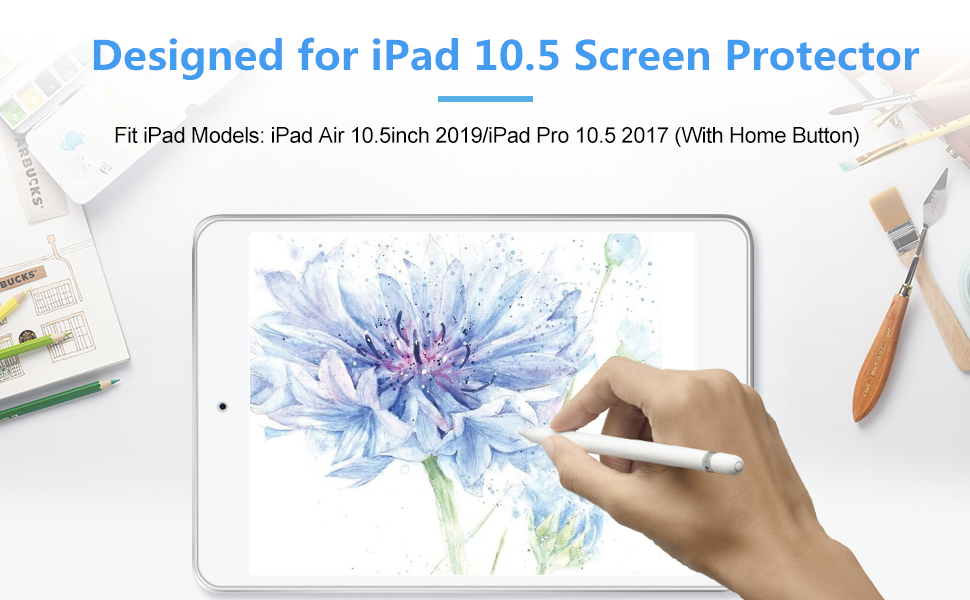
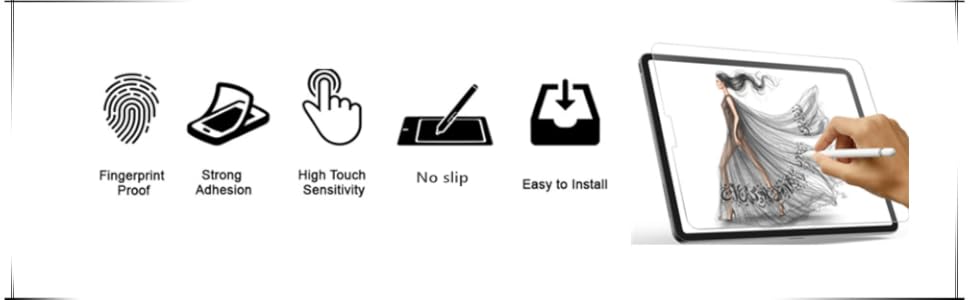
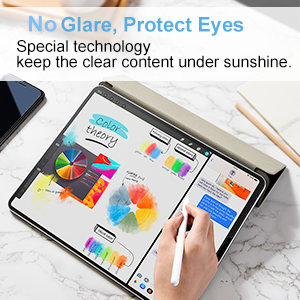
The XIRON Paper Screen Protector is a precision-engineered matte PET film designed exclusively for the iPad Air 3 (2019) and iPad Pro 10.5 (2017). It delivers a natural paper-like feel for Apple Pencil users, enhanced by anti-glare properties for clear visibility in bright environments. With 3H hardness, it safeguards your screen from scratches while maintaining ultra-thin, high touch sensitivity. Easy to install with bubble-free adhesive, this protector is a must-have for professionals and creatives seeking both protection and performance.





| ASIN | B07WFYXKXX |
| Best Sellers Rank | #574 in Tablet Screen Protectors |
| Customer Reviews | 4.5 4.5 out of 5 stars (3,929) |
| Date First Available | August 16, 2019 |
| Item Weight | 4.2 ounces |
| Item model number | ipad 10.5 screen protector |
| Manufacturer | XIRON |
| Product Dimensions | 7.09 x 4.72 x 0.5 inches |
| Special features | Touch Sensitive/Anti-Glare/Case friendly/Scratch Resistant/Bubble Proof/Ultra-thin |
A**A
Wonderful! Especially for digital art.
I love it and the feeling of it. I searched a lot of different “paper-like” screen protectors and am really glad I went with this one! I got my iPad mainly for digital art and this works awesome to give me the feel of paper and allows my pencil to move around with control rather than sliding around all over the place. I will say that it does wear out the tip of my Apple Pencil rather quickly, I had a brand new tip on it, and used it on this screen fairly regularly, sometimes hours at a time, and by the end of the second week the tip was worn down enough I had to change it. But I still think it’s worth it! Also, there’s no change of clarity or anything, I watch shows on it too and I don’t notice any difference. It also feels strong enough to protect my iPad, which I love. I definitely recommend!
B**D
Motivates me to get work done!
I may be crazy but this screen protector seriously motivates me to get me school work done. The feel and look of the matte texture is sooooo satisfying. All I want to do it read, scroll and write notes. Also, I’m a digital artist and love the increased control I have with my Apple pen. Lastly, the anti glare makes reading by a window so much easier. Last year I got the OG paperlike product for $40 something and hated it. It gave way too much resistance with my Apple pen. But I decided to give this one a shot and I’m so happy I did! And only $9. Application was also very easy. Just follow every step and tip to a tea. The video helped me tons!
A**7
One Year Review
One Year Update: This screen protector has lasted me a full year. I recently just purchased another one, purely because it was getting dirty. Otherwise, this is great for those who like the paper feel. However, I do warrant artists who use their iPad continuously and even avid notetakers because this protector will wear down the nibs on your pencil more than other brands. However, if you like the paper feel, need a cheaper option that will last, and use it for moderate use, you will enjoy this brand! Original Review: This screen protector is definitely different from the rest. I've been through quite a few. I started with PaperLike, but found that the noise from the protector was pretty prominent and it bothered me. Then I went to a glass screen protectorto reduce the noise, but I couldn't write with it and the finger prints bothered me. Then, I changed to a simple Supershieldz matte protector and it was okay, but it began to slip when writing after a couple of months. Sooo... now I'm back to a paper-like material, but the PaperFeel is by far the best and I say this because you can feel the grit of the material. It's not sandpaper, but it does have a rough texture that is much more noticeable to me than the traditional PaperLike. It takes a little getting used to, but it has the most resemblance to writing on paper. There is definitely some noise that I can notice, but I've accepted that it happens with any matte protector. The installation I found to be easy, but definitely follow the directions. All in all - the best one yet! Update: I’ve been using this protector for about 8 months and the friction is still great. However, I have noticed a few things. First, it really hurts my Apple Pencil tip. I have had to try the nibs to reduce friction, but I don’t like how that feels. Otherwise, I have to change the tip bi-weekly. Also, the smudge marks got worse over time and it is not easy to clean. I’m in the market for a new screen protector to try and save money on my Apple Pencil tip, but this one lasted me a decent amount of time.
B**N
I love these but…
Like the title says I love these screen protectors. They show few smudges and there’s no glare. It also helps my accuracy when drawing (yes accuracy the other shiny ones make my Apple Pencil slide or result in wobbly lines). I will keep buying these until I get a tablet that has a paper like screen equipped. That being said I think you should be aware of the negatives with these types of protectors. First, buy LOTS of nibs you will go through those things like the cash in your bank account when your Kpop bias comes out with a new record that comes with 10 random PCs! Seriously, you’ll go through them much faster than with the other protectors or no protector at all. Even though this protector is only minimally textured it’s enough to wear down the nibs (it’s basically like a very fine grained sandpaper). It still takes a couple months to happen and I use my tablet frequently. Second, as your nibs wear down they will, like a pencil, become sharper, which will scratch the surface of the protector and cause grooves. You can avoid this by replacing the nib, but you can’t always tell when the nib gets sharp enough to scratch the protector. I just had to replace my protector and nib because of this. Finally you could try to avoid the scratching by switching to the precision nibs with the metal tips, they’ve lasted a little longer, but I only use them when I actually draw. Since I press hard when I draw I’ve broken 2 of them so I’ve limited what I use them for since they cost a little more to replace. The metal point broke off of the base. I’m not sure if people who don’t use their tablets to draw or do something else that requires dragging the nib across the surface have encountered these issues. Again I will still get these protectors despite what I mentioned, but I’ll also keep a supply of nib replacements because of this. (Just as an added note I’ve gone through 8-10 nibs in 2yrs since I bought this type of protector whereas I never replaced a nib for the 2yrs I had the other type of protector.) The photos show a nib I started using a couple of weeks ago and a brand new nib. The older nib is at the end of its life and you can see how much more pointed the tip is. The metal is also showing so it’s time to change
A**R
Really helped in the quality of my writing. Went on easy and has stayed on for over a year with no signs of wear or tear. Also doesn’t damage my Apple Pencil tip.
2**2
Not the paper feel screen protector I am looking for. Feels weird compare to my previous ones, not the feeling I was hoping for. Also, the instructions for putting on the screen protector were confusing. Werid installation process.
Trustpilot
Hace 1 semana
Hace 1 día