
Descargar la aplicación


Servicios al cliente
Sobre nosotros
Copyright © 2025 Desertcart Holdings Limited
Descargar la aplicación
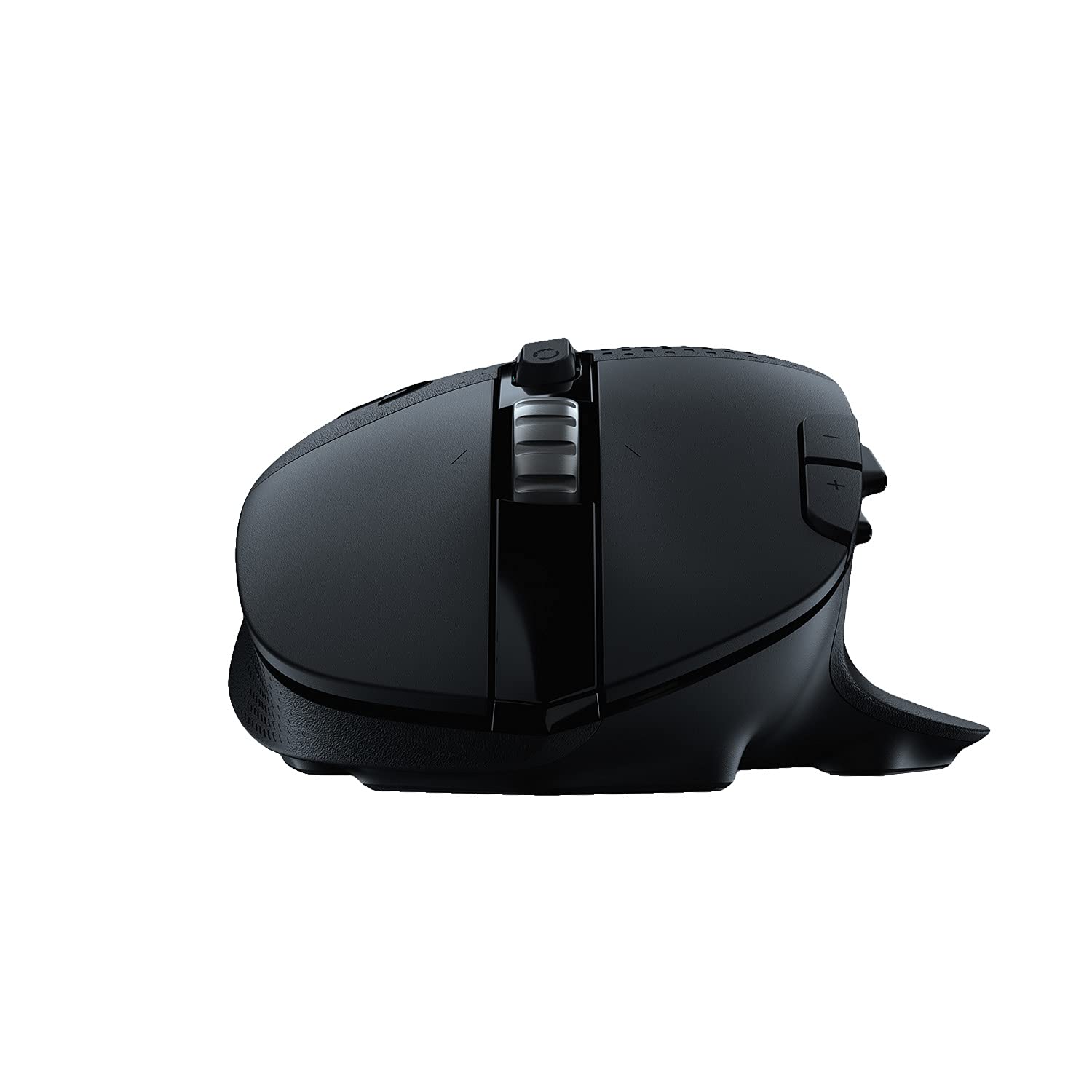
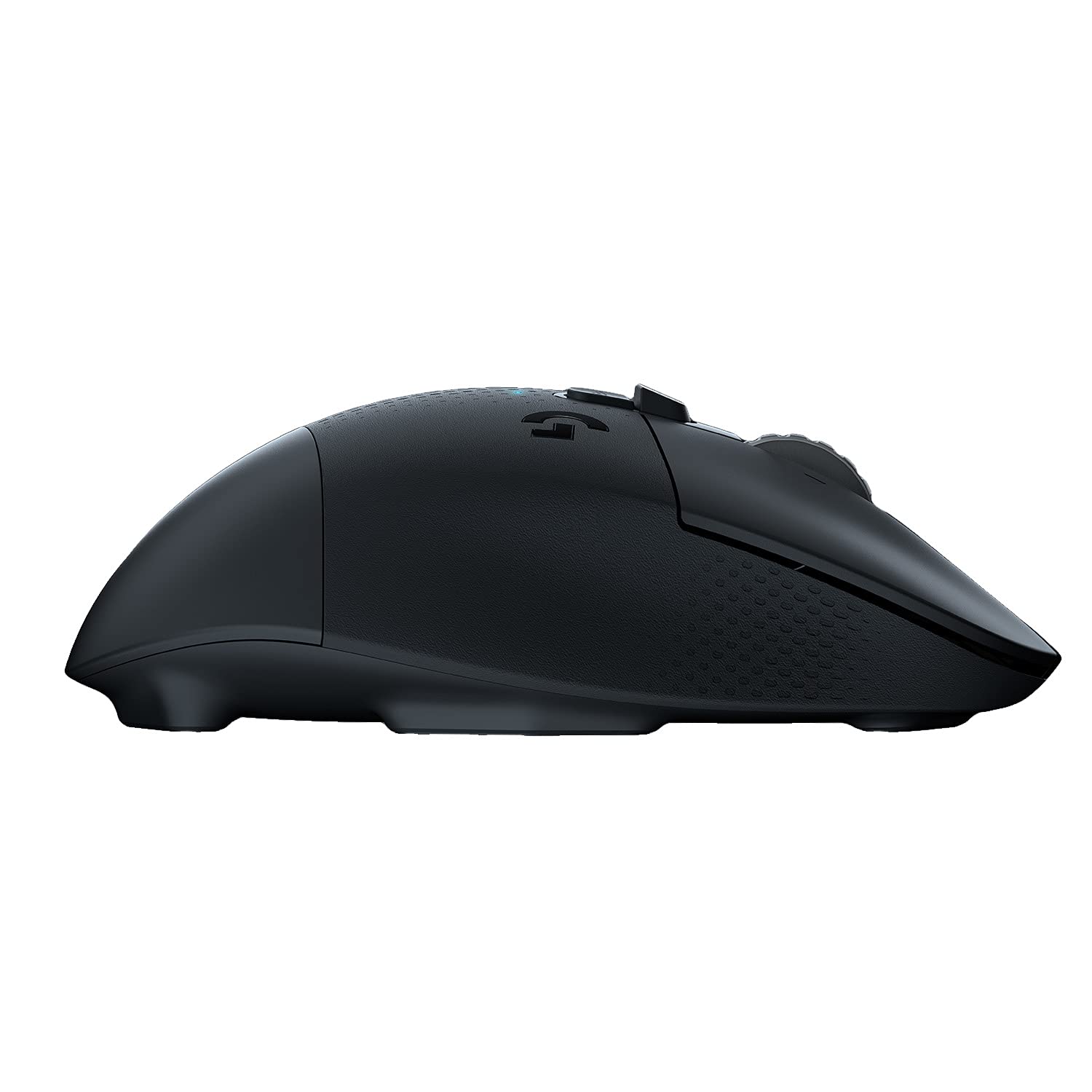
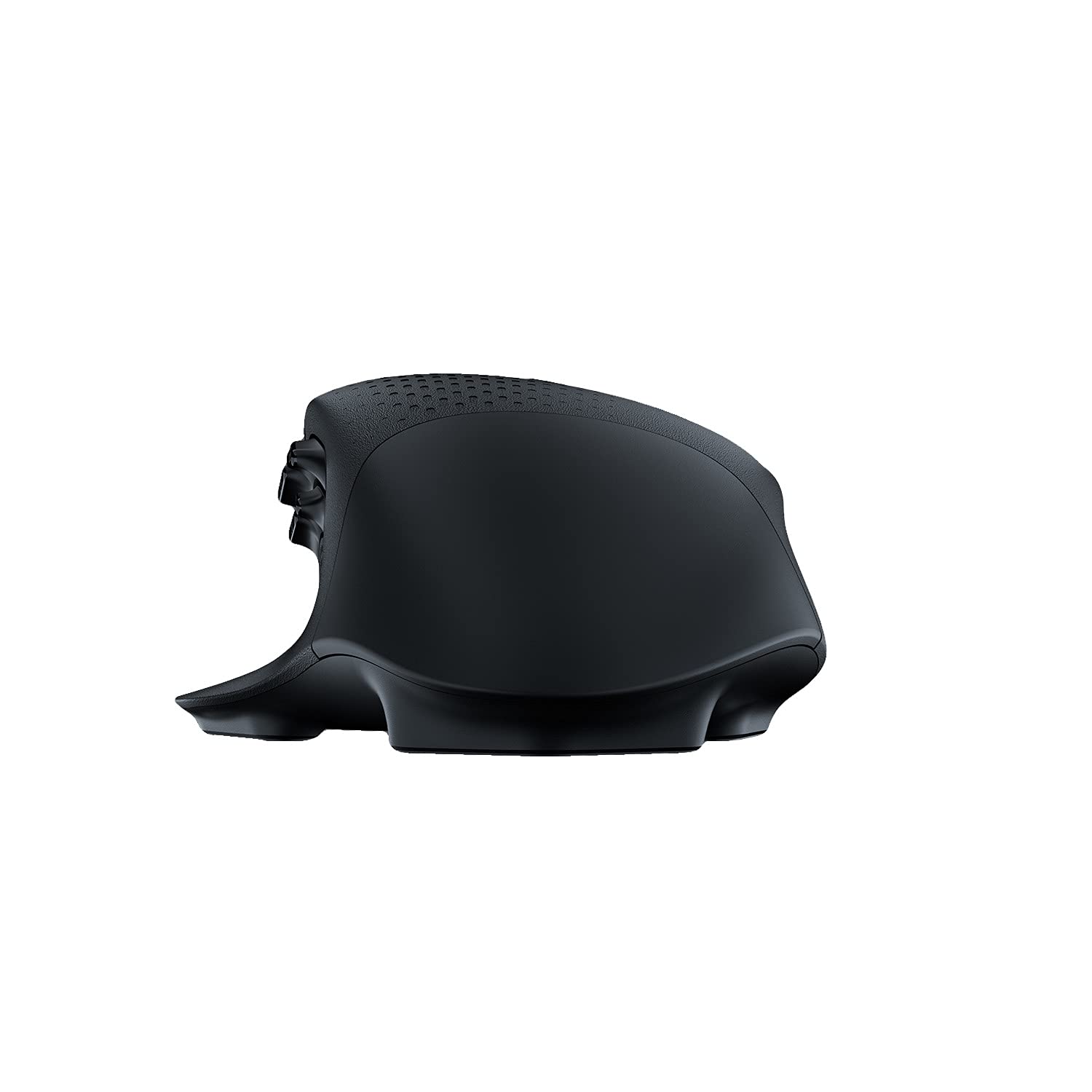
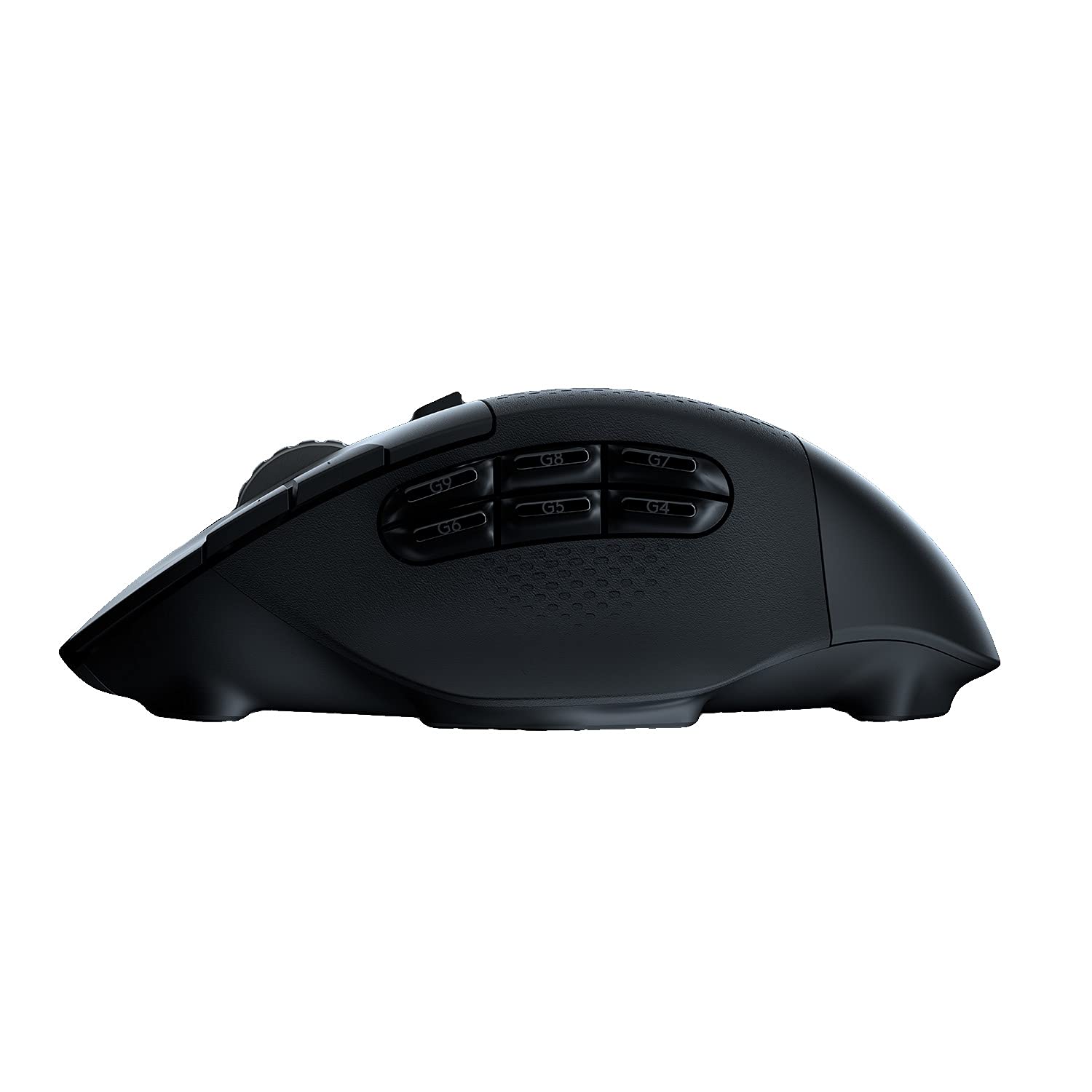
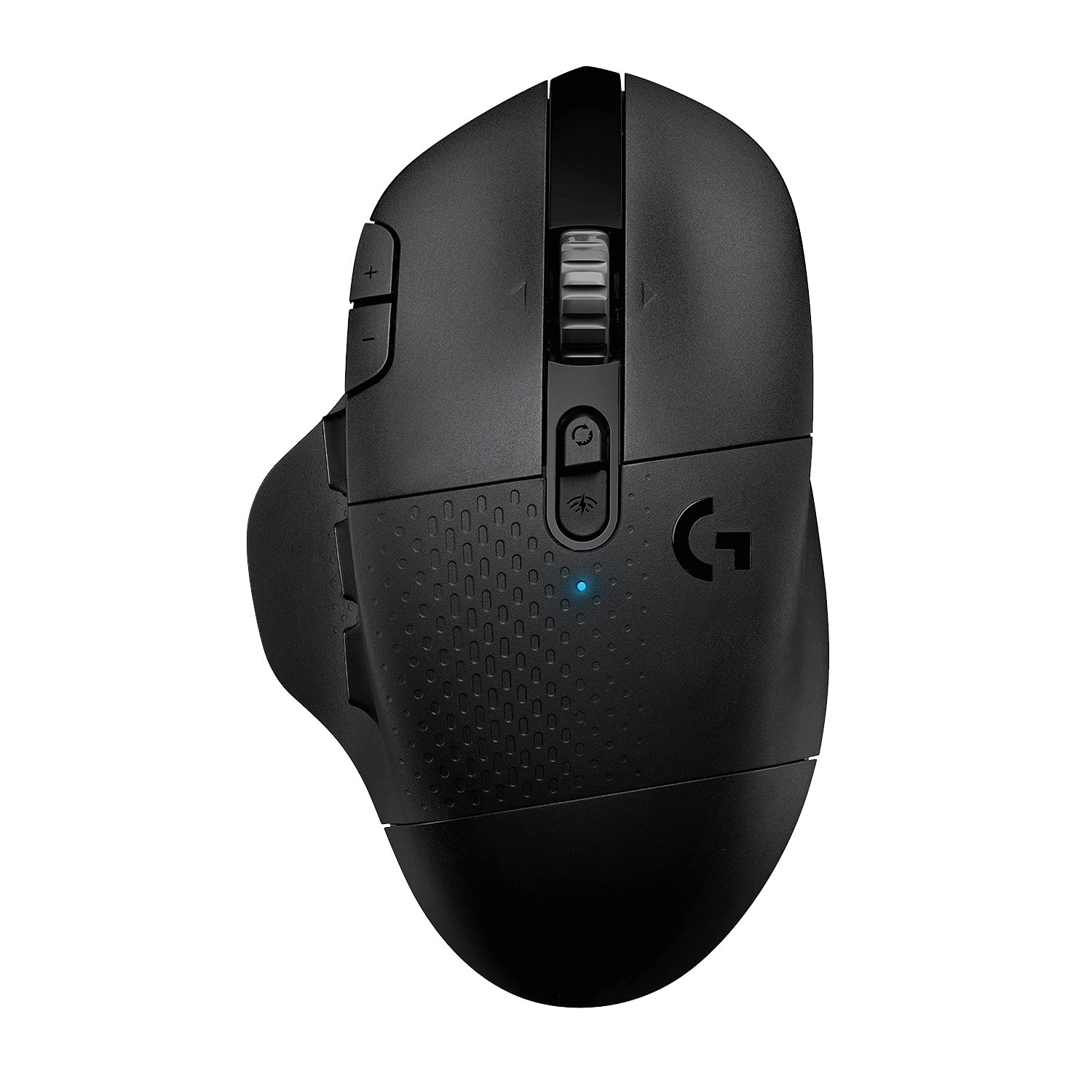
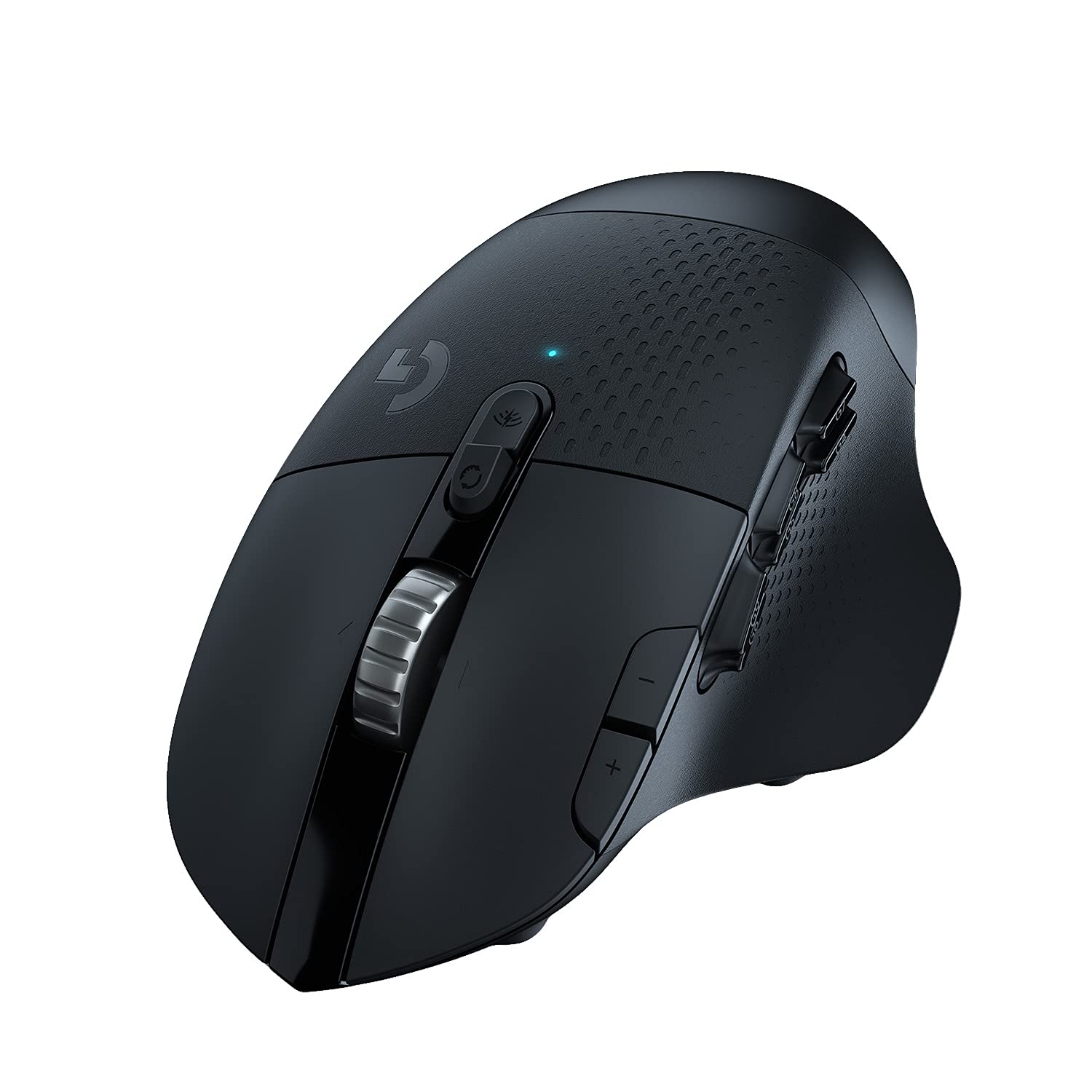


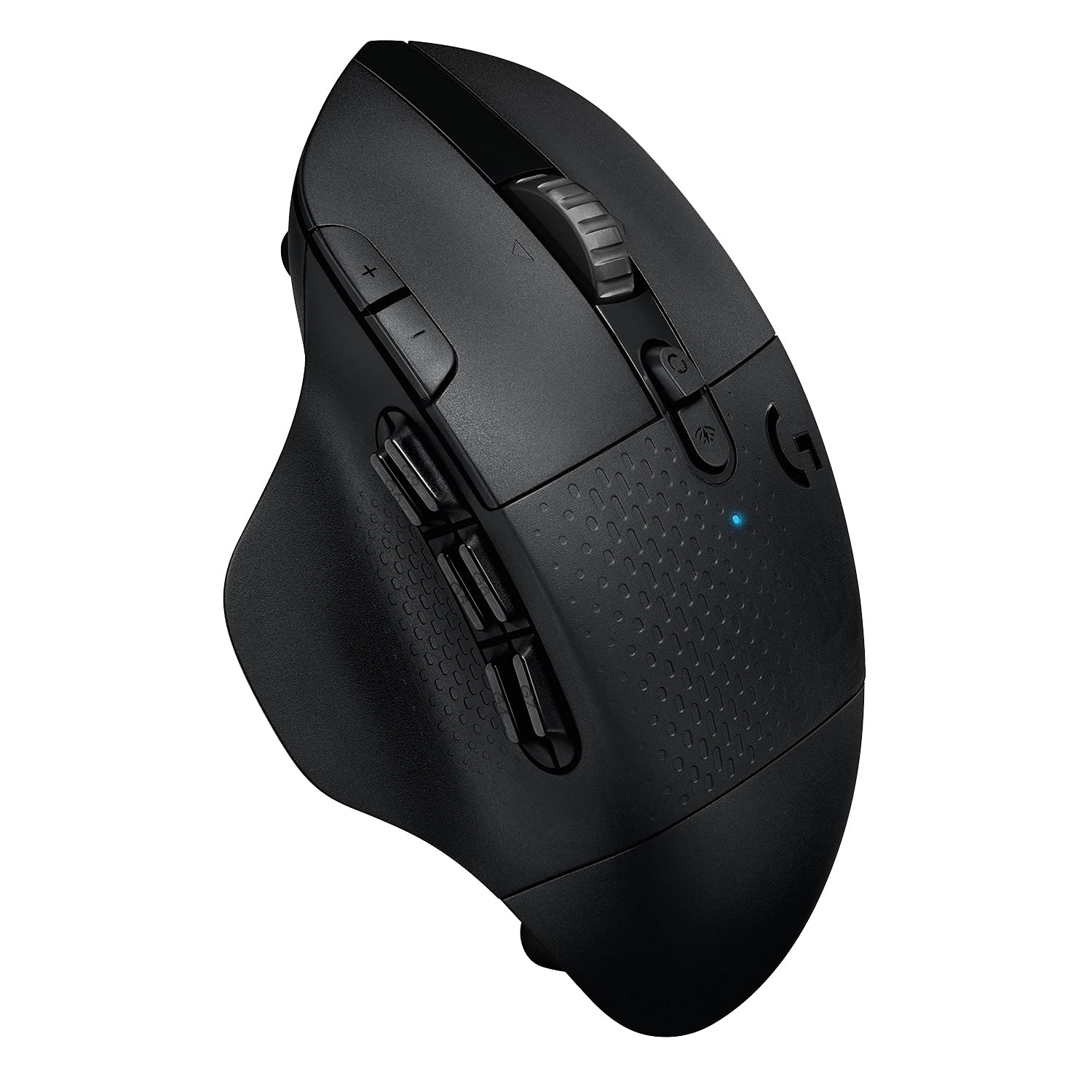
🎯 Own your edge with precision, power, and control — no wires, no limits.
The Logitech G604 LIGHTSPEED is a wireless gaming mouse engineered for professionals and gamers alike, featuring 15 programmable buttons, a cutting-edge HERO 25K sensor with up to 25,600 DPI, and dual wireless connectivity modes (Bluetooth and 1 ms LIGHTSPEED). Its remarkable battery life of up to 240 hours on a single AA battery ensures uninterrupted performance, while the dual-mode hyper-fast scroll wheel enhances navigation and gameplay efficiency. Compatible with PC and Mac, this mouse blends precision, customization, and endurance for a superior wireless experience.


| ASIN | B07W6JKL78 |
| Are Batteries Included | Yes |
| Average Battery Life (in hours) | 240 Hours |
| Batteries | 1 AA batteries required. (included) |
| Best Sellers Rank | 41,856 in PC & Video Games ( See Top 100 in PC & Video Games ) 227 in PlayStation Accessories 265 in PlayStation 2 Accessories 265 in Xbox Accessories |
| Brand | Logitech G |
| Colour | Black |
| Customer Reviews | 4.4 4.4 out of 5 stars (2,935) |
| Date First Available | 16 Sept. 2019 |
| Guaranteed software updates until | unknown |
| Hardware Platform | Mac, PC |
| Item Weight | 260 g |
| Item model number | 910-005649 |
| Lithium Battery Packaging | Batteries packed with equipment |
| Lithium Battery Weight | 0.85 Grams |
| Manufacturer | Logitech |
| Number Of Lithium Ion Cells | 2 |
| Number of Lithium Metal Cells | 1 |
| Operating System | Windows, macOS |
| Power Source | Battery Powered |
| Product Dimensions | 8 x 13 x 4.5 cm; 260 g |
| Series | G604 LIGHTSPEED Wireless Gaming Mouse |
A**G
Borderline Perfect (for me)
Pros: 1. Good build quality 2. Quick switching between modes (Bluetooth to 2.4, vice versa, useful if you want to connect to two PCs) 3. Lots of programable buttons which is especially useful for games that use a lot of key-combos. 4. Sleep mode if the mouse doesn't move for a while, which is useful if you forget to switch it off. I turned off the mouse maybe 3 times? and I have been using it for a month or so and the GHub app shows that my battery is full (4/4 bars). 5. Mouse feet are of good quality, they don't scrape the mouse mat surface. 6. Being able to swap batteries is a great touch, meaning battery degradation is non-existent. 7. The back of the mouse stores the receiver and the battery, and is held by strong, but not too strong magnets. Cons(?): 1. Mouse is relatively heavy, not too much of an issue for me, it can be for others. 2. The scroll wheel is the loudest I have ever heard, but I wear headphones so it does not bother me. 3. Rest space for the pinky would be nice. 4. Albeit minor, the left and right click don't stay perfectly flush with the main body of the mouse. 5. No third connectivity option, such as a USB Type-C, so if the Bluetooth and receiver break, your will need to fix it or replace the mouse. 6. No RGB. I really don't care as it will reduce the battery life, but others may want RGB.
M**S
Comfortable, customisable mouse. The best I've owned!
I have tried A LOT of mice this year, hunting for the best one. I don't play many games but I was looking for a comfortable mouse for work with extra buttons, infinite scroll, side scroll etc, and this is the one. I did try the MX Master but found it a bit uncomfortable. It may just be me but my hand kept getting caught on the right underside of the mouse. Everything else about it was great but it wasn't for me. This mouse on the other hand is a joy to use. It has a good weight to it, has 6 fully customisable side buttons that i've already personalised for my work use, and the infinite scroll works well (tip: adjust your scroll on windows to scroll 1 line at a time for a smoother experience). I only use the infinite scroll now. The ratchet scroll is fine, but a bit on the noisy side for me to use in a quiet office. It takes a single AA battery which, while not so good for the environment, it does mean you don't have to worry about charging it, and the battery life is great! As I said I haven't tested this for gaming, so can't comment on the refresh rate, compatability etc, but this is definitely a recommended mouse for productivity.
D**O
Amazing Mice, wish it lasted longer.
Writing this review after replacing my G604. I had 2 of these and both lasted a couple of years before the rubbered top layer started to peel off however this wasn't a huge problem for me. For all its features, this mouse is amazing. Quiet clicks, enough buttons for games, free spin scrolling wheel and DPI LED indicator on top! What I didn't like: Sadly as with any of my other Logi mice, the switches start to go. Starting with double clicks and eventually missing clicks, meaning a faulty switch. Unfortunately you cannot use this mouse plugged in for charging the battery as it relies on the usual AA battery (1), also making it a heavy mouse so if you're going to buy the G604 ensure to have a pack of batteries to avoid running out and not being able to charge.. The battery life is amazing though, it will last for ages and even longer if you use it on BT mode. Performance on BT is good as well although 2.4 mode is even better for smooth gaming. Very often I accidentally pressed the right click button and this has become an annoyance with the years. This is a heavy mouse I believe it sits at around 140g with battery. In 2025 I haven't found a decent replacement for it yet. There's the Naga v2 pro but it's not even close as there isn't fully free spin wheel as in their Basilik or the G604 and clicks are super loud. If you can live with that, go for it but beware, it is even more expensive than the G604.
E**N
Comfortable, useful mouse with no microstutter
This mouse is extremely comfortable. It did take my hand about a week to fully adjust to the size. The scroll wheel is weighty and has a free scroll mode which I love. The buttons on the mouse are very clicky and while abundant, they aren't intrusive. Even the side ones, the large thumb rest helps with this a lot as you can move you thumb away from the buttons. The mouse came with a battery which was great, and it's lasted forever! I have used it nonstop since receiving it and it's still going. The dongle is stored inside the mouse in a little covering, the same place where the battery goes, so it's easy to take with you. I bought this mouse for my Linux devices. This meant I didn't have to use the crappy software that LG force on you. I used a tool called Piper to control and bind the buttons on the mouse for desktop use, and configure DPI. It's great for playing games, they're all buttery smooth with no microstutter like with my previous mouse. Both of my devices I tested with had great responsiveness with the mouse. Completely recommend.
R**S
o tenía reservado para el día 27/09 pero al final se retrasó y me llegó hace una semana. Venía de un Logitech G403 con el que estaba encantado, pero le comenzó a fallar el botón central y he tenido que cambiarlo. Probé un Corsair Dark Core RGB SE hace un mes y lo devolví porque no me convenció nada (una pena porque tenía pintaza). El G604 acaba de salir y de él, destacaría positivamente: 13 botones programables con el software de Logitech (6 en el pulgar). Los 6 del pulgar están bien, no es algo exagerado como el Razer Naga que tiene demasiados y le resta practicidad. Excelente autonomía tanto en modo lightspeed (240h) como en modo bluetooth (5,5 meses). Son las cifras que indica el fabricante pero bueno, digamos que le dura mucho la pila. En mi antiguo G403 que ya tenía bastante autonomía (unas 30h) era un poco rollo cargarlo cada 3 días, sobre todo si trabajas y juegas con él. Rueda de scroll con doble modo (normal y rápido) Sensor hero con 16000 dpi (aunque todos los logitech g decentes lo están incorporando) Funciona con una pila AA (incluida) por lo que es fácil sustituirla En el aspecto negativo, no es mucho lo que hay que comentar, pero algo hay: Se nota pesado, son 136 gramos con la pila (135g indica el fabricante). El G403 eran 107 gramos. Los botones G4 y G7 del pulgar no son fáciles de presionar. En parte es normal pues tampoco hay mucho sitio físico donde ponerlos. Los botones + y - del índice, si los programas, tampoco son muy accesibles (por lo pequeños que son). Por defecto aumentan y reducen los DPI. La rueda de scroll en modo normal se nota pesada (es de metal, eso es bueno) y ruidosa. Por lo demás responde muy bien con 1ms, una gozada usarlo con monitor de 240Hz. El cambio entre el modo bluetooth y el lightspeed es prácticamente instantáneo y el botón de cambio está situado arriba con lo cual es muy sencillo usarlo con dos equipos alternando entre lightspeed y bluetooth. La rueda tiene scroll horizontal, son dos botones que se activan al presionar la rueda horizontalmente (también son programables) El apoyo del pulgar y la palma es de goma del mismo color negro que el resto del cuerpo del ratón. En la parte más próxima a la muñeca tiene un compartimento para cambiar la pila y para guardar el receptor usb. Esto último se agradece mucho para transportarlo sin perderlo. El software de logitech, un poco regulín, han cambiado y ya no se usa el logitech gaming software de toda la vida, ahora es otro y le llaman G Hub. No me acaba de convencer el cambio pero bueno, al menos no es tan malo como el de Corsair. Permite hacer macros, cambiar los botones, etc… el tema perfiles no me queda muy claro, pero bueno…supuestamente puedes utilizar perfiles por software que se cambian automáticamente, por ejemplo al lanzar un juego X se activa ese perfil o usar los perfiles integrados de la memoria interna del ratón (tiene 5). El ratón carece de luces y leds. A algunos no os gustará pero a mi esto me encanta. Los leds es lo típico que está muy chulo al principio pero luego cuando ves que te quita horas de autonomía es lo primero que desconectas. Como accesorios sólo trae la pila AA de Duracell y un cable alargador por si no es posible enchufar directamente el receptor USB. Yo la rueda de scroll la tengo puesta a rápida. En este modo no tiene resistencia con lo que se hace scroll casi sin esfuerzo, es ideal para trabajar. El inconveniente que le veo, hasta que me acostumbre, es que es muy sensible y a veces lo muevo sin querer cuando presiono el botón central o muevo rápidamente el ratón. Los botones del pulgar se pueden programar con macros para aumentar la productividad. Es bastante práctico (Ctrl+Z, Ctrl+V, macros complejas…) No es sólo un ratón de “gaming”. Yo desde que me llegó lo uso más para trabajar, la verdad. Comentar que existe la posibilidad de asignar un botón que cambia entre un doble perfil denominado G-Alt, es decir, al presionarlo cambias la programación con lo cual tendrías un número doble de botones. Yo no se lo activé porque me llegan y me sobran con los que tiene. Por último comentar que, como muchos ratones de este estilo, el diseño es para diestros. Los zurdos que conozco que usan este tipo de ratones al final se han acostumbrado a usarlos con la mano derecha con los años... El precio es caro, pero es un ratón top y eso se paga. En fin, espero que me dure lo mismo que otros de la marca que tengo, desde hace más de 20 años (aún tengo operativo el Mouseman Dual Optical y alguno de bola).
J**Z
Ich benutze seit Jahren diverse verschiedene Logitech Lightspeed Mäuse und Spiele mit denen verschiedenste Genres an Games. Also sind sie eigentlich fast immer unter Dauerbelastung und die ein oder andere Rage im MOBA/FPS Bereichen ausgesetzt. Ich hatte eine G900 Chaos Spectrum, G903, G Pro, G502. Keiner der genannten Mäuse ist so ergonomisch und perfekt passend zu meiner Hand und die Griffart wie die G604. Ich benutze die Maus schon seit Monaten und es ist immer noch die erste Batterie drinne, die mitgeliefert wurde. Ich finde es super, dass man die Batterie einfach austauschen kann wenn die Leer ist ohne dass die an den Stecker muss wie die anderen Mäuse. Die Qualität stimmt wie von Logitech zu erwarten. Was manche kritisieren ist das Drehrad, welches ein bisschen locker ist, das ist bei Logitech Mäusen eher eingebautes Mechanik, damit das Rad frei drehen kann. Der Sensor ist wie der Vorgänger der PWM Sensoren sehr präzise und es gibt kaum spürbaren Inputlag zwischen Bewegung, Klicken, Scrollen etc. Alles in Allem eine sehr gute Maus, die ich wieder kaufen würde, alleine aus dem Grund dass sie sehr effizient mit der Batterie/Akku und sie auch austauschbar ist.
F**F
The batteries last a pretty decent time, even if you use cheap ones from Action (Dutch Dollar Stores). It works with its own wireless dongle and via Bluetooth. I have tried it with MacOS and Windows. No issues either. Decent design. Ergonomy could be better for small hands but I can't expect them to design a device for small hands and multiple buttons, I guess. I like the macro abilities, but be warned you might have to edit some files manually depending on what you want to do. Still worth it. Helps me a LOT on my daily routine!
S**F
It was great while it worked but started double clicking a mere 3 months after purchase. Really disappointed with Logitech.
D**K
After changing clicker few times, my G402 finally died. Love the ergonomics, a slight twist of the wrist, plenty of buttons and a great sensitivity. It has all that I need, plus I'm familiar with the design. On the bad side, the mouse is all plastic. From a longevity standpoint, it is good, but it feels cheaper in hand compared to G402. Additionally, the wheel in restricted mode is very 'cranky'. The turning feedback is very harsh and not pleasant at all. Besides the above I highly recommend this mouse as a daily driver.
Trustpilot
Hace 2 meses
Hace 3 semanas