We remain fully operational. Our teams are working around the clock to ensure your deliveries continue safely.

Descargar la aplicación


Servicios al cliente
Sobre nosotros
Copyright © 2025 Desertcart Holdings Limited
Descargar la aplicación




🚀 Elevate your workspace — where productivity meets immersive power!
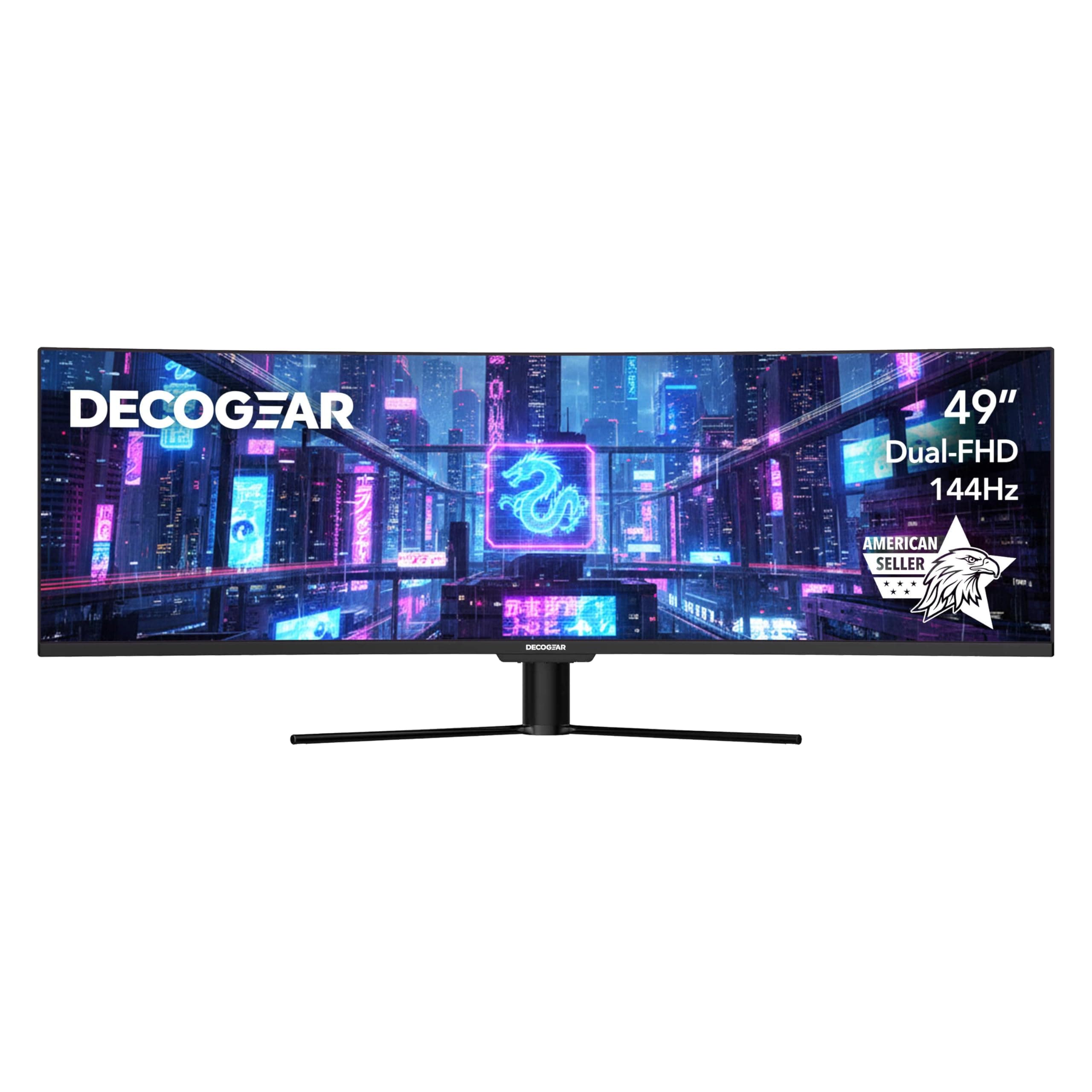
The Deco Gear Curved 49” Super Ultrawide Gaming Monitor delivers a stunning 32:9 3840×1080 WDFHD display with a 1800R curve, 144Hz refresh rate, and 3ms response time. Featuring HDR400 certification and a 3000:1 contrast ratio, it offers vibrant colors and deep contrast ideal for gaming and multitasking. Its versatile connectivity includes USB-C with 65W power delivery, HDMI, DisplayPort, and KVM support, all backed by dependable U.S.-based customer service and a 2-year warranty.


| ASIN | B07XQGRB1F |
| Adaptive Sync | FreeSync |
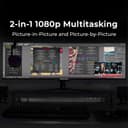
| Additional Features | 6 User Profiles, Blue Light Filter, Flicker-Free Backlight, Game Plus, Picture-in-Picture/Picture-by-Picture |
| Aspect Ratio | 32:9 |
| Best Sellers Rank | #24,131 in Electronics ( See Top 100 in Electronics ) |
| Brand | Deco Gear |
| Brightness | 320 Candela |
| Built-In Media | 3 x HDMI Ports, 1 x Display Port, 1 x Displayport Cable, 1 x Power Cable, 1 x Monitor Stand, 1 x Instruction Manual |
| Color | Black |
| Color Gamut | 100 |
| Compatible Devices | Laptop, Desktop, Gaming Console |
| Connectivity Technology | Audio Output, DisplayPort, HDMI |
| Contrast Ratio | 3000:1 |
| Customer Reviews | 4.4 4.4 out of 5 stars (256) |
| Display Resolution Maximum | 3840 x 1080 Pixels |
| Display Technology | LED |
| Display Type | LED |
| Hardware Connectivity | DisplayPort, HDMI |
| Has Color Screen | Yes |
| Is Electric | No |
| Item Dimensions D x W x H | 9.7"D x 47.2"W x 18.5"H |
| Item Weight | 24.2 Pounds |
| Manufacturer | Deco Gear |
| Model Name | DGVIEW490 |
| Model Number | VIEW490 |
| Mounting Type | Wall Mount |
| Native Resolution | 3840x1080 |
| Number of Component Outputs | 4 |
| Picture Quality Enhancement Technology | HDR |
| Pixel Pitch | 0.31 |
| Power Consumption | 68 Watts |
| Processor Count | 1 |
| Refresh Rate | 144 Hz |
| Resolution | 3840 x 1080 |
| Response Time | 3 Milliseconds |
| Screen Finish | Curved |
| Screen Size | 49 Inches |
| Shape | Rectangular |
| Specific Uses For Product | Gaming |
| Total Number of HDMI Ports | 2 |
| Total Usb Ports | 4 |
| Unit Count | 1.0 Count |
| Viewing Angle | 178 Degrees |
| Voltage | 240 Volts |
| Warranty Type | [EO] 2 Years Manufacturer Warranty |
J**R
Great Monitor
Very happy with this monitor. I divided the screen into 3rds so like having 2 monitors at once.
R**I
Immersive, high-value ultrawide experience — a standout for home setup
I recently upgraded my home setup with the Deco Gear 49" Curved Ultrawide Gaming Monitor, and I’m genuinely impressed. As someone who spends long hours at the rig (from sound engineering work to gaming and multitasking), this monitor delivers in multiple dimensions. 👍 What stands out: The sheer screen real-estate is fantastic. With a 49-inch diagonal and a 32:9 aspect ratio, the display fills my peripheral vision in a way dual-monitor setups rarely do. The specs show it’s 3840 × 1080 resolution for this model. Deco Gear +2 Amazon +2 The curvature (1800R) is a welcome touch — it wraps around just enough to feel immersive without being overwhelming. Deco Gear Smooth motion and responsiveness: A 144 Hz refresh rate and a 4 ms response time (in the specs) make gaming, fast-moving visuals, and switching windows feel fluid. Deco Gear Solid color/contrast performance: With VA panel, HDR400 support, and a 3000:1 contrast ratio listed, the image is vibrant and deep. Amazon +1 Great for multitasking: The wide layout means I can have multiple windows (DAW, video editing, web, chat) open side by side without feeling cramped. The aesthetics and build feel good: Clean bezel design, good size for a desktop workstation, and it complements the home setup nicely. 👎 Some caveats: While 3840 × 1080 is a large width, it’s still effectively the resolution of “two full-HD displays side by side” rather than a “4K” width. If you’re used to very high-res displays (4K, 5K), you may notice slightly less sharpness than you anticipated. Tilt only (-5° to +15°) and no height adjustment (in this model) means you’ll want your mounting/desk setup to already be ergonomic. (From the specs: “Tilt / No vertical adjustment”). Deco Gear The size means you do need enough desk depth and space. If you’re too close, sitting back or mounting slightly higher may help for comfort. Some tasks—especially very high fidelity color-critical workflows—may push this beyond what its panel supports compared to high-end professional monitors. But for the price and overall mix of gaming + productivity, it’s a very strong value. 🎯 My verdict: If you’re looking for a monitor that does double duty—immersion for gaming and serious desktop multitasking—and you have the space to accommodate it, the Deco Gear 49″ curved ultrawide is a smart pick. It strikes a sweet spot between value and performance. For my home studio / sound-engineer-at-home setup, it feels like a meaningful upgrade. I’d rate it 4.5 stars out of 5 and recommend it to others in the same boat.
H**.
WOW
Finally bit the bullet for a giant 49" curved screen and this didn't disappoint. Fantastic size and has made it so much easier to work from home with my multiple windows and giant spreadsheets.
B**N
best for affordable addition to a desktop
fantastic addition to any console or desktop monitor
J**R
works
day four works as add!!!!
L**O
The Max quality this monitor has is 1080p
It’s 1080p for a 49 inch monitor. Not worth the money.
E**A
dont be discouraged by the off brand name
i bought the 49" curved ultrawide decogear 3840 x1080 resolution. at first i was hesitant and was not sure due to never hearing of decogear but who knew. i am very impressed with how much the colors come alive. i use mostly for using AutoCAD and some gaming and when in autocad every color and line is sharp and bright. colors are true to what they should be. on the photo the upper monitor is the LG 27" and the lower is the DecoGear . i bought 2x LG 27" to go above the 49" and kind of sad that the LG brand really sucks. the DecoGear blows LG away. the one thing is if you use a high end graphics card you can use hdmi or display port. but if you connect an ultrawide to say a laptop you will most likely need to use the display port on the monitor. i use microsoft surface studio with a docking station that connects a usb-c to display port or you wont get the max 3840 x 1080 resolution. i am positive you will be happy with the quality
M**E
Best buy
Amazingly good buy. Yrs later still going strong
M**E
Love it ty.
L**S
Works great.
Trustpilot
Hace 2 semanas
Hace 1 semana